
time-runner
v1.1.10
Published
Displaying timer, current time, and countdown with light animation effects(React component)

Maintainers
 fq_dev
Readme
English | 中文
时间/计时/倒计时组件
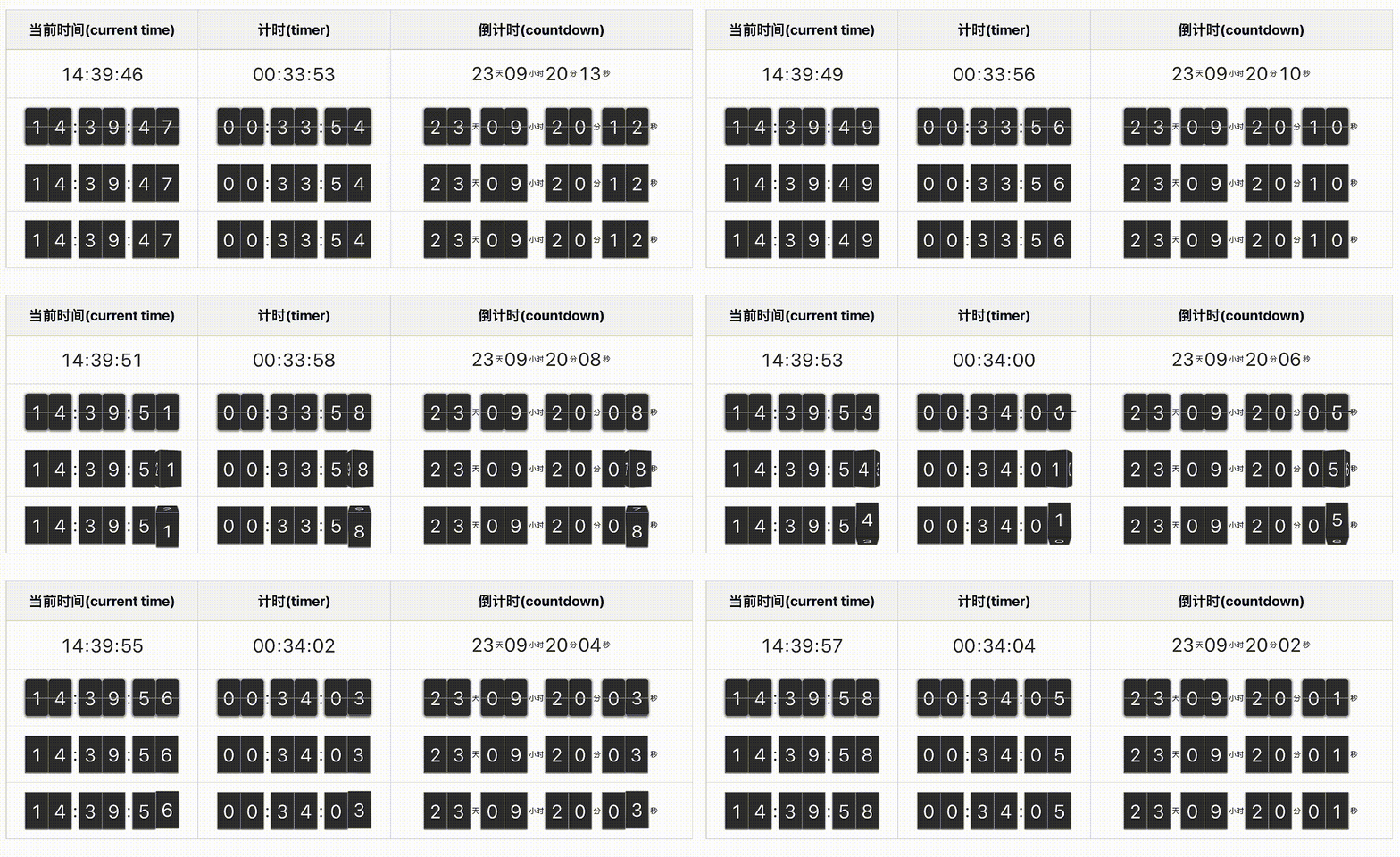
地址:功能演示-demo
这是一个展示时间、计时、倒计时的组件。 基于 React 开发。 主要功能包括:
- 展示当前时间
- 展示显示计时(电脑锁屏、笔记本盒盖不中断计时)
- 展示倒计时
- 些许动画效果
安装
npm i time-runner或者
yarn add time-runner页面引入
import { TimeRunner } from "time-runner";
// 1.0.3 版本开始,不需要引入css文件了
// import "time-runner/dist/time-runner.css";
使用说明
// 当前时间
<TimeRunner />
// 计时器
<TimeRunner showType="count" />
// 倒计时
<TimeRunner showType="2026-10-31" />

// 当前时间 + 翻牌效果
<TimeRunner mode="card" />
// 计时器 + 翻牌效果
<TimeRunner mode="card" showType="count" />
// 倒计时 + 翻牌效果
<TimeRunner mode="card" showType="2026-10-31" />

// 当前时间 + 翻转(左右)
<TimeRunner mode="cube-h" />
// 计时器 + 翻转(左右)
<TimeRunner mode="cube-h" showType="count" />
// 倒计时 + 翻转(左右)
<TimeRunner mode="cube-h" showType="2026-10-31" />

// 当前时间 + 翻转(上下)
<TimeRunner mode="cube-v" />
// 计时器 + 翻转(上下)
<TimeRunner mode="cube-v" showType="count" />
// 倒计时 + 翻转(上下)
<TimeRunner mode="cube-v" showType="2026-10-31" />

// 当前时间 + 漂浮
<TimeRunner mode="drift" />
// 计时器 + 漂浮
<TimeRunner mode="drift" showType="count" />
// 倒计时 + 漂浮
<TimeRunner mode="drift" showType="2026-10-31" />

// 当前时间 + 切割
<TimeRunner mode="cut" />
// 计时器 + 切割
<TimeRunner mode="cut" showType="count" />
// 倒计时 + 切割
<TimeRunner mode="cut" showType="2026-10-31" />

// 当前时间 + 抹除
<TimeRunner mode="erase" />
// 计时器 + 抹除
<TimeRunner mode="erase" showType="count" />
// 倒计时 + 抹除
<TimeRunner mode="erase" showType="2026-10-31" />

// 当前时间 + 圆点
<TimeRunner mode="dots" />
// 计时器 + 圆点
<TimeRunner mode="dots" showType="count" />
// 倒计时 + 圆点
<TimeRunner mode="dots" showType="2026-10-31" />

// 当前时间 + 扩展
<TimeRunner mode="expand" />
// 计时器 + 扩展
<TimeRunner mode="expand" showType="count" />
// 倒计时 + 扩展
<TimeRunner mode="expand" showType="2026-10-31" />

// 当前时间 + 翻面
<TimeRunner mode="flip" />
// 计时器 + 翻面
<TimeRunner mode="flip" showType="count" />
// 倒计时 + 翻面
<TimeRunner mode="flip" showType="2026-10-31" />

// 当前时间 + 叶片
<TimeRunner mode="slats" />
// 计时器 + 叶片
<TimeRunner mode="slats" showType="count" />
// 倒计时 + 叶片
<TimeRunner mode="slats" showType="2026-10-31" />
组件属性(props)
/**
 * 显示模式,默认:default
 * default: 当前时间
 * count: 计时器
 * 指定时间:倒计时。
 */
showType?: string;
/**
 * 动画模式,
 * card:  卡片
 * cube-v:上下翻转
 * cube-h:左右翻转
 * drift: 漂浮
 * cut:   切割
 * erase: 抹除
 * dots:  圆点
 * expand:从中心向外扩展
 * flip:  翻面
 * slats: 叶片
 */
mode?: TransMode;
/** 倒计时结束后执行的方法 */
finishCountFn?: Function;
/** 尺寸,默认40 */
size?: number;
/** 自定义样式类名 */
className?: string;
/** 背景颜色 */
bgColor?: string;
/** 数字颜色 */
numColor?: string;
/** 边框颜色 */
borderColor?: string;
/** 文字阴影颜色值 */
textShadowColor?: string;
/** 倒计时显示的文字语言 */
lang?: "zh-CN" | "en-US"
倒计时传入日期的格式
"YYYY-MM-DD",
"YYYY/MM/DD",
"YYYY-MM-DD HH:mm",
"YYYY/MM/DD HH:mm",
"YYYY-MM-DD HH:mm:ss",
"YYYY/MM/DD HH:mm:ss",
React版本
"react": ">=16.8.0",
"react-dom": ">=16.8.0"
更新日志
[1.1.10] - 2026-09-02
Changes
- 新增 mode = "slats"
- 新增属性:lang: 倒计时显示的语言。zh-CN: 中文 en-US: 英语
[1.1.9] - 2026-08-05
Changes
- 新增 mode = "flip"
[1.1.8] - 2026-07-31
Changes
- 新增 mode = "expand"
[1.1.7] - 2026-07-25
Changes
- 新增 mode = "dots"
[1.1.6] - 2026-06-20
Changes
- 新增 mode = "erase"
- 增加 numColor: 数字颜色
[1.1.5] - 2026-05-24
更新内容
- 增加 mode = "cut" 效果
[1.1.4] - 2026-03-07
更新内容
- 增加英文版Readme
[1.1.3] - 2026-02-26
更新内容
- 修复数字字体没有生效的问题
[1.1.2] - 2026-02-25
更新内容
- 更改字体和引用路径
[1.1.1] - 2026-02-24
更新内容
- 修复数字字体引用路径的问题
[1.1.0] - 2026-02-20
更新内容
- 增加数字字体
[1.0.5] - 2025-11-16
更新内容
- 更新Readme内容
[1.0.4] - 2025-11-16
更新内容
- 更新Readme内容
[1.0.3] - 2025-11-16
更新内容【Breaking Change】
- 移除 “time-runner/dist/time-runner.css”文件引入
- 增加 textShadowColor(文字阴影颜色)属性
- 更新Readme内容,增加功能演示地址。
[1.0.2] - 2025-10-11
更新内容
- 增加 mode = "drift" 效果
- 更新Readme内容
[1.0.1] - 2025-10-07
更新内容
- 更新readme内容