
tinker-n64
v0.1.3
Published
N64 Emulator Plugin for TINKER


Readme
tinker-n64
A N64 emulator plugin for TINKER, supporting ROM loading with keyboard and gamepad controls, save states, and fullscreen playback.
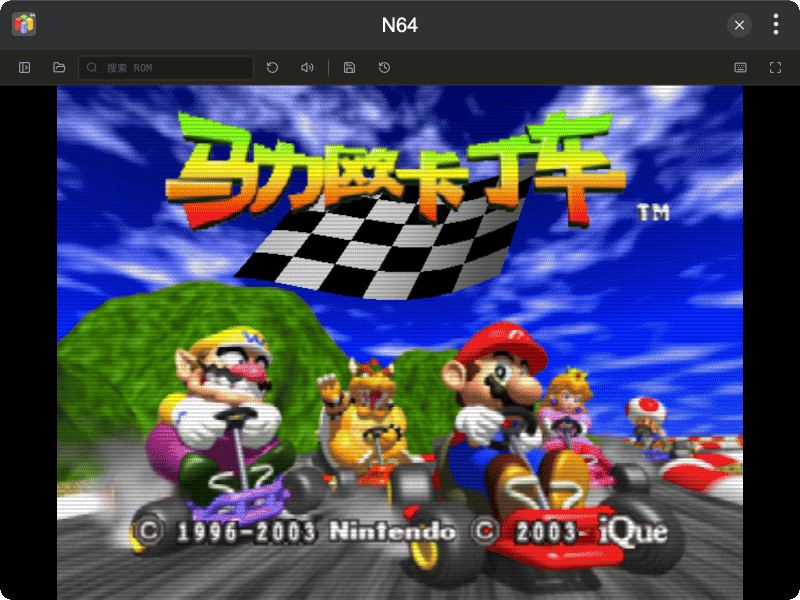
Features
- N64 Emulation powered by N64Wasm (Mupen64Plus)
- ROM Loading via file picker, drag and drop, or click the empty viewport (
.n64/.v64/.z64) - Reset support
- Save / Load State support
- Mute / Unmute audio toggle
- Fullscreen mode
- Custom Key Mapping for keyboard and gamepad, including analog stick axes
- Play History sidebar with ROM search
- Dark Mode support
Installation
Download and install TINKER from https://tinker.liriliri.io/, then run npm i -g tinker-n64.
Usage
- Click OPEN ROM to load a
.n64,.v64, or.z64file, drag and drop it onto the screen, or click the empty viewport - Use keyboard or gamepad to play
- Click RESET to restart the current ROM
- Click SAVE STATE / LOAD STATE to save or restore progress
- Click MUTE / UNMUTE to toggle audio
- Click FULLSCREEN to enter fullscreen mode
- Click KEY BINDINGS to customize keyboard and gamepad mappings
- Toggle the SIDEBAR to browse play history or search for ROMs on disk