
tinypal
v0.1.4
Published
An interactive mascot SDK for React that reacts to forms, API calls, inactivity and the cursor.

Maintainers
 harshit_dev
Readme
tinypal




Give your website a little personality.
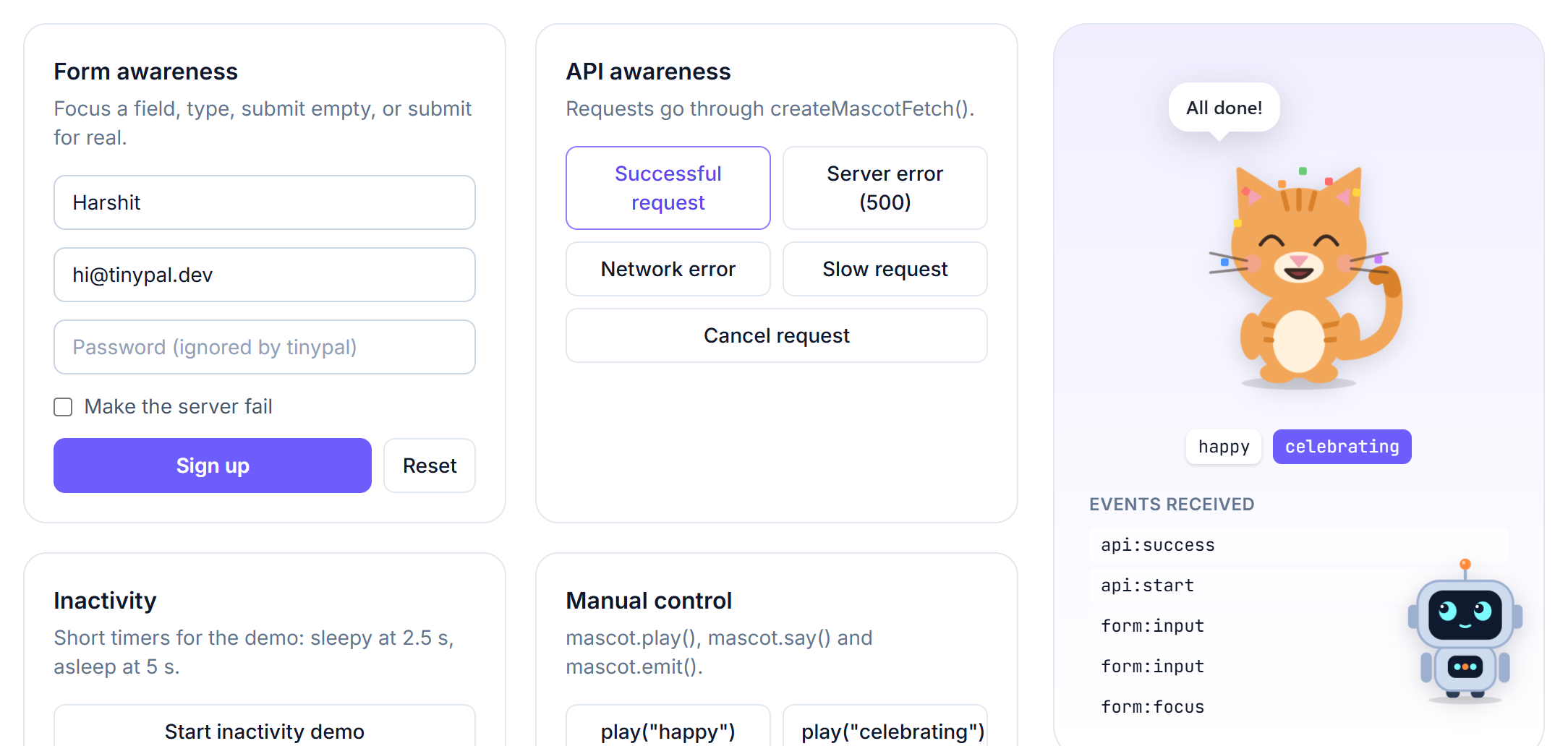
tinypal is a mascot SDK for React. A small animated companion sits on your page and reacts to what is happening: it gets curious when a form is focused, thinks while requests load, celebrates when they succeed, looks sad when they fail, follows the cursor with its eyes, and dozes off when the visitor goes quiet.
Live demo and playground · npm · Docs
Features
- 19 original characters: robot, cat, dog, fox, panda, alien, ghost, bunny, blob, owl, penguin, dino, mouse, monster, chick, frog, bear, cactus and pip. Plus an API for your own.
- 8 expressions and 7 animations: idle, happy, curious, thinking, surprised, confused, sad, sleepy; loading, celebrating, blinking, looking left/right, waving, sleeping.
- Cursor tracking with adjustable speed (
"slow"to"instant"), on onerequestAnimationFrameloop with zero React re-renders. - Form awareness for native forms, React Hook Form and Formik. Never reads field values; password fields are ignored.
- API awareness with
fetchand Axios adapters. You decide which status codes count as errors. - Speech bubbles with custom messages, rotating lines and multiple languages.
- Positioning in corners, at coordinates, next to an element, inline, or draggable.
- Inactivity: sleepy, then asleep, then a surprised wake-up.
- TypeScript-first, SSR-safe (Next.js), no runtime dependencies, no analytics, respects
prefers-reduced-motion.
Install
npm install tinypalUsage
import { MascotProvider, useMascot } from "tinypal";

function SaveButton() {
  const mascot = useMascot();

  const save = async () => {
    mascot.play("loading");
    try {
      await saveData();
      mascot.play("happy", { duration: 3000 });
      mascot.say("Saved!");
    } catch {
      mascot.play("sad", { duration: 3000 });
      mascot.say("Something went wrong.");
    }
  };

  return <button onClick={save}>Save</button>;
}

export default function App() {
  return (
    <MascotProvider character="cat" position="bottom-right" enableFormAwareness>
      <SaveButton />
    </MascotProvider>
  );
}
Or report events and let the mascot pick the reaction:
mascot.emit("api:loading");
mascot.emit("api:success");
mascot.emit("form:invalid");
Documentation
Full guides and API reference are in docs/: getting started · characters · expressions · cursor tracking · forms · API · messages · positioning · inactivity · React · Next.js · custom characters · API reference · troubleshooting
Runnable examples are in examples/.
Security note: custom character artwork (
defineCharacter({ body })) is inserted as raw SVG. Only use SVG you trust, never SVG built from user input. See custom characters.
Works with
React 18 and 19, Next.js (App Router and Pages Router), Vite, and any React setup. TypeScript types are included.
Try every character and option live in the playground.
License
Made by Harshit Bhalani. If tinypal made your site a little friendlier, you can buy me a coffee ☕ or leave a ⭐ on GitHub.