
tlp-icons
v0.5.3
Published
26,278 free, open-source animated SVG icons in 35 categories (Lucide, Tabler and tlp originals), as one <tlp-icon> web component for HTML, React, Angular and Vue.

Maintainers
 tamer0110
Readme
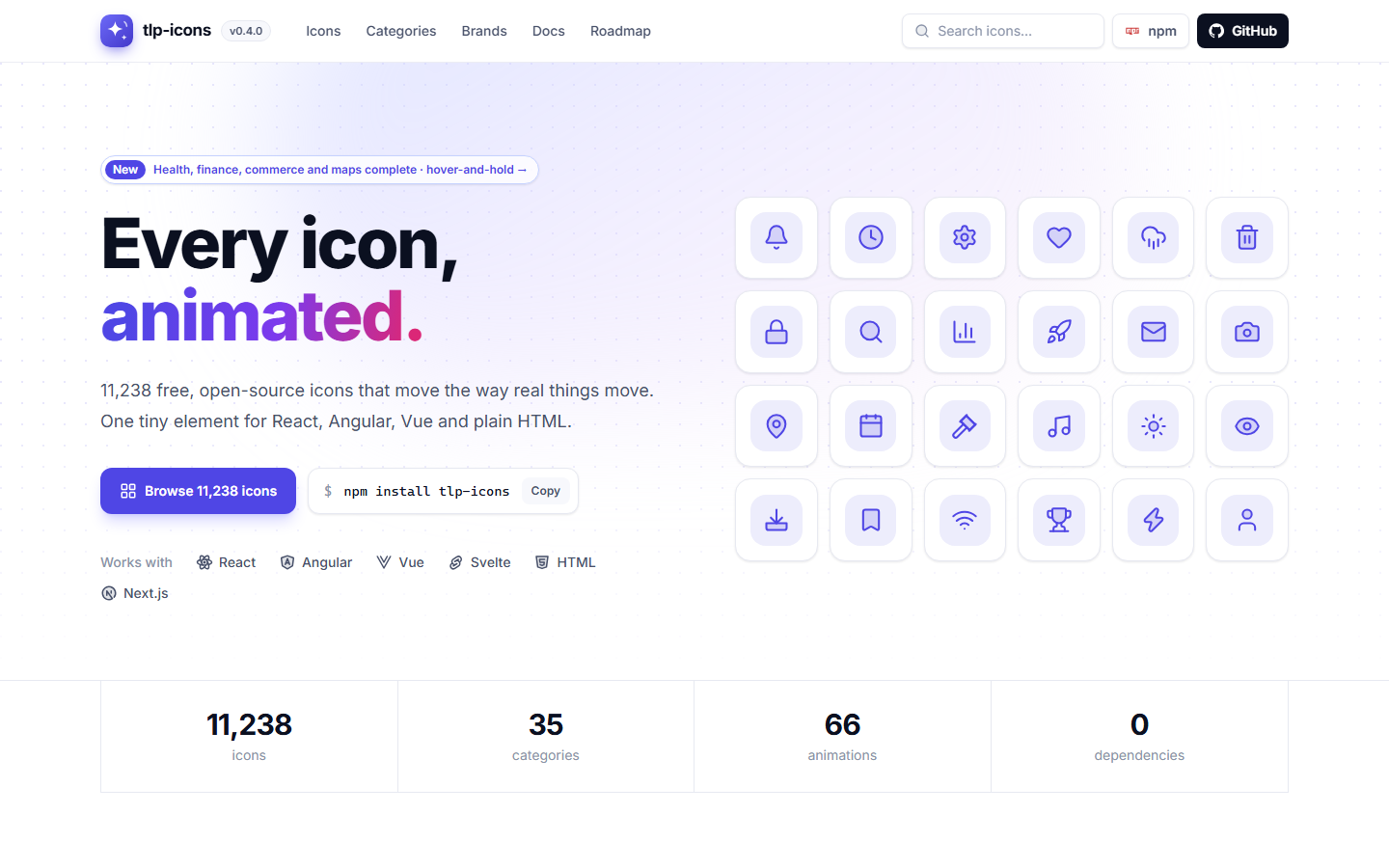
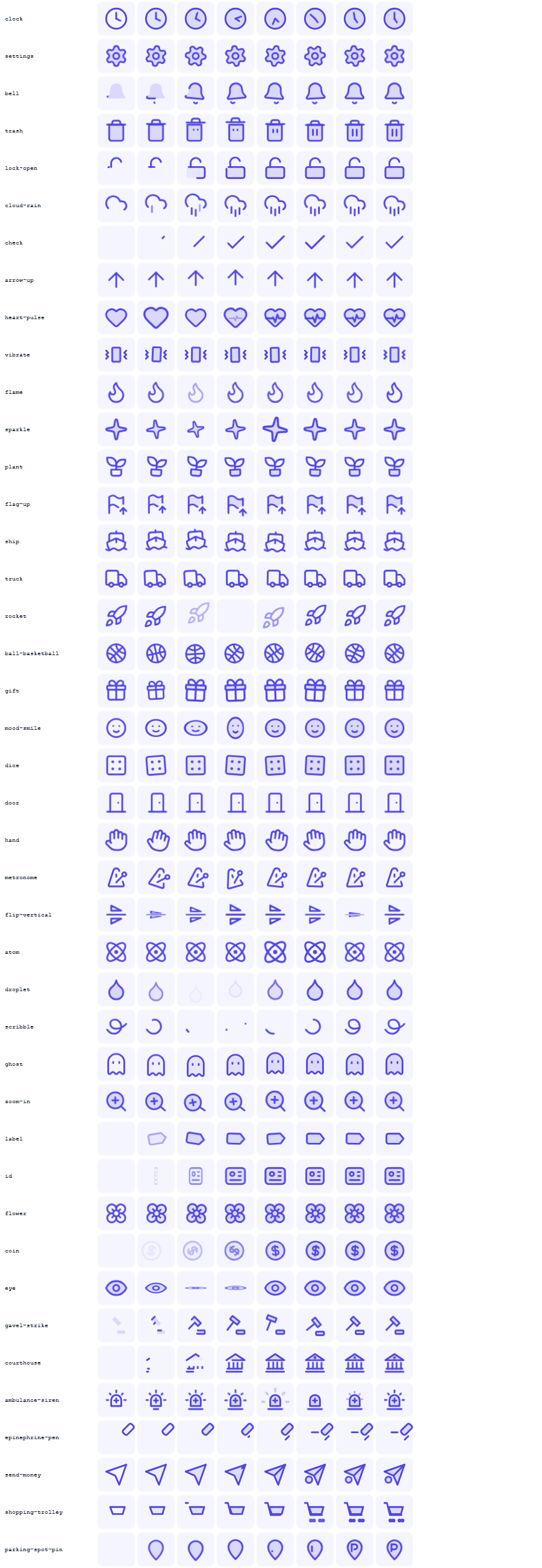
A free, open-source (MIT) library of 26,278 stroke icons, built from the best free sets (Lucide and Tabler) plus our own tlp originals, sorted into 35 hand-curated categories, including 376 brand logos (Facebook, Instagram, WhatsApp, X, TikTok, YouTube...). Every single one moves on hover: clock hands sweep around the face, gears spin on their axle, bells swing from the top, trash lids lift, arrows move the way they point.
- 26,278 icons: 24×24 grid, 2px stroke, round caps,
currentColor. One consistent style. - 100% animated: 20,097 hand-made choreographies, plus a motion engine that reads each icon's geometry.
- Deep fields: we draw our own icons where the free sets stop (19,835 tlp originals). Legal (1,180), health (1,200), finance (1,100), science (1,004), people (1,004)... every category is at its roadmap target.
- 100 animations: draw, pop, swing, spin... plus beat for hearts, sway for plants, flutter for flags, drive for vehicles, wave for hands, drip for drops: each icon gets the motion that fits what it is.
- Hover and hold:
trigger="hold"animates to the peak on hover and stays there, then returns when the mouse leaves.animated="false"(orconfig.animated = false) makes icons static. - Brand logos: 376 brands in the same outline style, animated (trademarks of their owners, see
NOTICE.md). - Tiny runtime: one custom element,
<tlp-icon>. Works in plain HTML, React, Angular, Vue, Svelte... - Light: icons load in small buckets of about 56 (3-6 KB gzip), computed from the name with no lookup table, so a page with one icon downloads about 13 KB in total, not all 26,278. No icon font, no font files.
- Polite motion: plays once to the end, never animates a whole card at once, respects
prefers-reduced-motion. - Works offline: one classic script with every icon (in
tlp-icons-data) runs fromfile://, and the build never needs the network.
Install
npm install tlp-iconsOr with no build step, from a CDN:
<script type="module" src="https://unpkg.com/tlp-icons/dist/tlp-icon.js"></script>
<tlp-icon name="bell"></tlp-icon>
Offline / no modules (for example opened from file://): one classic script with every icon inside (about
<script src="node_modules/tlp-icons-data/tlp-icons.all.js"></script>
<!-- or https://cdn.jsdelivr.net/npm/tlp-icons-data/tlp-icons.all.js -->
<tlp-icon name="bell"></tlp-icon>
Usage
<tlp-icon name="bell"></tlp-icon>
<tlp-icon name="settings" size="32" stroke="1.5"></tlp-icon>
<tlp-icon name="loader-circle" trigger="loop"></tlp-icon>
<tlp-icon name="heart" trigger="click" duotone></tlp-icon>
<tlp-icon name="arrow-right" flip="rtl"></tlp-icon>
| Attribute | Values | Default |
| --- | --- | --- |
| name | any icon name (or a Lucide alias) | |
| size | number (px) or any CSS length | 24 (or --tlp-size) |
| stroke | stroke width | 2 (or --tlp-stroke) |
| trigger | hover, hold, loop, click, none | hover |
| duotone | boolean, adds a soft tinted body fill | off |
| flip | rtl (mirror only in right-to-left pages), x (always mirror) | off |
| animated | false makes the icon static (never animates) | animated |
trigger="hold" plays the animation to its peak on hover and stays there (the trash lid stays up, the bell stays
tilted); when the mouse leaves it plays back to rest. Page-wide defaults:
import { config } from 'tlp-icons/element';
config.trigger = 'hold';   // every icon without a trigger attribute
config.animated = false;   // every icon static
The icon takes its color from color, like text. Theme everything with CSS variables:
tlp-icon { --tlp-size: 20px; --tlp-stroke: 1.75; }
.card { --tlp-duo: .2; } /* duotone strength */
Play it from code: document.querySelector('tlp-icon').play().
Hover rule. Hovering an icon animates it. Hovering anything else walks up to the nearest element that holds exactly one icon (a button, a menu item) and animates that icon. If it reaches an element with several icons first (a card, a menu, a table row), nothing animates. So hovering a button animates its icon, while a big card never lights up all its icons at once.
Framework recipes
Copy-paste setups. Every snippet below is a real file in test/recipes/ that the test suite
compiles with that framework's own compiler (TypeScript, vue/compiler-sfc, svelte/compiler,
@astrojs/compiler), so they stay correct.
import 'tlp-icons/element' is safe during server rendering: on the server it registers nothing and never touches
the DOM.
React 18: the wrapper
React 18 turns boolean props into strings and can't set custom element properties, so use the tiny optional
wrapper (react is an optional peer dependency and is never bundled):
import { TlpIcon } from 'tlp-icons/react';

export function Toolbar() {
  return (
    <nav>
      <button type="button">
        <TlpIcon name="bell" /> Alerts
      </button>
      <TlpIcon name="loader-circle" trigger="loop" aria-label="Loading" />
      <TlpIcon name="heart" size={32} duotone className="like" />
    </nav>
  );
}
React 19: the tag directly
React 19 supports custom elements natively. tlp-icons/jsx types the tag (name is required, trigger and
flip are checked):
import 'tlp-icons/element';
import 'tlp-icons/jsx'; // types <tlp-icon> in JSX

export function Toolbar() {
  return (
    <nav>
      <button type="button">
        <tlp-icon name="bell" /> Alerts
      </button>
      <tlp-icon name="loader-circle" trigger="loop" aria-label="Loading" />
      <tlp-icon name="heart" size={32} duotone className="like" />
    </nav>
  );
}
Next.js (App Router)
Put the element behind one small client component and use it from server components. Server rendering outputs the tag; the browser upgrades it.
'use client';
// app/components/Icon.tsx - use <Icon name="bell" /> from any server or client component.
// The import is safe during server rendering (it registers the element only in the browser).
import 'tlp-icons/element';
import 'tlp-icons/jsx';

export function Icon(props: { name: string; size?: number; trigger?: 'hover' | 'loop' | 'click' | 'none'; duotone?: boolean }) {
  return <tlp-icon {...props} />;
}
Angular 17+ (standalone)
// toolbar.component.ts (Angular 17+, standalone)
import { Component, CUSTOM_ELEMENTS_SCHEMA } from '@angular/core';
import 'tlp-icons/element';

@Component({
  selector: 'app-toolbar',
  standalone: true,
  schemas: [CUSTOM_ELEMENTS_SCHEMA],
  template: `
    <button type="button"><tlp-icon name="bell"></tlp-icon> Alerts</button>
    <tlp-icon [attr.name]="icon" trigger="loop"></tlp-icon>
  `,
})
export class ToolbarComponent {
  icon = 'loader-circle';
}
Vue 3 + Vite
Tell Vue that tlp-icon is a custom element, then use it in any template:
vite.config.ts
// vite.config.ts
import { defineConfig } from 'vite';
import vue from '@vitejs/plugin-vue';

export default defineConfig({
  plugins: [
    vue({ template: { compilerOptions: { isCustomElement: tag => tag === 'tlp-icon' } } }),
  ],
});
App.vue
<script setup>
import { ref } from 'vue';
import 'tlp-icons/element';

const done = ref(false);
</script>

<template>
  <button type="button" @click="done = !done">
    <tlp-icon :name="done ? 'circle-check' : 'circle'" duotone></tlp-icon>
    {{ done ? 'Done' : 'Mark done' }}
  </button>
</template>
SvelteKit
<script>
  import { onMount } from 'svelte';

  // load the element in the browser only (SvelteKit renders on the server first)
  onMount(() => import('tlp-icons/element'));
</script>

<button type="button">
  <tlp-icon name="bell"></tlp-icon> Alerts
</button>
<tlp-icon name="loader-circle" trigger="loop"></tlp-icon>
Astro
---
// src/pages/index.astro
const icon = 'bell';
---
<button type="button">
  <tlp-icon name={icon}></tlp-icon> Alerts
</button>
<tlp-icon name="loader-circle" trigger="loop"></tlp-icon>

<script>
  // Astro bundles and runs this in the browser
  import 'tlp-icons/element';
</script>
Raw data and SVG strings (Node / SSR)
import { icons, categories, getSvg } from 'tlp-icons';

getSvg('bell');                                // static SVG markup
getSvg('bell', { size: 32, stroke: 1.5 });
getSvg('bell', { animated: true });            // SVG with the motion baked in (needs dist/tlp-icons.css)
icons.bell;                                    // { svg, m: [[part, anim, dur, delay, origin?], ...] }
Importing icons pulls in the whole set. For pages, use <tlp-icon>, which loads only small buckets of about 40
icons for the names on the page.
One category only: import a category module from tlp-icons-data and register it:
import legal from 'tlp-icons-data/icons/legal.js';   // { 'courthouse': { svg, m }, ... }
import { register } from 'tlp-icons/element';
register(legal);                                     // <tlp-icon name="courthouse"> renders with no extra request
Full dataset: tlp-icons-data
Every icon's SVG, motion, category, tags and source in one JSON file (3.4 MB) ships as a separate package, so
npm install tlp-icons stays small:
npm install tlp-icons-dataimport data from 'tlp-icons-data' with { type: 'json' }; // bundlers: import data from 'tlp-icons-data'
data.icons.bell; // { category, source, tags, svg, m }It replaces the old tlp-icons/data export (removed in 0.2.0). Typed (TlpIconsData).
Bundle size
Measured on every build (minified, gzip level 9) and written to dist/size-report.json. The build fails if the
element core goes over 8 KB gzip.
| What | Minified | Gzip | | --- | ---: | ---: | | element core (tlp-icon + core + element) | 27.3 KB | 7.1 KB | | manifest (optional: categoryOf, CATEGORIES, ALIASES) | 53.6 KB | 30.2 KB | | smallest icon bucket (icons/273.js) | 9.7 KB | 3.0 KB | | largest icon bucket (icons/459.js) | 22.2 KB | 5.7 KB | | keyframes (anims.js, loaded with the first icon) | 17.0 KB | 3.2 KB | | all icons, offline bundle (tlp-icons.all.js) | 7185.0 KB | 1386.7 KB | | stylesheet (tlp-icons.css) | 16.6 KB | 3.2 KB |
What a page actually downloads: the element core, the keyframes once, then one small bucket per icon name (the bucket is computed from the name, so there is no lookup table to download). A page with one icon loads about
no CSS per icon, nothing for icons you don't use. The stylesheet is injected by the element; tlp-icons/css is there
if you prefer a <link>.
Website
https://tlp-icons.netlify.app is built with Next.js (React) in web/ and runs on the published npm
package ("tlp-icons": "^0.5.0"; the icon pages load it from cdn.jsdelivr.net/npm/tlp-icons). Every page is
pre-rendered static HTML for search engines, and the whole site is about 164 MB (27,000 files; each icon page is about 5 KB):
| Page | URL |
| --- | --- |
| Home | / |
| Icon gallery (search, filters, size / stroke / color / duotone) | /icons/ |
| One page per icon: preview, sizes, buttons, code for React / HTML / Angular / Vue / SVG, related icons | /icons/<name>/ (26,278 pages) |
| Categories, one page each, including Brands | /categories/, /categories/<id>/ |
| Documentation with live examples and the animation library | /docs/ |
| Roadmap with live progress | /roadmap/ |
| Licenses & credits: every source, its icon count and the full license texts | /licenses/ |
| sitemap.xml, robots.txt, Open Graph image | |
cd web && npm install         # installs tlp-icons from npm
npm run dev                    # http://localhost:3000
npm run build                  # static site in web/out (about 164 MB, 27,000 files)
node scripts/serve.mjs         # serve web/out on http://localhost:4321
Netlify runs the same steps (see netlify.toml) and publishes web/out on every push to main.
After publishing a new tlp-icons version to npm, run npm install tlp-icons@latest in web/ and redeploy.
For a manual deploy, drag the web/out folder onto the site's Deploys tab in Netlify.
Offline use: tlp-icons-data/tlp-icons.all.js is a single classic script with every icon; it works from file://
with no server and no internet.
How it works
npm run sync    online:  latest Lucide + Tabler -> normalised snapshot in upstream/ -> build
npm run build   offline: upstream/ + config/ + overrides/ + originals/ -> dist/ (library)
npm test        offline: node:test suite (data, motion, keyframes, build idempotency)
npm run test:browser optional Playwright tests + frame strips (npm run setup:browser once)config/sources.json: upstream versions (written by sync). Brand logos are on (includeBrands).config/categories.json: the taxonomy, plus explicit mapping tables for every upstream category, name patterns and the featured order.config/rules.json: keyword → motion recipe. Data, not code.overrides/<name>.json: hand choreographies. These always win over the engine.originals/<name>.json: tlp originals, icons we draw ourselves (with their category, tags and motion).config/roadmap.json: per-category goals and planned icon lists →ROADMAP.md(node scripts/roadmap.mjs) and the/roadmap/page.scripts/adapters/: one adapter per icon source (latest,fetch,load). Add a set by adding an adapter.scripts/engine/: SVG parsing, geometry, the motion engine and serialisation.src/runtime/:core.js(registry, baking, run engine, hover rule),element.js(<tlp-icon>) andtlp-icons.css(the 100tlp-keyframes).
Motion engine. Every icon is split into atoms (one per element or sub-path) and measured. Then:
- Hand override, if there is one.
- Mechanics detectors. Clocks: find the face and split the hands at its centre, then sweep the minute hand and advance the hour hand (it keeps its position between hovers). Gears spin on their axle, and several gears turn opposite ways. Arrows: find each arrow head and its shaft, then move them the way they point.
- Composites:
file-plus,user-cogandcircle-checkanimate as base + badge, or container + glyph.-officons draw their slash last. - Keyword rules from
config/rules.json: bells swing, trash lids lift, locks open on their hinge, eyes blink, charts grow, rain falls, vehicles drive... - Fallback: a duotone body fills in, the outline draws, details follow, then a soft finishing gesture. The gesture varies so neighbouring icons don't all look the same.
Every motion is small and springy and ends exactly at rest. The default speed is 0.6, which averages about
0.9 s per icon (1.56 s max). Change it with import { config } from 'tlp-icons/element'; config.speed = 0.8.
Contributing
- New icon: add
originals/<name>.json(24×24, 2px stroke, round caps, partsp1..p4,motionsteps). Pick one from the planned lists in ROADMAP.md. Check it withnode scripts/sheet.mjs review <name>andnode scripts/strips.mjs review <name>(images intest/browser/shots/). - Better motion for one icon: add
overrides/<name>.jsonwith the SVG retagged into parts (class="p1"...) and itsmotionsteps. See any existing override. - Better motion for many icons: add or adjust a rule in
config/rules.json. - Wrong category: add a name pattern or an explicit entry in
config/categories.json. - Run
npm run build && npm testbefore opening a PR.
See CONTRIBUTING.md for the full workflow and the release process, and CHANGELOG.md for what changed in each version.
License
MIT © tlp-icons contributors. Icon geometry from Lucide (ISC) and
Tabler Icons (MIT), plus tlp originals (MIT). See NOTICE.md, licenses/
and the licenses page. Every icon's source is recorded in the dataset and
shown on its page. No icons, fonts or artwork from Font Awesome, Material, Heroicons or any other set are included;
the tlp originals are drawn from scratch.
Trademarks
The 376 brand icons (the Brands category, names starting with brand-) are provided for
referential, nominative use only: to identify a product or service, for example a "Sign in with GitHub" button or a
list of supported platforms. The logos remain the property of their respective owners, and their inclusion does not
imply any affiliation with or endorsement by those owners. Follow each owner's brand guidelines when you use them;
some do not allow altered or animated logos, so use animated="false" for those.