
toem-tailwind-plugin
v0.1.1
Published
A Tailwind plugin for dynamically calculate em values.


Readme
toem Tailwind Plugin
A Tailwind plugin for dynamically calculate em values.
Install
npm install toem-tailwind-pluginThen you just need to import it and add it to the plugins array in your tailwind.config.js.
import toemPlugin from "toem-tailwind-plugin";

export default {
  /* ...your tailwind config goes here... */
  plugins: [
    toemPlugin({
      /* Optional */
      defaultBase: 16 /* Default value is: 16 */,
    }),
  ],
};
How to use it?
The em unit is relative to the font-size of its parent element as the MDN Web Docs defines it. These are kind of hard to guess its real computed value specially if you have numbers like
0.8125em. This library allows you to define em values with Tailwind but in a much more declarative way like the example below 👇.
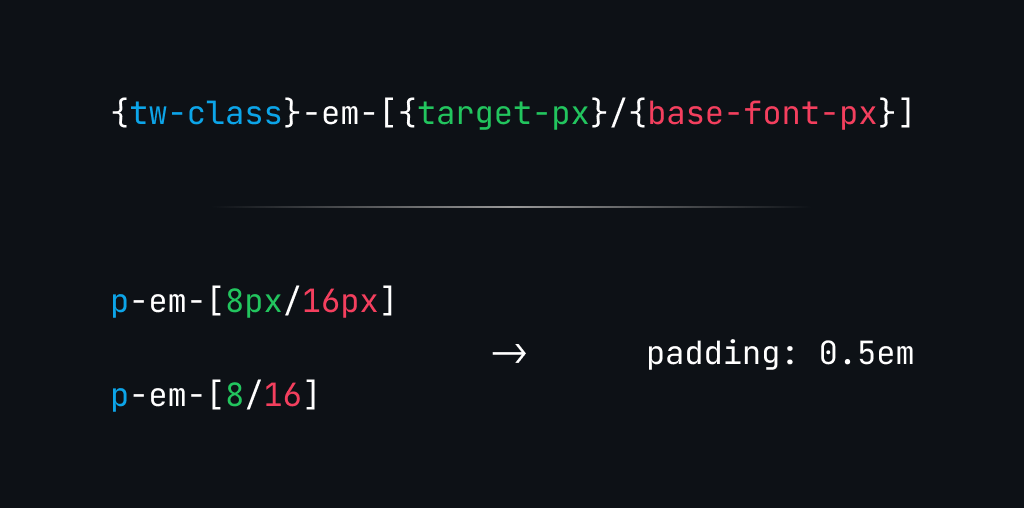 In this example we are aiming to set a padding of
 8px when the parent font-size is 16px resulting in 13px/16px = 0.8125em. Here's a code snippet using toem-tailwind-plugin in the wild. See? Much more explicit.
<div class="text-base flex items-center gap-x-em-[24/16]">
  <img class="size-em-[32/16]" src="..." alt="profile pic" />

  <p class="text-em-[13/16]">Lorem Ipsum</p>
  <div></div>
</div>
If you find yourself setting the same exact base value for large chunks of code, or if you want to make
a whole block interoperable with multiple bases. You can use single value -em classes for that.
It results on a calc() function that inherits the base value from it's parent and defaults to
your base value defaultBase on your plugin config. The base-em class sets a base value for the entire child block.
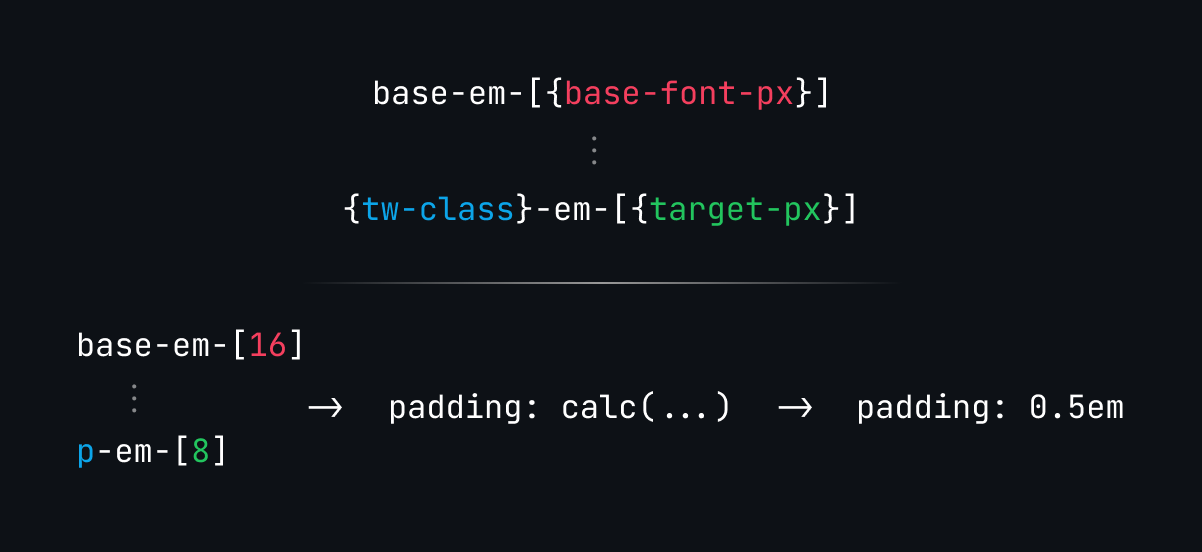
Here's the same example as before but using base-em class.
<div class="text-base base-em-[16] flex items-center gap-x-em-[24]">
  <img class="size-em-[32]" src="..." alt="profile pic" />

  <p class="text-em-[13]">Lorem Ipsum</p>
  <div></div>
</div>
Preview the result
I highly recommend installing the Tailwind IntelliSense plugin for VSCode, it will display the result of the dynamic calculation.
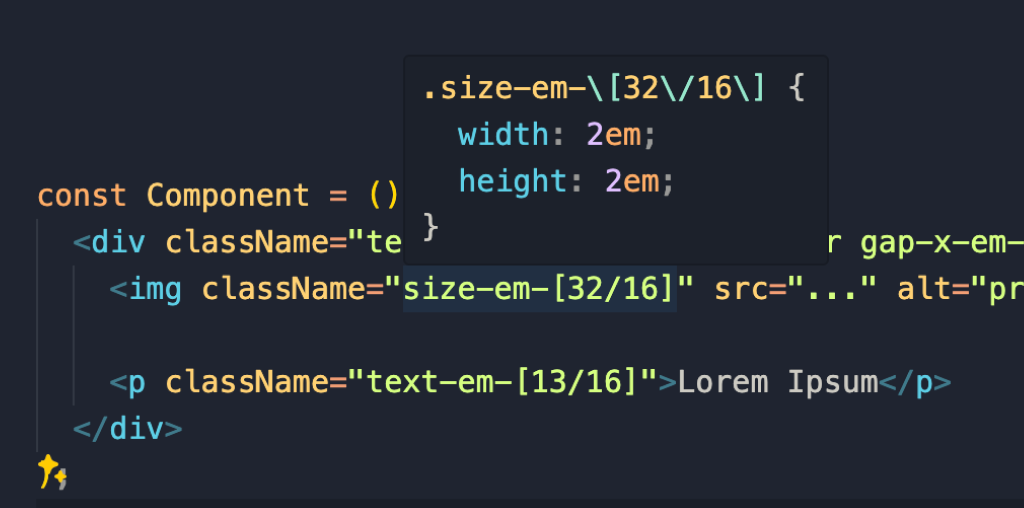
Supported properties
All the Tailwind classes that target css properties that accept em units as values are supported, but if I missed one feel free to open a PR.