
tokensleft
v0.8.3
Published
Terminal dashboard for AI subscription quotas — Claude Code, Codex, Gemini CLI, Kimi Code, Copilot, Grok, Antigravity, OpenCode, z.ai — with burn-rate forecasts and threshold alerts.

Maintainers
 tokensleft
Readme
TokensLeft
English · 繁體中文 · 简体中文 · 日本語 · 한국어
快速查看 AI 訂閱額度、重置時間、消耗速度與本機模型用量的終端儀表板。
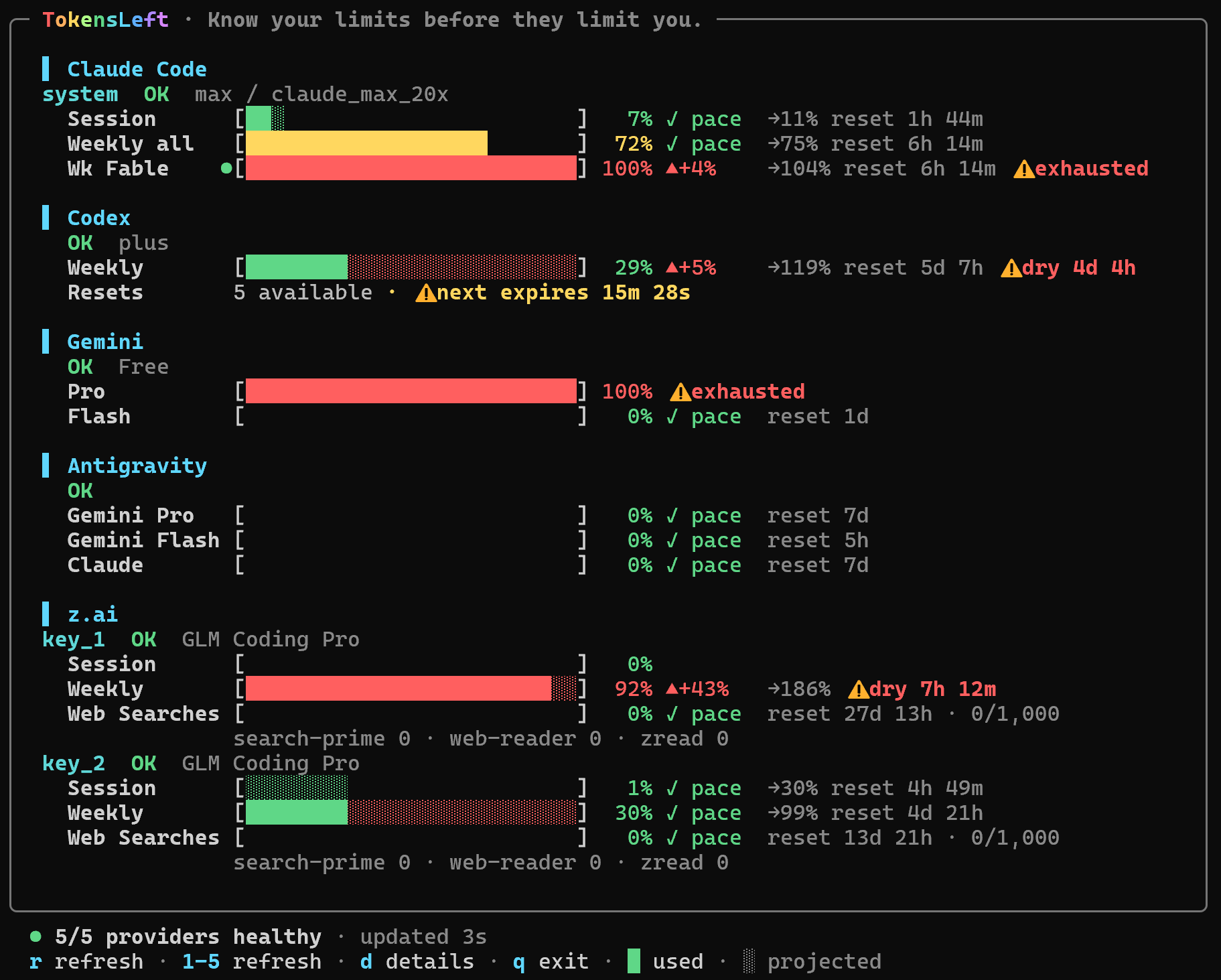
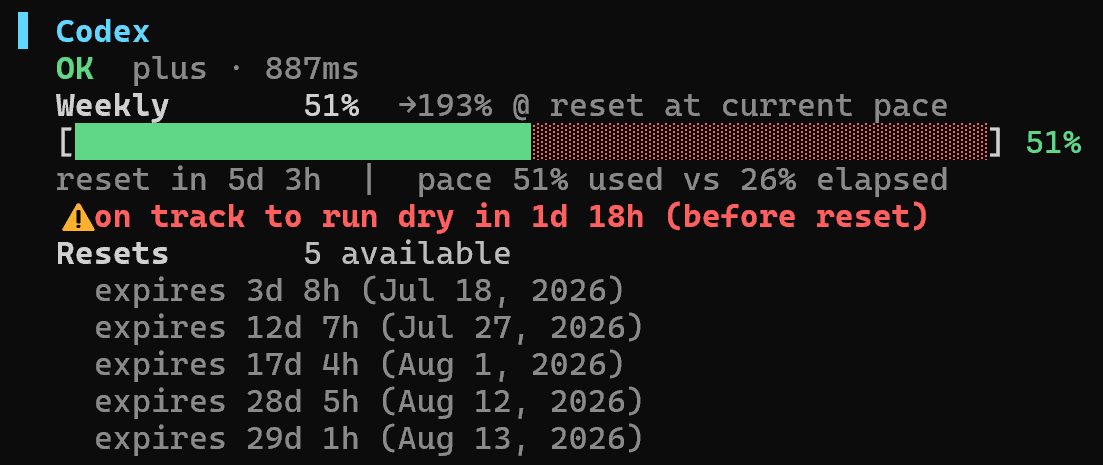
快速開始
npx tokensleftTokensLeft 會自動偵測已登入的 Claude Code、Codex、Gemini CLI、Kimi Code、GitHub Copilot、Grok、Antigravity、OpenCode 與 z.ai。需要 Node.js 20.18.1 以上版本;在不支援 node:sqlite 的環境(包含 Node 20)會略過 Antigravity 與 OpenCode。
指令
tokensleft [providers...] [options]

--demo            使用擬真的本機示範資料
--once            輸出一次純文字結果後結束
--json            輸出一次 JSON 後結束
--interval <秒>   覆寫更新間隔
--read-only       不刷新或永久寫回憑證
-h, --help        顯示說明
-v, --version     顯示安裝版本
可以指定任意組合,例如 tokensleft claude codex;未指定時會顯示所有偵測到的 Provider。
TUI 按鍵
r 全部更新 · 1–9 更新單一 Provider · d 切換詳細模式 · t 重置歷史(偵測過才顯示) · ? 說明 · 方向鍵/PgUp/PgDn/滑鼠捲動 · q/Esc 離開
預設使用 256 色;受限終端可設為 TOKENSLEFT_COLOR=basic 或 NO_COLOR=1。
憑證與隱私
- 自動讀取本機 CLI 的既有登入資料;手動金鑰可放在
~/.tokensleft/.env或./.env,完整變數請見 .env.example。 - Claude Code 登入資料會從
~/.claude/.credentials.json讀取;macOS 上會優先讀 login Keychain 中的Claude Code-credentials項目,首次讀取時系統會詢問授權。哪個來源有可用的 token 就用哪個,過期的舊檔不會蓋掉新的登入。快到期的 token 會自動更新並寫回原本的來源,且不會覆蓋更新的憑證;--read-only可停用。完全沒有憑證時,仍會顯示來自 Claude Code 轉錄檔的本機用量。 - Kimi Code 會讀取
~/.kimi-code/credentials/kimi-code.json,並相容舊版~/.kimi路徑;面板會顯示會員等級、共享額度、並行上限與包含 Kimi K3 在內的可用模型。多把會員金鑰可設為KIMI_CODE_API_KEY_1、_2等,並用KIMI_CODE_NAME_1、_2自訂名稱。原本的單一KIMI_CODE_API_KEY仍可使用;這些不是 Moonshot 的KIMI_API_KEY。 - 額度請求不會經過 TokensLeft 服務,只會直連各 Provider 或使用你設定的 proxy;TokensLeft 沒有帳號系統、伺服器、分析或遙測。
- Codex 的非官方 48 小時重置機率會匿名向
willcodexquotareset.com取得,不會附帶憑證或帳號識別資訊。 - Claude Code、Codex、Gemini CLI 與 Kimi Code 的本機用量只從電腦上的 CLI 紀錄計算,不會上傳;詳細模式會顯示輸入、快取輸入、輸出,以及有公開價格時的 API 費用估算。
- 非預期重置歷史只會儲存在本機
~/.tokensleft/reset-history.json,內容僅有 Provider、額度項目名稱與偵測時間。 - OAuth 憑證需要時會安全更新並寫回;使用
--read-only可停用刷新與永久憑證更新。
本機美元金額依公開 API 價格估算,不代表訂閱帳單。價格使用內建的 LiteLLM/models.dev 快照,每日最多更新一次;離線時會沿用上次有效資料。未知或不完整價格會明確標示。預測採簡單線性推估,並非保證。
開發
git clone https://github.com/tokensleft/tokensleft.git
cd tokensleft
npm ci
npm test
npm run demo
安全政策 · 採 MIT 授權。