
tophbase
v0.1.5
Published
Local Supabase-compatible backend — no Docker, no cloud account. One command to start.

Maintainers
 smlgroot
Readme
tophbase



I love Supabase. But spinning it up locally means Docker, a heavy CLI, and a cloud account before you've written a single line of code. tophbase gives you a Supabase-compatible local backend with one command — free, no Docker, no setup. Build your MVP locally, graduate to Railway, and eventually to real Supabase when you're ready.
Early and evolving — expect rough edges. Issues and PRs are welcome.
This project is built with AI assistance (Claude Code). All code is reviewed and understood by the maintainer before merge.
Quick Start
npx tophbase freshmanThat's it. On first run, tophbase asks you a few questions (port, migrations directory, whether to enable the Postgres wire protocol) and saves your answers. Every subsequent run just starts — no prompts.
Open http://localhost:<your-port> to access the dashboard.
Connect with Postico, psql, or any Postgres client
tophbase can expose a Postgres wire protocol server so you can connect with any standard Postgres client — Postico, TablePlus, psql, whatever you use.
Enable it during freshman setup, or pass the flag directly:
npx tophbase freshman --pg-wire-port 5433Then connect with:
Host:     127.0.0.1
Port:     <pg-wire-port>
Database: postgres
User:     postgres
Password: (leave blank)
Graduate
When you're ready to ship, graduate moves your project to a hosted provider.
Railway
npx tophbase graduate --provider railwayRequires the Railway CLI and railway login. Creates the project, service, volume, and domain automatically.
Supabase
npx tophbase graduate --provider supabaseUses the Supabase Management API with a personal access token — no CLI needed. Creates or links a project, applies your migrations, and prints your new env vars.
Other commands
tophbase schema refresh
Regenerates SCHEMA.md from the current local database state — useful as context for AI tools.
npx tophbase schema refreshSupabase Compatibility
tophbase runs PostgreSQL 17 (via PGlite) and is designed to make any Supabase migration apply cleanly locally.
For a typical vibe dev app (SQL + REST API + email auth + RLS + extensions + storage), compatibility is ~95%. The main gaps are Realtime, OAuth, and Edge Functions.
| Feature | Status | Notes |
|---|---|---|
| SQL, schemas, triggers, functions, RLS | ✅ Identical | |
| REST API (CRUD, filters, upsert, RPC) | ✅ Identical | |
| Auth — email/password, JWT, sessions | ✅ Identical | |
| auth.uid() / auth.role() / auth.email() | ✅ Identical | |
| All standard pg extensions (pgcrypto, pgvector, pg_trgm, citext, uuid-ossp, hstore, ltree, unaccent, pg_hashids, pg_uuidv7, pgtap, age, pg_ivm, etc.) | ✅ Identical | ~38 extensions loaded via PGlite |
| pgjwt | ✅ Identical | Reimplemented in SQL via pgcrypto |
| Storage (buckets, upload/download, signed URLs, copy/move) | ✅ Identical | Local filesystem backend |
| Storage — per-bucket CORS rules | ⚠️ Not implemented | Global CORS_ALLOWED_ORIGINS applies to all routes; per-bucket CORS configuration is not supported |
| vault | ⚠️ Simplified | Same API — secrets stored as plaintext locally, no encryption |
| pg_cron | ⚠️ Simplified | Same API — jobs run via a Node.js bridge, stops when server stops |
| pgsodium | ⚠️ Simplified | Delegates to pgcrypto — basic crypto works, key derivation differs |
| pg_jsonschema | ⚠️ No-op | jsonschema_is_valid() always returns true — constraints not enforced |
| pg_net | ❌ Clear error | Not available in local mode |
| pg_graphql | ❌ Clear error | Not available in local mode |
| plv8, pgroonga, wrappers | ❌ Clear error | Not available in local mode |
| Auth — OAuth, magic link, MFA | ❌ Not implemented | |
| Realtime | ⚠️ No-op stub | WebSocket endpoint accepts connections and handles heartbeats so createClient() doesn't error — no actual event delivery |
| Edge Functions | ⚠️ Partial | Deno-based functions with import map shim; managed via dashboard. Some Deno APIs may differ from Supabase's hosted runtime. |
CREATE EXTENSION IF NOT EXISTS for unsupported extensions is stripped by the migration runner — migrations always apply cleanly.
Configuration
Most configuration is handled interactively by tophbase freshman and saved to .tophbase/config.json. The following env vars can override defaults or are used in advanced setups:
| Variable | Description | Default |
|---|---|---|
| TOPHBASE_PORT | Port the server listens on | set by freshman |
| TOPHBASE_HOST | Host the server binds to | 127.0.0.1 |
| TOPHBASE_DATA_DIR | Where project data (PGlite, storage, config) is stored | .tophbase/ in cwd |
| TOPHBASE_PROJECT | Project name | directory name |
| TOPHBASE_MIGRATIONS_DIR | Path to migration SQL files | set by freshman |
| TOPHBASE_FUNCTIONS_DIR | Path to edge functions directory | set by freshman |
| TOPHBASE_JWT_SECRET | JWT signing secret (auto-generated on first run) | auto |
| TOPHBASE_PUBLISHABLE_KEY | Anon/publishable API key (auto-generated) | auto |
| TOPHBASE_SECRET_KEY | Service role API key (auto-generated) | auto |
| TOPHBASE_PUBLIC_URL | Public-facing URL (used in edge function env) | http://localhost:<port> |
| LOG_LEVEL | Pino log level | info |
| CORS_ALLOWED_ORIGINS | Comma-separated allowed origins, or * | * |
| REQUIRE_AUTH_FOR_API | Require a valid JWT on all REST API requests | false |
| ACCESS_TOKEN_EXPIRY | Access token TTL in seconds | 3600 |
| REFRESH_TOKEN_EXPIRY | Refresh token TTL in seconds | 604800 |
| STORAGE_MAX_FILE_SIZE_BYTES | Max upload size | 52428800 (50 MB) |
Architecture
toph-base/
├── apps/
│   ├── api/            # Fastify (TypeScript) API — auth, REST, storage, RLS
│   ├── dashboard/      # React 19 + Vite + TailwindCSS admin SPA
│   └── orchestrator/   # tophbase CLI (freshman / graduate / schema)
├── migrations/         # Platform-level SQL migrations
└── scripts/ # Build utilities- apps/api — the core server. Runs PGlite (embedded Postgres) in-process — no external database required. Handles JWT auth, per-project RLS, a Supabase-compatible REST API, and storage. Serves the dashboard as static files when built.
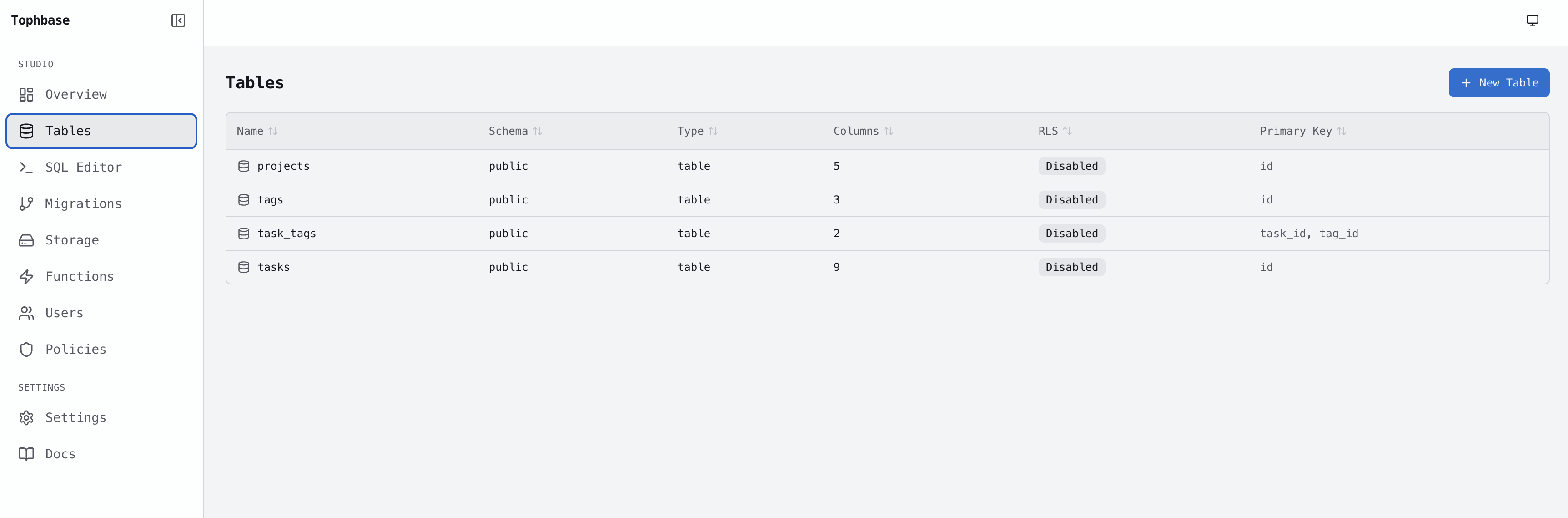
- apps/dashboard — the admin SPA. Create and manage projects, run SQL queries, manage API keys, and apply migrations from a browser UI.
- apps/orchestrator — the
tophbaseCLI. Wires the API and dashboard together, handlesfreshmanstartup,graduatedeployment (Railway and Supabase), and theschemacommand. - migrations/ —
schema.sqlinitializes the platform database. Applied once on a fresh install. - scripts/ — build utilities (e.g. bundling the dashboard into the orchestrator package).
License
See LICENSE file.