
tracewhy
v1.0.2
Published
Deterministic, evidence-linked Linux command debugging

Maintainers
 lebyy_dev
Readme
TraceWhy records a known-good command and a failing command, compares their operating-system interactions, removes expected noise, and ranks the environmental differences most likely to explain the failure. Every finding links back to normalized good/bad trace evidence. The complete workflow is local, deterministic, offline, and independent of AI, accounts, API keys, telemetry, and cloud services.
See it work
tracewhy record good -- bun test
tracewhy record bad -- bun test
tracewhy compare good bad
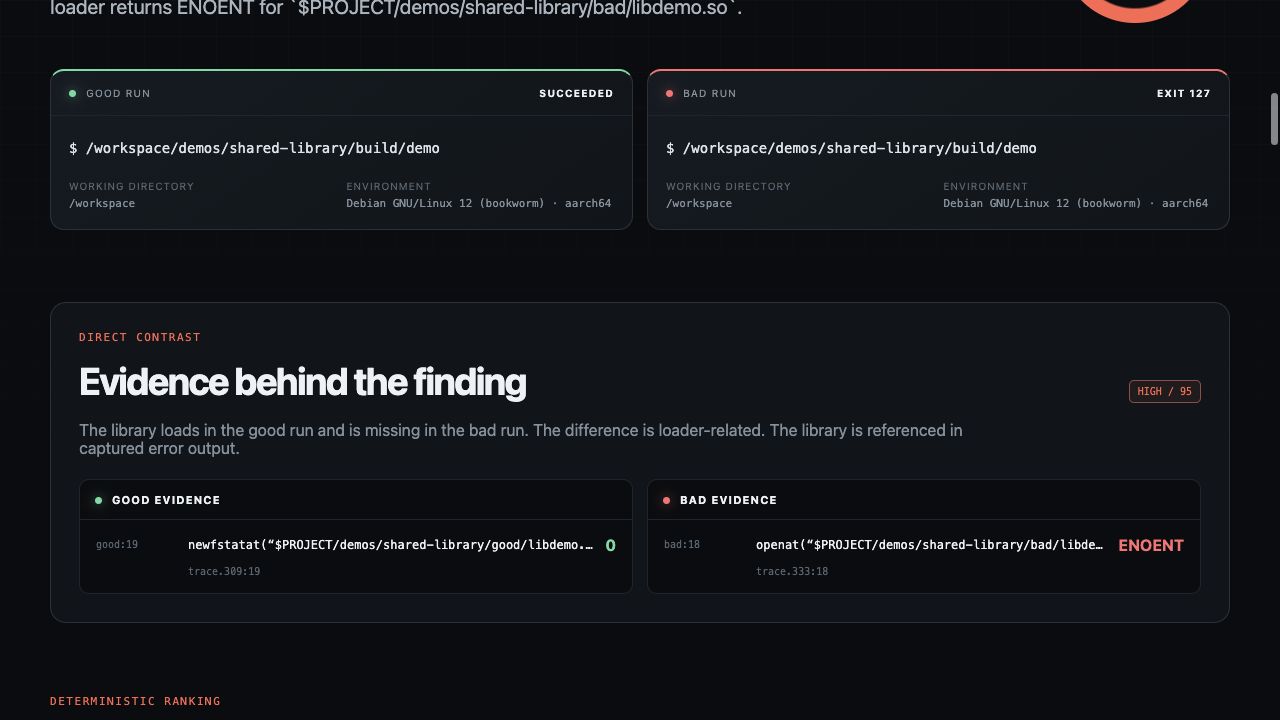
compare returns a ranked terminal explanation. view opens the full evidence explorer on 127.0.0.1:
tracewhy view good bad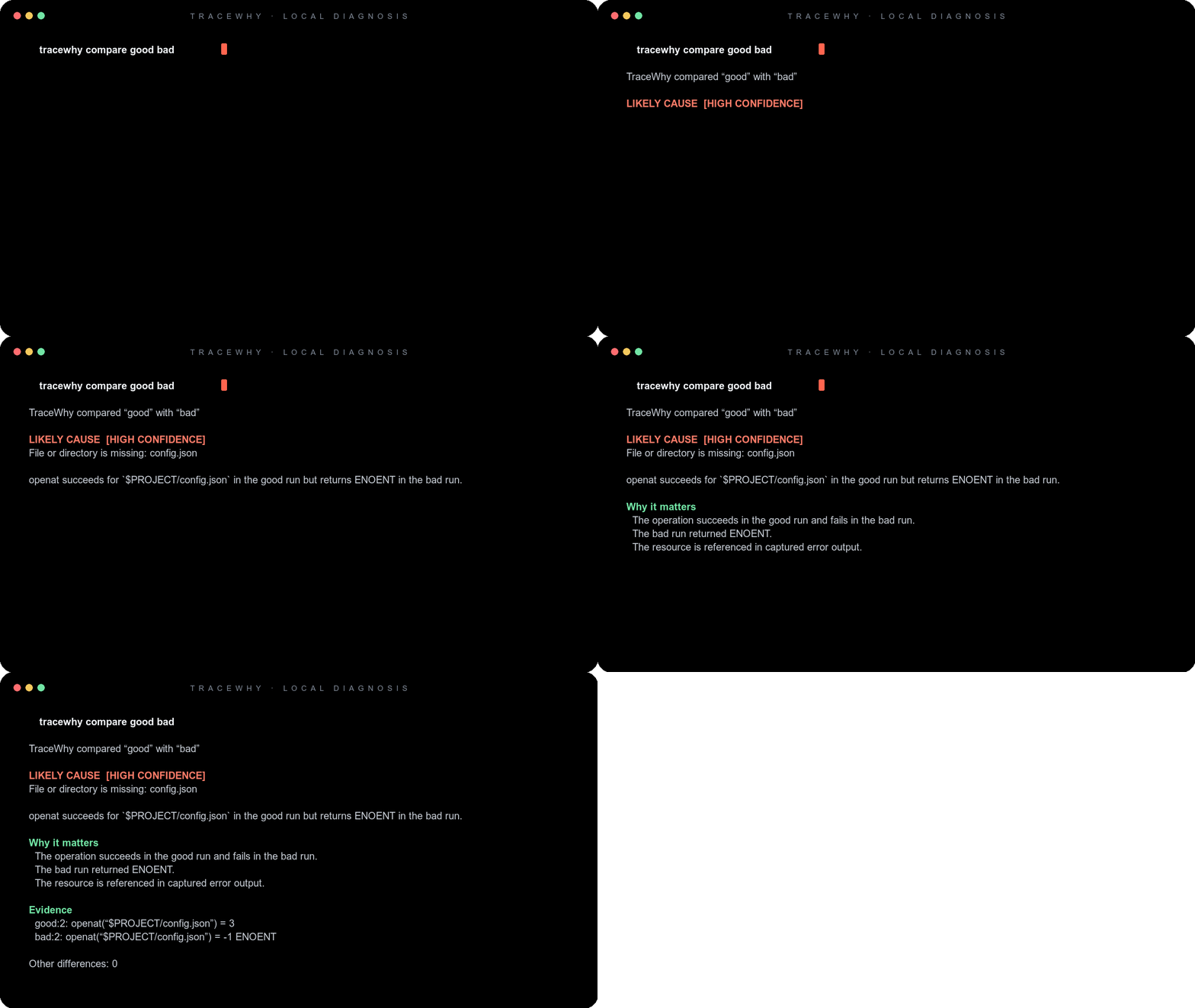
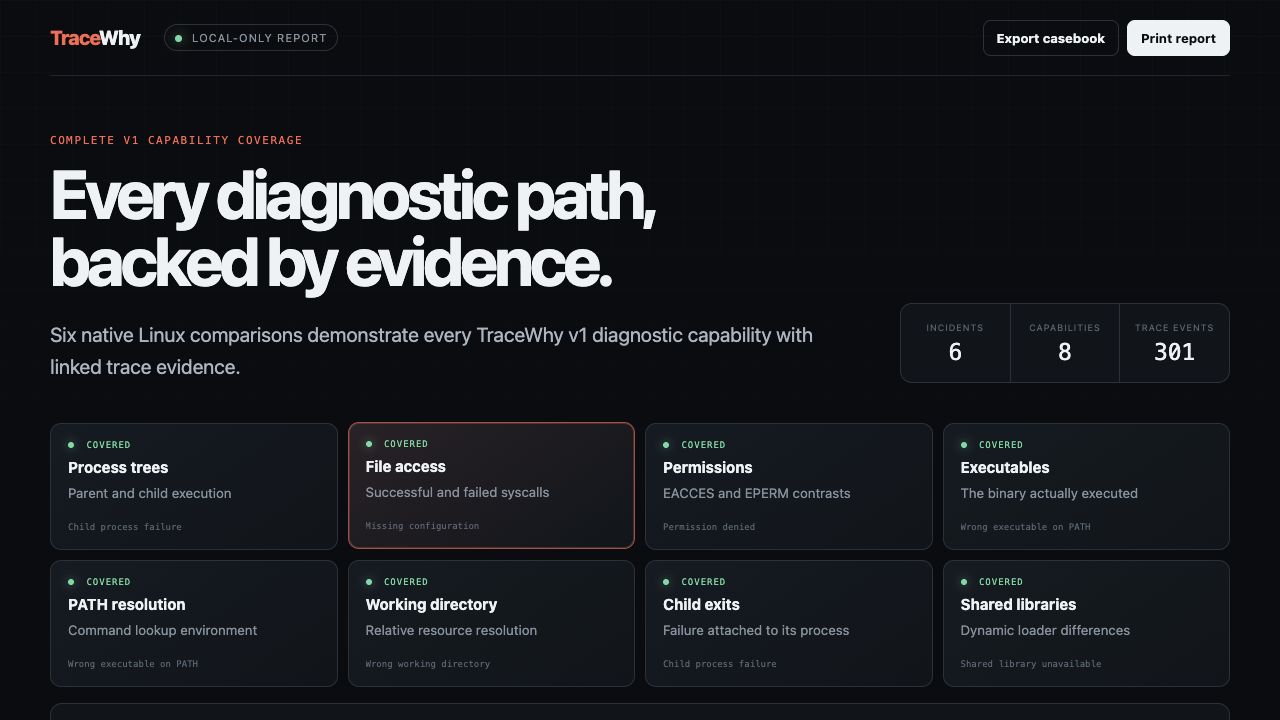
What TraceWhy explains
| Capability | Evidence used |
| --- | --- |
| Process trees | Parent/child execution and changed process shape |
| File access | Successful and failed filesystem syscalls |
| Permissions | EACCES and EPERM contrasts |
| Executables | The binary or interpreter actually executed |
| PATH resolution | Command lookup inputs and selected executable |
| Working directory | Relative resources resolved from different directories |
| Child exits | Exit changes attached to the responsible process |
| Shared libraries | Dynamic-loader search and load differences |
The repository includes six reproducible Linux incidents and a diagnostic casebook covering every capability. Findings are deterministic rules with confidence scores; TraceWhy reports a likely cause, not proof of formal causation.
Platform support
TraceWhy separates recording from analysis. Linux recording uses strace. The resulting directories and .tracewhy bundles are portable, so comparison, bundling, JSON/HTML export, and the local report run on macOS and Windows too.
| Platform tested in CI | Record | Compare / pack / export / view | Distribution |
| --- | :---: | :---: | --- |
| Linux x86-64 (ubuntu-24.04) | Yes | Yes | Release archive / npm |
| Linux ARM64 (ubuntu-24.04-arm) | Yes | Yes | Release archive / npm |
| macOS ARM64 (macos-15) | Linux capture only | Yes | Build from source |
| Windows x86-64 (windows-2025) | Linux capture only | Yes | Build from source |
Native macOS and Windows capture are not claimed in v1. They require dedicated, security-sensitive backends—Endpoint Security/DTrace on macOS and ETW on Windows—not a renamed strace wrapper. See the support contract and roadmap.
Install on Linux
With the official npm package:
npm install --global tracewhyThe npm package downloads the matching official release archive and verifies its published SHA-256 digest. Runtime use remains fully offline.
Or use the standalone installer:
curl -fsSL https://raw.githubusercontent.com/Lebyy/tracewhy/main/scripts/install.sh | shInstall a specific version or location:
TRACEWHY_VERSION=v1.0.2 TRACEWHY_INSTALL_DIR="$HOME/.local/bin" sh install.shRelease archives contain the CLI, static Rust engine, standalone report, and its pinned runtime. The installer verifies the published SHA-256 checksum. strace is required only for recording.
Build from source
Requirements: Bun 1.3.14, Rust 1.97.0, and strace when recording on Linux.
bun install --frozen-lockfile
bun run check
bun run test
bun run build
The compiled CLI is dist/tracewhy on Linux/macOS and dist/tracewhy.exe on Windows. Verify the portable analysis workflow with:
bun run verify:portableCLI
tracewhy record NAME [--overwrite] [--max-output-bytes N] [--max-trace-bytes N] -- COMMAND [ARGS...]
tracewhy compare GOOD BAD [--json]
tracewhy view GOOD BAD [--port 4317] [--no-open]
tracewhy pack RECORDING --output FILE.tracewhy
tracewhy export GOOD BAD --format html|json --output FILE
Recordings default to .tracewhy/. Use --data-dir to choose another location. Add .tracewhy/ to your ignore rules because even redacted trace evidence can reveal project structure and command metadata.
Architecture
TraceWhy is a Bun and Cargo monorepo with a narrow, versioned JSON contract between components:
apps/cli          Bun/TypeScript capture and user workflows
apps/web          Next.js local evidence explorer
crates/trace-core Rust parsing, normalization, comparison, and diagnosis
packages/schema   Shared schemas and TypeScript types
npm/tracewhy      Verified npm installer for official Linux releases
demos             Six reproducible native Linux failures
The Rust engine owns evidence interpretation. The TypeScript CLI owns capture, storage, exports, and process orchestration. The report renders validated comparison data and does not diagnose independently. Read how the pipeline works.
Privacy and security
- Secrets are redacted by key, seeded value, and common credential shape before normalized trace data is retained.
- Only resolution-relevant environment variables are persisted.
- File contents and process memory are never captured; raw
stracefiles are deleted after parsing. - Capture, parser, bundle, output, and report-size limits fail safely.
- The visual report binds only to
127.0.0.1and ships hardened response headers. - GitHub Actions dependencies are immutable-pinned; releases include SBOMs and provenance attestations.
Treat recordings and exports as sensitive despite these controls. Review the privacy contract and security policy before sharing evidence.
Quality gates
Every pull request runs formatting, strict TypeScript, Rust Clippy with warnings denied, 40 automated tests, dependency review, audits, release builds, and portable analysis checks. Linux x86-64 and ARM64 additionally run all six live strace scenarios and clean-install verification. macOS ARM64 and Windows x86-64 compile and exercise compare, pack, offline HTML, and the local report on real hosted runners.
bun run check
bun run test
bun run build
bun run verify:portable
Linux contributors can reproduce the isolated production gate:
docker build --file Dockerfile.quality --tag tracewhy-quality .
docker run --rm --cap-add SYS_PTRACE --security-opt seccomp=unconfined tracewhy-quality
Project
- Command reference
- Platform support
- Troubleshooting
- Release process
- Contributing
- Support
- Code of conduct
- Changelog
License
TraceWhy is licensed under the Apache License 2.0, a permissive license with an explicit patent grant. Contributions are accepted under the same license.