
tricolore
v0.8.0
Published
Color scale for ternary compositions

Maintainers
 mthh
mthhReadme
Tricolore.js


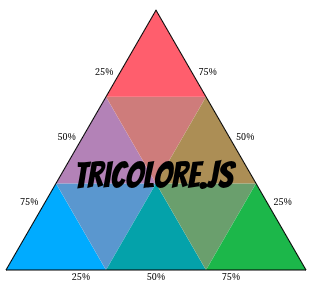
A JavaScript/TypeScript library for visualizing ternary compositions, heavily inspired by the R tricolore package.
Example notebook
Example notebook (Sextant)
Using Tricolore with geoviz
Installation
npm install tricolore # Replace npm by you package manager of choice (yarn, pnpm, ...)Usage
Basic Color Mapping
import { tricolore } from 'tricolore';

// Create some ternary compositions (p1 + p2 + p3 = 1)
const data = [
  [0.7, 0.2, 0.1],
  [0.3, 0.6, 0.1],
  [0.2, 0.3, 0.5]
];

// Get color codes for each composition
const colors = tricolore(data, {
  center: [1/3, 1/3, 1/3],  // Center of the color scale
  breaks: 3,                // Discretization level (use Infinity for continuous)
  hue: 80,                  // Primary hue
  chroma: 140,              // Color intensity
  lightness: 80,            // Color lightness
  contrast: 0.4,            // Contrast between colors
  spread: 1                 // Spread of colors around center
});

console.log(colors); // An array of hex color codes
Color mapping (+ mean centering)
import { tricolore, CompositionUtils } from 'tricolore';

// Create some ternary compositions (p1 + p2 + p3 = 1)
const data = [
  [0.7, 0.2, 0.1],
  [0.3, 0.6, 0.1],
  [0.2, 0.3, 0.5]
];

// Compute center
const center = CompositionUtils.center(data);

// Get color codes for each composition
const colors = tricolore(data, {
  center: center,     // Use the computed center
  breaks: Infinity,   // Discretization level (Infinity for continuous color scale)
  hue: 10,            // Primary hue
  chroma: 120,        // Color intensity
  lightness: 70,      // Color lightness
  contrast: 0.2,      // Contrast between colors
  spread: 1           // Spread of colors around center
});

console.log(colors); // An array of hex color codes
Visualization
import { Viz } from 'tricolore';

const dims = {
  width: 300,
  height: 300,
  margin: { top: 10, right: 10, bottom: 10, left: 10 },
};

// Create a continuous ternary plot, returns an SVG element
const p1 = Viz.createContinuousPlot(data, {
  hue: 80,
  chroma: 140,
  lightness: 80,
  contrast: 0.4,
  spread: 1,
  // Whether to show the data points on top of the color scale
  showData: true,
  // Whether to show the center point
  showCenter: true,
  // Labels for the three corners
  labels: ['Factor 1', 'Factor 2', 'Factor 3'],
  // Position of the labels: 'edge' (default), 'corner'
  labelPosition: 'corner',
  // Whether to rotate the tick labels for better readability
  rotateTickLabels: false,
}, dims);

// Create a discrete ternary plot, returns an SVG element
const p2 = Viz.createDiscretePlot(data, {
  hue: 80,
  chroma: 140,
  lightness: 80,
  contrast: 0.4,
  spread: 1,
  breaks: 3,
  showData: true,
  labelPosition: 'edge',
}, dims);

// Create a sextant ternary plot, returns an SVG element
const p3 = Viz.createSextantPlot(data, {
  values: ['#FFFF00', '#B3DCC3', '#01A0C6', '#B8B3D8', '#F11D8C', '#FFB3B3'],
  showData: true,
  labelPosition: 'edge',
  rotateTickLabels: true,
}, dims);
Choropleth Maps
Note that this example uses D3.js for the sake of simplicity, but it's not a requirement.
import { tricolore } from 'tricolore';
import * as d3 from 'd3';

// Assuming you have GeoJSON with ternary data
d3.json('regions.json').then((geojson) => {
  // Extract compositions from properties
  const data = geojson.features.map((f) =>
    [f.properties.var1, f.properties.var2, f.properties.var3]
  );

  // Get colors
  const colors = tricolore(data);

  // Create map
  const svg = d3.select('#map')
    .append('svg')
    .attr('width', 800)
    .attr('height', 500);

  const projection = d3.geoMercator().fitSize([800, 500], geojson);
  const path = d3.geoPath().projection(projection);

  svg.selectAll('path')
    .data(geojson.features)
    .enter()
    .append('path')
    .attr('d', path)
    .attr('fill', (d, i) => colors[i]); // Use the computed colors
});
Meaning of the color parameters for discrete and continuous color mappings
Hue: Defines the hue of the first component (p1 - left corner). The hues of the other two components are automatically set to +120° (for p2 - top corner) and +240° (for p3 - right corner) on the color wheel, forming a triadic scheme.
Chroma: Controls the maximum saturation/intensity of the pure colors at the corners of the triangle. The higher this value, the more vivid and distinct the colors.
Lightness: Determines the overall brightness of the palette. Affects all colors in the triangle.
Contrast: Controls the difference in brightness and saturation between the center (balanced mix) and the corners (pure components). Higher contrast makes the corners more distinct from the center.
Spread: Controls the extent of the color gradient around the center. A higher value concentrates color differentiation near the center.
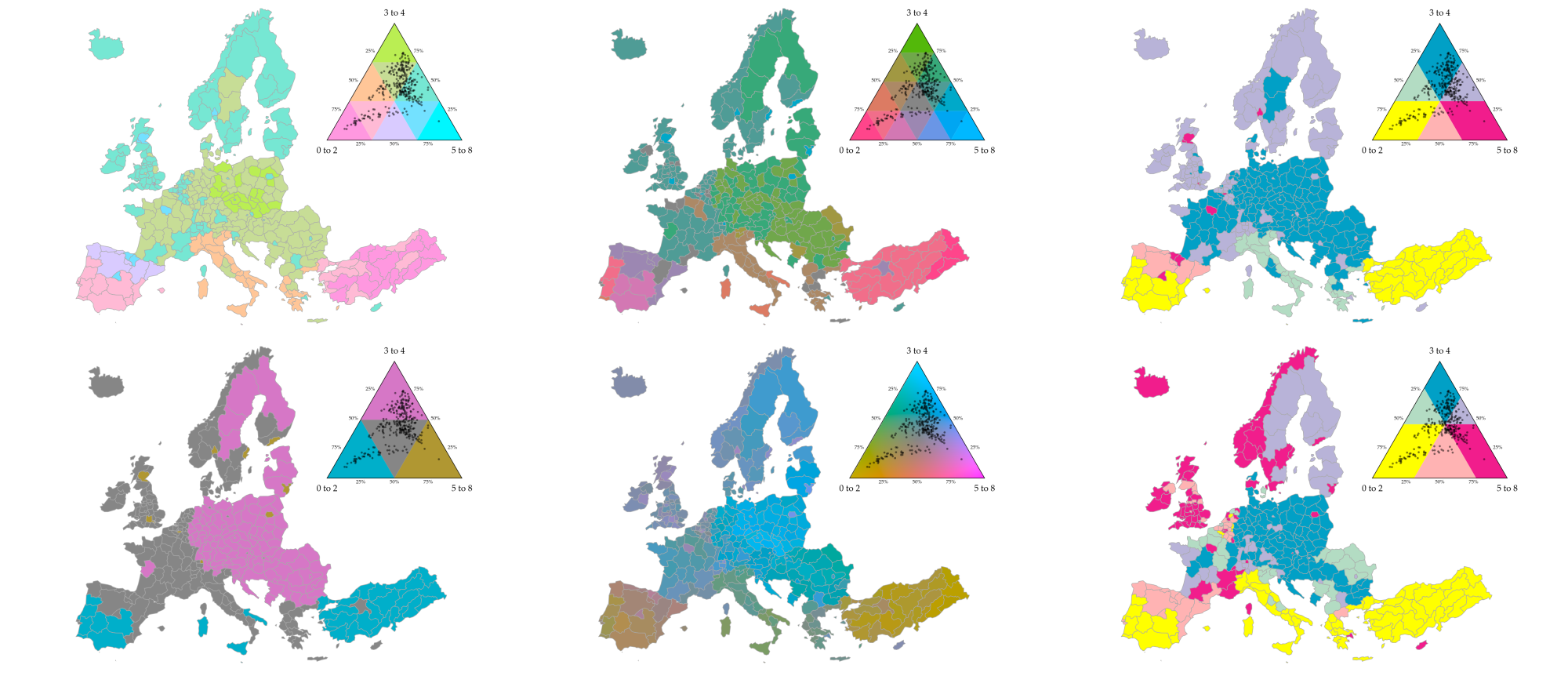
Examples
API Documentation
See the full documentation for detailed API reference.
License
GPL-3.0 License. See the LICENSE file for details.