
ts-ecg-webviewer
v1.0.0
Published
Framework-agnostic HTML5 Canvas ECG Web Viewer

Maintainers
 lumyslinski
Readme
ts-ecg-webviewer
A framework-agnostic, zero-runtime-dependency ECG web viewer built with TypeScript and the HTML Canvas API.
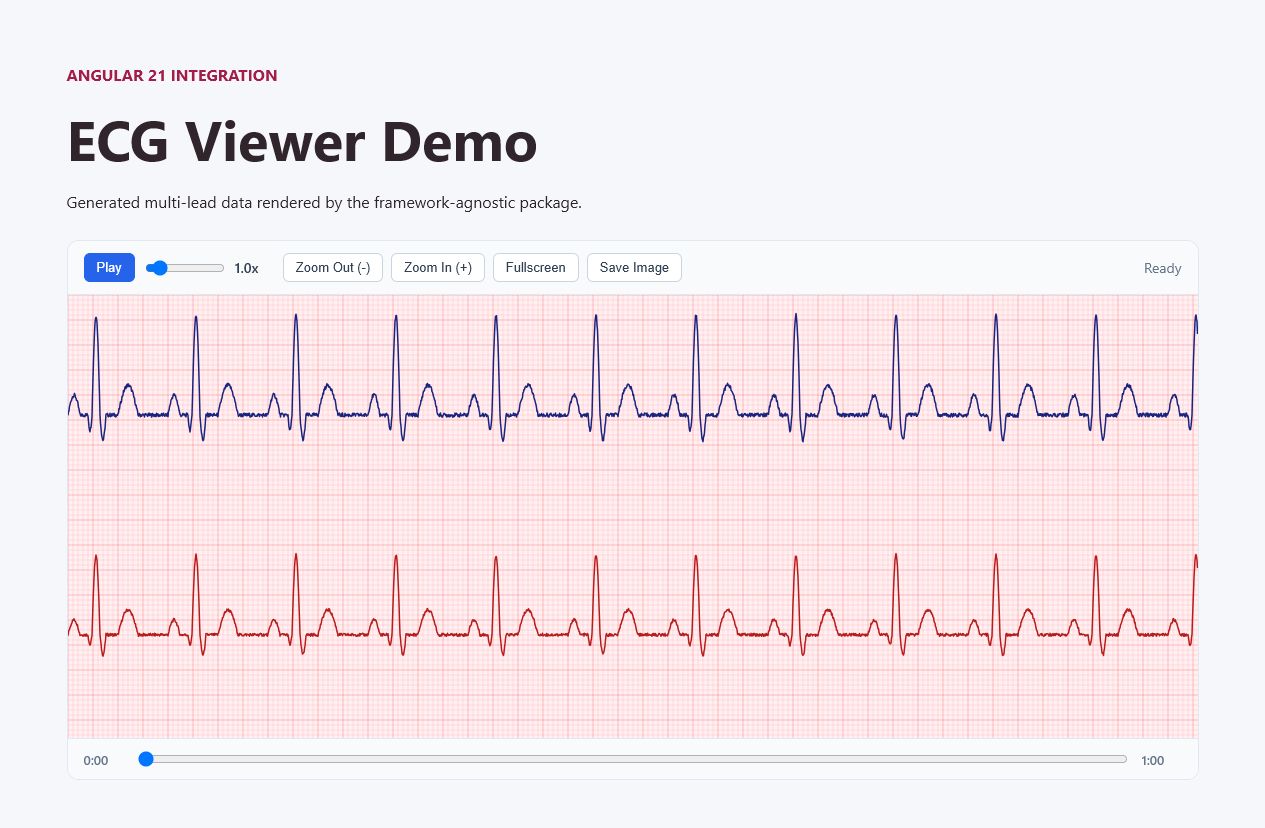
ts-ecg-webviewer supports buffered asynchronous data loading, smooth playback, timeline navigation, zooming, fullscreen viewing, and PNG snapshots. It can be used from plain TypeScript or integrated into frameworks such as Angular and React.
This package is a visualization component, not a certified medical device.
Features
- TypeScript-first API with bundled declarations
- ESM and CommonJS builds
- No runtime dependencies
- Buffered asynchronous sample loading
- Two ECG leads:
IandaVF - Playback speed control from 0.5x to 5x
- Timeline seeking and mouse-wheel navigation
- Zoom, fullscreen, and PNG export
- High-DPI canvas rendering
- Framework-agnostic lifecycle
Installation
npm install ts-ecg-webviewerImport the viewer and its stylesheet:
import { TsEcgWebViewer } from "ts-ecg-webviewer";
import "ts-ecg-webviewer/styles.css";
Example applications
Both example applications are available in the source repository. They are not included in the installed npm package.
Clone the code repository and install its dependencies:
git clone https://github.com/lumyslinski/ts-ecg-webviewer.git
cd ts-ecg-webviewer
npm ci
Angular example
Source: examples/angular-demo.
From the cloned repository root, run:
npm run start --workspace=examples/angular-demoOpen http://localhost:4200.
React/Next.js example
Source: examples/react-demo.
From the cloned repository root, create the local environment file:
Copy-Item examples/react-demo/.env.example examples/react-demo/.env.localOn macOS or Linux, use:
cp examples/react-demo/.env.example examples/react-demo/.env.localThen start the React demo:
npm run dev --workspace=examples/react-demoOpen http://localhost:3000.
The local test account is documented in the React demo README.
Data format
fetchSamples receives a zero-based sample position and requested sample count. It must resolve to:
interface TsEcgWindow {
  startSample: number;
  sampleCount: number;
  leads: {
    I: number[];
    aVF: number[];
  };
}
The returned window may contain additional buffered samples. Overlapping requests should return identical values for the same sample positions to avoid visible discontinuities during playback.
Constructor options
| Option | Type | Description |
| -------------- | ------------------------------------------------------ | ------------------------------------- |
| sampleRateHz | number | Positive recording sample rate. |
| totalSamples | number | Total available sample count. |
| durationSec | number | Total recording duration in seconds. |
| fetchSamples | (startSample, count) => Promise<TsEcgWindow \| null> | Loads a sample window asynchronously. |
Public API
The package exports:
TsEcgWebViewerTsEcgRendererTsEcgWebViewerOptionsTsEcgRendererOptionsTsEcgWindow
Call viewer.destroy() when unmounting to stop animation, disconnect resize observation, and remove generated UI elements.
Framework integrations
The repository contains complete examples:
Browser support
The viewer requires a modern browser with:
- HTML Canvas 2D
ResizeObserverrequestAnimationFrame- Fullscreen API for the fullscreen control
Links
License
MIT © 2026 Lukasz Myslinski