
turbo-upload
v1.0.1
Published
一站式图片压缩、裁剪、格式转换、上传工具


Readme
turbo-upload
turbo-upload 提供图片压缩、裁剪、格式转换、上传一站式服务,基于 Uppy 构建。
该工具旨在解决以下问题:
有很多场景有图片上传的需求,但是并没有统一的图片上传方案,每个项目都需要自己实现图片上传功能。
某些组件只提供了最基础的上传能力,缺少压缩、旋转、裁剪、格式转换等能力。
上传的图片未经压缩,图片加载缓慢而且也增加了存储成本。
小伙伴可以自由使用不同的压缩软件,压缩质量和效果不统一,同一项目下的图片可能会存在显示效果不一致的情况。
图片处理到上传的操作无脑又耗时,尤其促销活动等切图非常多的场景,需要大量的重复动作。
第三方免费的图片压缩服务有一定限制,将敏感图片上传第三方也有一定信息泄露风险。
最终达到一站式解决你的所有图片处理需求的目的。
特性
- 全文件类型上传
- 图片压缩
- 图片编辑 (裁剪、旋转、翻转等)
- 图片转换
- 图片自动压缩
- 图片自动上传
- 提供压缩、编辑、转换前后文件大小对比
- 高度可定制化
安装
pnpm install turbo-upload使用
配置选项
| 选项 | 类型 | 默认值 | 描述 |
|------|------|--------|------|
| target | string | HTMLElement | 'body' | 上传器的渲染位置(字符串或元素,默认:'body')。 |
| trigger | string | null | null | 触发上传器打开的元素选择器,可以使用多个按钮或链接,只要使用相同的选择器(例如,.select-file-button)选择它们即可 |
| allowedFileTypes | string[] | null | ['.jpg', '.jpeg', '.png', '.webp'] | 允许上传的文件类型,为null时表示不限制文件类型,支持通配符 image/,或确切的 MIME 类型 image/jpeg,或文件扩展名 .jpg: ['image/','image/jpeg', '.jpg'] |
| inline | boolean | false | 将上传器展示为内联或modal,如果为 false,则通过单击trigger打开上传器modal。如果 inline: true,则上传器将挂载到target。 |
| width | number | 750 | 上传器宽度 (仅在 inline 为 true 时生效) |
| height | number | 550 | 上传器高度 (仅在 inline 为 true 时生效)|
| quality | number | 0.6 | 压缩质量 (0-1),由低到高 |
| maxNumberOfFiles | number | 1 | 最大允许上传文件数 |
| minNumberOfFiles | number | 1 | 最小需要上传文件数 |
| maxFileSize | number | 1024 | 最大文件大小 (KB),默认1MB |
| minFileSize | number | 0 | 最小文件大小 (KB) |
| autoCompress | boolean | false | 是否自动压缩图片 |
| autoUploadAfterCompress | boolean | false | 压缩后是否自动上传 |
| limit | number | 5 | 并发压缩和上传的限制 |
| endpoint | string | 必填 | 上传端点 URL |
| uploadExtra | object | {} | 上传的额外参数,可以设置headers等参数,如需要token令牌校验等情况使用,参照 https://uppy.io/docs/xhr-upload/#options |
| closeAfterUpload | boolean | false | 上传完成后是否自动关闭modal,modal模式下生效 |
| note | string | 允许单文件最大xxx;允许文件类型xxx | 自定义提示信息 |
| getCosImageUrl | function | 必填 | 获取上传后的图片url的函数,视服务器返回的结构而定,例如 (response) => response.url |
| uploadComplete | function | ()=>{} | 上传完成回调 |
| compressComplete | function | ()=>{} | 压缩完成回调 |
回调函数
uploadComplete
上传完成后的回调函数。
uploadComplete: (result: IUploadResult) => {
  console.log('Upload complete:', result);
}
IUploadResult 包含以下字段:
successful: 数组,包含成功上传的文件信息
- id: string, 文件ID
- name: string, 文件名
- originalSize: number, 原始文件大小
- size: number, 上传后的文件大小
- type: string, 文件类型
- quality: number, 压缩质量
- response: unknown, 上传服务器原始响应
uploadID: string, 本次上传标识
failed: 数组,包含上传失败的文件信息(字段与 successful 相同)
compressComplete
压缩完成后的回调函数。
compressComplete: (result: ICompressResult) => {
  console.log('Compress complete:', result);
}
ICompressResult 包含以下字段:
- id: string, 文件ID
- name: string, 文件名
- originalSize: number, 原始文件大小
- size: number, 压缩后的文件大小
- type: string, 文件类型
- quality: number, 压缩质量
- data: Blob, 压缩后的文件数据,可自行处理上传或展示
示例
inline 模式
  import TurboUpload from 'turbo-upload';
  import 'turbo-upload/style/index.css';

  new TurboUpload({
    target: '#turbo-upload-container',
    inline: true,
    height: 600,
    width: 900,
    quality: 0.6,
    autoCompress: true,
    autoUploadAfterCompress: false,
    maxFileSize: 1024 * 5,
    maxNumberOfFiles: 30,
    allowedFileTypes: ['image/*'],
    endpoint: 'http://localhost:3001/upload?sign=xxx',
    getCosImageUrl: (response) => response.url,
    uploadComplete: (result) => {
      // 处理上传结果
    },
    compressComplete:(res) => {
      // 处理压缩结果
    }
  });
inline 模式需要提供 target 作为上传器的渲染位置,如果不提供的话会默认渲染到 body 上
直接选择元素也是可以的,例如使用 react 的 useRef 拿到元素,即可使用 target: eleRef.current
  <!-- 一些DOM -->
  <div id="turbo-upload-container"></div>
  <!-- 一些DOM -->


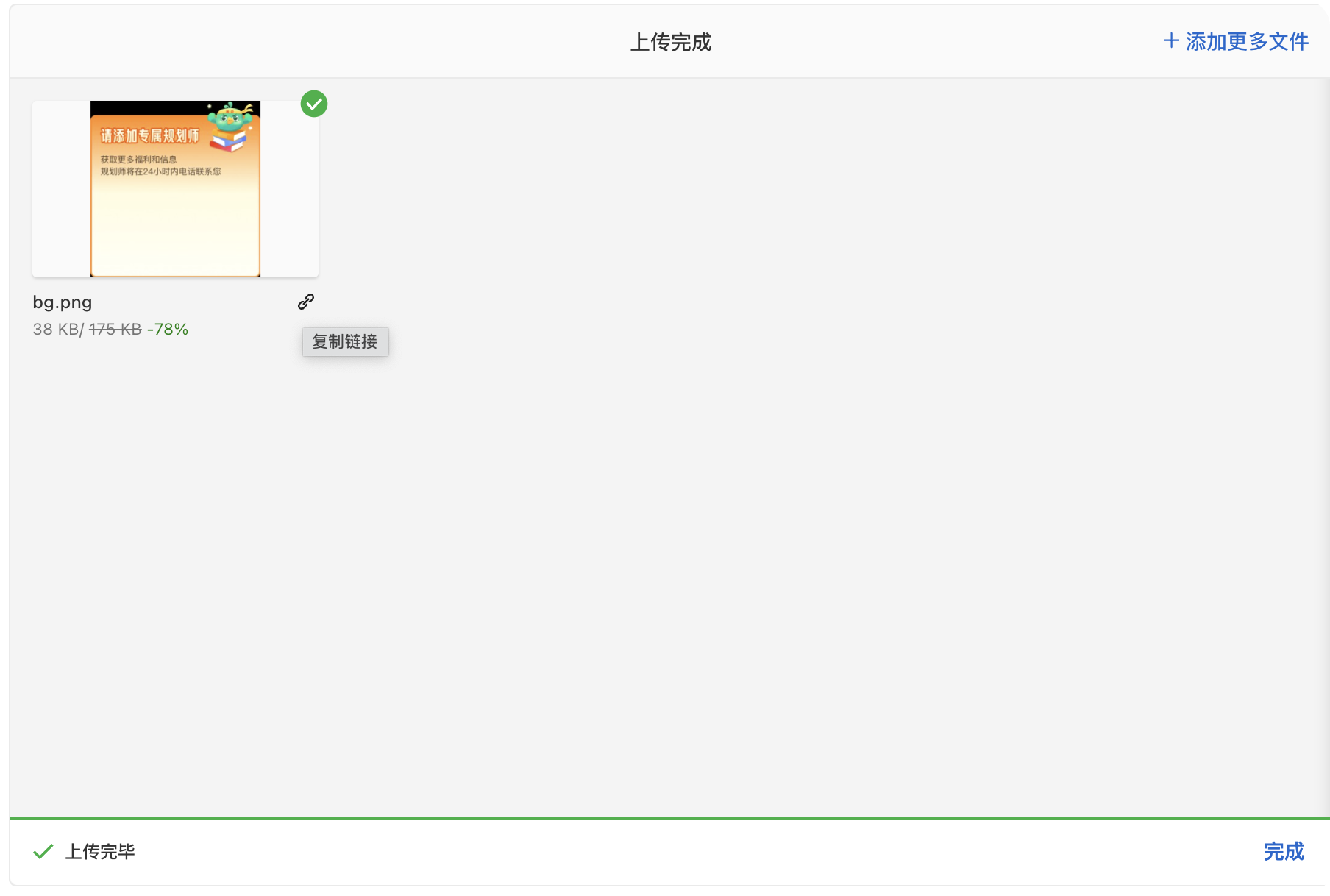
⚠️需要注意的是,如果你用 React 或者 Vue 框架的话,在执行
new TurboUpload前需要确保target配置的元素已经被渲染,必要时使用requestAnimationFrame或者setTImeOut延迟执行。
modal 模式
  import TurboUpload from 'turbo-upload';
  import 'turbo-upload/style/index.css';

  new TurboUpload({
    inline: false,
    trigger: '.trigger-btn',
    quality: 0.6,
    autoCompress: true,
    autoUploadAfterCompress: false,
    maxFileSize: 1024 * 5,
    maxNumberOfFiles: 30,
    allowedFileTypes: ['image/*'],
    endpoint: 'http://localhost:3001/upload?sign=xxx',
    getCosImageUrl: (response) => response.url,
    uploadComplete: (result) => {
      // 处理上传结果
    },
    compressComplete:(res) => {
      // 处理压缩结果
    }
  });
modal 模式需要提供 trigger 作为打开上传器的触发按钮,可以有多个
modal 模式会在全屏弹出遮罩层和模态框,大小会自动适应,不支持自定义宽高
  <!-- 一些DOM -->
  <div class="trigger-btn">1点此打开弹窗</div>
  <div class="trigger-btn">2点此打开弹窗</div>
  <!-- 一些DOM -->
为什么要用这个包?
节省一定存储成本
- 所有使用该组件上传的图片默认都会经过压缩再上传
- 尤其产品、运营同学以往很少主动进行压缩处理后再上传
提供更好的用户体验
- 相同项目下进行一致的压缩,图片展示效果更一致
- 提高页面图片加载速度,助力性能优化
提供图片压缩、裁剪、格式转换、上传一站式服务
不再依赖第三方工具或网站,不受第三方网站限制
非技术人员也能轻松快速压缩和处理图片
提高图片处理效率:
- 以往使用第三方网站处理一张图需要经过以下流程,完成整个流程至少需要 20 秒,使用
TurboUpload后处理一张图片只需2s
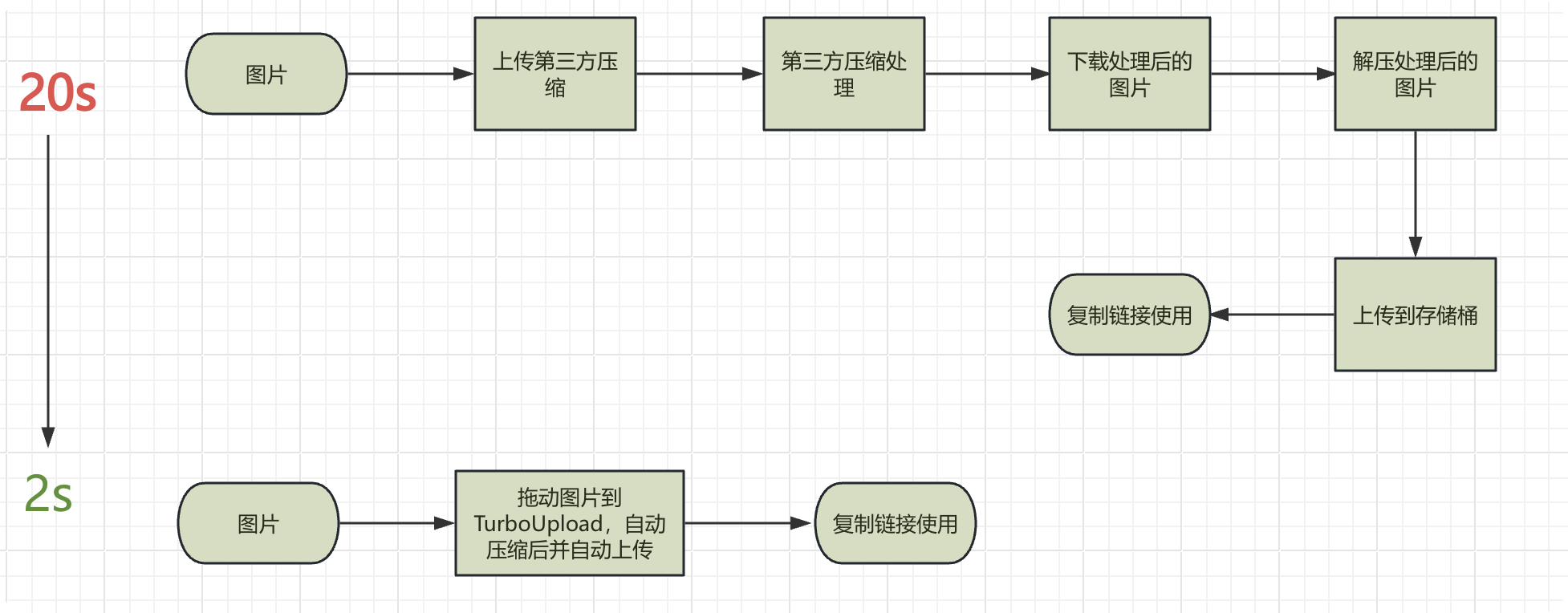
- 以往使用第三方网站处理一张图需要经过以下流程,完成整个流程至少需要 20 秒,使用
提高开发效率,降低维护管理成本
- 提供高度灵活的配置选项,适配多种文件上传场景,减少重复开发工作
- 统一图片上传能力,便于进行集中管理和迭代(统一加水印,统一更换存储桶地址,统一加埋点统计等)
- 多个存储桶共同使用时将有章可循
安全
- 不依赖三方服务,没有信息泄露风险
NOTE
- 暂不支持 gif 压缩