
typed-wireshark-plugin
v0.1.10
Published
Build your WireShark plugins (dissectors, etc.) in TypeScript with powerful types!


Readme
typed-wireshark-plugin
Build your WireShark plugins (dissectors, etc.) in TypeScript with powerful types!


Why you need this
Sometime you need to develop your own wireshark dissector to recognize and parse your data packet if wireshark not support that protocal. The offical way is using lua. It's really hard and unfriendly for those newbies because lua is a language without types supported. You need to read the references documents once and once again when you develop dissectors especially if you are new on it. Some obvious bug can't be found in development stage and you need reload the plugin in WireShark again and again to adjust it.
typed-wireshark-plugin provided full typing supported and can compile to lua base on TypeScriptToLua. You can found obvious bug in compile time and save your time.
Installation
typed-wireshark-plugin is a npm package with full typing supported for wireshark lua plugins and provide a cli tool to init your own project, just run:
mkdir foo-proto
cd foo-proto
npx typed-wireshark-plugin init
Then using yarn to install dependencies:
yarnThen you can develop your own WireShark plugins now.
Usage
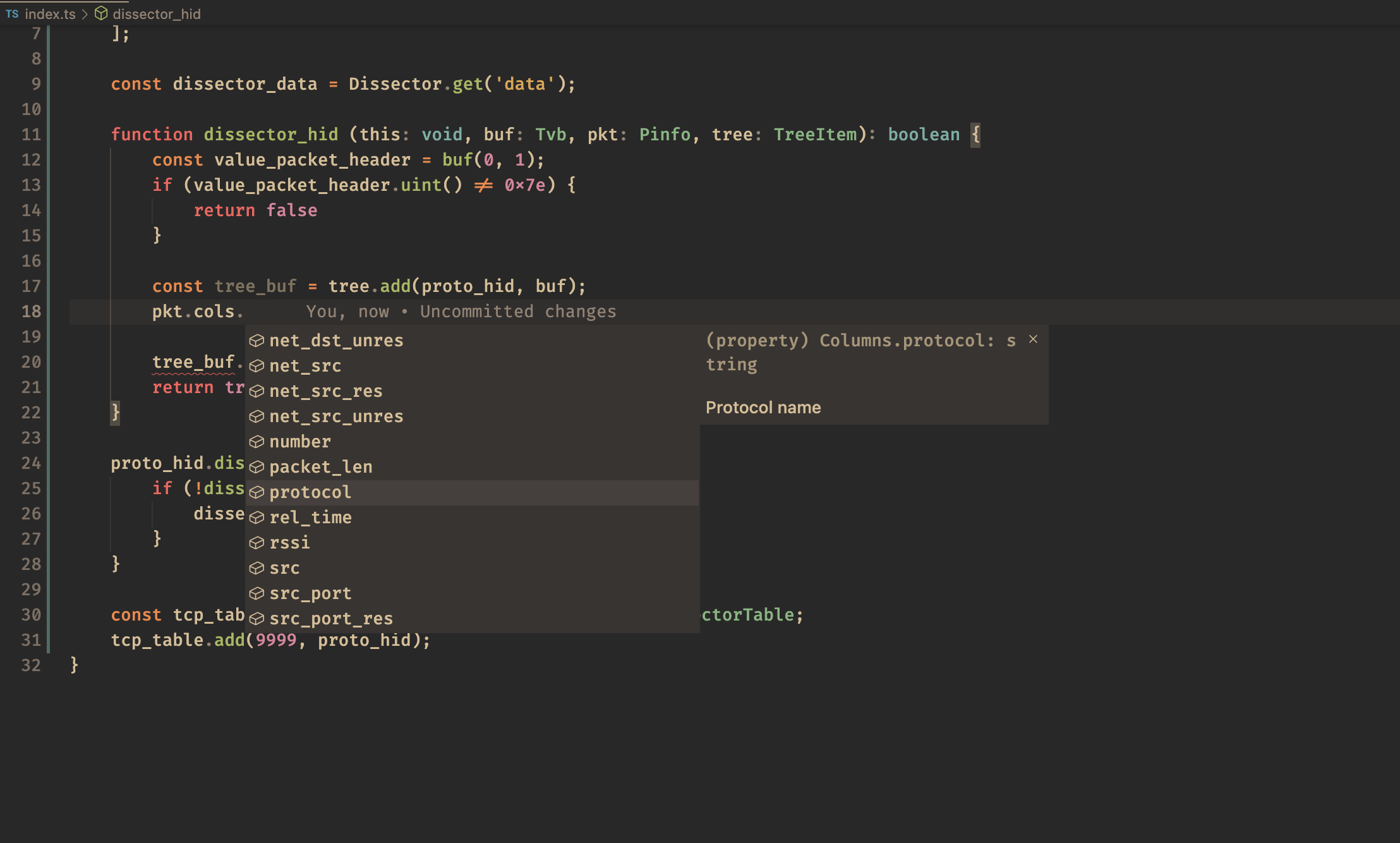
Edit the file index.ts, you may need some knowledge about how to develop WireShark plugins. See to get more detail.
Example code:
{
    const proto_hid = Proto("foo", "Foo Protocal");
    const field_packet_header = ProtoField.uint8("foo.packet_header", "Packet Header", base.HEX);

    proto_hid.fields = [
        field_packet_header
    ];

    const dissector_data = Dissector.get('data');

    function dissector_hid (this: void, buf: Tvb, pkt: Pinfo, tree: TreeItem): boolean {
        const value_packet_header = buf(0, 1);
        if (value_packet_header.uint() != 0x7e) {
            return false
        }

        const tree_buf = tree.add(proto_hid, buf);
        pkt.cols.protocol = "HID"

        tree_buf.add(field_packet_header, value_packet_header);
        return true
    }

    proto_hid.dissector = function (buf, info, tree) {
        if (!dissector_hid(buf, info, tree)) {
            dissector_data.call(buf, info, tree)
        }
    }

    const tcp_table = DissectorTable.get('tcp.port') as DissectorTable;
    tcp_table.add(9999, proto_hid);
}
Then run
yarn buildYou will find index.lua in the same directory if no error. Then you can import to your WireShark and use it!
--[[ Generated with https://github.com/TypeScriptToLua/TypeScriptToLua ]]
do
    local proto_hid = Proto("foo", "Foo Protocal")
    local field_packet_header = ProtoField.uint8("foo.packet_header", "Packet Header", base.HEX)
    proto_hid.fields = {field_packet_header}
    local dissector_data = Dissector.get("data")
    local function dissector_hid(buf, pkt, tree)
        local value_packet_header = buf(0, 1)
        if value_packet_header:uint() ~= 126 then
            return false
        end
        local tree_buf = tree:add(proto_hid, buf)
        pkt.cols.protocol = "HID"
        tree_buf:add(field_packet_header, value_packet_header)
        return true
    end
    proto_hid.dissector = function(buf, info, tree)
        if not dissector_hid(buf, info, tree) then
            dissector_data:call(buf, info, tree)
        end
    end
    local tcp_table = DissectorTable.get("tcp.port")
    tcp_table:add(9999, proto_hid)
end
Roadmap
- [x] Basic typings
- [ ] Descriptions for functions and params
- [ ] More example
- [ ] Testing
Contributing
This project is now in very early stage. Pull requests are welcome. For major changes, please open an issue first to discuss what you would like to change.
Authors
@CuberL
Many thanks to TypeScriptToLua