
typescript-tree-structure
v1.0.3
Published
Versatile and feature-rich TypeScript library with the capability to calculate x and y positions for objects represented in a tree structure while ensuring avoidance of relationship crossings

Maintainers
 piratuks
Keywords
Readme
typescript-tree-structure
Versatile and feature-rich TypeScript library with the capability to calculate x and y positions for objects represented in a tree structure while ensuring avoidance of relationship crossings.
| * | Version | Supported | | --- | --------- | ------------------ | | npm | >= 7.24.0 | :white_check_mark: |
main features
The library provides a class which will calculate the position of the object (x, y) with the following rules:
- Objects are calculated into groups (where separate groups do not have relationships with each other)
- Groups are placed (horizontally position) or (vertically position) based on property
- Each group are separated by space which is customized
- Groups are placed from left-right where left is the biggest group (horizontal position) or top-bottom where the top is the biggest group (vertical position)
- Each group root object is the one with no parent
- Each object within the group is separated by space which is customized
- Each parent object is centred among its children
- The height and width of each object can be different
- Each new row (horizontal position) will start where the last row ended (after the biggest child height) or each new column (vertical position) will start where the last column ended (after the biggest child width)
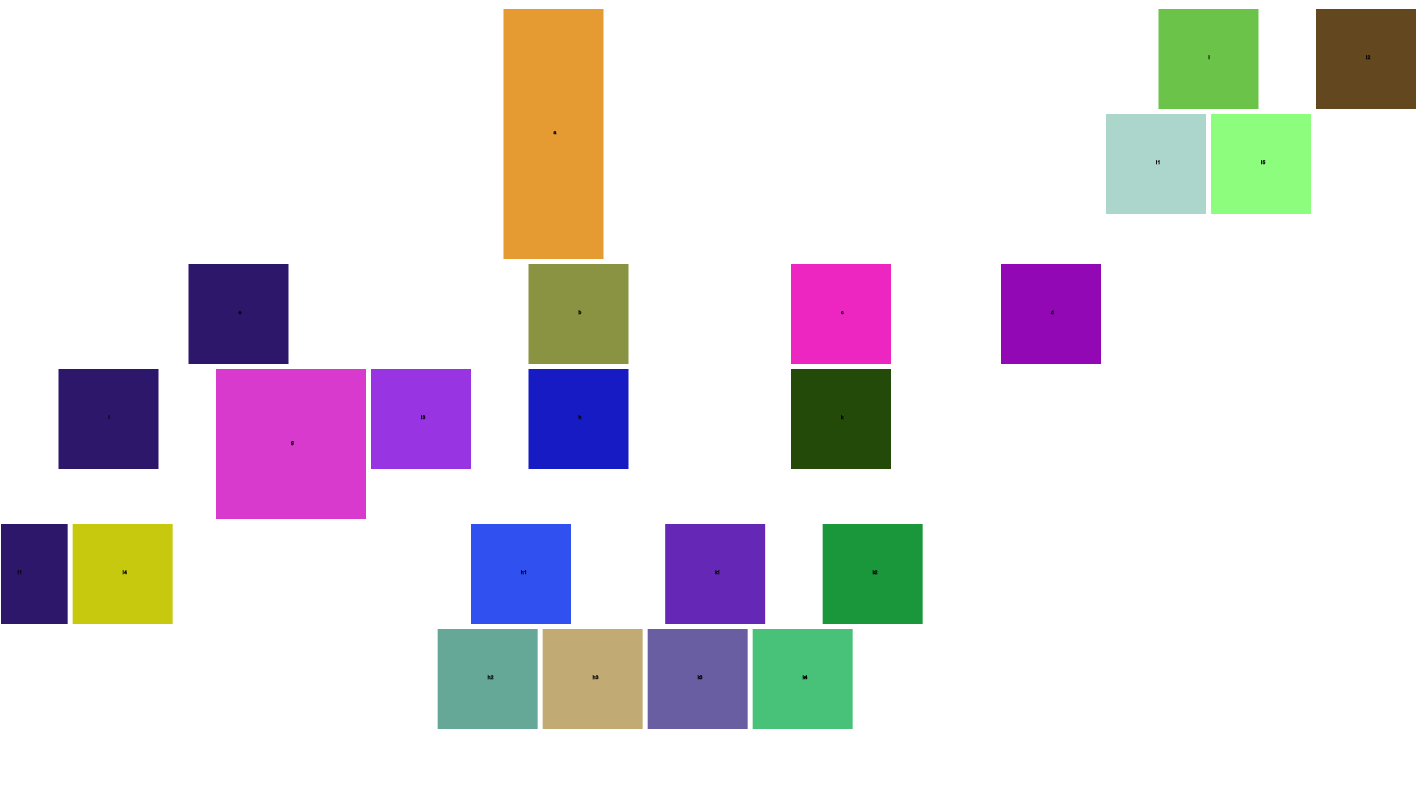
So for example containing objects: a, b, c, d, e, i, i1, g, h, k, k1, k2, k3, k4, l, l1, l2, l3, l4, l5, h1, h2, h3
a -> has children: b, c, d, e e -> has children: i, g, l3 b -> has children: h c -> has children: k i -> has children: i1, l4 k -> has children: k1, k2 k1 -> has children: k3, k4 h -> has children: h1, h2 h1 -> has children: h2, h3 l -> has children: l1, l5
horizontal example
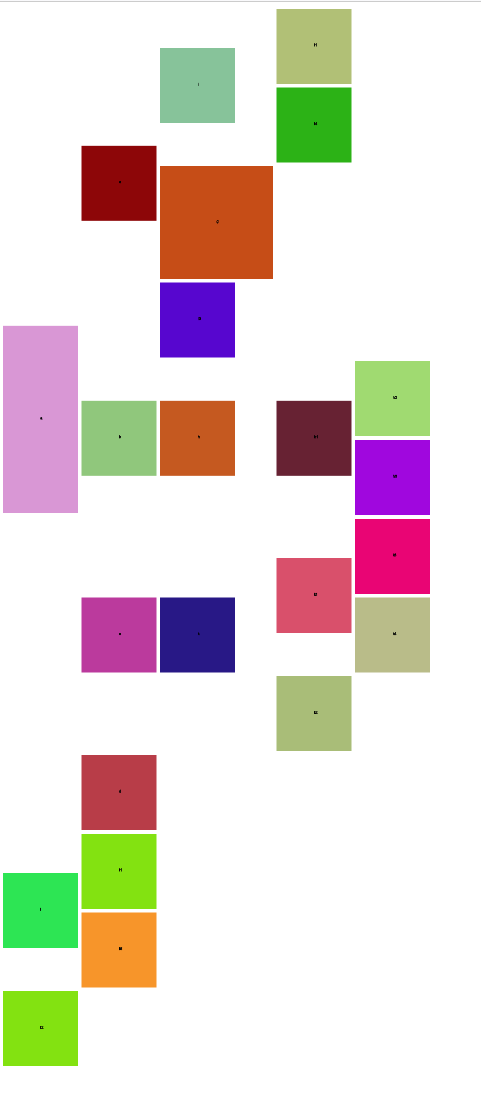
vertical example
installation
$ npm install --save typescript-tree-structureusage
After installation, the only thing you need to do is require the module:
import { TreeStructure } from 'typescript-tree-structure';or
const { TreeStructure } = require('typescript-tree-structure');run example
- To run example locally it is required to run
npm ifor both projects (example and core) - After
npm ineed to runnpm run buildwithin core - Then need to run
npm linkwithin core - Then run
npm link typescript-tree-structurewithin example - Everything is ready and you can perform
npm run startwithin example which will auto generate index.html (open it via browser to see results)
Tests
This module is well-tested. You can run:
npm run test to run the tests under Node.js.
npm run test:nyc to run the tests under Node.js and get the coverage
Tests are not included in the npm package. If you want to play with them, you must clone the GitHub repository.
contributing
Please read our Contribution Guidelines before contributing to this project.
security
Please read our SECURITY REPORTS