
typespy
v1.0.8
Published
Do you love typescript but hate those `any`s and `unknown`s ?
Downloads
31


Readme
typespy 🕵🏻♂️
Do you love typescript but hate those anys and unknowns ?
too lazy to add console logs all over the place to see runtime values?
typespy is a webserver and a babel plugin to make tracking runtime values as easy as adding a single comment.
Installation
npm install typespyadd a new command in your package.json file to run the server
"typespy": "typespy"add this plugin to your babel config
'./node_modules/typespy/dist/babel/plugin.js'. Make sure to include it only in dev mode!Add this code as early to your app
import { typespyFactory, DEFAULT_FN_NAME } from 'typespy';

// or however you check for dev mode!
if (__DEV__) {
  window[DEFAULT_FN_NAME] = typespyFactory();
}
thats it! commit those changes to be ready anytime 🎉
Usage
- run the typespy sever
npm run typespy - if you want to know the value of any expression like
someVariableorthis.props- add a spy comment like this one where you want to check the value:
// spy someVariable - run your app and try to trigger hit the commented line
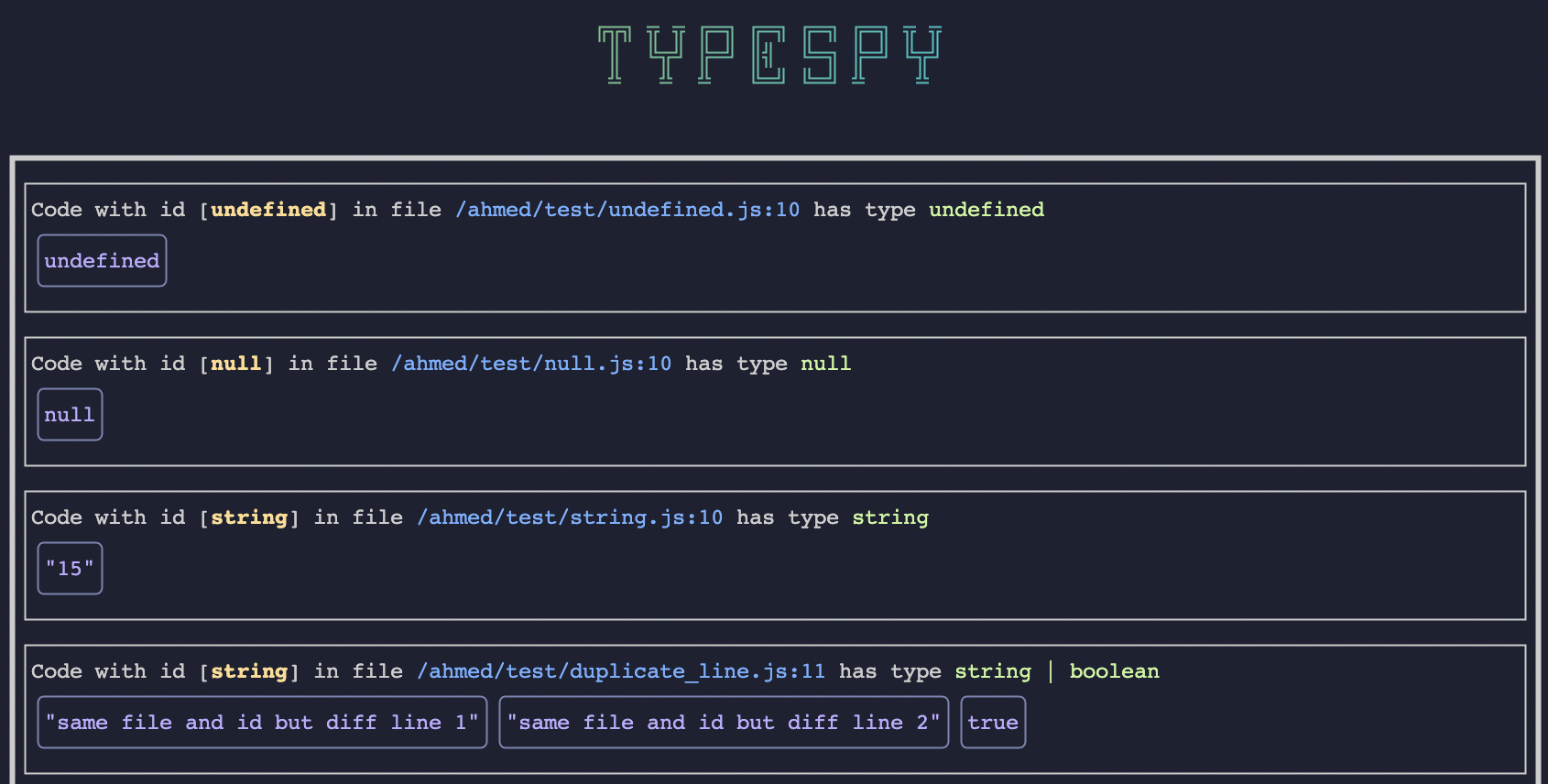
- all the values and suggested type will be shown in the typespy server
- add a spy comment like this one where you want to check the value:
- everytime a spy comment gets executed you will be notified with a notification and the server UI will update
Changing defaults
import { typespyFactory, DEFAULT_FN_NAME } from 'typespy';

// or however you check for dev mode!
if (__DEV__) {
  // default is localhost, use this ip to access localhost from the android emulator for example
  const host = '10.0.2.2';
  // default is 4444
  const port = 1234;

  window[DEFAULT_FN_NAME] = typespyFactory(host, port);
}
Then you have to define your typespy npm task like this "typespy": "TYPESPY_PORT_NUM=1234 typespy"
You must also pass the same options to the babel plugin like this:
global: defaults to window, change it if you want to attach the global function somewhere else.magicWord: defaults tospy, change it if you prefer another comment keyword.fnName: defaults to the value of DEFAULT*FN_NAME which is\_typespy*.
{
  "plugins": [
    [
      "./node_modules/typespy/dist/babel/plugin.js",
      { "global": "globalThis", "magicWord": "wth_is", "fnName": "CIA_SPY" }
    ]
  ]
}
then you will need this changes as well
globalThis['CIA_SPY'] = typespyFactory(host, port);and then your spy comments should look like this
// wth_is props