
unibox-sdk
v0.1.7
Published
Unified email OAuth provider with inbox intelligence for modern applications.

Maintainers
 kabirkhanuja
Readme
unibox-sdk
It's a plug and play Node.js SDK for:
- Multi-provider email OAuth like Gmail, Zoho Mail, Outlook as of v0.1 (more coming soon, open for contributions :) )
- Unified unread email fetching so that you get all unread emails across providers in a single format
- AI powered Inbox intelligence for automatic email summarization and importance ranking to save time and boost productivity
Build email connectivity into your app in minutes !!!!
Screenshots
You can add the sign in buttons in your frontend which redirect to the backend auth routes generated by Unibox
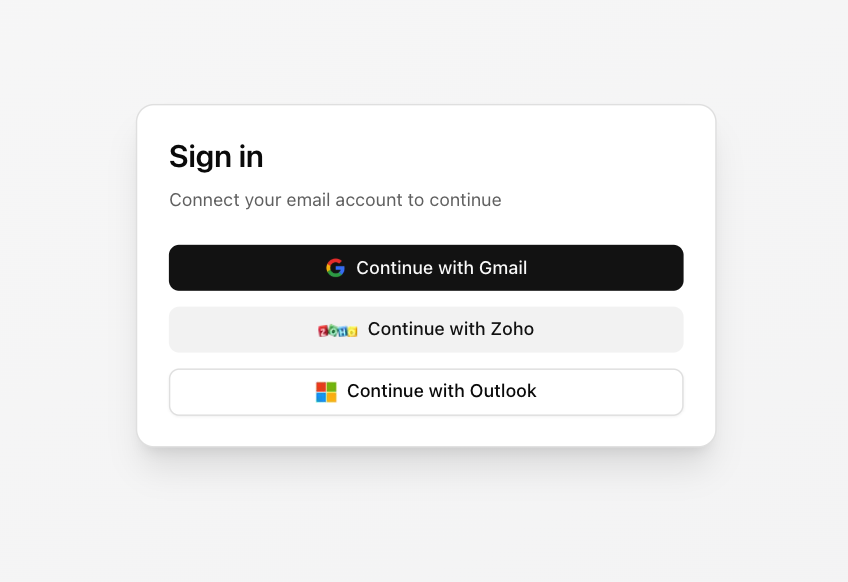
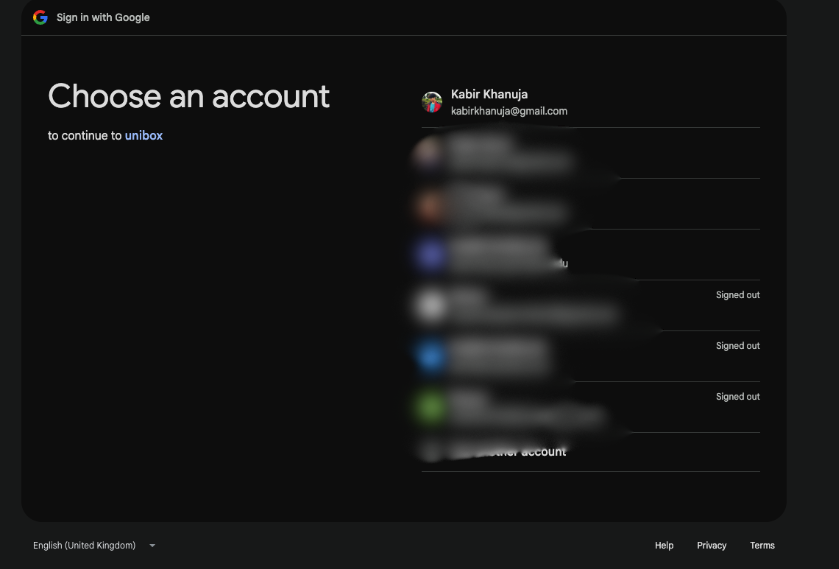
Oauth 2.0 flow is handled when you hit the auth routes
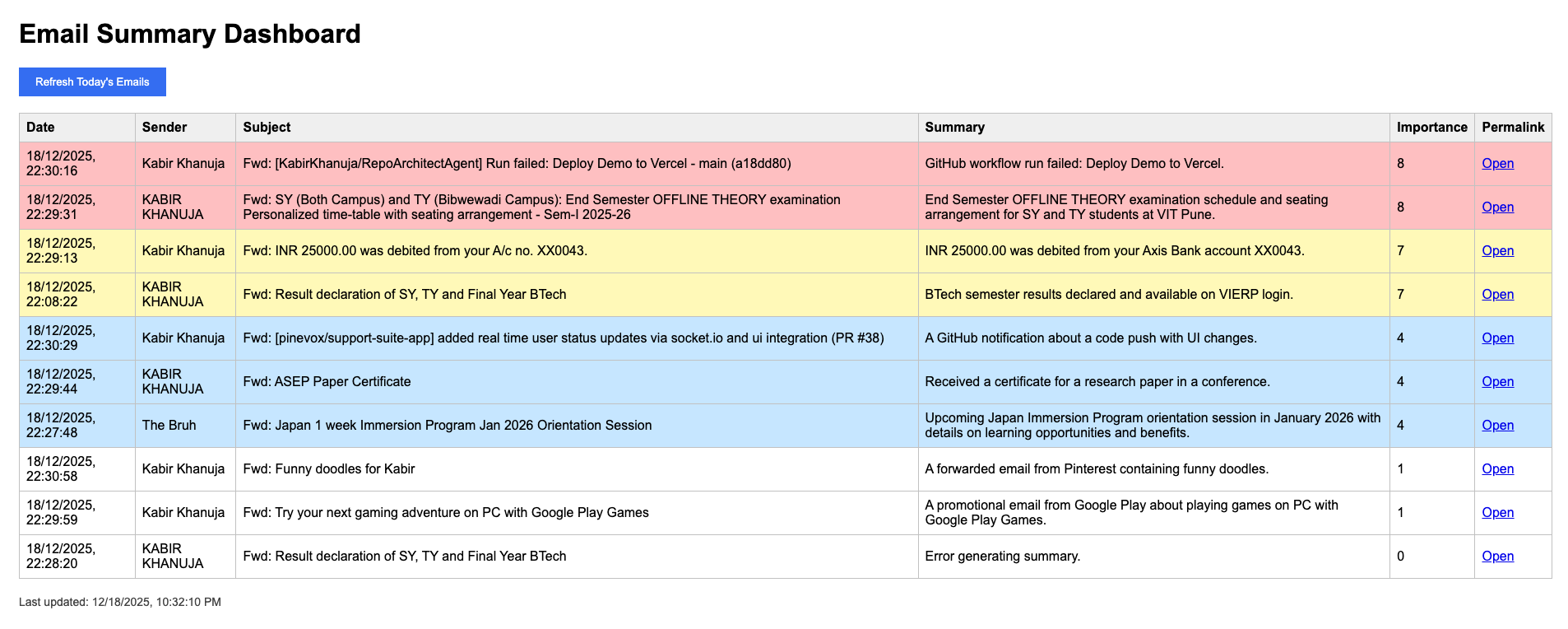
After signing in, you can fetch unread emails via HTTP or programmatically and with AI intelligence enabled, you'll get summaries and importance scores for each email
version : with colors, dates, permalink
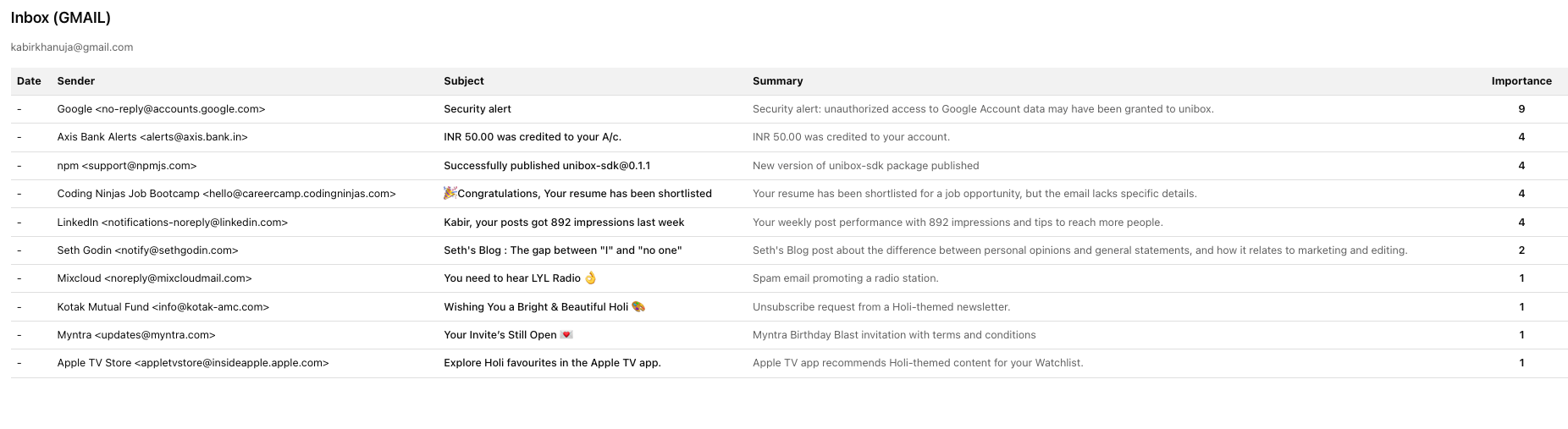
version : plane without colors, dates, or permalinks (good for testing)
Installation
npm i unibox-sdkIf you're using Express + env vars
npm i unibox-sdk express dotenvRequirements:
- Node.js >= 18
- Express (declared as a peer dependency)
Though it supports both ESM and CommonJS:
import { createUnibox } from "unibox-sdk";
// or
const { createUnibox } = require("unibox-sdk");
Gmail OAuth set up
Set env vars
Create a .env
GOOGLE_CLIENT_ID=your-google-client-id
GOOGLE_CLIENT_SECRET=your-google-client-secret
GOOGLE_REDIRECT_URI=http://localhost:3000/auth/gmail/callback
Create a server
server.ts
import express from "express";
import { createUnibox } from "unibox-sdk";
import "dotenv/config";

const app = express();

const unibox = createUnibox({
  providers: {
    gmail: {
      clientId: process.env.GOOGLE_CLIENT_ID!,
      clientSecret: process.env.GOOGLE_CLIENT_SECRET!,
      redirectUri: process.env.GOOGLE_REDIRECT_URI!,
    },
  },
});

app.use("/auth", unibox.router());

app.listen(3000, () => {
  console.log("Visit http://localhost:3000/auth/gmail");
});
Configure Google OAuth
In Google Cloud Console, add this redirect URI (assuming you'd have created an Oauth2 2.0 Client ID credential in apis and services > credentials)
http://localhost:3000/auth/gmail/callbackStart OAuth
Open:
http://localhost:3000/auth/gmailWhat Unibox creates
When mounted at /auth, Unibox generates routes like
GET /auth/gmail
GET /auth/gmail/callback
GET /auth/gmail/unread?email=...
Fetch unread emails
After a mailbox is connected (OAuth) you can fetch unread mail like this
Via HTTP
curl "http://localhost:3000/auth/gmail/[email protected]"Programmatically
const emails = await unibox.fetchUnread({ provider: "gmail", email: "[email protected]" });
console.log(emails);
Add more providers
createUnibox({
  providers: {
    gmail: { /* ... */ },
    zoho: {
      clientId: "...",
      clientSecret: "...",
      redirectUri: "...",
    },
    outlook: {
      clientId: "...",
      clientSecret: "...",
      redirectUri: "...",
    },
  },
});
Set up for Zoho OAuth
.env
ZOHO_CLIENT_ID=your-zoho-client-id
ZOHO_CLIENT_SECRET=your-zoho-client-secret
ZOHO_REDIRECT_URI=http://localhost:3000/auth/zoho/callback
In Zoho Developer Console, set redirect URI
http://localhost:3000/auth/zoho/callbackStart OAuth (Unibox auto-detects region from the email domain)
http://localhost:3000/auth/[email protected]Routes created when mounted at /auth
GET /auth/zoho?email=...
GET /auth/zoho/in?email=...
GET /auth/zoho/com?email=...
GET /auth/zoho/callback
GET /auth/zoho/unread?email=...
Set up for Outlook OAuth
.env
OUTLOOK_CLIENT_ID=your-outlook-client-id
OUTLOOK_CLIENT_SECRET=your-outlook-client-secret
OUTLOOK_REDIRECT_URI=http://localhost:3000/auth/outlook/callback
In Microsoft Entra (Azure) App Registration add redirect URI (platform: Web)
http://localhost:3000/auth/outlook/callbackStart OAuth
http://localhost:3000/auth/outlookRoutes created when mounted at /auth
GET /auth/outlook
GET /auth/outlook/callback
GET /auth/outlook/unread?email=...
Enable AI inbox intelligence
Automatically summarize and rank emails.
createUnibox({
  providers: { gmail: { /* ... */ } },
  intelligence: {
    enabled: true,
    llm: {
      provider: "openai", // or "groq" or "gemini"
      apiKey: process.env.OPENAI_API_KEY!,
      model: "gpt-4.1-mini",
    },
  },
});
When this is enabled, unread emails would include summary and importanceScore
Token storage quick start
By default, Unibox uses an in-memory token store which by the way is great for local dev and testing.
But when it comes to production, it's recommended that you pass a custom tokenStore (Redis). Don't keep tokens in production without a db.
import type { TokenStore } from "unibox-sdk";

const store: TokenStore = {
  async get(provider, email) {
    // ...
  },
  async set(provider, email, tokens) {
    // ...
  },
  async delete(provider, email) {
    // ...
  },
};

createUnibox({
  providers: { gmail: { /* ... */ } },
  tokenStore: store,
});
Next.js connect button
Basically, your frontend just needs to redirect the browser to your backend auth routes
Though zoho needs the mailbox email (?email=...) hence use connectUrl() to generate the right url
"use client";

import { connectUrl } from "unibox-sdk";

export function ConnectButton({ provider }: { provider: "gmail" | "zoho" | "outlook" }) {
  return (
    <button
      type="button"
      onClick={() =>
        (window.location.href = connectUrl({
          provider,
          authBaseUrl: "/auth",
          email: "[email protected]", // only required for zoho
        }))
      }
    >
      Sign in with {provider}
    </button>
  );
}
Response types
Without intelligence you get UnifiedEmail[]
With intelligence you get EnrichedEmail[]
type UnifiedEmail = {
  id: string;
  subject: string;
  from: string;
  date: string;
  body?: string;
  snippet?: string;
  permalink?: string;
  provider: "gmail" | "zoho" | "outlook";
  mailboxEmail: string;
};

type EnrichedEmail = {
  id: string;
  subject: string;
  from: string;
  date: string;
  permalink?: string;
  provider: "gmail" | "zoho" | "outlook";
  mailboxEmail: string;
  text: string;
  summary: string;
  importanceScore: number; // 1 to 10
};
Production notes
- Use HTTPS in production (OAuth providers often require it, so maybe use nginx or something as a reverse proxy to add TLS)
- Do not use the in-memory token store in production
- Treat tokens as secrets
- Protect
/auth/*routes (rate limits, CSRF where relevant) - If you run multiple instances then use shared token storage