
use-storage-backed-state
v2.0.5
Published
Custom React hook for storage backed persisted state.
Downloads
684

Maintainers
 onset
onsetReadme
useStorageBackedState 

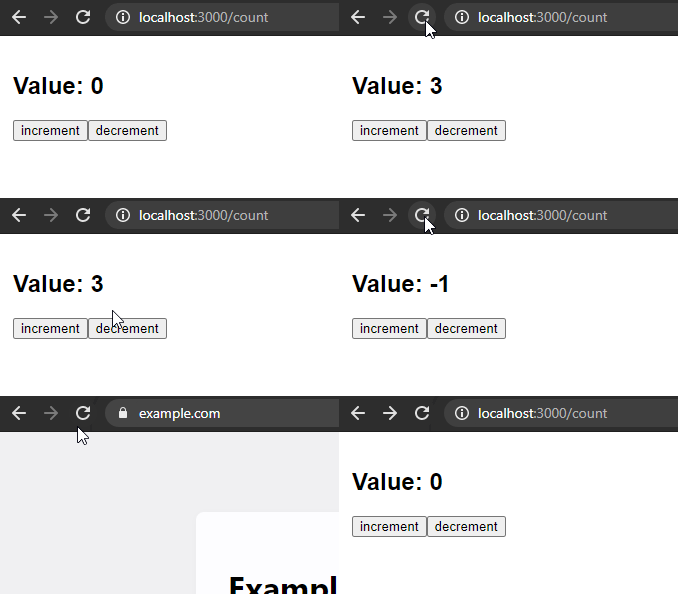
Custom React hook for state management like useState but persisted to localStorage. Check interactive demo.
Installation
npm install use-storage-backed-stateHow to use
import React from 'react'
import { useStorageBackedState } from 'use-storage-backed-state'

export const MyComponent = () => {
	const [count, setCount] = useStorageBackedState({
		key: 'count',
		defaultValue: 0,
	})

	return (
		<section>
			<h1>
				Value: <output>{count}</output>
			</h1>
			<button
				onClick={() => {
					setCount(count + 1)
				}}
			>
				increment
			</button>
			<button
				onClick={() => {
					setCount(count - 1)
				}}
			>
				decrement
			</button>
		</section>
	)
}
Notes
Stores data in
localStorage.Works with
sessionStoragetoo.useStorageBackedState({ // … storage: sessionStorage, })Realtime synchronization between multiple uses with the same
key. Even across tabs.You can opt out from storage and synchronization by passing
nulltostorageoption.const [count, setCount] = useStorageBackedState({ key: 'local-count', initialValue: 1, storage: null, })
Advanced Usage
Custom parser and serializer
By default, use-storage-backed-state uses JSON.stringify and JSON.parse to handle values. You can provide your own functions to handle custom data types, like Date objects.
const [date, setDate] = useStorageBackedState({
	key: 'my-date',
	defaultValue: new Date(),
	parse: (value) => new Date(value),
	stringify: (value) => value.toISOString(),
})
Usage outside of React component
You can also get, set, and remove values from outside of a React component.
import {
	getStorageBackedValue,
	setStorageBackedValue,
	removeStorageBackedValue,
} from 'use-storage-backed-state'

// Set a value
setStorageBackedValue({ key: 'my-key', value: 'my-value' })

// Get a value
const value = getStorageBackedValue({ key: 'my-key', defaultValue: 'default' })

// Remove a value
removeStorageBackedValue({ key: 'my-key' })
Subscribing to changes
You can subscribe to changes of a value. This is useful for integrating with other libraries like rxjs.
import { subscribeStorageBackedValue } from 'use-storage-backed-state'
import { Observable } from 'rxjs'

const myValue$ = new Observable((subscriber) => {
	const { unsubscribe } = subscribeStorageBackedValue({
		key: 'my-key',
		defaultValue: 'default',
		onChange: (value) => {
			subscriber.next(value)
		},
	})

	return unsubscribe
})

myValue$.subscribe((value) => {
	console.log('Value changed:', value)
})