
use-todo
v1.1.3
Published
React hook for todo list

Maintainers
 heesungj77
Readme
📒 A React Hook for 'Todo List'.
You just wanted to try new cool animation features or ui library and decided to build a simple todo app.
But, even for a simple todo application, you have to create mock states and functions to mutate the states such as addTodo, deleteTodo and so forth.
Now 'use-todo' will give you everything!
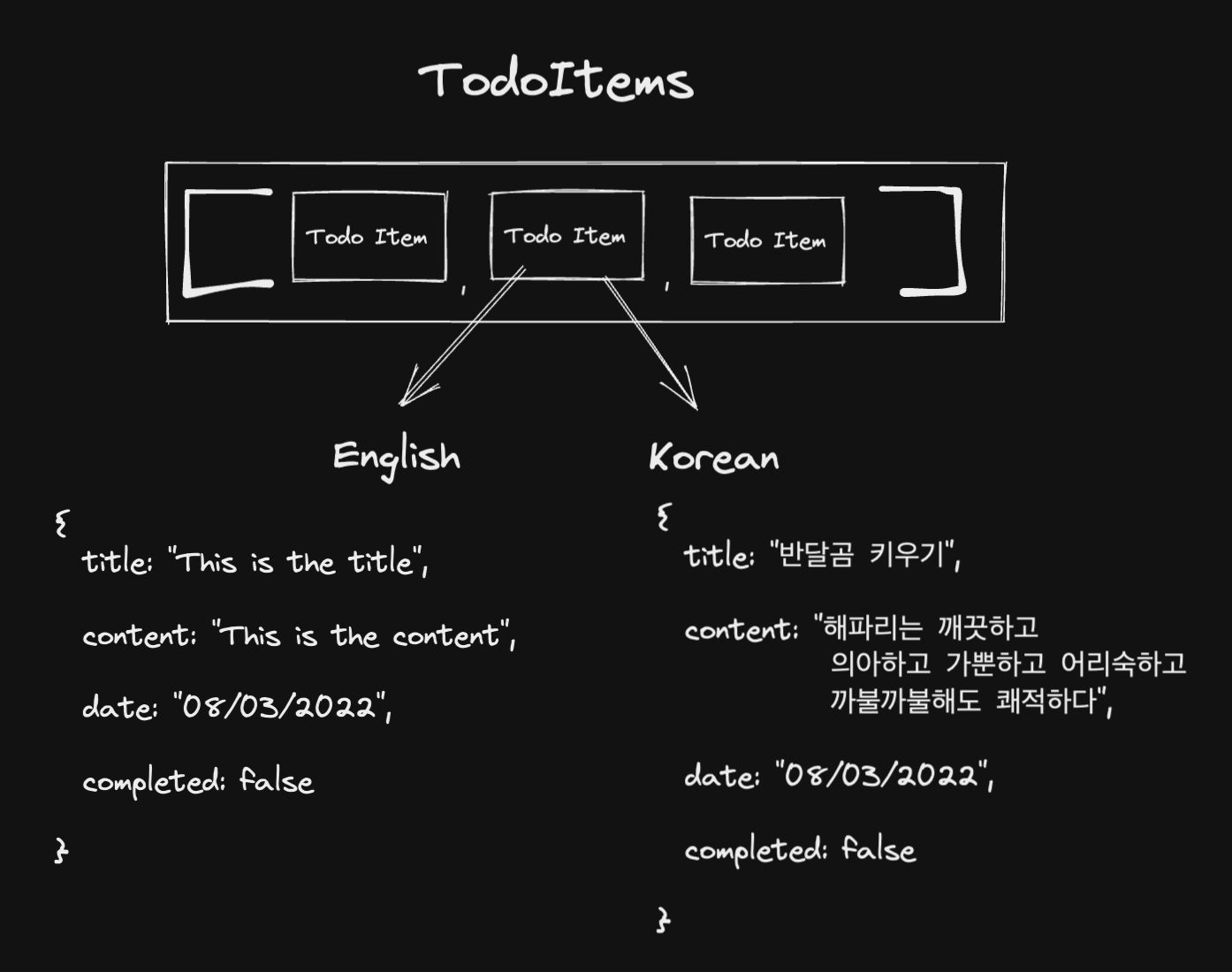
Language Support
❗️Note: By default, todo item contents are in English. If you want to change contents to korean, provide { lang:"kr" } to options.
❗️Note: 투두 아이템의 내용은 기본적으로 영어로 설정되어 있습니다. 한글 지원을 원하시면 options 값으로 { lang:"kr" }을 전달해주세요.
👉 See Options
Installation
Install with npm
npm i use-todoInstall with yarn
yarn add use-todoEnglish documentation
- How do you display todo list?
- How do you add new todo item to the list?
- How do you remove a todo item from the list?
- How do you edit a todo item from the list?
- How do you change completed state for a todo item?
- Options?
Korean documentation
Basic Usage
1️. How do you display todo list?
import React from 'react';

import { useTodo } from 'use-todo';

function TodoComponent() {
    const { todoItems, addTodo, deleteTodo, toggleCompletion } = useTodo();

    return (
        <div>
            {todoItems.map((todo) => {
                return (
                    // Todo Item
                    <div key={todo.id}>
                        <span>{todo.title}</span>
                        <span>{todo.content}</span>
                        <span>{todo.date}</span>
                    </div>
                );
            })}
        </div>
    );
}

export default TodoComponent;
2. How do you add new todo item to the list?
import React from 'react';

import { useTodo } from './lib';

function TodoComponent() {
    const { todoItems, addTodo, deleteTodo, toggleCompletion } = useTodo();

    const [title, setTitle] = React.useState('');
    const [content, setContent] = React.useState('');

    const onButtonClick = () => {
        const newTodoItem = { title, content };
        addTodo(newTodoItem); // 👈  add new todo item to current todo items state
    };
    return (
        <div>
            {/*👇 Here when button is clicked,
            you can call addTodo function with title and content value*/}

            <button onClick={onButtonClick}>AddTodo</button>
            <input placeholder="Enter title" value={title} onChange={(e) => setTitle(e.target.value)} />
            <input placeholder="Enter content" value={content} onChange={(e) => setContent(e.target.value)} />
        </div>
    );
}

export default TodoComponent;
3. How do you remove a todo item from the list?
import React from 'react';

import { useTodo } from './lib';

function TodoComponent() {
    const { todoItems, addTodo, deleteTodo, toggleCompletion } = useTodo();

    const onRemoveClicked = (id) => {
        // To remove a todo item from the todo list,
        deleteTodo(id); // 👈  pass a todo id to deleteTodo function
    };
    return (
        <div>
            {todoItems.map((todo) => {
                return (
                    // Todo Item
                    <div key={todo.id}>
                        <span>{todo.title}</span>
                        <span>{todo.content}</span>
                        <span>{todo.date}</span>
                        <button onClick={() => onRemoveClicked(todo.id)}>Remove Todo</button>
                    </div>
                );
            })}
        </div>
    );
}

export default TodoComponent;
4. How do you edit a todo item from the list?
// React
import React from 'react';
import { useTodo } from './lib';

function App() {
    const { todoItems, editTodo } = useTodo();

    const handleEdit = (id: string) => {
        // 👇 Here you pass new todo data and id to editTodo function
        editTodo(id, { title: 'NEW TITLE', content: 'NEW CONTENT' });
    };

    return (
        <>
            {todoItems.map((todo) => {
                if (!todo.completed) {
                    return (
                        <div>
                            <span>{todo.title}</span>
                            <span>{todo.content}</span>
                            <button onClick={() => handleEdit(todo.id)}>Edit Todo</button>
                        </div>
                    );
                }
            })}
        </>
    );
}
5. How do you change completed state for a todo item?
import React from 'react';

import { useTodo } from 'use-todo';

function TodoComponent() {
    const { todoItems, addTodo, deleteTodo, toggleCompletion } = useTodo();

    const handleComplete = (id: string) => {
        // change completed state of a todo item
        toggleCompletion(id); // 👈  pass a todo id to toggleCompletion function
    };
    return (
        <div>
            {todoItems.map((todo) => {
                return (
                    // Todo Item
                    <div key={todo.id}>
                        <span>{todo.title}</span>
                        <span>{todo.content}</span>
                        <span>{todo.date}</span>
                        <button onClick={() => handleComplete(todo.id)}>Complete</button>
                    </div>
                );
            })}
        </div>
    );
}

export default TodoComponent;
Options
const options = {
    dataNum: 10, // 👈  Determines initial number of todo items in todo list
    contentLength: 20, // 👈  Determines the length of todo content
    useLocalStorage: true, // 👈  Stores todo list state to browser local storage
    lang: 'kr' // 👈  change default language for todo contents to korean
};
const { todoItems, addTodo, deleteTodo, toggleCompletion } = useTodo(options);