
utron
v2.1.6
Published
AI-powered terminal assistant for developers.


Readme
Utron CLI
Utron is a fast, minimal, AI-powered command-line assistant for developers who prefer terminal over GUI.
It can generate, run, explain, compare commands, and show system-level details directly in the terminal
Features
- Generate terminal commands using AI based on your prompt
- Run or copy generated commands instantly
- Explain prompts like tool setups, dev terms, etc.
- Compare technologies like
react vs vue,nextjs vs remix - Show lists of useful Linux and Windows commands
- Display full system information (CPU, RAM, Disk, GPU, etc.)
- Auto-check for latest version and notify if outdated
- Flags for developer info and tool intro
💻 Windows Installation Guide
Step 1: Install Node.js
- Download latest Node.js (LTS) from: https://nodejs.org
- Install it (make sure to check “Add to PATH” during installation)
Step 2: Open Command Prompt or PowerShell
Press Win + R → type cmd or powershell → press Enter.
Step 3: Install Utron globally
npm install -g utronstep 4: Verify
utron --vInstallation Linux
Install Utron globally via npm:
npm install -g utronIf permission error occurs:
sudo npm install -g utronTo update Utron to the latest version:
npm install -g utronUsage
Run utron with your prompt and optional flags.
utron <your prompt> [flags]Examples
utron express setup --ai
utron vite with tailwind --ai --copy
utron react vs preact --compare
utron tailwind setup --explain
utron --linux
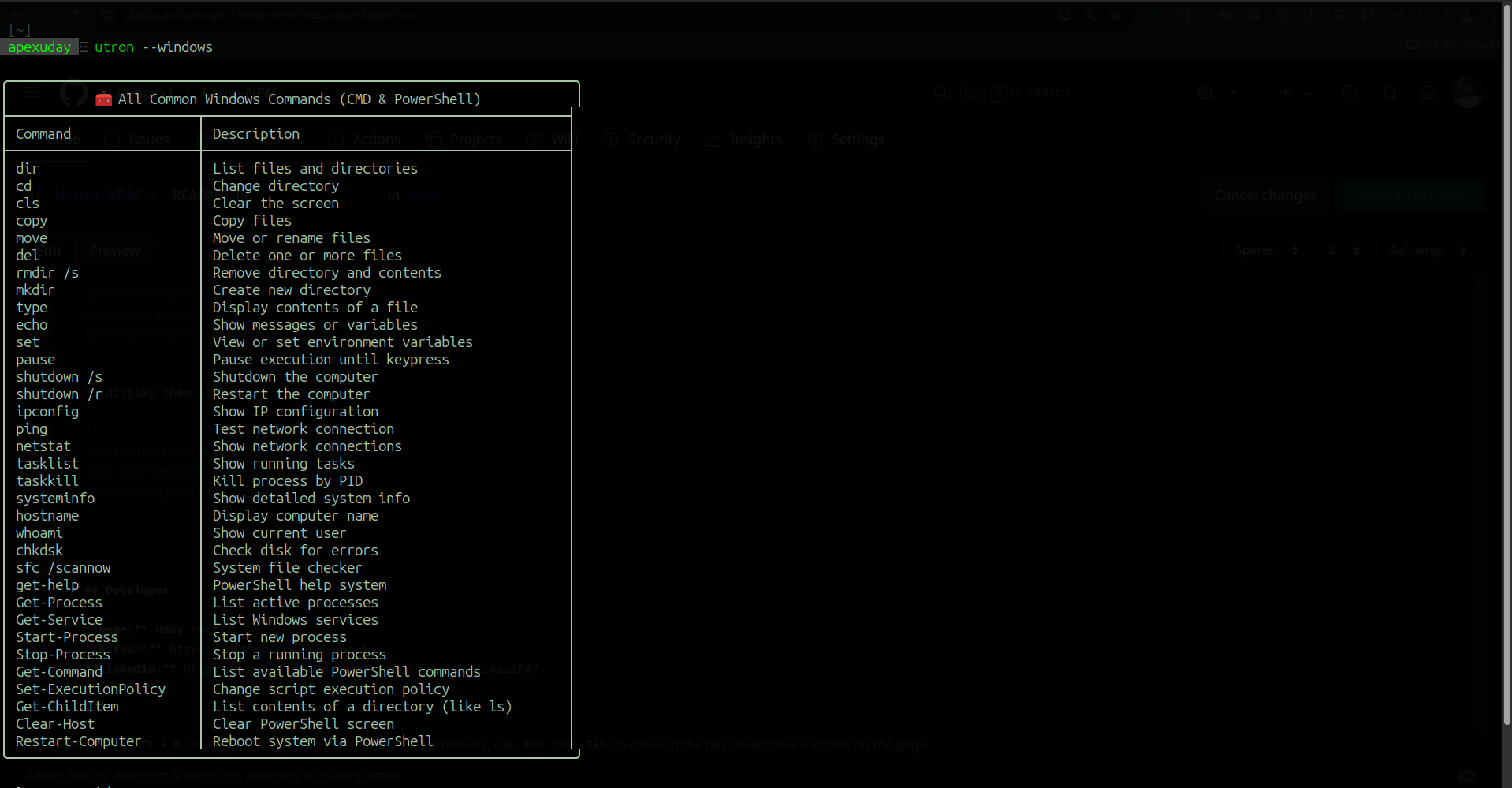
utron --windows
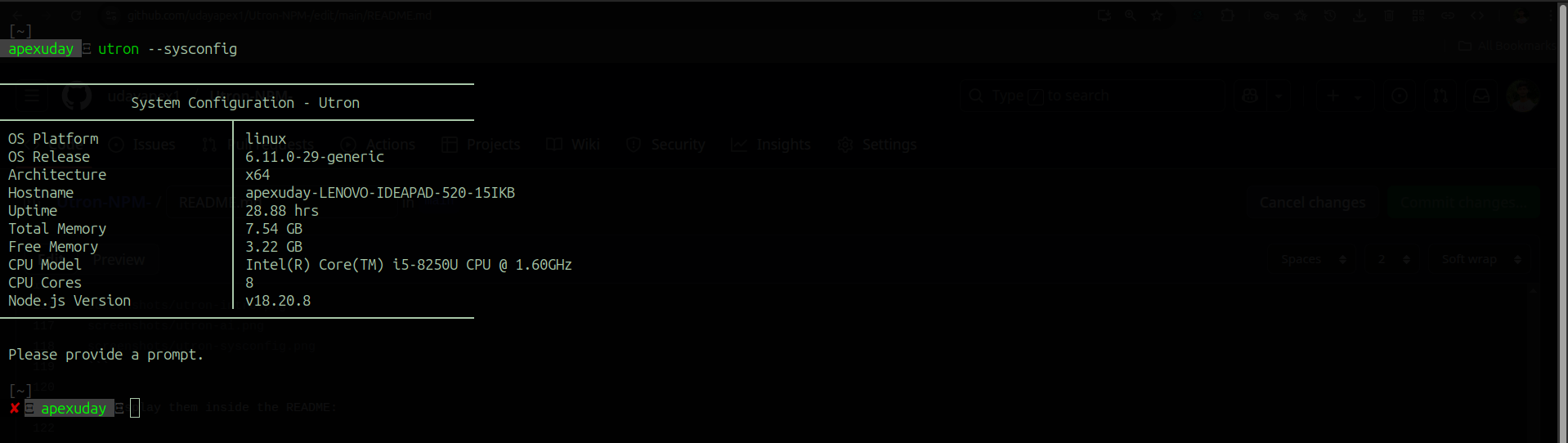
utron --sysconfig
utron --intro
utron --dev
Flags
| Flag | Description |
| -------------- | -------------------------------------------------------- |
| --ai | Generate terminal command using AI |
| --run | Run the generated command in the terminal |
| --copy | Copy generated command to clipboard |
| --explain | Explain the given prompt using AI |
| --compare | Compare two technologies like vite vs webpack |
| --linux | Display a list of common Linux commands |
| --windows | Display a list of common Windows CMD/PowerShell commands |
| --sysconfig | Display full system configuration |
| --intro | Display Utron's introduction |
| --dev | Display developer information |
| --v, --version | Show installed Utron version |
| --help | Show help/documentation |
System Requirements
- Node.js v18 or higher
- Internet connection (for AI-related features)
Technologies Used
Utron is built using modern backend and system-level tooling:
- Node.js – Core runtime environment
- ESM (ECMAScript Modules) – Modern JS module system
- systeminformation – For fetching system hardware/software details
- clipboardy – For copying command output to clipboard
- child_process – To run shell commands directly
- OpenRouter AI API (via fetch/axios) – To generate & explain commands
- Terminal UI – Styled output using pure
console.log(no TUI libs used) - NPM – For package distribution globally
Screenshots
- Intro : with help command
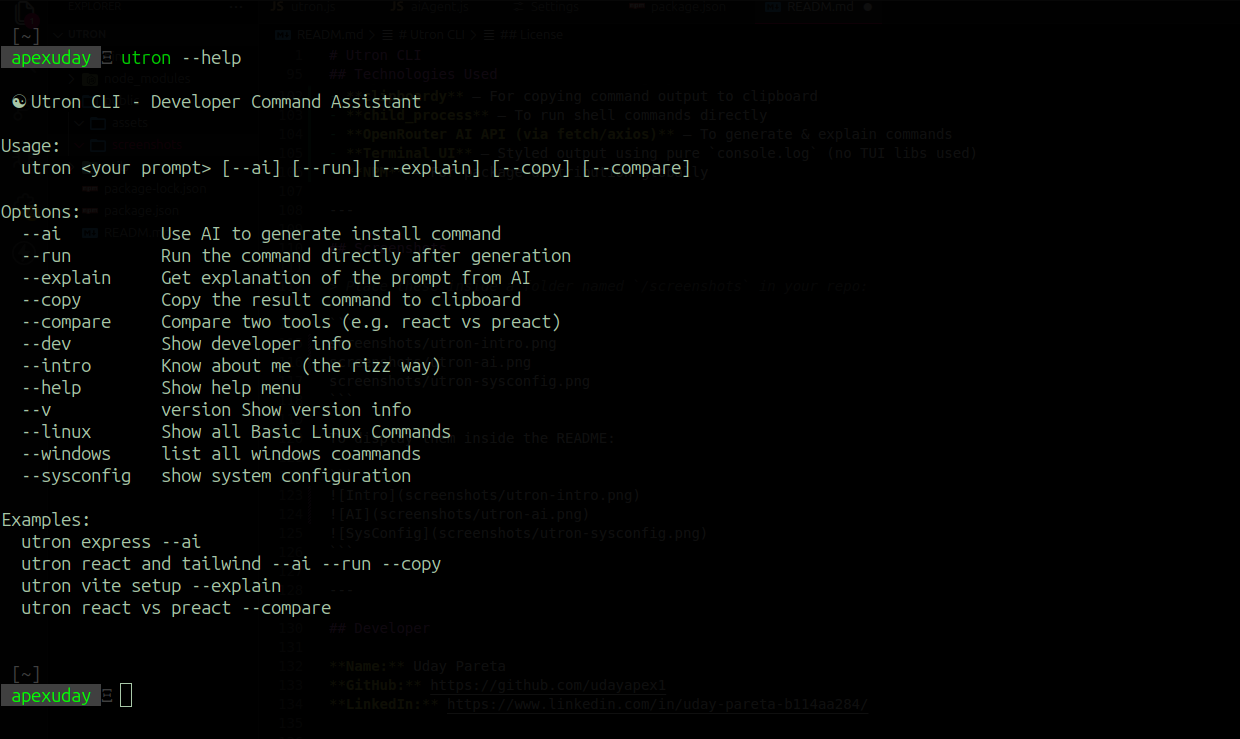
- Asking To Genrate Commands
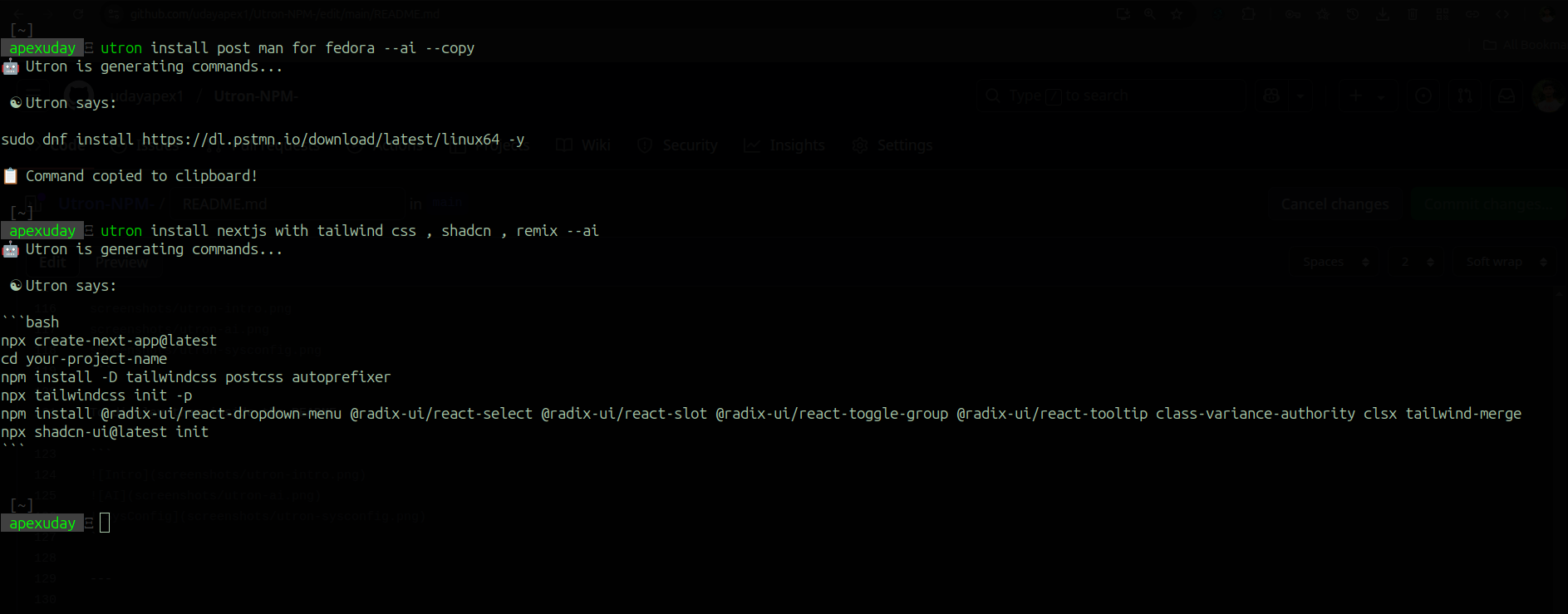
- Asking To Compare things
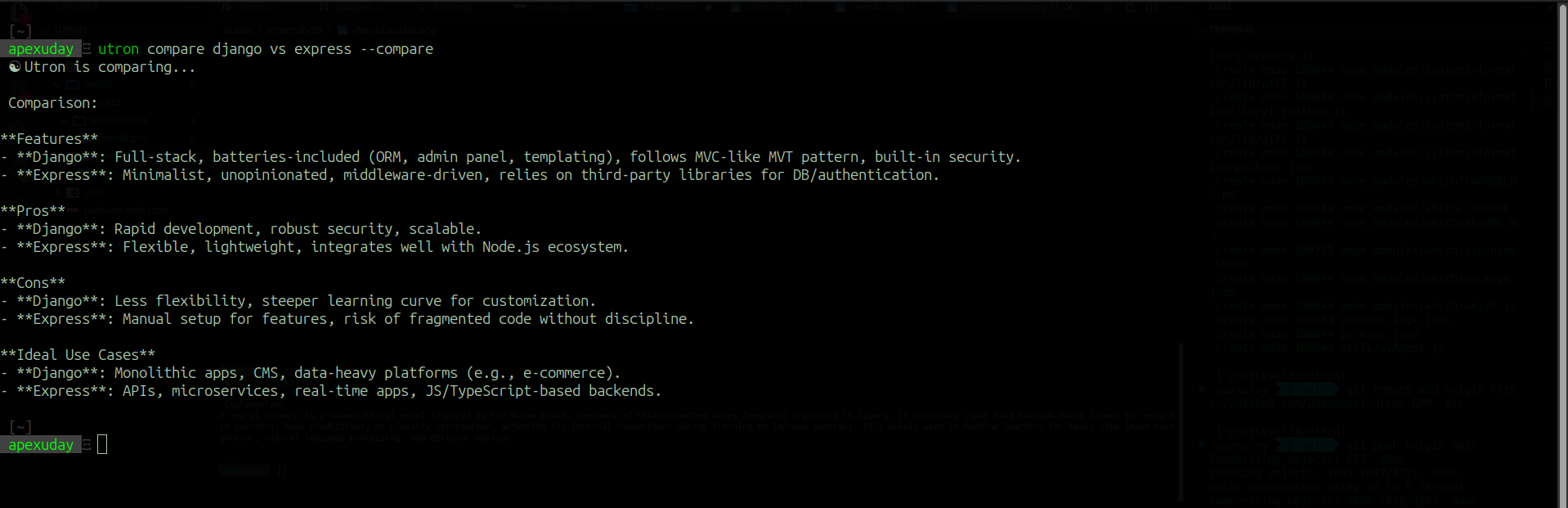
- Asking To Explain Topics

- List of Basic Linux Commnads
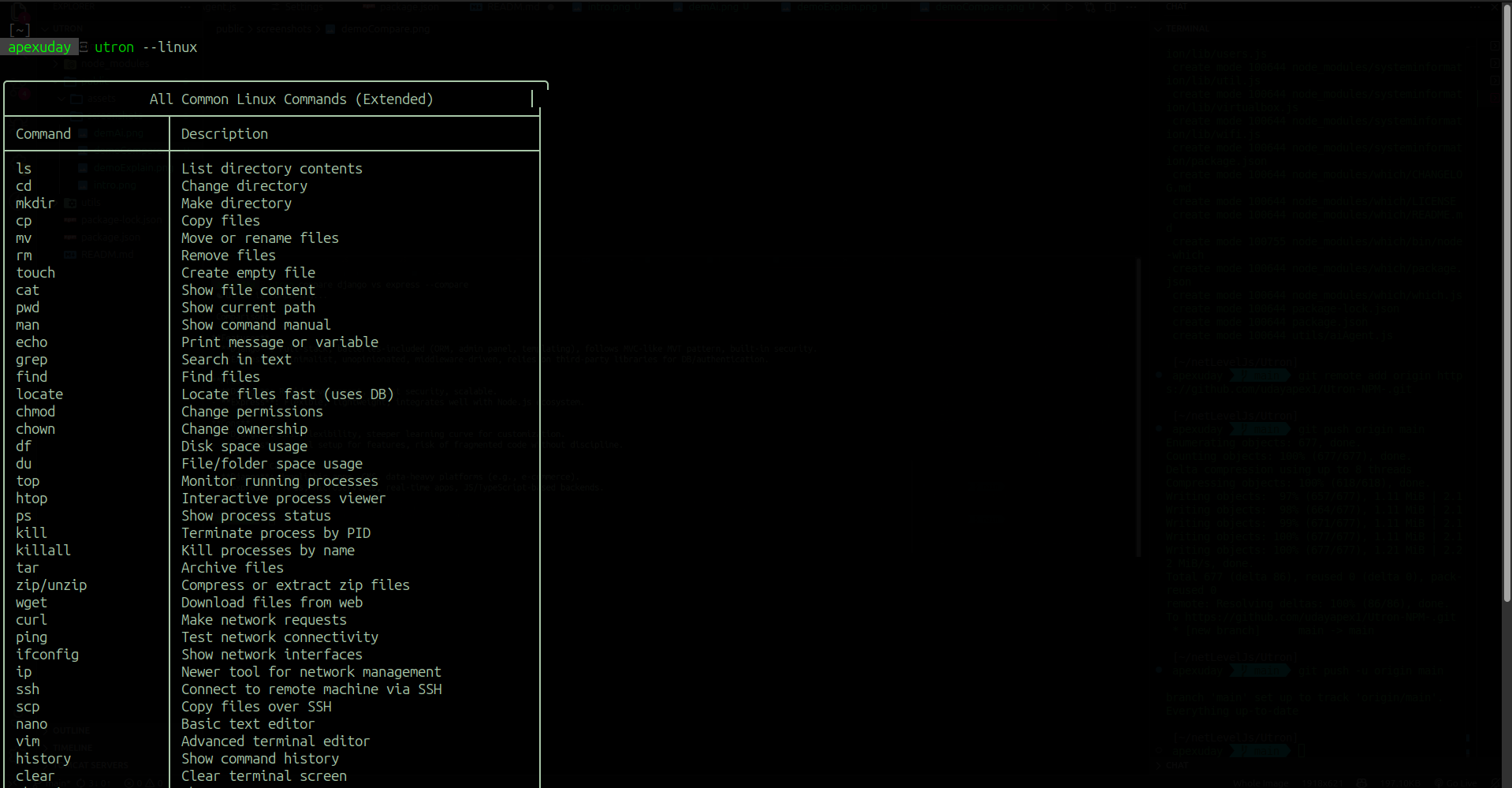
- List of Basic Windows Commnads
- List of Basic System Configuration
Developer
Name: Uday Pareta
GitHub: https://github.com/udayapex1
LinkedIn: https://www.linkedin.com/in/uday-pareta-b114aa284/
License
MIT License
This project is open source and free to use, modify, and distribute.