
v-draw
v1.0.6
Published
Canvas画板,支持撤销,回滚,生成图片等操作


Readme
v-draw
v-draw是一个vue版本的涂鸦板,目前测试可以使用的有pc,h5。
理论上在所有支持canvas的浏览器中都可以使用
简介
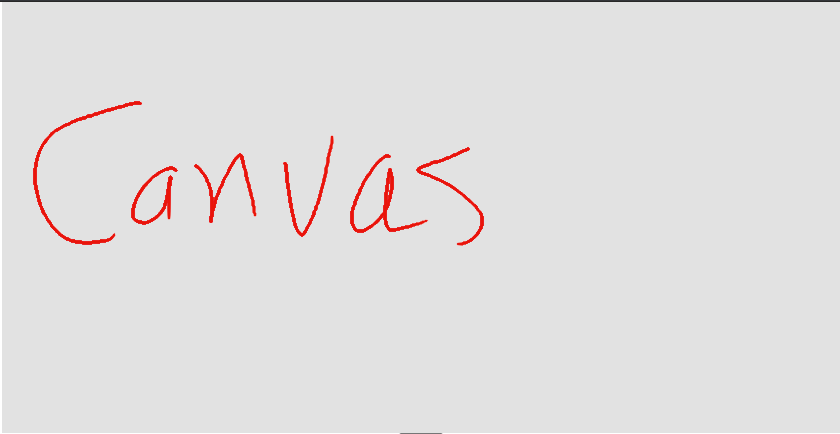 没错,只有一个画布,所有的其他api全部都采用函数的方式调用,因为在实际的应用场景中
,组件内的按钮跟配置项的ui,大概率也是跟项目内的UI图不匹配的,所以这里就
把所有的配置暴露出来,采用函数的方式调用,其他的需要比如设置画笔的颜色,大小等,则需要自己
再写一些组件,然后调用相应的api即可。
没错,只有一个画布,所有的其他api全部都采用函数的方式调用,因为在实际的应用场景中
,组件内的按钮跟配置项的ui,大概率也是跟项目内的UI图不匹配的,所以这里就
把所有的配置暴露出来,采用函数的方式调用,其他的需要比如设置画笔的颜色,大小等,则需要自己
再写一些组件,然后调用相应的api即可。
在线地址v-draw
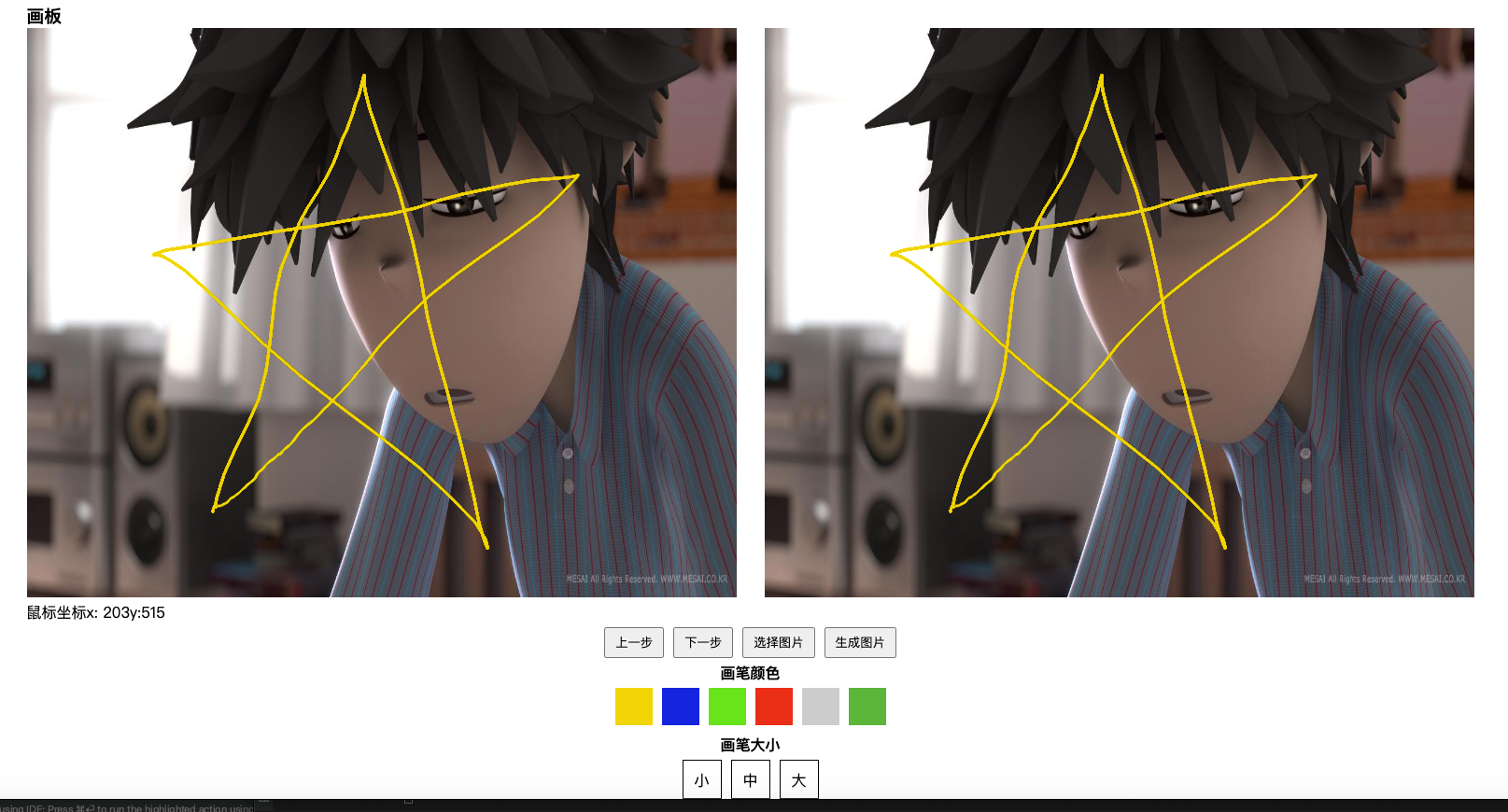
演示完成如下图
插件安装
yarn install- 局部使用
<template>
    <div id="app" class="app_">
        <div >
            <vDraw
                class="test"
                ref="scrawl"
            />
        </div>
    </div>
</template>
import vDraw from "v-draw/packages/v-draw"
export default {
    name: 'App',
    components: {
        vDraw
    },
}- 全局使用
import vDraw from "v-draw"
Vue.use(vDraw)

<template>
    <v-draw
        class="test"
        ref="vDraw"
    />
</template>
api文档
常用功能
如果看完表格还有不明白,请查看下方的常用功能详细
| 功能 | 函数 | 参数 | 返回值 | 说明 |
| ---- | ---- | ---- | ---- | ---- |
| 绘制开始 | drawStart | ---- | ---- | ---- |
| 绘制结束 | drawEnd | ---- | ---- | ---- |
| 绘制中 | drawing | ---- | ---- | ---- |
| 上一步 | this.$refs.child.handlePre | ---- | ---- | ---- |
| 下一步 | this.$refs.child.handleNext | ---- | ---- | ---- |
| 设置背景图片 | this.$refs.child.handleSetImg | url | ---- | 如果传入了url,则使用url对于的图片进行渲染 |
| 设置背景图片回调 | setImgCallback | ---- | ---- | ---- |
| 生成图片 | this.$refs.child.createImage | ---- | ---- | ---- |
| 生成图片回调 | createImgCallback | ---- | 图片的base64编码 | ---- |
| 设置画笔 | setWriteConfig | {shadowColor,strokeStyle,lineWidth,shadowBlur} | ---- | ---- |
| 清空画布 | this.$refs.scrawl.clearCanvas() | ---- | ---- | 清空画布会将所有的数据清除 |
暴露参数
| 参数 | 功能 | | ---- | ---- | | background | 背景颜色 |
常用功能详细
# drawStart
- 用法:
绘制开始时
<v-draw
    @drawStart="drawStart"
/>
# drawEnd
- 用法:
绘制结束时
<v-draw
    @drawEnd="drawEnd"
/>
# drawing
- 用法:
绘制中
<v-draw
    @drawing="drawing"
/>
# handlePre
- 用法:
上一步
<v-draw
   ref="scrawl"
/>
<script>
    export default{
        methods:{
            handlePre(){
                this.$refs.scrawl.handlePre()
            },
        }
    }
</script>
# handleNext
- 用法:
下一步
<v-draw
   ref="scrawl"
/>
<script>
    export default{
        methods:{
            handleNext(){
                this.$refs.scrawl.handleNext()
            },
        }
    }
</script>
# handleSetImg
- 说明:如果添加了图片地址,则使用网络图片进行渲染
- 参数:{
url:线上图片地址
} - 用法:
设置背景图片
<v-draw
   ref="scrawl"
/>
<script>
    export default{
        methods:{
            handleSetImg(){
                this.$refs.scrawl.handleSetImg()
                this.$refs.scrawl.handleSetImg(url)
            },
        }
    }
</script>
# setImgCallback
- 用法:
设置背景图片回调
<v-draw
   ref="scrawl"
   @setImgCallback='setImgCallback'
/>
# createImage
- 用法:
生成图片
<v-draw
   ref="scrawl"
/>
<script>
export default{
    methods:{
        createImage(){
            this.$refs.scrawl.createImage()
        },
    }
}
</script>
# createImgCallback
- 用法:
生成图片回调
<v-draw
   @createImgCallback='createImgCallback'
/>
<script>
    export default{
    methods:{
        createImgCallback(img){
           console.log(img)
        },
    }
}
</script>
# setWriteConfig
参数:{
shadowColor:阴影颜色
strokeStyle:笔触颜色
lineWidth:画笔大小
shadowBlur:阴影迷糊}
用法:
设置画笔
<v-draw
   ref="scrawl"
/>
<script>
export default{
    methods:{
        setWriteConfig(){
            this.$refs.scrawl.setWriteConfig()
        },
    }
}
</script>
# clearCanvas
- 说明:此函数会清空所有记录,最好加个提示框
- 用法:
清空画布内容
<v-draw
   ref="scrawl"
/>
<script>
export default{
    methods:{
        clearCanvas(){
            this.$refs.scrawl.clearCanvas()
        },
    }
}
</script>