
v8-profiler-rs
v1.0.46
Published
Analyze v8 heapsnapshot By Rust


Readme
Introduction
v8-profiler-rs is a project developed in Rust for intelligent online analysis of V8 heapsnapshot files. It helps developers using V8-based applications like Node.js/Chrome/Deno/Electron to better understand program memory structure and assist in locating memory leaks.
Online Demo
We have deployed an online website where you can upload and analyze V8 memory snapshots in real-time. We recommend using Safari or Firefox browsers, as wasm execution performance is significantly better than in Chrome .
Implemented Features
🚀 indicates implemented features. This application is continuously being updated, and updates will be synchronized to the README.md. Please stay tuned. If this application helps you, please give it a Star ✨
| Milestone | Status |
|-----------|--------|
| Parse V8 snapshot to generate complete node information | 🚀 |
| View node source location and constructor | 🚀 |
| Generate analysis reports | 🚀 |
| Frontend visualization support | 🚀 |
| Filter nodes by ID and name | 🚀 |
| Filter number of nodes and view detailed node references | 🚀 |
| Filter reference depth and number of references | 🚀 |
| Compare two snapshot files | 🚀 |
| Support two comparison types: new nodes/increased GC size | 🚀 |
| Automatically filter non-business nodes based on node count | 🚀 |
| Support uploading local serialized JSON files | 🚀 |
| Implement Wasm + WebWorker parsing to avoid site unresponsiveness | 🚀 |
| Optimize parsing performance and reduce memory usage | 🚀 |
Why Rust
Parsing V8 memory snapshots involves a lot of computational operations. CPU-intensive scenarios are inherently not JavaScript's strong suit.
After reading Chrome's official memory analysis tool source code, I found it uses many tricks to ensure performance, making the code highly complex and difficult to maintain.
Rust is perfect for this scenario, providing excellent performance while maintaining code readability. Rust's superior multi-threading capabilities are exactly what we need, as parsing computation logic is ideal for multi-threaded optimization. We will continue optimizing computational performance in future versions.
This application's approach can be applied to any programming language with GC. We will strive to support memory analysis for more programming languages in the future.
Finally, Rust's official WebAssembly support is excellent, allowing us to easily compile Rust code to WebAssembly for browser use.
Handling Parse Timeout Issues
For very large files, you may encounter Wasm memory overflow or long parse times. If this occurs, try using Safari or Firefox browsers.
Contact
The prohect has been updating, if you have any questions or suggestions, please submit an issue
How to sponsor me
There are two ways to sponsor me both Alipay and WeChat
Eth address: 0x87a2575a5d4dbD5f965e3e3a3d20641BC9a5d192
How to use
Open the online demo and upload the heapsnapshot file. You can upload one or two files for comparison.
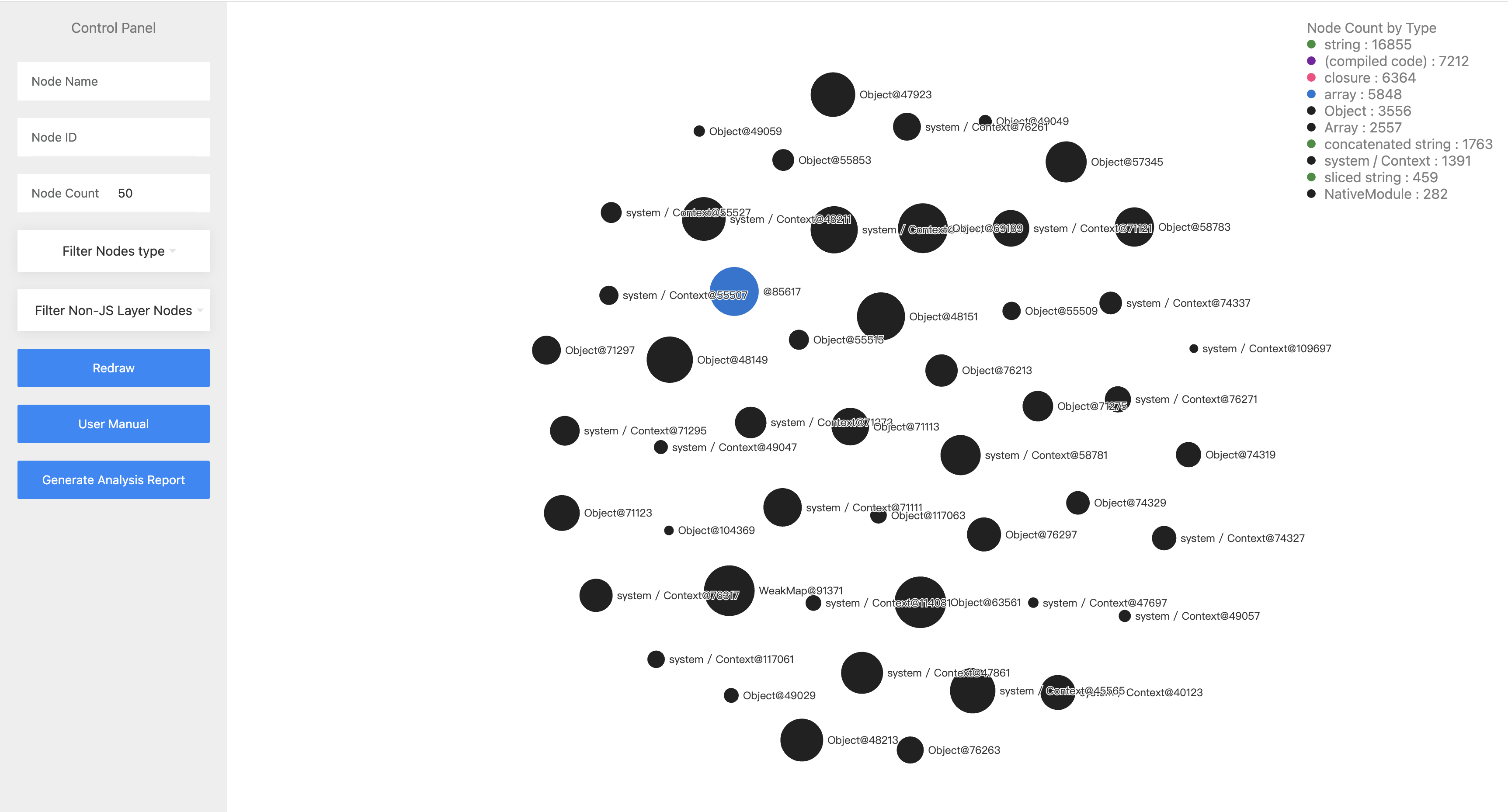
There will render heapsnapshot nodes in web page.
The node fields are as follows:
{
    "node_type": string; // node type
    "name": string; // node name
    "id": number; // node id
    "size": number; // node self size
    "edge_count": number; // node edge count
    "retained_size": number; // node retained size, the free size of the node after GC
    "pt": number; // the ratio of self size / retained size
    "edges": {
        "edge_type": string; // edge type
        "to_node": number; // the id of the node that the edge points to
        "name_or_index": string; // the name or index(for array) of the edge
    } [];
    "source": string; // the source file of the node
    "constructor": string; // the constructor of the node
    "percent": string; // the retained size ratio of the node
}