
vcf-orchestrator-mcp
v0.7.0
Published
MCP server for VCF Operations Orchestrator (vRO) 9.x — embedded in VCF Automation or standalone. Spec-driven: full REST API access plus workflow/action/script tools.

Maintainers
 imtrinity94
Readme
vcf-orchestrator-mcp
MCP server that lets your AI assistant work directly with VCF Operations Orchestrator (vRO) 9.x: find and read workflows, create and update actions and workflows, run them, and read executions and logs. It works with the Orchestrator embedded in VCF Automation 9 and with a standalone Orchestrator, and has been verified on VCF Automation 9.1.1.
It works with any MCP client: Claude Desktop, Claude Code, Cursor, VS Code with GitHub Copilot, and others.
🎬 Setup and demo video (YouTube) · 📝 Blog post on cloudblogger.co.in · 📖 Full documentation
Demo
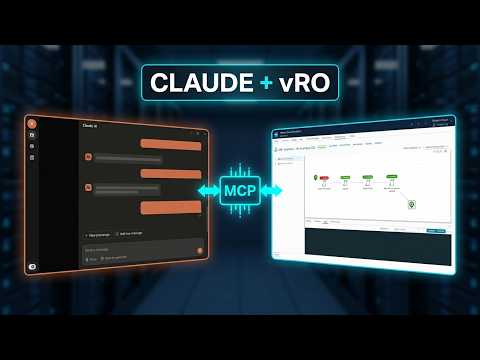
The blog post walks through the setup step by step, with a real VM onboarding example built through the MCP. More vRO and VCF Automation articles: cloudblogger.co.in.
Quick start
Install (Node.js 18.17+):
npm install -g vcf-orchestrator-mcpRun the one-time setup. It creates a VCF Automation service account and stores its refresh token on your machine. The password is asked for with a masked prompt and never stored.
vcf-orchestrator-mcp setup --url "https://auto.example.lab" --org "<org-name>" --user "<local-admin>" --name "Lab-vRO-MCP" --role "Organization Owner,Orchestrator Administrator" --insecure--orgis the org name fromhttps://<host>/tenant/<name>. The service account needs the Orchestrator Administrator role. Details and options: Setup and Service Account.Add it to your client. Setup prints this block; no password or token goes in it:
{
  "mcpServers": {
    "vcf-orchestrator": {
      "command": "vcf-orchestrator-mcp",
      "env": {
        "VRO_URL": "https://auto.example.lab",
        "VRO_AUTH_MODE": "api-token",
        "VRO_ORG": "<org name>",
        "VRO_INSECURE": "true"
      }
    }
  }
}
Claude Code, Cursor and VS Code: Client Configuration.
Fully restart your client, then ask: "Run vro_server_info and tell me which Orchestrator I'm connected to."
The server renews its token by itself, so you never paste tokens: Token Refresh.
Tools
| Tool | What it does |
|---|---|
| vro_server_info | Connectivity check: version, auth mode, token expiry |
| vro_find_workflows, vro_get_workflow | Find workflows, read inputs and outputs |
| vro_run_workflow, vro_get_execution, vro_list_executions | Run workflows with plain JSON inputs, read state, outputs and logs |
| vro_find_actions, vro_get_action, vro_run_action | Find, read and run actions |
| vro_save_action, vro_save_workflow | Create or update actions and workflows; versions are bumped automatically |
| vro_run_script | Run a quick ES5 snippet via a temporary action |
| vro_set_versions | Set or bump versions of actions and workflows |
| vro_delete_workflow | Delete a workflow |
| vro_export_package | Download a package as a real .package file, ready for backup, import elsewhere or vRO Peekage |
| vro_api_search, vro_api_describe, vro_api_call | Reach the full Orchestrator REST API (303 operations) |
Parameters for each: Tools Reference.
Documentation
| Page | What's in it |
|---|---|
| Installation | Requirements, npm and source installs, updating |
| Setup and Service Account | The setup command, roles, SSO-only orgs |
| Client Configuration | Claude Desktop, Claude Code, Cursor, VS Code |
| Configuration Reference | All VRO_* variables and auth modes |
| Examples and Prompts | Prompts to try and worked walkthroughs |
| Troubleshooting | Error messages and fixes |
| FAQ | Common questions |
Also in this repo
skill/vcf-orchestrator-mcp: a free agent skill that teaches agents how to use these tools well.examples/onboard-vms-by-name.workflow.json: a fullvro_save_workflowspec, run end to end on VCF Automation 9.1.1.docs/: the full documentation.
Development
git clone https://github.com/imtrinity94/vcf-orchestrator-mcp.git
cd vcf-orchestrator-mcp
npm install        # also builds into dist/
test-client.mjs exercises every tool over stdio against a mock or lab Orchestrator.
Releasing: pushing a v* tag publishes to npm through .github/workflows/publish.yml (npm trusted publishing, no stored token). Or run npm login and npm publish locally.
Links
- Demo video: https://www.youtube.com/watch?v=ATAgRdsLouE
- Blog post: https://cloudblogger.co.in/2026/10/14/vcf-orchestrator-mcp-claude-for-vcf-operations-orchestrator/
- Blog: https://cloudblogger.co.in
- Source and issues: https://github.com/imtrinity94/vcf-orchestrator-mcp
License
MIT