
versioneye-update
v1.4.4
Published
Create/Update projects at VersionEye.com via the API
Downloads
37

Maintainers
 onwerkgmbh
Readme

versioneye-update
VersionEye can monitor your project on GitHub/Bitbucket and notify you about out-dated dependencies and license violations. The integration via the GitHub/Bitbucket API works very well and is very convenient. However, this only works with publicly hosted repositories.
This module uses the VersionEye API to update an already created VersionEye project with the current revision of a monitored file. VersionEye will automatically check your project and notify you about outdated dependencies. This can be used to monitor dependency files of internally hosted projects.
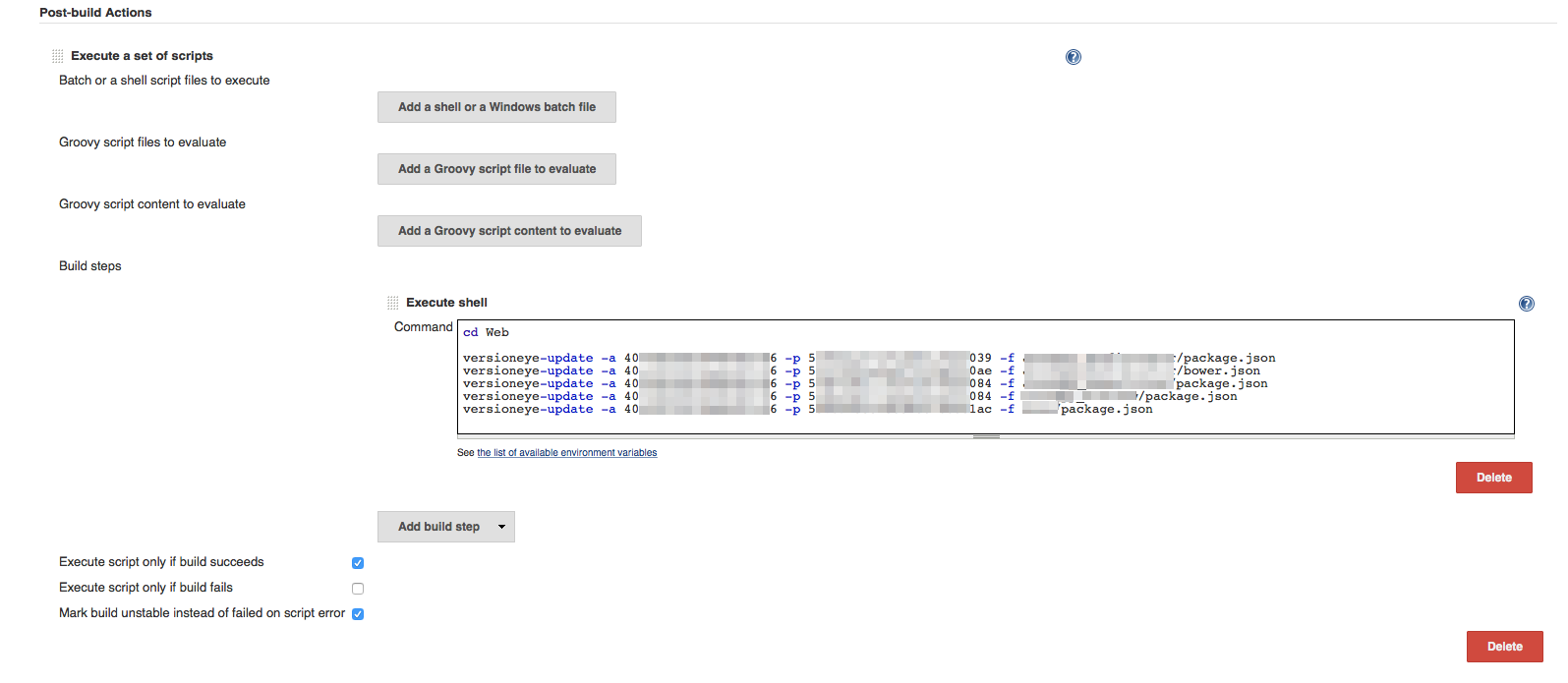
The command line tool can be integrated in build jobs running on continuous integration systems like Jenkins.
Globally installed packages
Additionally versioneye-update can also be used to monitor the globally installed npm packages (with npm install <packagename> -g) on a machine. In this scenario a temporary pseudo package.json file is generated and uploaded to VersionEye.
It makes sense to update such a VersionEye project regularly, for instance as a cron job or similar.
Use --createproject to initially create the VersionEye project.
Installation
$ npm install versioneye-update -gUsage
Update a node.js project in the current directory:
$ versioneye-update --apikey <API_KEY> --projectid <PROJECT_ID> Upload an other project type:
$ versioneye-update --apikey <API_KEY> --projectid <PROJECT_ID> --file <PROJECT_FILE>Upload using enterprise VersionEye API:
$ versioneye-update --apikey <API_KEY> --projectid <PROJECT_ID> --file <PROJECT_FILE> --baseurl <ENTERPRISE_API_URL>Create a private VersionEye project from the globally installed packages:
$ versioneye-update --apikey <API_KEY> --createproject private --globalinstalls --globalpackagename MyLocalComputerNameUpdate a VersionEye project from the globally installed packages:
$ versioneye-update --apikey <API_KEY> --globalinstalls --globalpackagename MyLocalComputerNameAPI Key
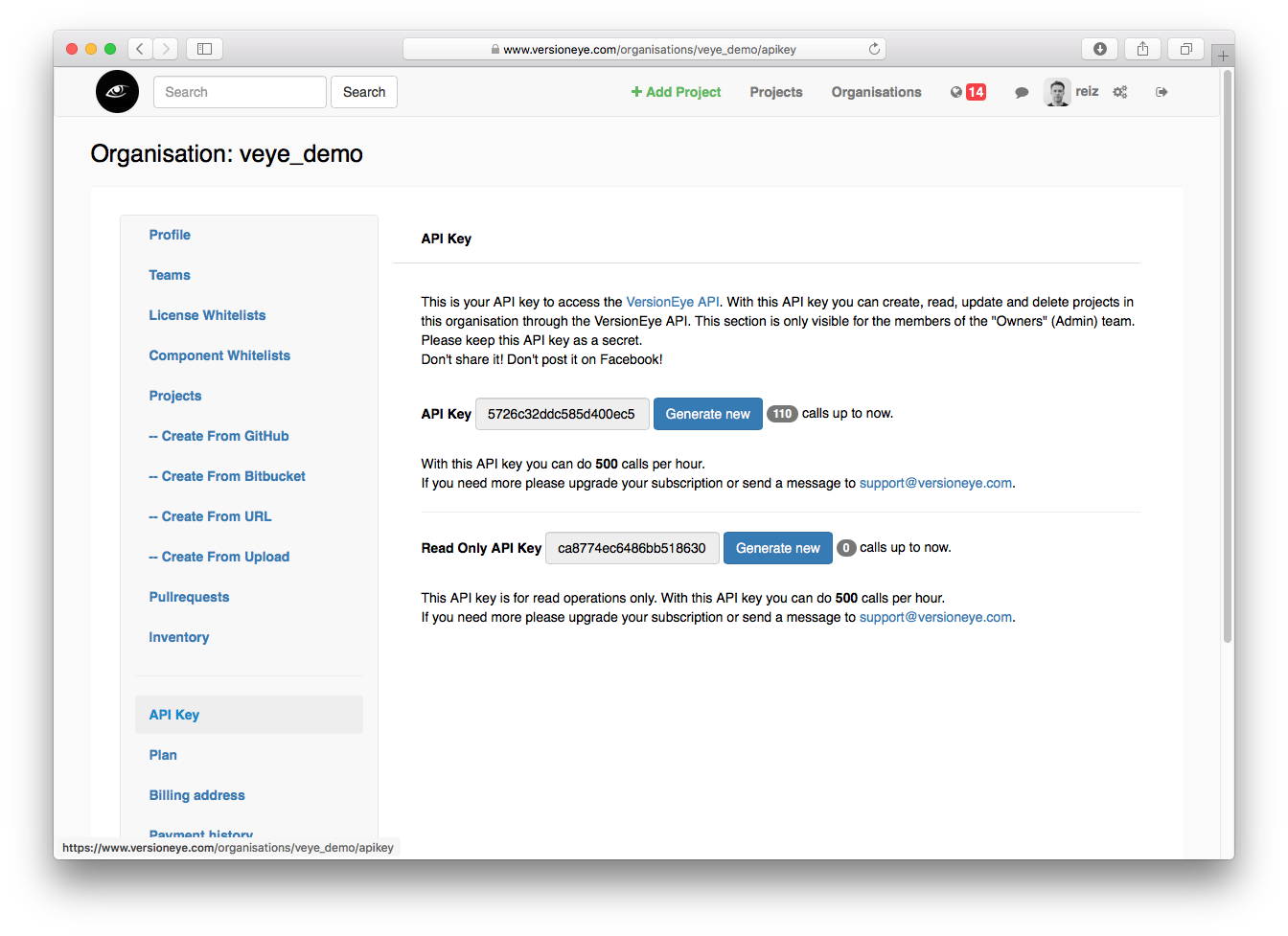
You can use some of the resources at the VersionEye API without an API KEY, but for uploading project files you need one. If you are signed up you can find your API KEY here: https://www.versioneye.com/settings/api.
It is recommended that you save your VersionEye API key to .versioneye-update.json in your home directory and protect it with access rights on file level. If you do so you don't have to specify the API key on the command line or in build jobs.
Command line parameter
(note that all command line parameters are case sensitive)
--apikey <string> or -a <string> (required)
versioneye.com API Key for user authentification
projectid <string> or -p <string> (required)
Project ID of the current project in versioneye.com
--file <string> or -f <string>
Project file to upload to versioneye.com (if not specified: package.json)
Cannot be used in conjunction with --globalinstalls
--baseurl <string> or -b <string>
Set the base URL for the VersionEye API. Only needed for VersionEye Enterprise
--help or -h
Prints usage information
--dump or -d
Dumps VersionEye output and logging information
--version or -v
Prints the version number and exits. Other command line arguments are ignored.
--licensecheck or -l
Fails if any license is violated
--securitycheck or -s
Fails if any of the used components is known to have security vulnerabilities
--listoutdated or -o
Lists used components that are noted as outdated
--failonoutdated
Fails if any of the used components is noted as outdated
--ignorechecks or -i
Does not use special return codes to signal failed license, security or up-to-date checks. Return code will always be 0.
--globalinstalls or -g
Creates a pseudo package.json from the globally installed npm modules and uploads it to VersionEye.
Usefull to keep the globally installed packages on a machine up to date.
The VersionEye project must exist.
The package name is created based on the local computer name, except --globalpackagename is set.
Cannot be used in conjunction with --file
--globalpackagename <string>
Specifies the package name to use in the pseudo package.json created by the flag --globalinstalls
--configfile <string> or -c
The settings are loaded from the given file instead being loaded from .versioneye-update.json
(This is the only command line argument that can not be specified in the configuration file)
--createproject <string>
Creates a new project on VersionEye with the given visibility: 'private' or 'public'. If not visibility is specified, 'public' is used.
It does not check if there is already a project with the same name. Cannot be used with --projectid.
This will also create a project specific configuration file .versioneye-update.json in the same directory as the file to be uploaded or the current working directory which may be added to version control.
Configuration file
All command line parameter can also be specified in a configuration file using JSON format. This file looks like this:
{
	"apikey": "1234567891234567",
	"projectid": "12345abcdef12345abcdef12",
	"listoutdated": true,
	"dump": true,
	...
}
A configuration file can be specified with the --configfile command line argument.
First, options are loaded from .versioneye-update.json in the home directory of the current user.
Then: Options are loaded from the file given with --configfile. If --configfile is not given versioneye-update checks for a config file in the same directory as the file that should be uploaded to VersionEye.
If there is no .versioneye-update.json file in the project file directory it checks for a .versioneye-update.json in the current working directory.
Precedence:
- Command line argument
- Configuration file setting, project file directory or current working directory
- Home directory
The config file in the home directory usually only holds the API key.
Project ID and other project specific settings usually go into a .versioneye-update.json in the same directory as the file that will be uploaded.
You may add the .versioneye-update.json file to you repository as long as it does not contain the API key.
Return codes
| Return code value | Meaning | |---|---| | 0 | Ok | | -1 | ApiCallFailed | | -2 | FileNotFound | | -3 | LicenseCheckFailed | | -4 | SecurityViolationCheckFailed | | -5 | InvalidFileType | | -6 | MissingApiKey | | -7 | MissingProjectId | | -8 | OutdatedComponentsFailed | | -9 | InvalidCommandLineOption |
Example integration
Use versioneye-update as a Jenkins Post-build Action
Supported project files
Currently VersionEye supports various package managers. You can throw any of this project files against the VersionEye API.
- Gemfile
- Gemfile.lock
- Podfile
- Podfile.lock
- package.json
- yarn.lock
- composer.json
- composer.lock
- bower.json
- requirements.txt
- setup.py
- biicode.conf
- pom.xml
- project.clj
- *.gradle
- *.sbt
- project.json
- package.conf
- *.nuspec
- metadata.rb
- Berksfile
- Berksfile.lock
- npm-shrinkwrap.json
- package-lock.json
- JSPN.io
Feedback
For feedback please open a ticket here on GitHub.