
vibe-checker
v1.0.3
Published
AI-powered codebase vulnerability scanner

Maintainers
 tech-savvy-guy
Readme
vibe-check
AI-powered codebase vulnerability scanner that finds security issues with intelligent analysis
vibe-check is a sophisticated security analysis tool that leverages advanced AI models to perform comprehensive codebase security audits. Unlike traditional static analysis tools that rely on predefined rules, vibe-check uses Large Language Models (LLMs) to understand code context and identify complex security vulnerabilities that might be missed by conventional scanners.
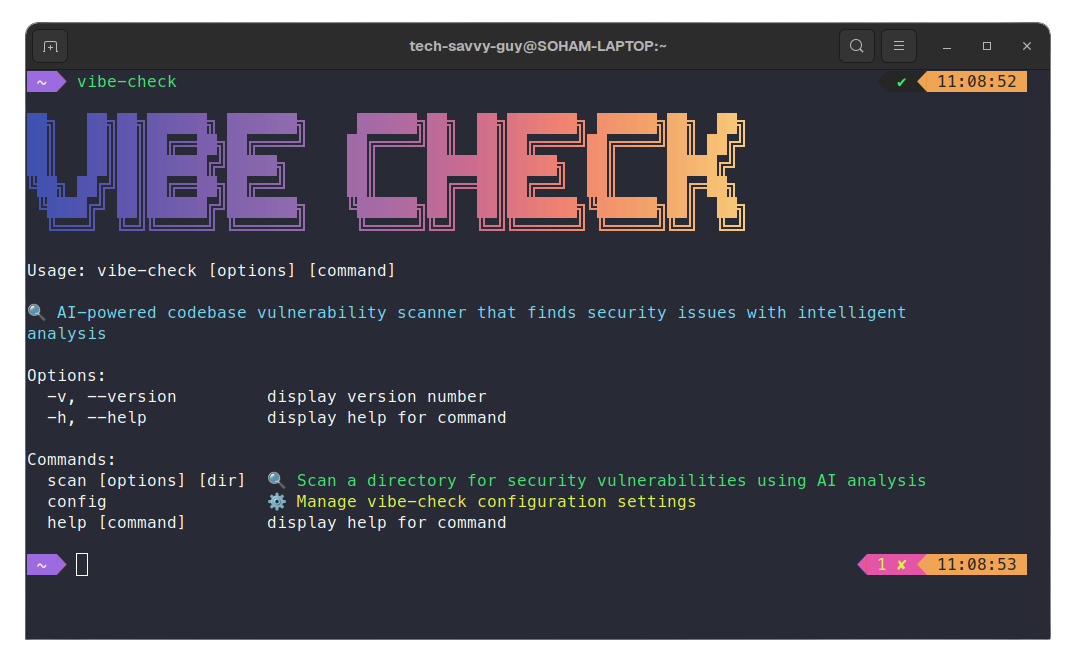
Quick Start
Installation
npm install -g vibe-checkerSetup
Configure your OpenRouter API key and select an AI model:
vibe-check config setupScan Your Codebase
# Scan current directory
vibe-check scan

# Scan specific directory
vibe-check scan /path/to/your/project

# Generate PDF report
vibe-check scan --pdf security-report.pdf

# Save JSON output
vibe-check scan --output report.json
Security Analysis Algorithm
Core Analysis Engine
vibe-check employs a multi-stage AI-powered analysis process that combines contextual understanding with security expertise:
1. Codebase Context Building
Directory Scanning
├── File Discovery (supports 20+ languages)
├── Smart Filtering (ignores node_modules, .git, etc.)
├── Content Analysis (max 100KB per file)
└── Language Detection (JS/TS, Python, Java, etc.)
The ContextManager component builds a comprehensive understanding of your codebase:
- File Scanning: Recursively scans directories for supported file types
- Content Extraction: Reads and processes source code files
- Language Classification: Identifies programming languages for targeted analysis
2. AI-Powered Security Analysis
The heart of Vibe-Check is its sophisticated AI analysis engine powered by state-of-the-art language models:
AI Analysis Pipeline
├── Structured Prompt Engineering
├── Multi-Model Support (DeepSeek R1, Gemini 2.0, Qwen 2.5, etc.)
├── Vulnerability Schema Validation
└── Context-Aware Security Assessment
Analysis Categories:
- Authentication & Authorization: Weak auth mechanisms, missing access controls, privilege escalation
- Input Validation: SQL injection, XSS, command injection, path traversal
- Cryptography: Weak encryption, hardcoded secrets, insecure random generation
- Configuration: Exposed secrets, debug mode enabled, insecure defaults
- Dependencies: Known vulnerable packages, outdated libraries
- Business Logic: Race conditions, improper error handling, information disclosure
- Infrastructure: Insecure network configs, missing security headers
3. Vulnerability Detection Process
The CodeAnalyzer uses a structured approach to identify security issues:
// Zod schema ensures consistent vulnerability reporting
const VulnerabilitySchema = z.object({
  severity: z.enum(['high', 'medium', 'low']),
  file: z.string().describe('Relative path to the file'),
  line: z.number().describe('Line number where the issue occurs'),
  description: z.string().describe('Clear description of the vulnerability'),
  recommendation: z.string().describe('Specific actionable recommendation to fix it')
});
Pattern Recognition:
- Hardcoded Secrets: Detects API keys, passwords, tokens in source code
- SQL Injection Risks: Identifies dynamic query construction patterns
- XSS Vulnerabilities: Finds unsafe DOM manipulation
- Cryptographic Issues: Spots weak encryption and insecure practices
- Dependency Vulnerabilities: Analyzes package.json for known vulnerable packages
4. Intelligent Insight Generation
The InsightGenerator provides strategic security analysis:
AI Insights Engine
├── Vulnerability Pattern Analysis
├── Risk Assessment & Prioritization
├── Strategic Recommendations
└── Business Impact Evaluation
Architecture Overview
vibe-check/
├── src/cli.ts                       # Main CLI interface
├── src/types.ts                     # Type definitions
├── src/config/                      # Configuration management
│   ├── cli.ts                       # Interactive config setup
│   ├── config.ts                    # Config file operations
│   └── types.ts                     # Config type definitions
└── src/core/                        # Core analysis engine
    ├── code-analyzer.ts             # AI-powered vulnerability detection
    ├── context-manager.ts           # Codebase context building
    ├── insight-generator.ts         # Strategic AI insights
    ├── reporter.ts                  # Report formatting & display
    ├── pdf-generator.ts             # PDF export functionality
    ├── html-formatter.ts            # HTML report generation
    ├── markdown-formatter.ts        # Markdown export
    ├── font-embedder.ts             # Custom font handling
    ├── file-scanner.ts              # Directory traversal
    └── errors.ts                    # Error handling system
Component Responsibilities
CodeAnalyzer (code-analyzer.ts)
- Primary Function: AI-powered vulnerability detection
- Key Features:
- Structured output validation using Zod schemas
- Multi-model LLM support via OpenRouter
- Context-aware security pattern recognition
- Fallback analysis for basic pattern matching
ContextManager (context-manager.ts)
- Primary Function: Codebase understanding and context building
- Key Features:
- Smart file discovery across 20+ programming languages
- Content filtering and size optimization
- Language-specific analysis prioritization
- Context condensation for AI efficiency
InsightGenerator (insight-generator.ts)
- Primary Function: Strategic security analysis and recommendations
- Key Features:
- AI-generated professional security assessments
- Risk level evaluation and prioritization
- Business-context security recommendations
- Cohesive report narrative generation
Reporter (reporter.ts)
- Primary Function: Beautiful terminal output and report formatting
- Key Features:
- Rich CLI formatting with colors and boxes
- Severity-based vulnerability categorization
- Interactive summary dashboards
- Professional report styling
Configuration Options
Initial Setup
vibe-check config setupThis interactive setup will guide you through:
- API Key Configuration: Enter your OpenRouter API key
- Model Selection: Choose from cutting-edge AI models:
- DeepSeek R1 - Excellent reasoning capabilities (163K context)
- Gemini 2.0 Flash - Fast and capable (1M context)
- Llama 3.3 70B - Balanced performance for security analysis
- Qwen 2.5 Coder 32B - Specialized for code analysis
- Mistral Small 3.1 - Efficient and fast processing
Configuration Management
# View current configuration
vibe-check config show

# Update existing configuration
vibe-check config update

# Delete configuration
vibe-check config delete
Configuration is stored in ~/.vibe-check/config.json:
{
  "apiKey": "your-openrouter-api-key",
  "model": "deepseek/deepseek-r1"
}
Output Formats
Terminal Output
Beautiful, colorized terminal reports with:
- Security Summary Dashboard - Overview of findings by severity
- AI Analysis & Insights - Strategic recommendations
- Detailed Security Findings - Individual vulnerability cards
- Risk Assessment - Overall security posture evaluation
JSON Export
vibe-check scan --output report.jsonStructured JSON format for integration with CI/CD pipelines:
{
  "vulnerabilities": [
    {
      "severity": "high",
      "file": "src/auth.js",
      "line": 42,
      "description": "Hardcoded JWT secret detected",
      "recommendation": "Move JWT secret to environment variables"
    }
  ],
  "summary": {
    "total": 5,
    "high": 1,
    "medium": 2,
    "low": 2
  },
  "insights": ["Professional AI-generated security analysis..."]
}
PDF Reports
vibe-check scan --pdf security-report.pdf

# Options:
vibe-check scan --pdf report.pdf --pdf-font "Arial" --pdf-markdown
Professional PDF reports with:
- Executive summary and risk assessment
- Detailed vulnerability listings with recommendations
- Custom font support (Geist, JetBrains Mono, system fonts)
- Markdown-based minimal formatting option
- Automatic report opening
Security Features
Privacy & Data Protection
- Local Analysis: All code analysis happens locally or via secure API calls
- No Code Storage: Your source code is never stored on external servers
- Encrypted Communications: All API communications use HTTPS/TLS
- Configurable Models: Choose from various AI providers and models
Analysis Depth
- Contextual Understanding: AI models understand code context, not just patterns
- Multi-Language Support: Comprehensive analysis across programming languages
- Business Logic Review: Identifies complex logical security flaws
- Dependency Analysis: Scans for known vulnerable dependencies
- Configuration Security: Reviews configuration files for security issues
CLI Commands Reference
Main Commands
Scan Command
vibe-check scan [directory] [options]Arguments:
[directory]- Directory to scan (default: current directory)
Options:
-o, --output <file>- Save detailed report to JSON file-p, --pdf <file>- Export report as PDF file--pdf-markdown- Render PDF via Markdown (minimal, AI-friendly)--pdf-font <font>- Custom font for PDF (e.g., "Arial", "Helvetica")--pdf-open- Automatically open the PDF after generation-v, --verbose- Show detailed progress information
Configuration Commands
# Initial setup
vibe-check config setup

# Update configuration
vibe-check config update

# Show current configuration
vibe-check config show

# Delete configuration
vibe-check config delete
Examples
# Basic scan with terminal output
vibe-check scan

# Comprehensive scan with all outputs
vibe-check scan /path/to/project --output report.json --pdf security-analysis.pdf --verbose

# Quick scan with PDF export
vibe-check scan --pdf report.pdf --pdf-font "JetBrains Mono"

# Scan and generate markdown-style PDF
vibe-check scan --pdf minimal-report.pdf --pdf-markdown
License
MIT License - see LICENSE file for details.
Important Links
- OpenRouter API: Get your API key at openrouter.ai
- Supported Models: OpenRouter Model List
- npm Package: npmjs.com/package/vibe-checker
Built with ❤️ by Soham Datta