
vibecheck-code
v1.0.13
Published
Install the vibecheck skill for Claude Code, Cursor, Windsurf, Copilot, Codex CLI, and Antigravity

Maintainers
 bettercallsundim
Readme
vibecheck
The missing handoff between AI coding agents and human understanding.
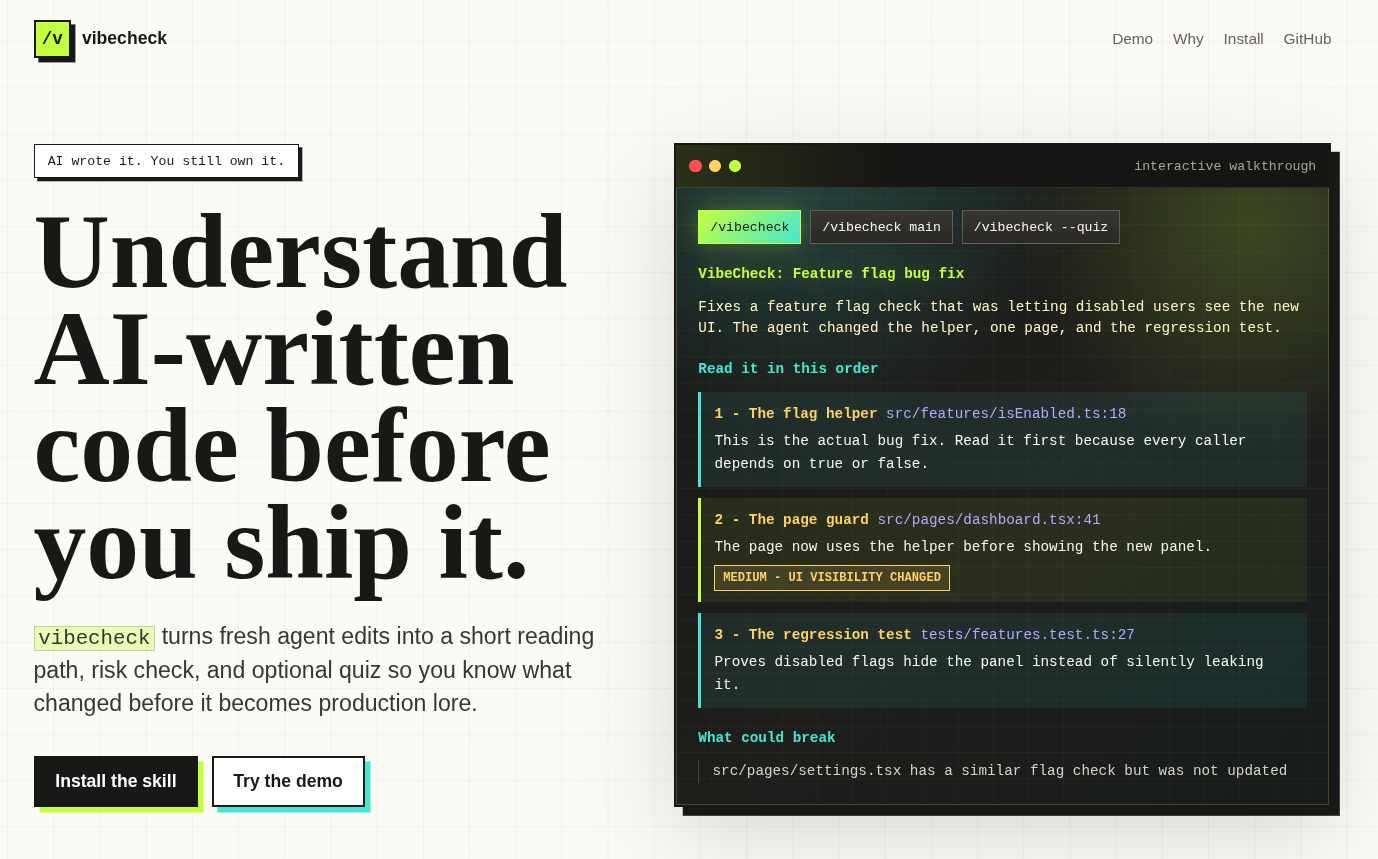
/vibecheck turns fresh AI-written code into a short reading path: what changed, where to start, what matters, what could break, and how to prove you actually understood it.
Use it right after Claude Code, Cursor, Windsurf, Copilot, Codex CLI, or another coding agent edits your repo.
View landing page · Read examples · Contribute
Why this exists
AI coding tools can produce a 7-file feature before you have finished reading the first function. That speed is useful, but it creates a new failure mode: you merge code you technically own but do not really understand.
vibecheck gives you the missing review handoff. It does not replace tests, senior review, or security review. It helps you become oriented fast enough to ask better questions before the code becomes your problem in production.
What you get
- A logical reading order instead of a raw diff dump
- Clickable file references so you can jump straight to the important blocks
- Plain-English explanations of why each change matters
- Inline risk tags for auth, payments, env config, data deletion, missing tests, and breaking APIs
- "What could break" callouts only when real callers or cross-file impact are visible
- Quiz mode with 3 focused questions to check whether the change actually landed in your head
Install
npx — per project (recommended)
npx vibecheck-codeInstalls to .agents/skills/vibecheck/SKILL.md in your current project. Commit it to share the skill with your whole team.
npx — global (all tools on this machine)
npx vibecheck-code --globalInstalls to all 6 tool-specific paths at once — Claude Code, Cursor, Windsurf, Copilot, Codex CLI, and Antigravity.
Restart your AI coding tool after install.
No API keys. No background service. No runtime dependencies.
Usage
AI just wrote code. You accepted it. Run:
/vibecheckThat's the daily use case. Run it right after your agent finishes — you get a reading path, risk flags, and a clear picture of what changed before you move on.
Other modes
/vibecheck main        # review everything on this branch vs main before merging
/vibecheck src/auth    # scope to a specific file or folder
/vibecheck --quiz      # walkthrough + 3 questions to test your understanding
/vibecheck --redteam   # walkthrough + adversarial attack surface analysis
How it works
vibecheck first looks at the active conversation. If your AI assistant just created or edited files, it uses that context directly because it already knows the intent behind the change.
If there is no useful session context, it falls back to git:
/vibecheckuses local changes/vibecheck maincompares your branch againstmain/vibecheck path/to/filescopes the walkthrough
Then it builds a short reading path in execution order rather than filesystem order.
Quiz mode
Add --quiz when you want to test your understanding:
/vibecheck --quizThe assistant asks 3 questions:
- One about the core change
- One about the highest-risk gotcha
- One about how the change connects to the rest of the codebase
Answers are scored inline. No long recap. The goal is comprehension, not school.
Uninstall
Per-project:
rm -rf .agents/skills/vibecheckGlobal (all tools):
rm -rf ~/.claude/skills/vibecheck \
        ~/.cursor/skills/vibecheck \
        ~/.codeium/windsurf/skills/vibecheck \
        ~/.copilot/skills/vibecheck \
        ~/.agents/skills/vibecheck \
        ~/.gemini/config/skills/vibecheck
Contributing
The best contributions are concrete examples of where AI-written code is easy to misunderstand.
Good first contributions:
- Add an example to
examples/ - Add an eval case to
evals/evals.json - Improve a risk rule in
SKILL.md - Report a walkthrough that was too vague, too long, or missed a real risk
Read CONTRIBUTING.md before opening a PR.
Support
Free and open source. If it earns a place in your workflow:

License
MIT