
video-to-claude
v0.1.1
Published
Drop a screen recording, scrub the timeline, draw annotations on frames, click Send — the annotated WebPs land directly in your Claude Code conversation as vision input.


Readme
video-to-claude
Drop a screen recording, scrub the timeline, draw annotations on frames, click Send — the annotated WebPs land directly in your Claude Code conversation as vision input.
How it works
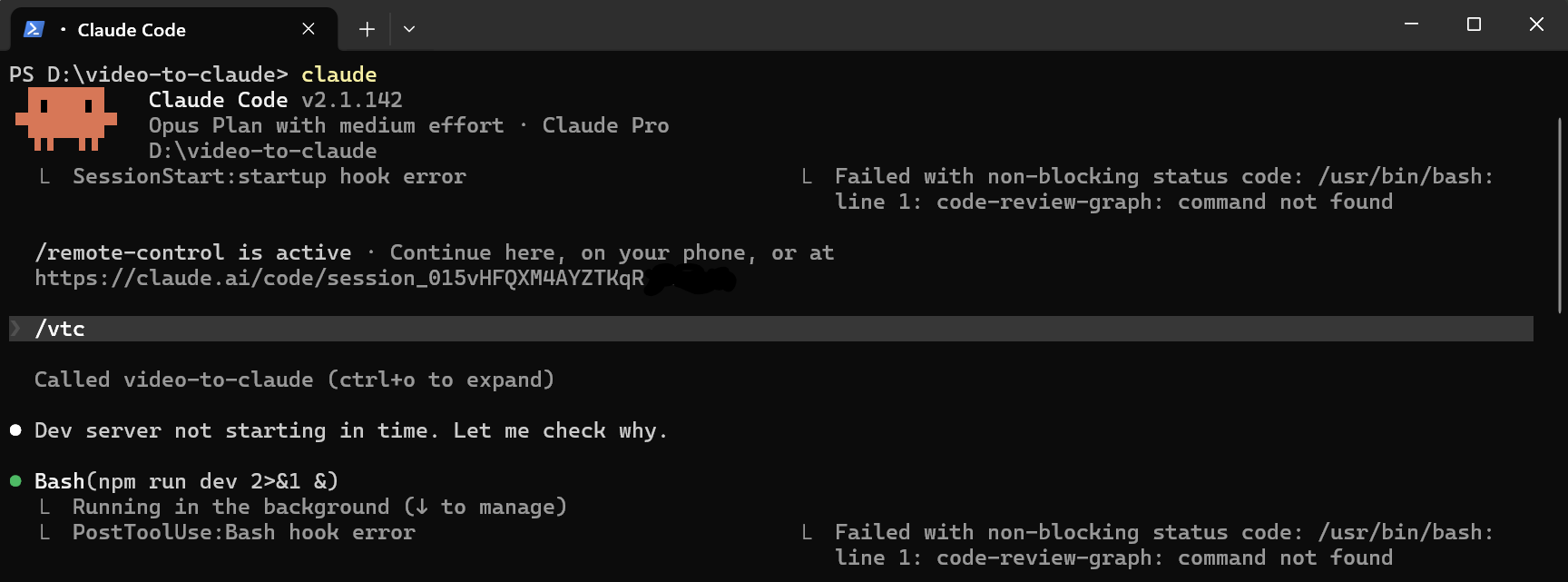
1. Type /vtc in Claude Code
The MCP server starts the dev server if it isn't running, creates a session, and opens http://localhost:3000/capture/{id} in your browser.
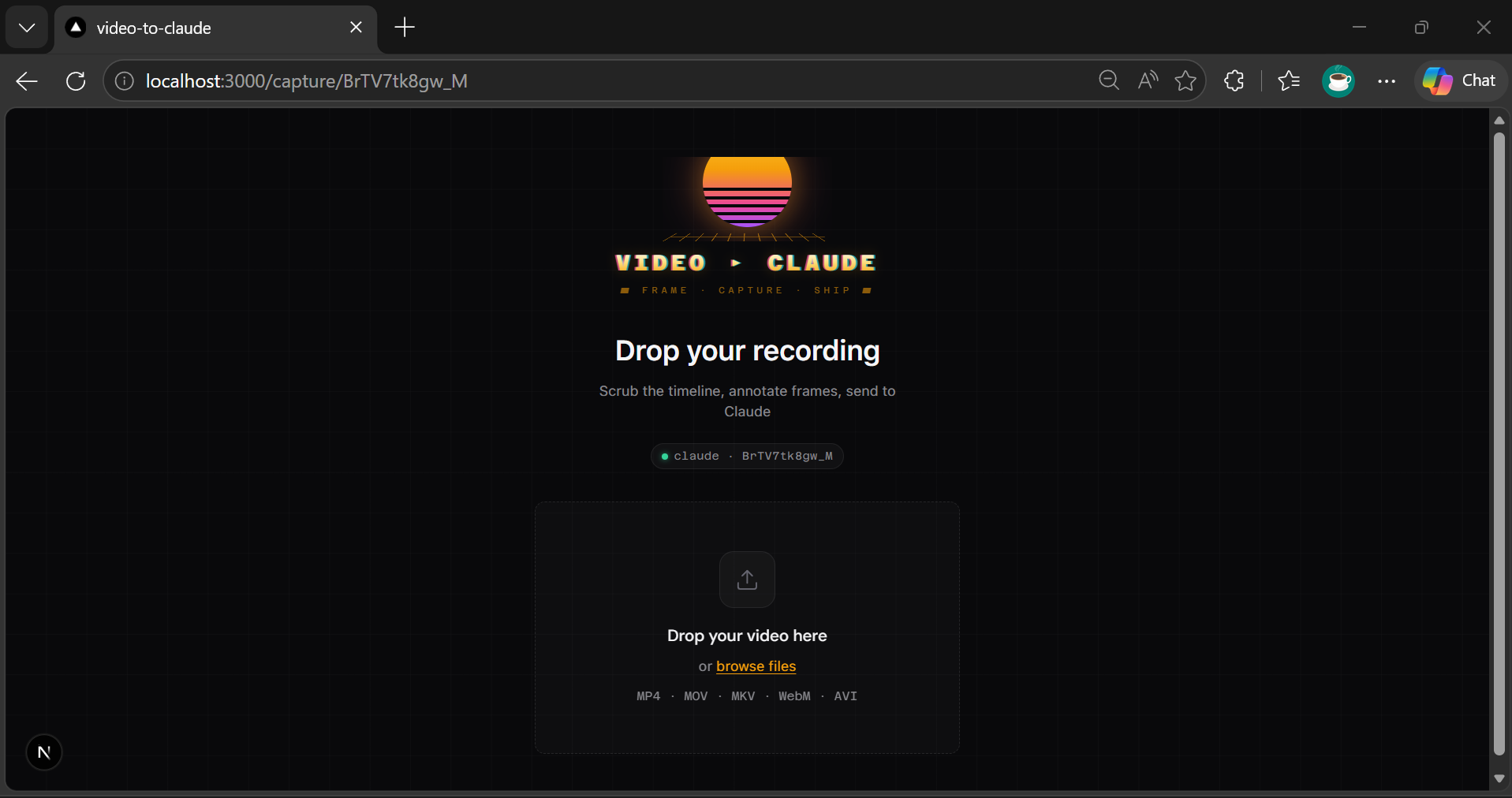
2. Drop your video
Drag a .mp4, .mov, .webm, or any common video file onto the upload zone. The file is probed with ffmpeg and the player becomes active.
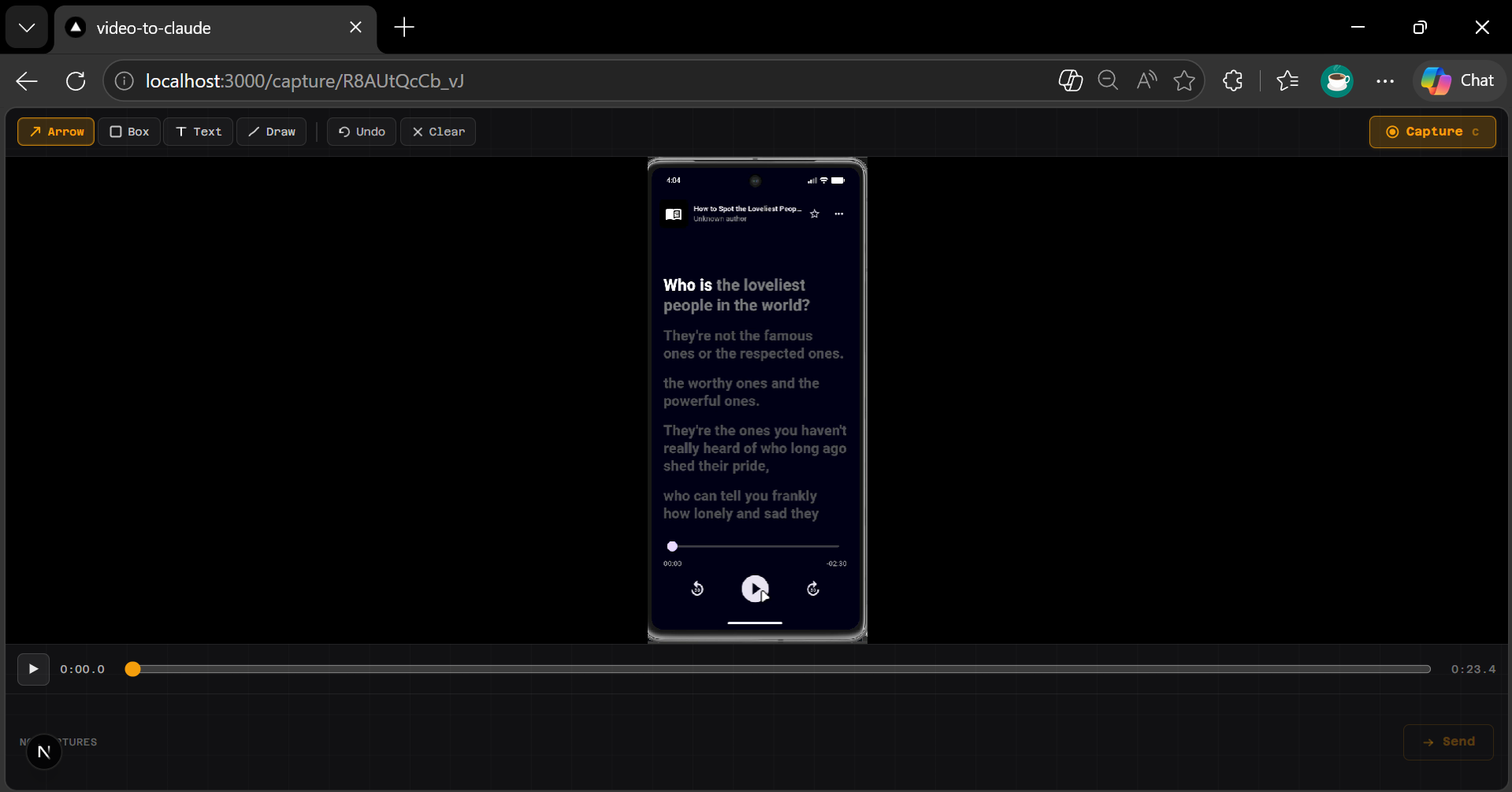
3. Scrub the timeline
Use the scrubber or arrow keys to seek to the moment you want to capture. The canvas overlay sits on top of the video frame.
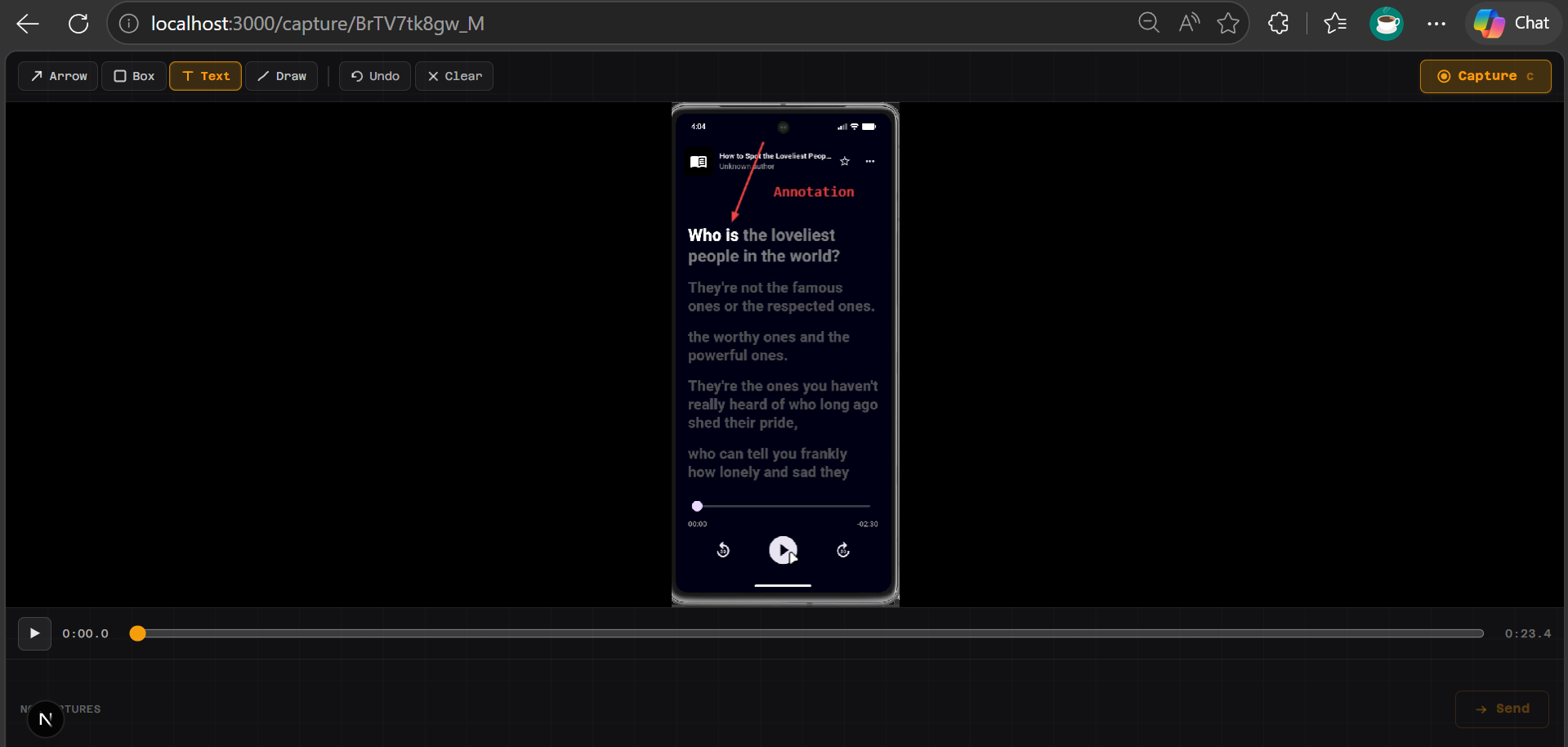
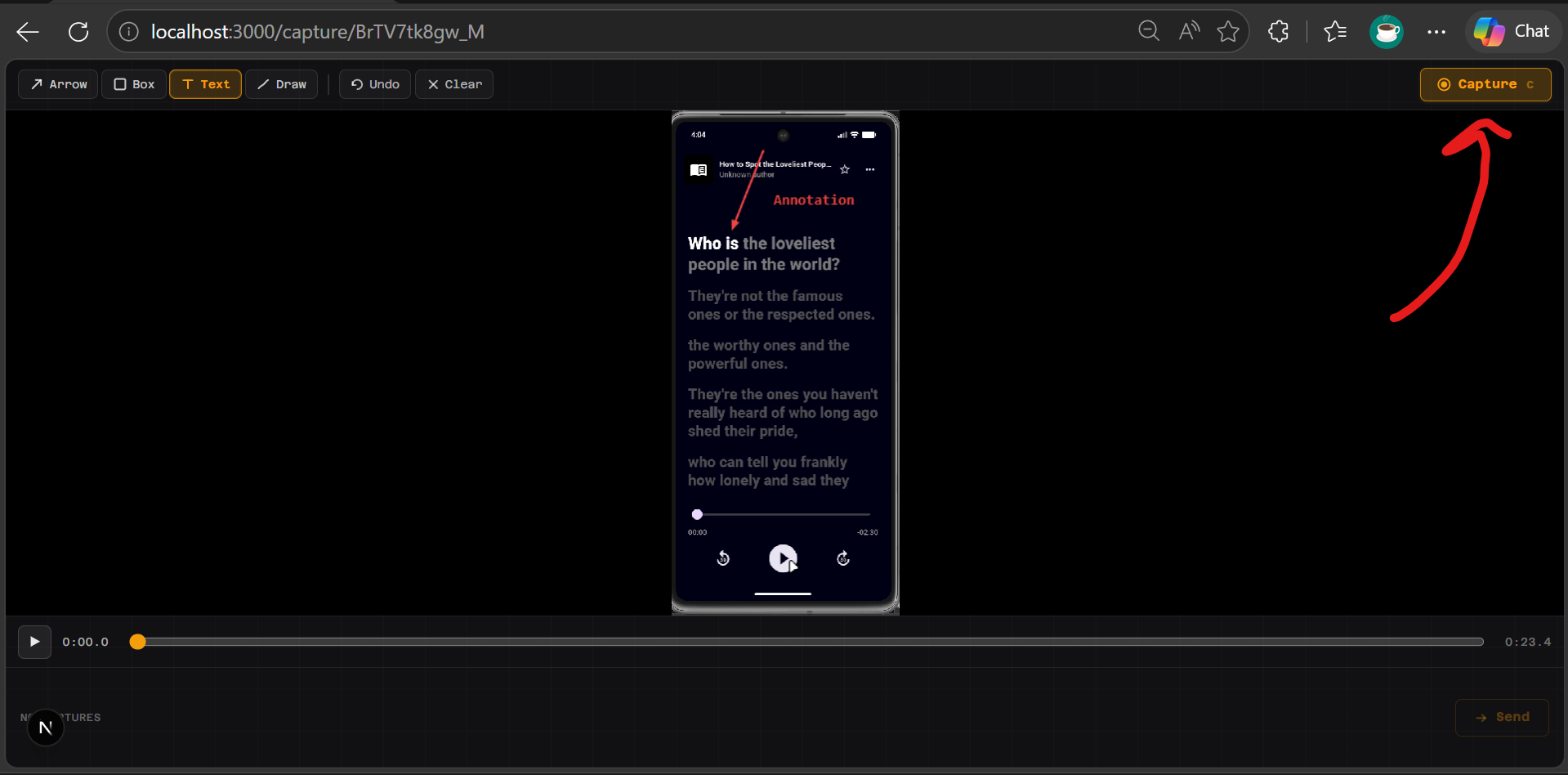
4. Annotate the frame
Draw arrows, boxes, freehand marks, and add text labels in red directly on the canvas. These annotations are baked into the exported WebP — Claude sees exactly what you circled.
5. Capture + repeat
Click Capture to freeze the annotated frame. Repeat steps 3–4 for as many frames as you need. The capture strip at the bottom shows thumbnails.
6. Send
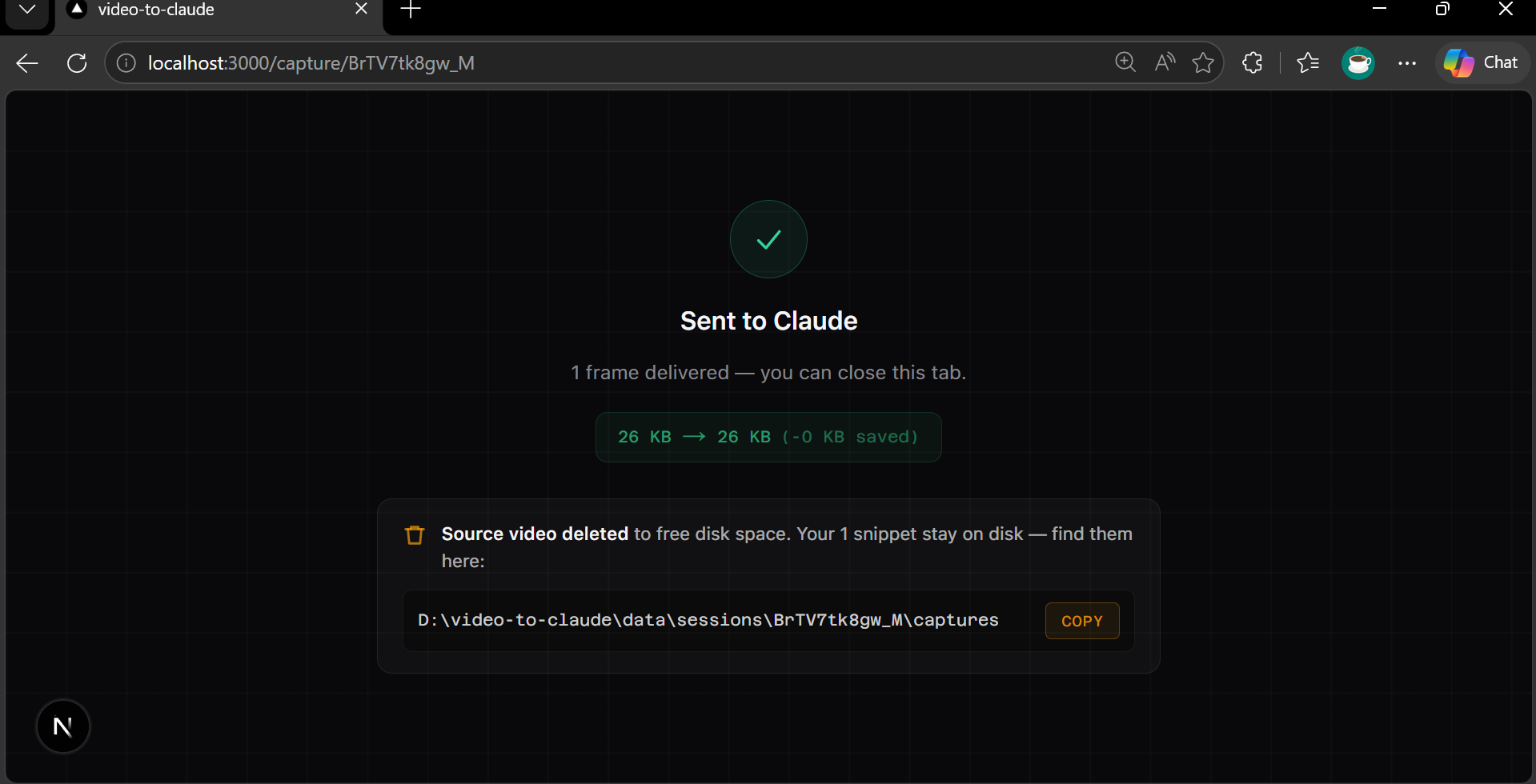
Click Send. The MCP await_capture tool returns, delivering all annotated frames as image content blocks into the Claude Code conversation.
7. Claude describes what it sees
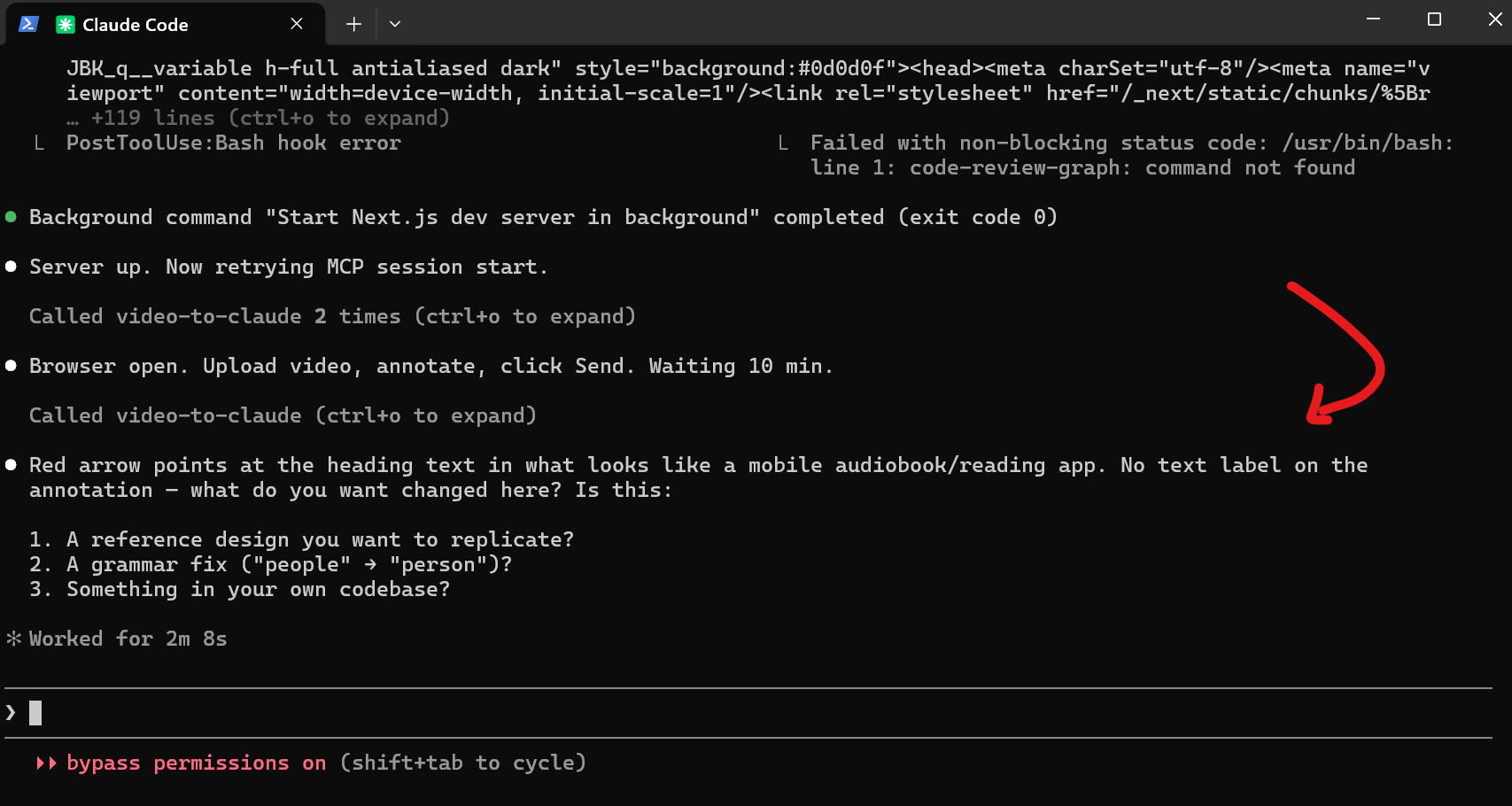
Claude reads the annotation — the red arrow, the circled element, or the text label — and responds directly to what you marked. No re-explaining needed.
Prerequisites
- Node.js 20+ (Node 24 recommended)
- Claude Code CLI installed (install guide)
- Windows, macOS, or Linux
- No Python, no ffmpeg in PATH needed — both are bundled
Install
Option A — npm (recommended, no clone needed)
claude mcp add video-to-claude --scope user -- npx video-to-claude-mcpOr manually add to ~/.claude.json:
{
  "mcpServers": {
    "video-to-claude": {
      "command": "npx",
      "args": ["video-to-claude-mcp"]
    }
  }
}
Option B — clone and build
git clone https://github.com/adityaO5/video-to-claude
cd video-to-claude
npm install
npm run mcp:build
Then register:
claude mcp add video-to-claude --scope user -- node /ABSOLUTE/PATH/TO/video-to-claude/dist/mcp/server.jsReplace /ABSOLUTE/PATH/TO/video-to-claude with the real path.
Windows example: C:/Users/you/repos/video-to-claude (forward slashes work in JSON).
Add the /vtc slash command
The repo ships .claude/commands/vtc.md. Claude Code loads project-scoped slash commands only when your working directory is inside the cloned repo.
To use /vtc from any directory, copy the command file to your user-level commands folder:
# macOS / Linux
cp .claude/commands/vtc.md ~/.claude/commands/vtc.md

# Windows (PowerShell)
Copy-Item .claude\commands\vtc.md $HOME\.claude\commands\vtc.md
Restart Claude Code after any config change.
Usage
/vtcThat's it. The browser opens, you upload + scrub + annotate + send, and the annotated frames appear in the conversation. Claude reads the red marks and acts on them.
MCP tools
| Tool | Description |
|---|---|
| start_capture_session | Start dev server if needed, create session, open browser. Returns sessionId. |
| await_capture | Poll until user clicks Send (default 600 s timeout). Returns annotated WebPs as image content blocks. |
The /vtc slash command calls both in sequence automatically.
Vision constraints
- Format: WebP (emitted by the tool)
- Target ≤ 2 MB per frame (hard cap 5 MB); quality retried down from 80 → 50 if needed
- Max width: 960 px
- Practical limit: ~20 frames before auto-downscale; soft cap ~100
Troubleshooting
Dev server didn't open?
Run npm run dev in the repo directory, then retry /vtc.
MCP tools not visible in Claude Code?
Run claude mcp list to confirm registration. Restart Claude Code. If using the cloned repo, confirm dist/mcp/server.js exists (if not, re-run npm run mcp:build).
Port conflict?
The MCP server scans ports 3000–3005 looking for the app. Run npm run dev on an open port or stop whatever else is using 3000.
Upload stalls on large files?
The source is uploaded in 512 KB chunks. Very large files (> 2 GB) may take a moment on slow disks.
Tech stack
- Next.js 16 App Router (Node 24) — UI + REST API
- ffmpeg-static — video probing + single-frame extraction
- sharp — SVG annotation compositing + WebP encode with quality retry
- @modelcontextprotocol/sdk — MCP stdio transport
License
MIT — see LICENSE