
vipershell
v1.6.0
Published
Your machine, anywhere — a full-featured terminal in your browser. No tmux required.

Maintainers
 nicoloboschi
Readme
vipershell
Your machine, anywhere. A full-featured terminal in your browser — no tmux required.
Quick Start
npx vipershellOpen http://localhost:4444 in your browser.
That's it. vipershell spawns and manages your shell sessions directly via a persistent PTY daemon — no tmux, no extra setup.
[!WARNING] vipershell has no authentication and binds to all network interfaces (
0.0.0.0) by default. Anyone who can reach the port gets a full shell on your machine. Only run it on trusted networks, and see Security before exposing it remotely.
Options
npx vipershell --port 8080        # custom port (default: 4444)
npx vipershell --host 127.0.0.1   # bind to localhost only (default: 0.0.0.0)
npx vipershell --log-level debug  # verbose logging
Install globally
npm install -g vipershell
vipershell
Features
- Terminal in the browser — full xterm.js terminal with mouse, scroll, and color support
- Persistent sessions — PTY daemon keeps your shells alive across server restarts, no tmux needed
- Pre-warmed shell pool — new sessions open instantly, no shell-startup lag
- Workspaces + split panes — single, horizontal, vertical, three-pane (4 variants), and 2×2 grid layouts
- Drag & drop everywhere — reorder workspaces, swap panes within a workspace, move panes between workspaces, or extract a pane into a new workspace
- Zen mode + shareable links — focus a single pane, and the URL always points at the workspace (and pane) you're looking at, so you can bookmark it or reopen it later
- Git integration — branch status, PR links, diff viewer, worktree management
- File browser — navigate, edit, and preview files with syntax highlighting; open files refresh live when something else rewrites them on disk
- Search — grep across your project from the browser
- AI session naming — sessions get auto-named based on terminal activity (requires the
claudeorcodexCLI) - Saved commands — keep the commands you run often a click away
- Knowledge notes — scratch markdown notes kept alongside your sessions
- Mobile-friendly — responsive UI with touch scrolling and a tap-only session list
- File upload — drop files from your desktop onto any terminal to upload and paste the path
- Unseen output indicator — highlight on sessions with new output you haven't seen
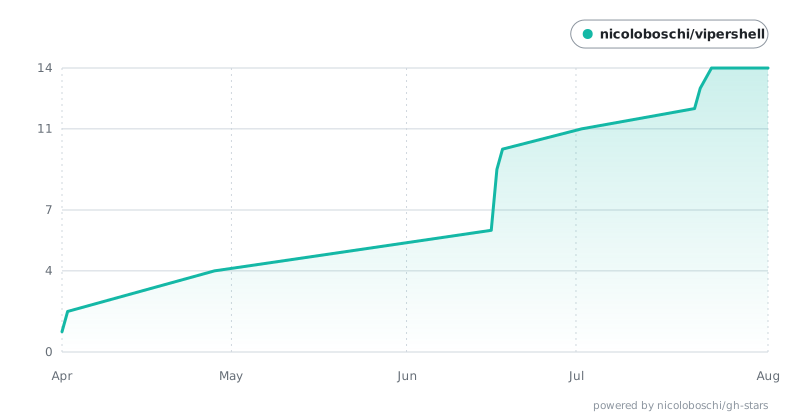
Star History
Security
vipershell gives the browser a real shell on the host — it is as powerful as an
SSH session, but without any authentication. By default the server binds to
0.0.0.0, so it is reachable from every device on your network.
Recommendations:
- Local only: run with
--host 127.0.0.1so nothing outside your machine can connect. - Remote access: keep the bind on localhost and reach it over an SSH tunnel, e.g.
ssh -L 4444:localhost:4444 you@host, then openhttp://localhost:4444locally. - Never expose vipershell directly to the public internet. If you must put it behind a reverse proxy, add authentication (and TLS) at the proxy layer.
Configuration
Settings resolve in this order: command-line flags → environment variables →
~/.config/vipershell/config.json → defaults.
| Setting | Flag | Env var | Default |
|-----------|----------------|-----------------------|-----------|
| Host | --host | VIPERSHELL_HOST | 0.0.0.0 |
| Port | --port | VIPERSHELL_PORT | 4444 |
| Log level | --log-level | VIPERSHELL_LOG_LEVEL| info |
Example ~/.config/vipershell/config.json:
{
  "host": "127.0.0.1",
  "port": 4444,
  "logLevel": "info"
}
Requirements
- Node.js 18+
- Linux only: a C/C++ build toolchain for
node-pty, since it has no Linux prebuilt binaries and compiles from source —python3,make, andg++(e.g.apt install -y build-essential python3). macOS and Windows use prebuilt binaries and need nothing extra.
Development
git clone https://github.com/nicoloboschi/vipershell.git
cd vipershell
npm install
npm run dev      # UI on http://localhost:4444 (HMR), backend API on :4445
Other scripts: npm run build (compile backend + UI), npm test (vitest).