
visual-platform
v1.1.5
Published
基于Vue的可视化大屏GUI开发框架


Readme
visual-platform
基于Vue的可视化大屏开发GUI框架 ------ CreatedBy ©漆黑小T构建用于开发可视化大屏项目的自适应布局的GUI框架。
开发环境
- Node.js: ^8.9.1
- Vue: ^2.6.10
- element-ui: ^2.11.1
- DataV(默认不引入):"@jiaminghi/data-view": "^2.9.4"
- sass-loader:^7.1.0
安装:
$ npm install visual-platformNotice:单元边框样式基于 DataV 二次封装,默认不引入(type=0),如果设置type=1、2...,则该值与DataV边框样式的Index值映射。
Config属性
sectionArr 单元配置
控制台操作的回调函数:
 保存配置:@saveConfig 参数为修改后的Config

 清空配置:@clearConfig
默认配置:
visualConfig ={
    bgcPath:'/img/bg_index.jpg',//背景图在线地址 http://ids.nuctech.com/static/img/bg_index.9af20a2.jpg
    title:{
        name:'可视化平台',
        top:0,//主title高度
        size:16,//文字大小
        color:'#fff',//文字颜色
        timeShow:true//是否显示时间戳
    },
    sectionArr:[
        {
			id:'partOne',
           	title:{name:'one',size:16,position:{x:20,y:20},color:'#fff',isShow:true},//单元名设置
           	width:500,
           	height:300,
			//边框,type=0,代表无边框(默认不引入DataV),type的index值和DataV对应
           	borderOptions:{
             	type:0,
             	colorArr:"[]",
             	bgColor:'blue',
             	reverse:false,
             	dur:3,
             	title:'',
             	titleWidth:250
           	},
			//单元位置
           	position:{
             	x:0,
             	y:0
           	},
        },
    ]
};
使用:
组件:
<VisualTemplate :option="mainConfig" @clearConfig="clearConfig" @saveConfig="saveConfig">
        <!-- 依次写出需要展示的单元,单元数(sectionArr.length)
        <div class="box" :slot="index" v-for="(item,index) in mainConfig.sectionArr">
            <span>{{item}}</span>
        </div> -->
        <div slot="1">
            <!-- 第一个单元 -->
        </div>
        <div slot="2">
			<!-- 第一个单元 -->
        </div>
        <div slot="3">
			<!-- 第三个单元 -->
            <!--<dv-decoration-3 style="width:250px;height:30px;" /> DataV装饰器-->
        </div>
</VisualTemplate>

引入:
import VisualTemplate, { visualConfig,visualSetOptions} from 'visual-platform'

自定义配置:
	let	defConfig = {
           	title:{
              timeShow:false
            },
            sectionArr:[
                {
					id:'1',//对应的slot标识
                    title:{name:'one',size:18,position:{x:20,y:20},color:'#fff',isShow:true},
                    width:500,
                    height:300,
                    position:{
                        x:0,
                        y:0
                    },
                },
                {
                    borderOptions:{
                        type:0
                    },
                    position:{
                        x:500,
                        y:0
                    },
                },
                {
                    title:{name:'eight',size:18,position:{x:20,y:20},color:'#fff',isShow:true},
                    borderOptions:{
                        type:0,//DataV border-11
                        title:'打豆豆',
                        titleWidth:200,
                    },
                    position:{
                        x:0,
                        y:220
                    },
                },
            ]
        }
调用 `visualSetOptions`方法,设置自定义参数
this.mainConfig = visualSetOptions(this.defConfig);

注:
	- 初始化设置参数时在Created生命周期内
	- visualConfig 可以导出完整的默认配置
	- 按`H`键隐藏/显示操作台(默认隐藏)
	- 按`E`键编辑模式切换
效果:
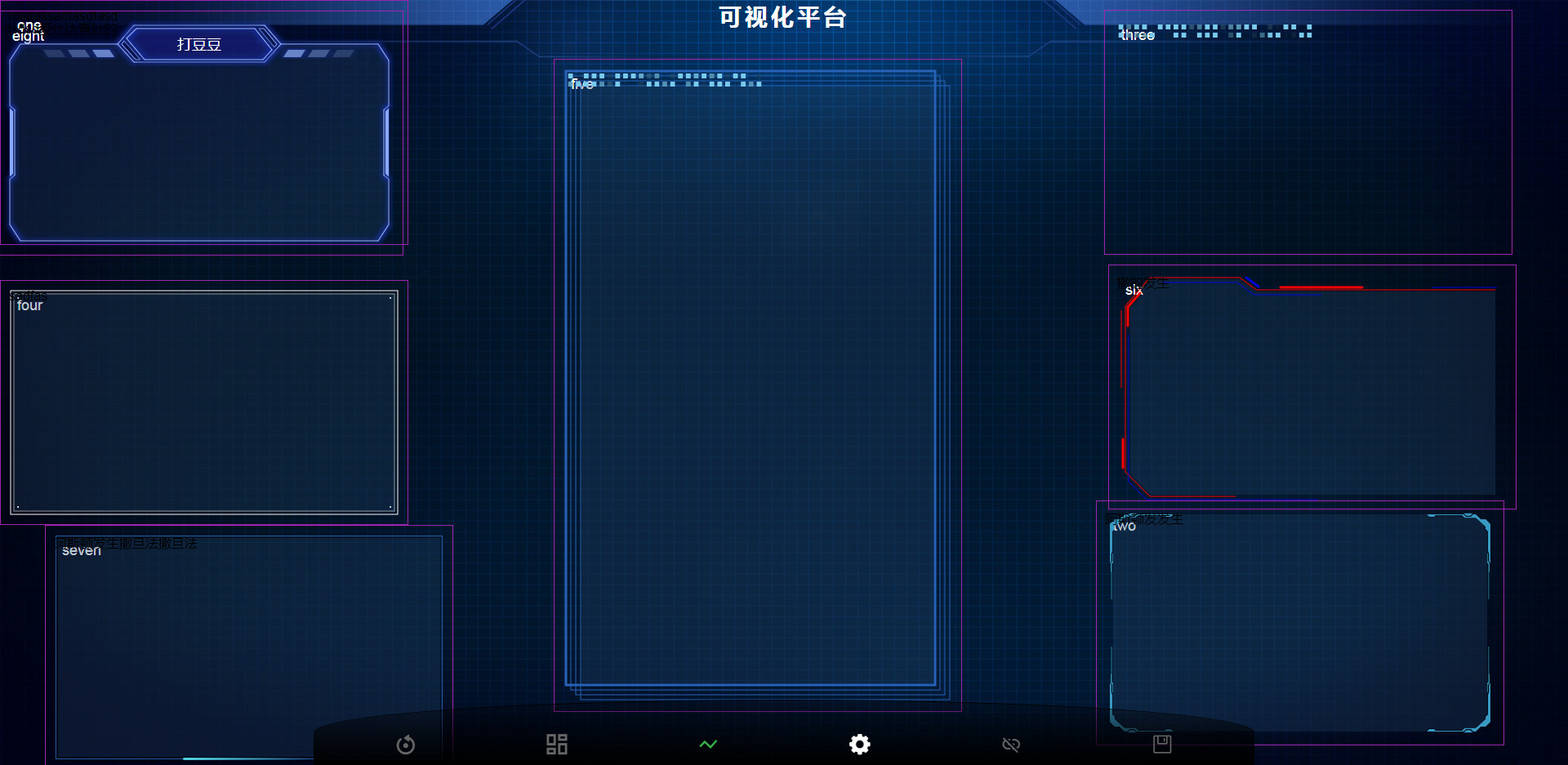
E-mail: [email protected]