
vite-plugin-monitor
v0.2.1
Published
提供获取启动,HMR时间等简单指标,拦截 --debug 下的所有日志的能力

Maintainers
 atqq
atqqReadme
vite-plugin-monitor
提供获取Vite的启动,HMR时间等简单指标,拦截 --debug 下的所有日志的能力
使用
安装依赖
npm install vite-plugin-monitor --dev
# or
yarn add vite-plugin-monitor --dev
# or
pnpm add -D vite-plugin-monitor
激活插件
vite.config.js
import { defineConfig } from 'vite'
import vitePluginMonitor from 'vite-plugin-monitor'

export default defineConfig({
  plugins: [
    vitePluginMonitor({
      // log: false,
      monitor(label, time, originData) {
        const {
          time1, time2, originValue, chalkValue,
        } = originVal
        console.log(originValue)
        console.log(chalkValue)
        console.log(label, time1, time2, `${time}ms`)
      },
      debug(str) {
        // 打印完整日志
        // process.stdout.write(str)
      },
    }),
  ],
})
效果示例
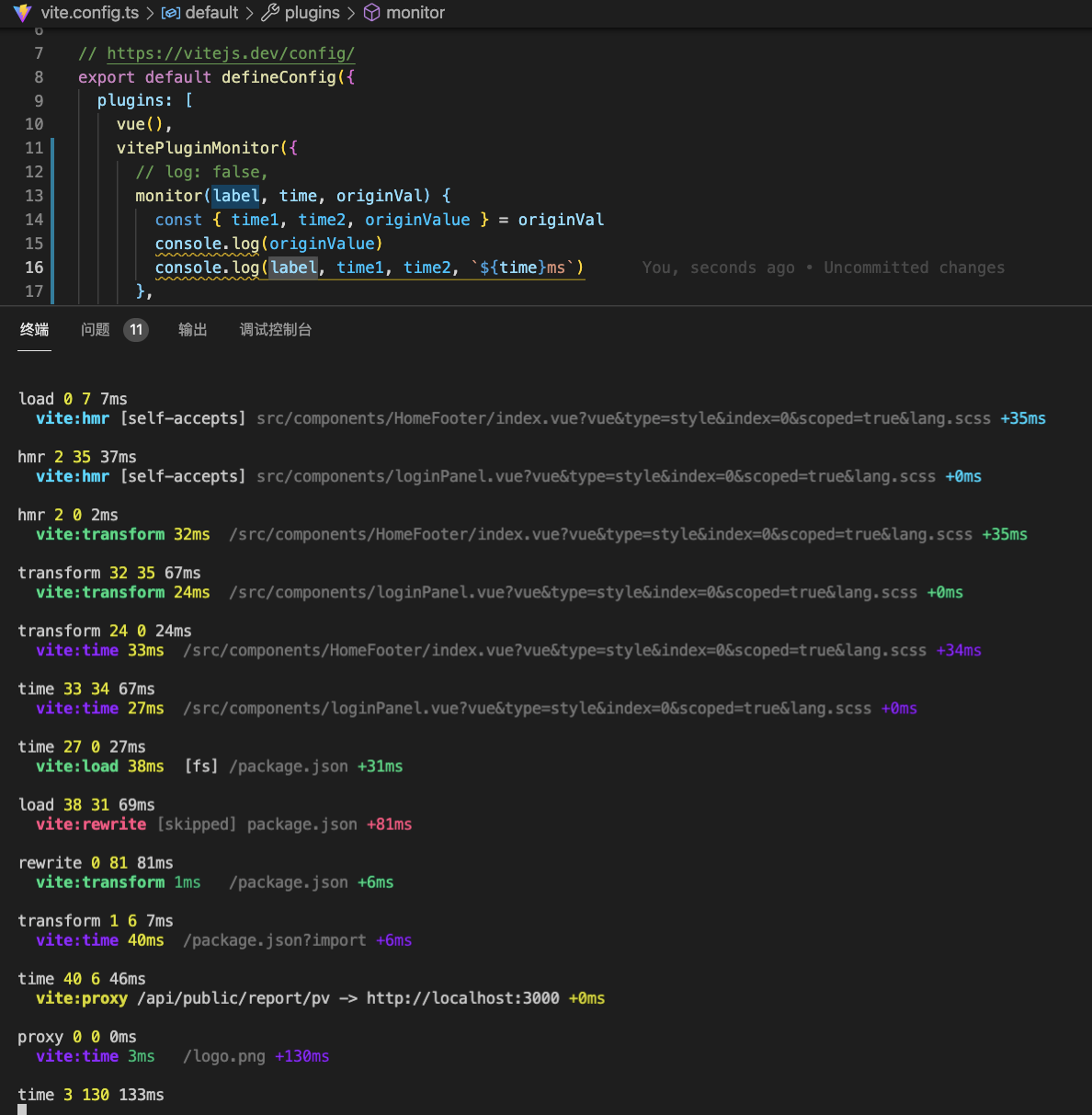
启动说明
在启动参数中加入--debug或者完整的功能支持
{
    "scripts":{
        "serve":"vite --debug"
    }
}
参数描述
| 参数名 | 类型 | 示例 | 说明 | | :-----: | :------: | :---: | :---------------------------------: | | log | Boolean | false | 设置为true将不会打印--debug下的日志 | | monitor | Function | - | 默认回调 | | debug | Function | - | debug回调--拦截debug行为 |
完整定义
/**
 * 插件参数
 */
export interface PluginOptions {
    /**
     * 是否在终端中输出原来的日志
     */
    log?: boolean
    /**
     * 默认回调
     */
    monitor?: MonitorCallback

    /**
     * debug回调
     */
    debug?:DebugCallback
}

/**
 * 原来的日志
 */
export interface OriginDat{
    /**
     * debug日志中的第一个时间(xxms)
     */
    time1?:number
    /**
     * debug日志中的第二个时间(+xxms)
     */
    time2?:number
    /**
     * debug打印的原始内容
     */
    originValue?: string;
    /**
     * debug打印的原始内容(带颜色)
     */
    chalkValue?: string;
}

/**
 * 默认回调函数,对日志做了简单处理
 * @param label 日志类型
 * @param time 消耗时间(time1+time2)
 * @param origin 原日志相关内容
 */
export type MonitorCallback = (label:string, time: number, origin?:OriginDat) => void

/**
 * 拦截debug都打印日志的回调函数
 */
export type DebugCallback = (...argvs:string[]) => void