
vkbd
v1.0.1
Published
A lightweight Hindi/English virtual keyboard UI for web applications.

Maintainers
 indianmodassir
Readme
vkbd
A lightweight Hindi/English virtual keyboard UI for web applications.






✨ Features
- 🖊️ Hindi + English typing support
- 🎨 Light / Dark / System theme support with variants
- 🖥️ On-screen draggable keyboard (movable dialog)
- 🔀 Language switch (EN ⇄ HI)
- ⌨️ Special keys (Shift, Caps, Alt, Backspace, Enter, etc.)
- 📦 Zero dependency, pure JavaScript
Installation
npm install vkbdor via yarn:
yarn add vkbdIncluding vkbd
Below are some of the most common ways to include vkbd.
Browser
CDN Link
<script src="https://cdn.jsdelivr.net/npm/[email protected]/lib/vkbd.min.js"></script>You can add the script manually to your project:
<script src="vkbd.js"></script>Webpack / Browserify / Babel
There are several ways to use Webpack, Browserify or Babel. For more information on using these tools, please refer to the corresponding project's documentation. In the script, including vkbd will usually look like this:
import vkbd from 'vkbd';API Usage
Usage in React
import 'vkbd.css';
import vkbd from 'vkbd';

function App() {

  const kbdUI = new vkbd({
    lang: 'hi',      // 'hi' or 'en'
    theme: 'dark',  // e.g, 'light', 'dark', 'system'
    themeVariant: 1, // 1-3
  });

  // OR
  // const kbdUI = new vkbd();
  // kbdUI.open(inputElement|selector);
  // kbdUI.close();

  return (
    <div>
      <div>
        <input type="text" placeholder="Firstname" id="firstname" />
        <span onClick={() => kbdUI.open("#firstname")}>⌨️</span>
      </div>
      <div>
        <input type="text" placeholder="Surname" id="surname" />
        <span onClick={kbdUI.open("#surname")}>⌨️</span>
      </div>
    </div>
  );
}

export default App;
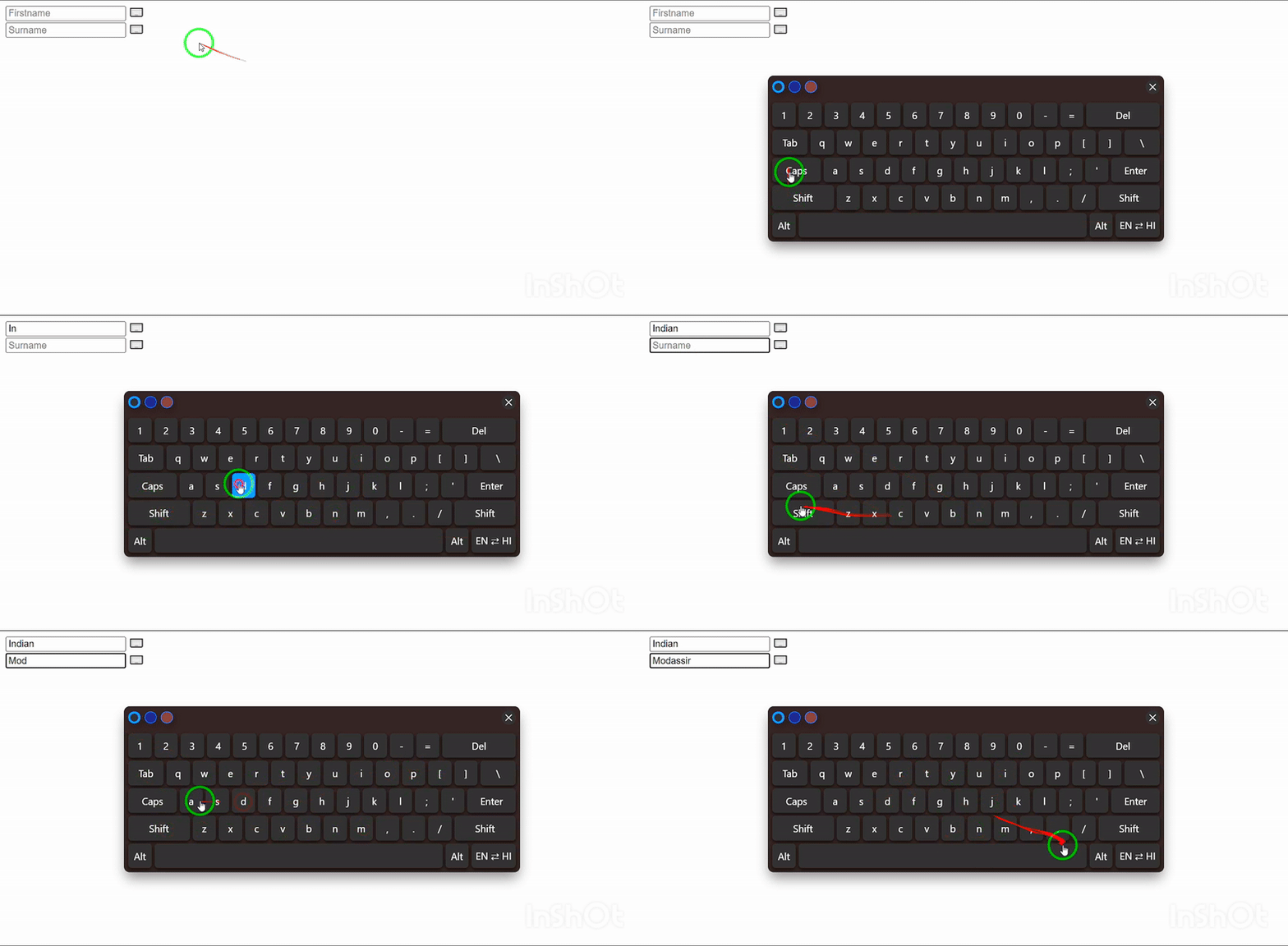
Output
Usage in Browser
<!DOCTYPE html>
<html lang="en">
<head>
  <meta charset="UTF-8">
  <meta name="viewport" content="width=device-width, initial-scale=1.0">
  <title>Virtual Keyboard UI</title>
  <link rel="stylesheet" href="https://cdn.jsdelivr.net/npm/[email protected]/lib/vkbd.min.css">
  <script src="https://cdn.jsdelivr.net/npm/[email protected]/lib/vkbd.min.js"></script>

  <!-- Keboard UI Configuration -->
  <script>
    const kbdUI = new vkbd({
      lang: 'hi',      // 'hi' or 'en'
      theme: 'light',  // e.g, 'light', 'dark', 'system'
      themeVariant: 1, // 1-3
    });

    // OR
    // const kbdUI = new vkbd();
    // kbdUI.open(inputElement|selector);
    // kbdUI.close();
  </script>
</head>
<body>
  <div>
    <div>
      <input type="text" placeholder="Firstname" id="firatname" />
      <span onclick="kbdUI.open('#firatname')">⌨️</span>
    </div>
    <div>
      <input type="text" placeholder="Surname" id="surname" />
      <span onclick="kbdUI.open('#surname')">⌨️</span>
    </div>
  </div>
</body>
</html>
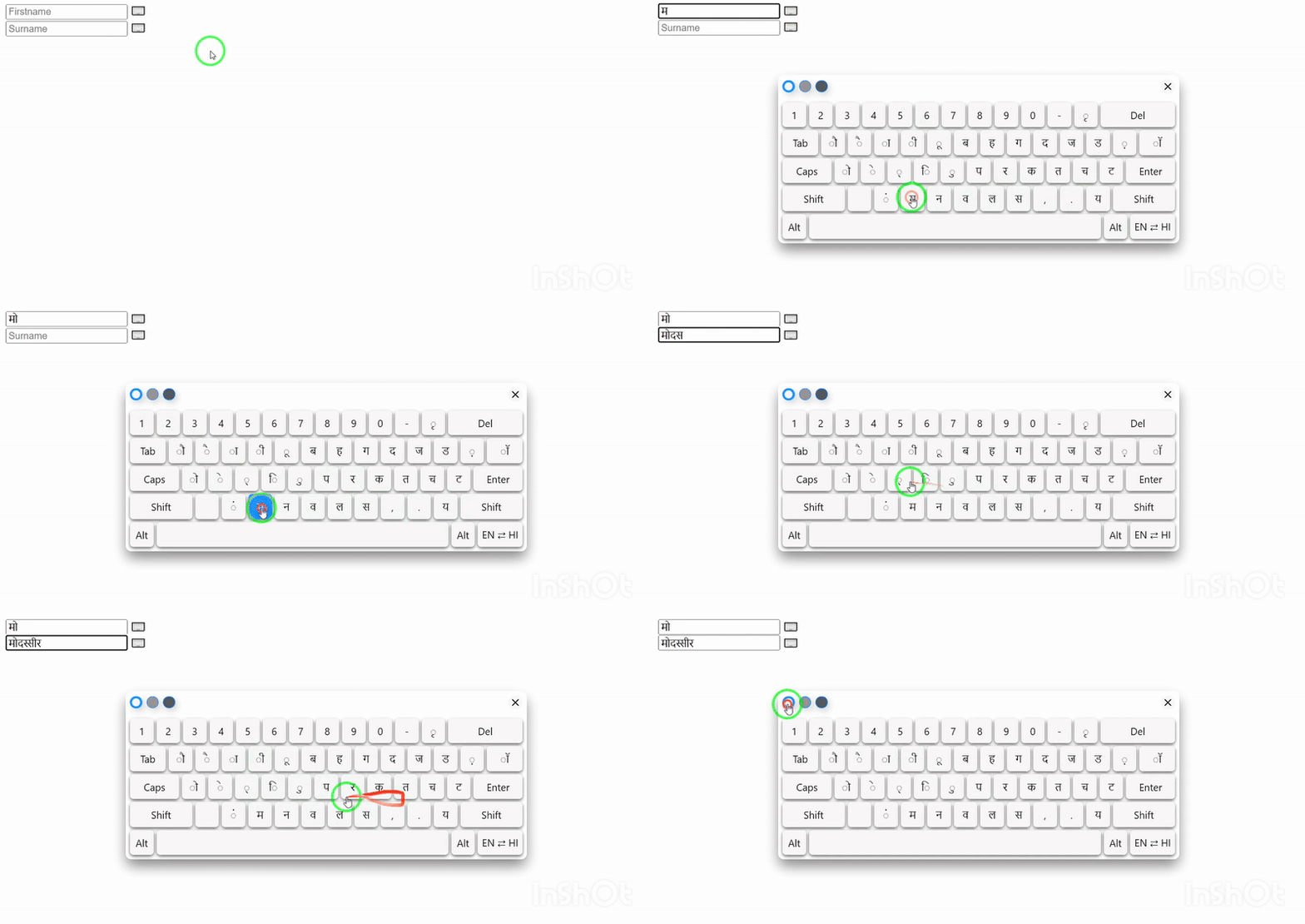
Output
Configuration Options
That means the user can set these options (such as lang, theme, themeVariant) to control the keyboard’s language, theme, and style.
|Option|Type|Default|Description|
|:-----|:---|:------|:----------|
|lang|string|'hi'|Initial language (hi or en)|
|theme|string|'light'|Theme: light, dark, system
|themeVariant|number|1|Theme style variant (1–3)
📚 API
vkbd(options)returns a keyboard instancekeyboard.open(elem)open keyboard for given input/textareakeyboard.close()close keyboard
Contributing
Pull requests are welcome! For major changes, please open an issue first to discuss what you would like to change.
License
Licensed Under MIT
Copyright (c) 2025 Indian Modassir