
vkedit
v3.2.7
Published
A visual canvas designer component built on Vue 3 and Konva.js with a plugin-based architecture, for label, QR code, barcode, receipt, business card, and certificate template design and print layout. Supports rectangle, text, line, table, QR code, barcode
Downloads
626

Maintainers
 pwg-code
Readme
vkedit




基于 Vue 3 与 Konva.js 的可视化画布设计器组件,采用插件化架构,适用于标签、二维码、条码、票据、名片、证书等模板设计与打印排版场景。
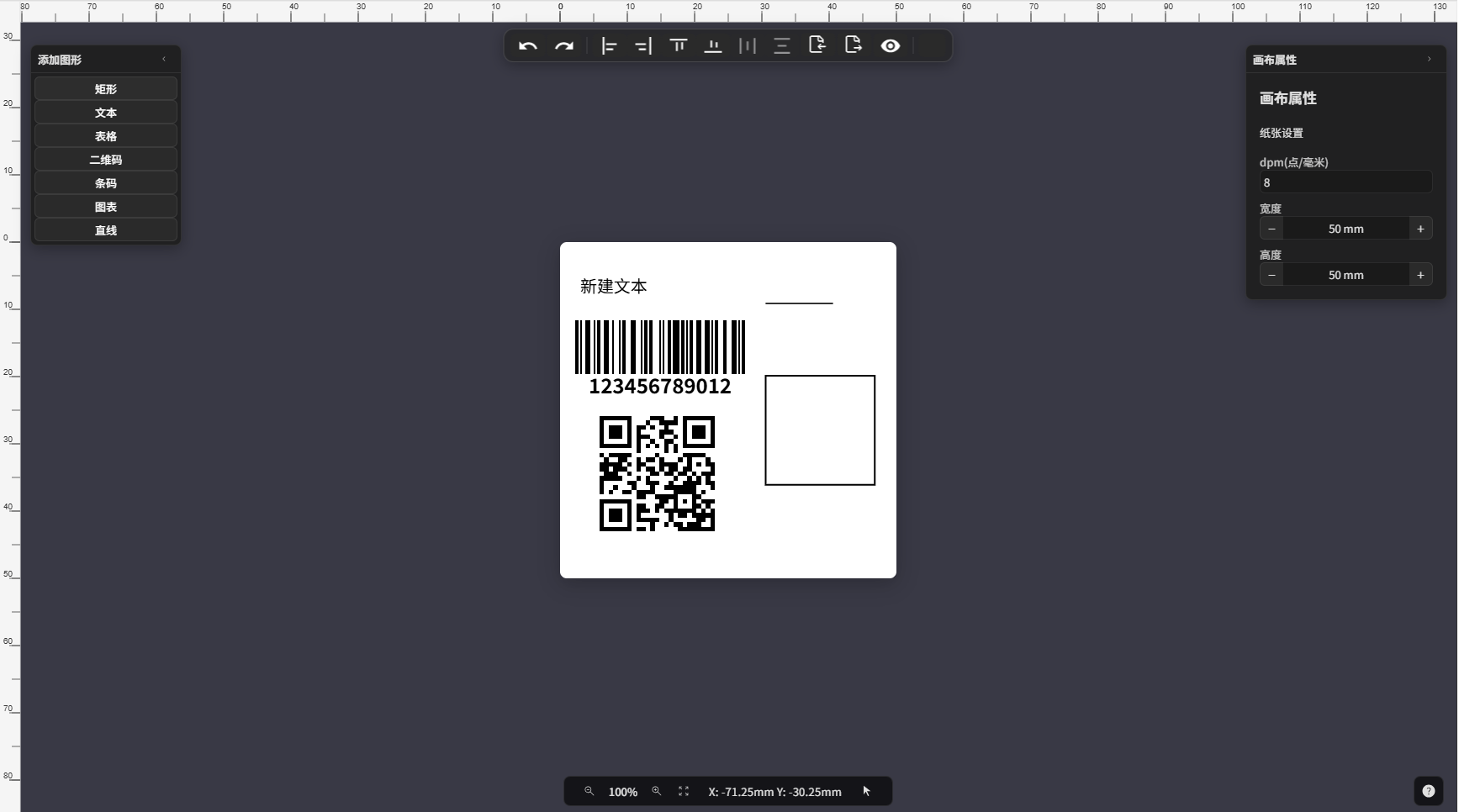
特性
- 插件化架构 - 核心功能与图形元素均以插件形式注册,按需启用
- 7 种图形元素 - 矩形、文本、线条、表格、二维码、条形码、图表(ECharts)
- 撤销/重做 - 基于命令模式,所有修改操作可逆
- 导入/导出 - JSON 序列化、PNG/JPG 图片、PDF 文档
- 对齐与分布 - 左/右/上/下/居中对齐、水平/垂直均分
- 标尺与缩放 - 毫米级精度标尺、可配置 DPM(每毫米点数)
- 事件驱动 - 类型安全的事件系统,插件间松耦合通信
- TypeScript - 完整类型定义,泛型推断插件与元素类型
安装
pnpm add vkedit vue konva vue-konvavkedit 将 vue、konva、vue-konva 作为 peerDependencies,需由宿主项目提供。
| Peer Dependency | 版本 | | --------------- | ------- | | vue | ^3.5.18 | | konva | ^10.0.2 | | vue-konva | ^3.2.6 |
Node.js 要求:^20.19.0 || >=22.12.0
快速上手
1. 配置入口文件
在 main.ts 中注册 VueKonva 并引入样式:
import { createApp } from 'vue'
import App from './App.vue'
import VueKonva from 'vue-konva'
import 'vkedit/dist/vkedit.css'

const app = createApp(App)
app.use(VueKonva)
app.mount('#app')
2. 使用编辑器组件
<template>
  <Vkedit :host="host" />
</template>

<script setup lang="ts">
import { createEditorHost, Vkedit } from 'vkedit'
import {
  RectPlugin,
  TextPlugin,
  TablePlugin,
  QrcodePlugin,
  BarcodePlugin,
  ChartPlugin,
  LinePlugin,
} from 'vkedit'

const host = createEditorHost()

// 安装图形插件
host
  .installPlugin('rect-plugin', RectPlugin)
  .installPlugin('text-plugin', TextPlugin)
  .installPlugin('table-plugin', TablePlugin)
  .installPlugin('qr-plugin', QrcodePlugin)
  .installPlugin('barcode-plugin', BarcodePlugin)
  .installPlugin('chart-plugin', ChartPlugin)
  .installPlugin('line-plugin', LinePlugin)

// 设置画布尺寸(A4 纸张,DPM = 8)
host.setStatus({
  dpm: 8,
  width: 210 * 8,
  height: 297 * 8,
  zoom: 0.4,
})
</script>
完整教程、API 文档与在线示例请访问 docs.vkedit.org。
链接
License
联系方式
- QQ: 16871824
- 邮箱: [email protected]
提供技术支持、功能定制、项目合作。
如果 vkedit 对您有帮助,欢迎请作者喝杯咖啡。