
volto-dropdownmenu
v4.1.6
Published
Volto addon for a customizable dropdown menu


Keywords
Readme
volto-dropdownmenu
Volto addon for a customizable dropdown menu. Intended to be used with collective.volto.dropdownmenu
To be used with mrs-developer, see Volto docs for further usage information. The following is an example configuration:
  "volto-dropdownmenu": {
    "output": "./packages/",
    "package": "volto-dropdownmenu",
    "url": "[email protected]:collective/volto-dropdownmenu.git",
    "https": "https://github.com/collective/volto-dropdownmenu.git",
    "branch": "master"
  }
Created with voltocli.
Installation
Afer installation, please add following lines into package.json to enable it.
 "addons": [
    "volto-dropdownmenu"
  ],
Usage
If you are using Volto < 16, then use v2.4.3
If you are using Volto < 12, then use v1.3.0
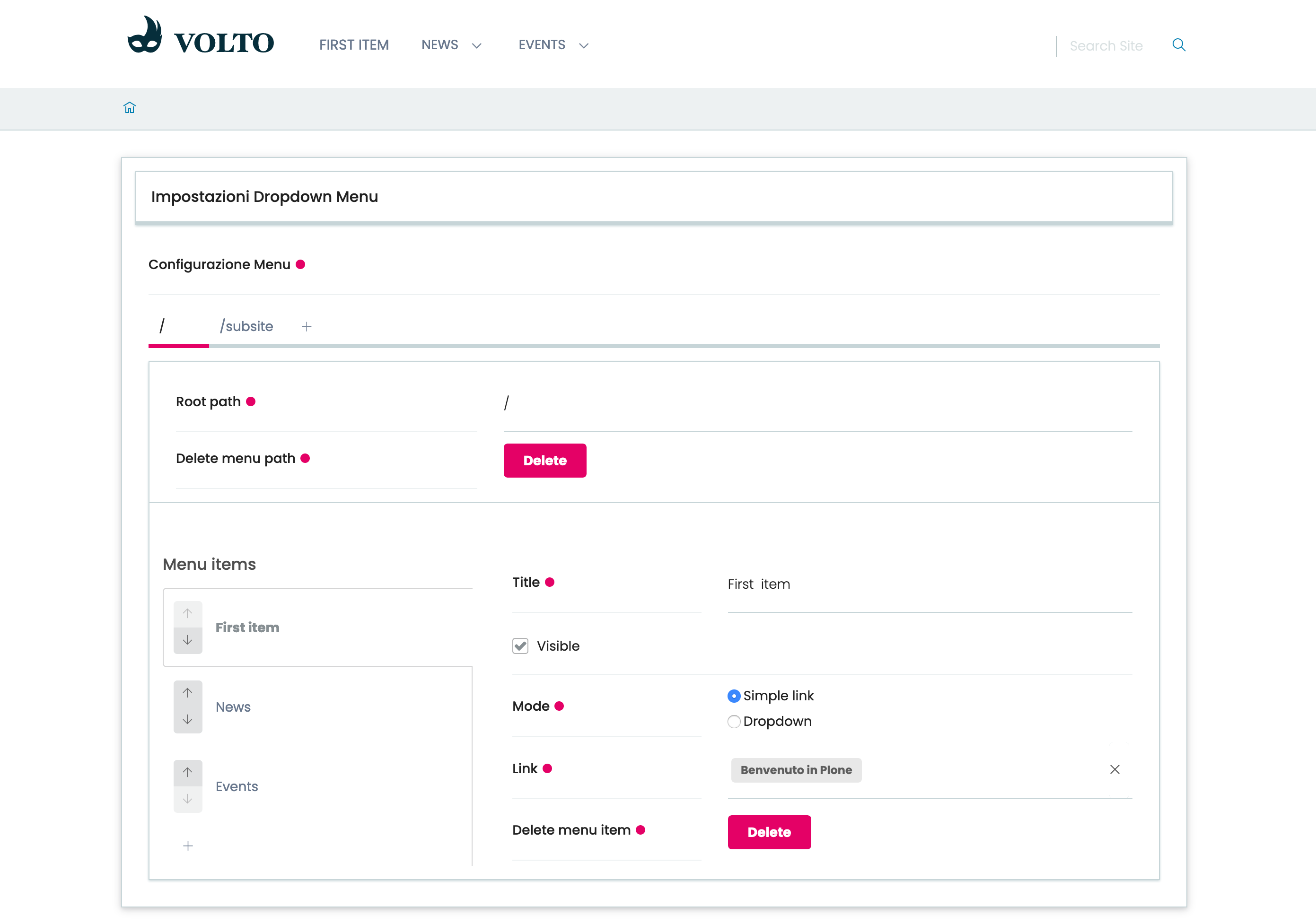
Simply load the addon in your project, then edit the configuration in /controlpanel/dropdown-menu-settings.
Example configuration to be saved in Plone here.
To use the default template for the dropdown menu, add src/addons/volto-dropdownmenu/src/customizations in your package.json in customizationPaths.
  "customizationPaths": [
    "src/customizations",
    "src/addons/volto-dropdownmenu/src/customizations"
  ]
To customize the MenuConfigurationForm component, you can now create your own component in your site and replace it using the Volto component registry in your site config file:
import MyMenuConfigurationForm from './src/MyMenuConfigurationForm';

config.registerComponent({
  name: 'MenuConfigurationForm',
  component: MyMenuConfigurationForm,
});
Navigation roots
By default, navigation roots are clickable, but there's the possibility to make them not clickable.
Enabling the field 'clickableNavigationRoots' in volto-dropdownmenu config, a field appears in configuration form and let editor to decide if make navigation roots clickable or not.
  config.settings["volto-dropdownmenu"] = {
    "options": {
      "clickableNavigationRoots": true, //if true, a checkbox option in dropdown menu appears
    },
  };
Screenshots and demo
Dropdown Menu Settings
The access for Dropdown Menu Settings
Control panel
The control panel for Dropdown Menu Settings
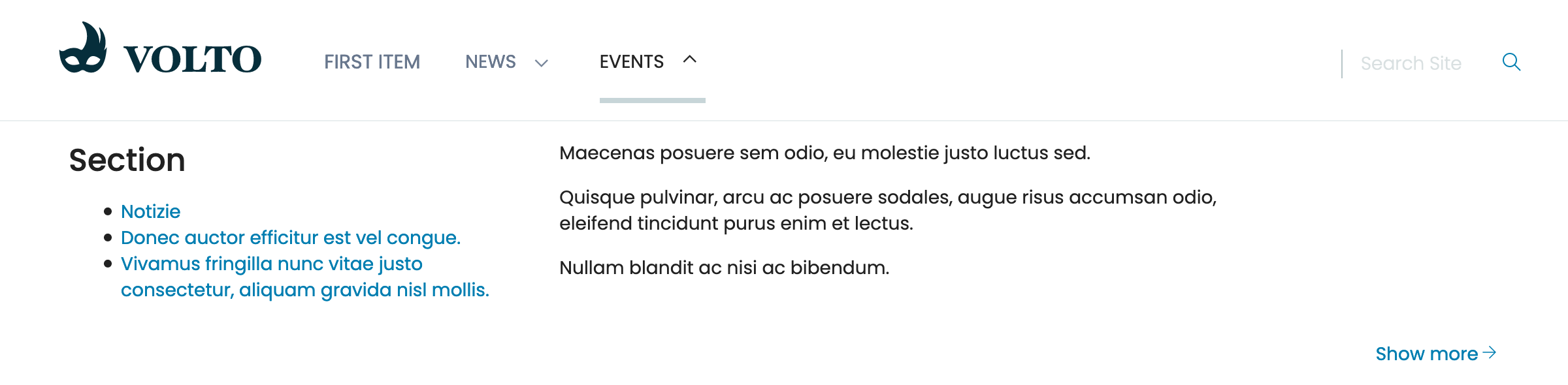
Dropdown menu
The Dropdown menu working
Demo
You can watch a demonstration video on YouTube