
vr-player
v0.1.13
Published
Lightweight 360° panoramic video VR player in pure WebGL. Zero runtime dependencies, ~6 KB gzipped.

Maintainers
 deoem
deoemReadme
VR Player
English · 简体中文





一个轻量级的 360° 全景视频 VR 播放器,基于纯 WebGL 实现,零运行时依赖,gzip 后约 6 KB。
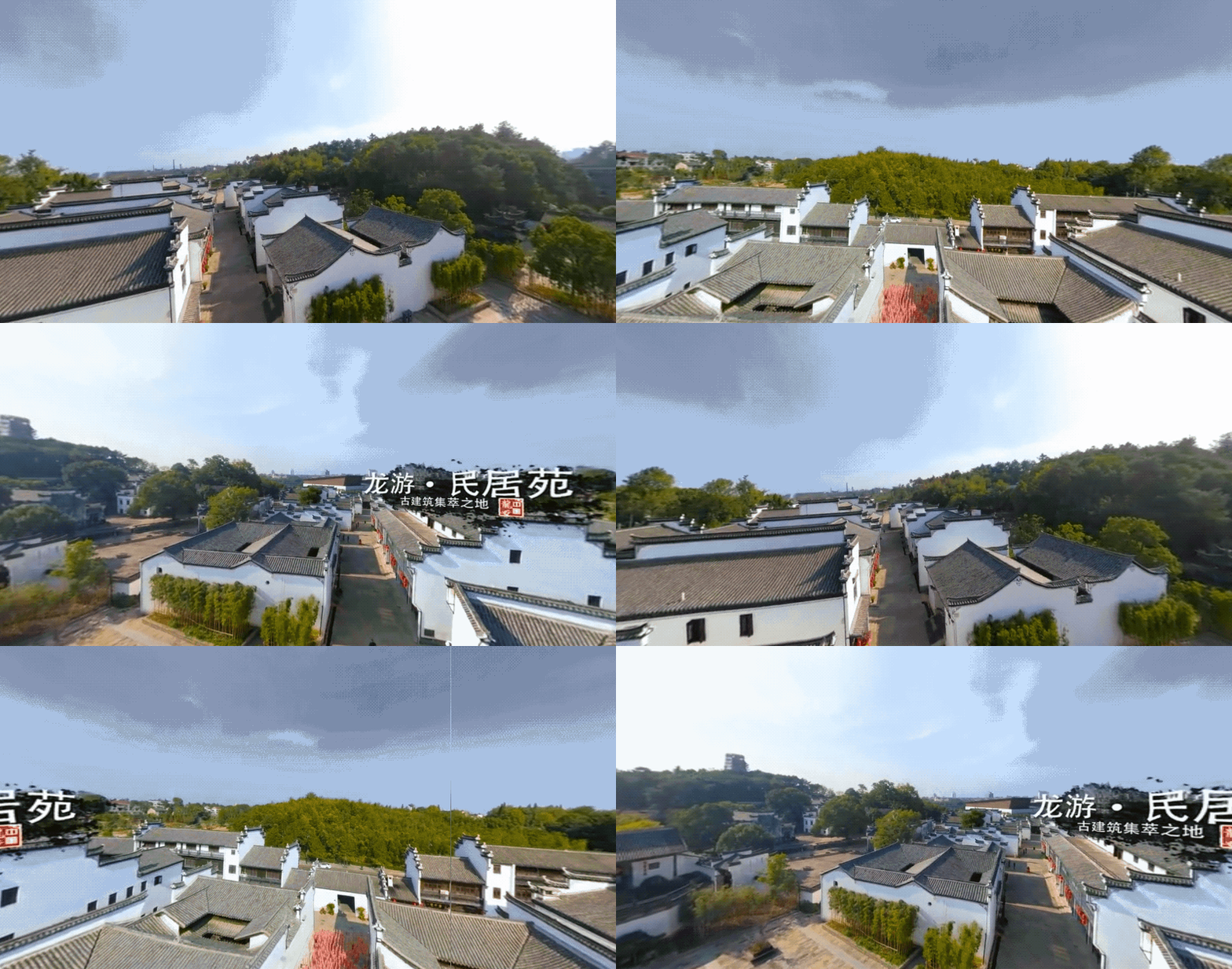
▶ 在线体验 —— 用手机打开并点击 Gyro: off,转动设备即可环视。
为什么选择 VR Player
| 库 | minified | gzip | 定位 | | --- | --- | --- | --- | | vr-player | ~20 KB | ~6.3 KB | 纯 WebGL,零依赖 | | Pannellum | ~100 KB | ~35 KB | 轻量全景查看器 | | Marzipano | ~200 KB | ~60 KB | 全景工具链 | | Three.js(VR 视频场景 tree-shake 后) | ~150–200 KB | ~50 KB | 通用 3D 引擎 | | Three.js(全量) | ~600 KB | ~150 KB | 通用 3D 引擎 | | Video.js + VR 插件 | ~600 KB | ~180 KB | 通用视频播放器 + VR |
如果你只需要播放等距柱状投影的 360° 视频——不需要 3D 模型、场景图和插件生态——vr-player 能用几分之一的体积做到。
特性
- 🎥 支持 360° 全景视频播放(等距柱状投影)
- 🖱️ 拖动旋转视角(水平/垂直),垂直视角限制在 ±85°;移动端支持双指 pinch 缩放
- 📱 支持陀螺仪视角控制,转动设备同步旋转视角,可随时开关,与拖动共存
- 🔭 可配置 FOV 视野角度,范围 [30°, 120°]
- 🎛️ 支持 WebGL 1.0 / 2.0 双版本,按需切换(2.0 启用 mipmap 三线性过滤,清晰度更高)
- 🔍 极致清晰度优化:各向异性过滤、highp 着色器精度、高细分球体、超采样(renderScale)
- 🪶 纯 WebGL 实现,无 Three.js 依赖,零运行时依赖(~6KB gzip)
- 📐 通过
ResizeObserver自适应容器尺寸 - 🧹
destroy()一键释放全部资源
浏览器兼容性
| 浏览器 | 最低版本 | 发布时间 | | ------ | -------- | -------- | | Chrome / Edge | ≥ 94 | 2021-09 | | Firefox | ≥ 93 | 2021-10 | | Safari (macOS / iOS) | ≥ 16.4 | 2023-03 | | Samsung Internet | ≥ 18 | - |
上述限制主要来自 Class Static Blocks 语法。WebGL 与陀螺仪 API 本身也要求相对现代的浏览器,因此该兼容范围与 VR / 全景视频的使用场景基本匹配。如需兼容更旧的浏览器,可自行引入 swc / babel 做语法降级。
安装
npm install vr-player快速开始
import { VRPlayer } from 'vr-player';

const player = new VRPlayer({
  container: document.getElementById('player')!,
  fov: 75,
  webgl: 2, // 可选:使用 WebGL 2.0 获得更佳清晰度(默认 1)
  renderScale: 1.5, // 可选:超采样倍数,> 1 提升清晰度但增加 GPU 开销(默认 1)
});

await player.load('/video/panorama.mp4');
在线 Demo
仓库内置一个功能完整的调试页,包含视频源输入、进度条、FOV / WebGL 版本 / 超采样控制与陀螺仪开关。
▶ https://deo-em.github.io/vr-player/
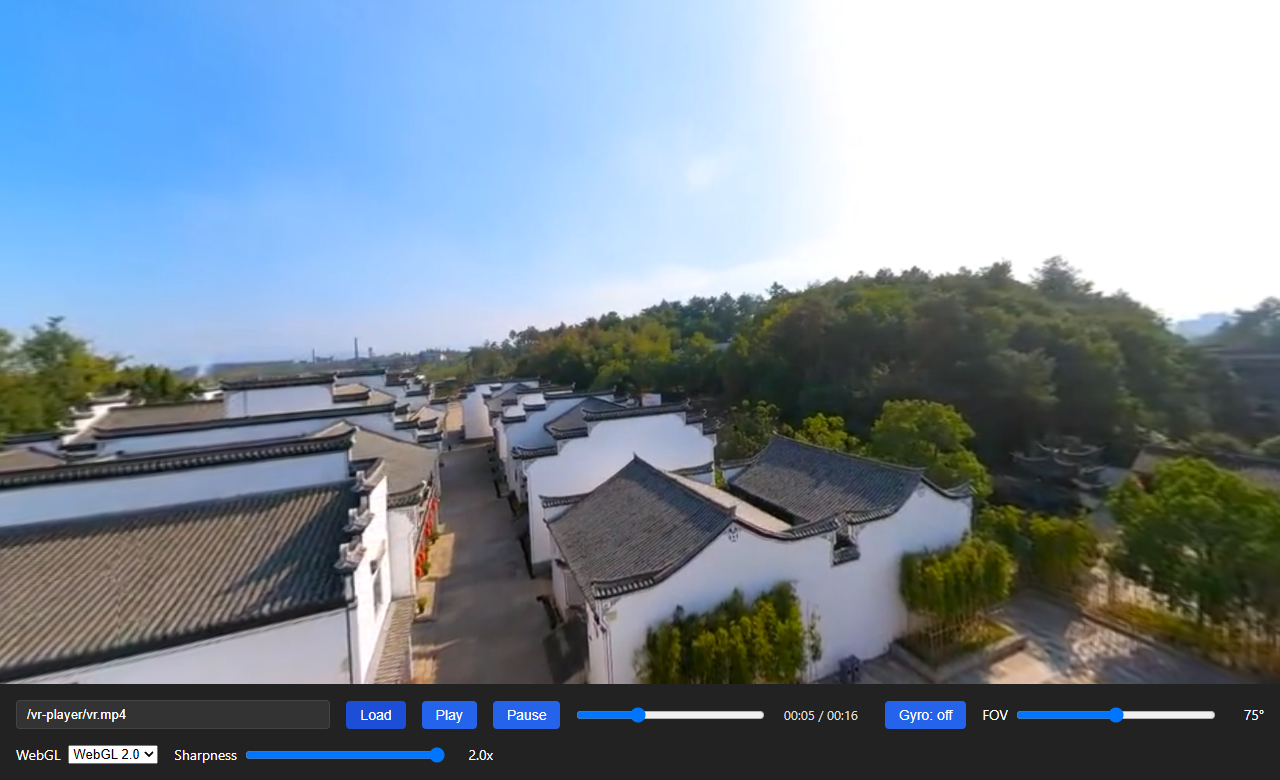
本地运行:
pnpm install
pnpm demo          # http://localhost:5173
pnpm demo:https    # HTTPS —— 真机陀螺仪必须
在 URL 后追加 ?debug 可加载页内 vConsole,方便手机端调试。
API
new VRPlayer(options)
创建 VR 播放器实例。
VRPlayerOptions
| 参数 | 类型 | 默认值 | 说明 |
| ---------- | --------------- | ------- | -------------------------------------- |
| container| HTMLElement | - | 必填。 canvas 的挂载容器 |
| fov | number | 90 | 视野角度(度),自动限制在 [30, 120] 范围 |
| muted | boolean | false | 是否静音 |
| loop | boolean | false | 循环播放 |
| webgl | 1 \| 2 | 1 | WebGL 版本。1 兼容性最广;2 启用 mipmap 三线性过滤、高细分球体、highp 精度,清晰度更高。若 2 不可用自动降级到 1 |
| renderScale | number | 1 | 渲染缩放倍数(相对于 devicePixelRatio)。> 1 为超采样(SSAA),提升清晰度但增加 GPU 开销;< 1 为降采样。钳制到 [0.25, 4] |
| gyroscope | boolean | false | 是否构造后启用陀螺仪视角控制(平台限制详见陀螺仪注意事项) |
方法
player.load(src: string): Promise<void>
加载视频源并初始化渲染管线。视频可播放时 resolve。
player.play(): Promise<void>
播放视频。可能因浏览器自动播放策略被拦截(建议使用 muted: true 或由用户手势触发)。
player.pause(): void
暂停视频。
player.setFov(fov: number): void
设置视野角度(度),自动限制在 [30, 120] 范围。
player.getFov(): number
获取当前视野角度(度)。
player.onFovChange(cb: (fov: number) => void): () => void
注册 FOV 变更回调,当 FOV 因滚轮缩放或 setFov() 改变时触发。返回一个取消订阅函数,调用后移除该回调。
const unsubscribe = player.onFovChange((fov) => {
  console.log('当前 FOV:', fov);
});
// 不再需要时取消订阅
unsubscribe();player.video(只读 getter)
底层 <video> 元素,直接暴露供开发者进行定制化二次开发。
通过它可以自由实现播放控制(play/pause/seek/currentTime/duration)、监听媒体事件(timeupdate/ended/error/loadedmetadata)、调整音量与播放速率等,无需库方逐一封装。
const video = player.video;

// 定制示例:监听播放进度
video.addEventListener('timeupdate', () => {
  console.log(`${video.currentTime} / ${video.duration}`);
});

// 定制示例:跳转到 30s
video.currentTime = 30;

// 定制示例:1.5 倍速播放
video.playbackRate = 1.5;
注意:
src由load()统一管理,请勿直接修改video.src。
player.getWebGLVersion(): 1 | 2
获取播放器实际使用的 WebGL 版本。当请求 webgl: 2 但环境不支持而自动降级时返回 1,调用方可据此感知降级并做相应处理。
const version = player.getWebGLVersion();
if (version === 1) {
  console.warn('当前环境不支持 WebGL 2.0,已降级到 1.0');
}
player.setRenderScale(scale: number): void
动态调整渲染缩放倍数,立即生效(无需重建播放器)。钳制到 [0.25, 4]。
1.0:按设备原生像素渲染(默认,性能与清晰度平衡)1.5~2.0:超采样,以更高分辨率渲染后由 CSS 缩放,相当于全场景抗锯齿,显著提升边缘与细节清晰度,但增加 GPU 开销
// 极致清晰度:2x 超采样
player.setRenderScale(2);
player.setGyroscope(enabled: boolean): Promise<boolean>
开启或关闭陀螺仪视角控制。移动设备转动时视角同步旋转,与拖动控制器共存叠加,互不干扰。
- 开启时返回是否成功(设备不支持或权限被拒绝返回
false) - 关闭时返回
true
iOS 13+ 注意:必须在用户手势(如按钮点击)内调用
enabled=true以通过requestPermission()权限请求;在非手势上下文中调用将返回false。
const btn = document.getElementById('gyro-toggle')!;
btn.addEventListener('click', async () => {
  const target = !player.isGyroscopeEnabled();
  const ok = await player.setGyroscope(target);
  if (target && !ok) {
    console.warn('陀螺仪开启失败(设备不支持或权限被拒绝)');
  }
});
player.isGyroscopeEnabled(): boolean
查询陀螺仪视角控制是否已开启。
console.log(player.isGyroscopeEnabled()); // true / falseplayer.destroy(): void
销毁播放器,释放所有资源(WebGL 上下文、事件监听、video 元素、canvas)。调用后实例不再可用。
工作原理
播放器渲染一个内部可见的 UV 球体,将全景视频作为纹理映射到球体内表面。相机位于球心向外观察,通过拖动输入计算 yaw/pitch 角度控制视角方向,FOV 控制透视投影。
- 球体几何:程序化生成(WebGL1 200×100 / WebGL2 512×256 分段,WebGL2 使用 Uint32 索引突破 65535 顶点限制),UV 翻转使纹理朝向内部。高细分度减少 UV 仿射插值与透视映射的误差,降低视角旋转时的纹理游走。
- 视频纹理:首帧通过
texImage2D上传,后续帧通过texSubImage2D更新,以video.currentTime+requestVideoFrameCallback双重检测避免重复上传。WebGL 2.0 下额外启用 mipmap + 三线性过滤(LINEAR_MIPMAP_LINEAR)。 - 相机:Y 轴(yaw)+ X 轴(pitch)欧拉角控制,pitch 限制在 ±85° 防止翻转。
- 交互:Pointer Events 统一鼠标与触摸操作,通过 pointer capture 支持拖出元素仍可响应;移动端双指 pinch 缩放 FOV;陀螺仪(DeviceOrientation)以增量叠加方式修改视角,与拖动共存。
- WebGL 版本:默认使用 WebGL 1.0(兼容性最广);配置
webgl: 2时启用 WebGL 2.0,支持 NPOT 纹理 mipmap 与三线性过滤,清晰度显著提升。若浏览器不支持 2.0 则自动降级。
清晰度优化
播放器内置多项清晰度优化,覆盖纹理采样、着色器精度、几何精度与超采样四个层面:
纹理采样优化
| 优化项 | 作用 | 说明 |
| ------ | ---- | ---- |
| 三线性过滤(LINEAR_MIPMAP_LINEAR) | 消除球面远端摩尔纹/闪烁 | WebGL 2.0 启用,每帧 generateMipmap |
| 各向异性过滤(EXT_texture_filter_anisotropic) | 消除掠射角模糊 | VR 球面渲染清晰度核心收益项。使用设备支持的最大各向异性等级,沿纹理梯度方向椭圆形采样 |
| 颜色空间保留(UNPACK_COLORSPACE_CONVERSION_WEBGL = NONE) | 保真原始像素 | 禁用浏览器默认颜色空间转换,避免转换精度损失 |
着色器精度优化
片段着色器默认 precision mediump float(fp16)作为安全基线,Renderer 在设备支持时动态替换为 highp(fp32):
- WebGL 2.0:
highp是核心保证,始终启用 - WebGL 1.0:通过
getShaderPrecisionFormat(FRAGMENT_SHADER, HIGH_FLOAT)检测,支持时升级
highp 可消除 mediump 在渐变色区域产生的色带。
几何精度优化
WebGL 2.0 下球体细分度从 200×100 提升至 512×256(131841 顶点),使用 UNSIGNED_INT 索引突破 Uint16 的 65535 顶点限制。更高的细分度减少球面 UV 仿射插值与透视映射的误差,降低视角旋转时的纹理游走(swimming)。
超采样(renderScale)
通过 renderScale 选项以高于原生分辨率的尺寸渲染 canvas,再由 CSS 缩放回显示尺寸,相当于全场景抗锯齿(SSAA):
// 构造时指定
const player = new VRPlayer({ container, renderScale: 2 });

// 或运行时动态调整
player.setRenderScale(1.5);
| renderScale | 效果 | GPU 开销 | 适用场景 |
| ----------- | ---- | -------- | -------- |
| 0.5 | 降采样,牺牲清晰度 | 低 | 低端设备 |
| 1.0 | 原生分辨率(默认) | 中 | 通用推荐 |
| 1.5 | 中等超采样 | 较高 | 中高端 GPU |
| 2.0 | 2x 超采样,接近极限清晰度 | 高 | 高端 GPU |
极致清晰度推荐配置:
webgl: 2+renderScale: 2
体积
播放器保持极致轻量,零运行时依赖:
| 产物 | 体积 | 说明 |
| ---- | ---- | ---- |
| dist/index.js (ESM) | ~20 KB | 压缩后,含内联 GLSL shader |
| dist/index.cjs (CJS) | ~20 KB | 同上 |
| gzip 后 | ~6.3 KB | 实际网络传输体积 |
陀螺仪注意事项
陀螺仪视角控制依赖浏览器的 DeviceOrientation API,使用时需注意以下平台限制:
必须在安全上下文(HTTPS)下使用
DeviceOrientationEvent 仅在安全上下文(Secure Context)中可用:
- ✅
https://站点 - ✅
http://localhost/http://127.0.0.1(本地开发) - ❌
http://部署的线上站点 — 陀螺仪事件不会触发
在生产环境部署时务必使用 HTTPS,否则移动端陀螺仪功能完全失效。
iOS 13+ 需用户手势授权
iOS 13+ 的 Safari 要求通过 DeviceOrientationEvent.requestPermission() 显式请求权限,且必须在用户手势(如点击)内调用。直接在页面加载时构造启用会失败。
正确做法见 setGyroscope() 方法的示例——在按钮点击事件中调用即可。
其他注意点
- 设备支持:部分桌面浏览器与低端设备无陀螺仪硬件,
setGyroscope(true)将返回false - 权限拒绝:用户拒绝授权后需再次通过手势触发请求
- 后台暂停:页面切到后台时设备方向事件可能停止,回到前台后通常自动恢复;如遇异常可重新调用
setGyroscope
参与贡献
pnpm install
pnpm test        # 单元测试
pnpm lint        # Biome
pnpm build       # ESM + CJS + 类型声明