
vue-arc-counter
v3.1.0
Published
Vue compoment to create an SVG counter in a circular arc


Readme
VUE ARC COUNTER
This Vue component generates counter in a circular arc. The angles, colors, strokewidth, spacing between dashes and direction can all be controlled through properties.
Examples
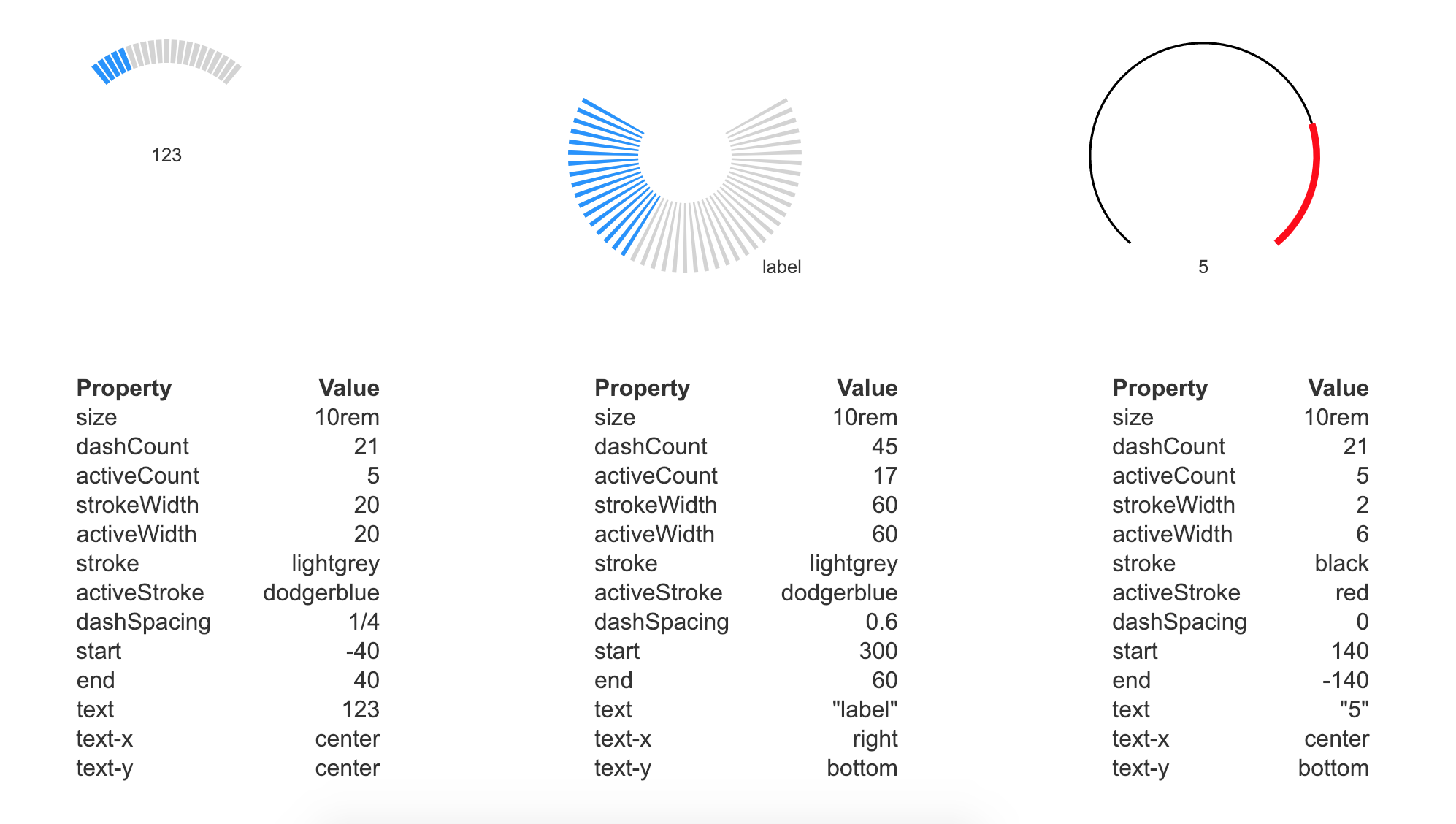
Project setup
With a package manager
# npm
$ npm install vue-arc-counter

#yarn
$ yarn add vue-arc-counter
For the browser
<script src="unpkg.com/vue-arc-counter@latest/dist/arcCounter.umd.min.js"></script>How it works
The component generates an SVG element with default width and height of 100% (outer diameter of the counter).
Two dashed strokes are overlayed: the bottom one controlled by stroke and dashCount and the top one by
activeStroke and activeCount. A start angle smaller than the end angle will make for clockwise counting,
vice versa.
You can display a string of text to add a value or label, with limited positioning options. This can be styled
with CSS.
The absolute difference between end and start angles should always be less than 360 degrees.
Properties
|prop|description|default|options|
|:---|---|---|---|
|size|width and height of element|10rem|String|
|dashCount|Total number of dashes|21|Natural number|
|activeCount|Number of dashes on top|5|Natural number|
|strokeWidth|Bottom stroke width as a percentage of the radius|20|0 to 100|
|activeWidth|Top stroke width as a percentage of the radius|20|0 to 100|
|stroke|Stroke color of the bottom dashes|lightgrey|color|
|activeStroke|Stroke color of the top dashes|dodgerblue|color|
|dashSpacing|Fraction of width taken up by space between dashes|1/4|0 to 1|
|start|Start angle from top|-120|-360 to 360|
|end|End angle from top|120|-360 to 360|
|text|Text string to display inside SVG|""|String|
|textX|Horizontal position of svg text string|center|center, left, right|
|textY|Vertical position of svg text string|center|center, top, bottom|
License
MIT Open Source License