
vue-cli-plugin-atomic-design
v0.3.3
Published
Vue CLI plugin for Atomic Design which uses Storybook and a Modular Vuex approach

Maintainers
 milad-alizadeh
Readme
Vue Atomic Design
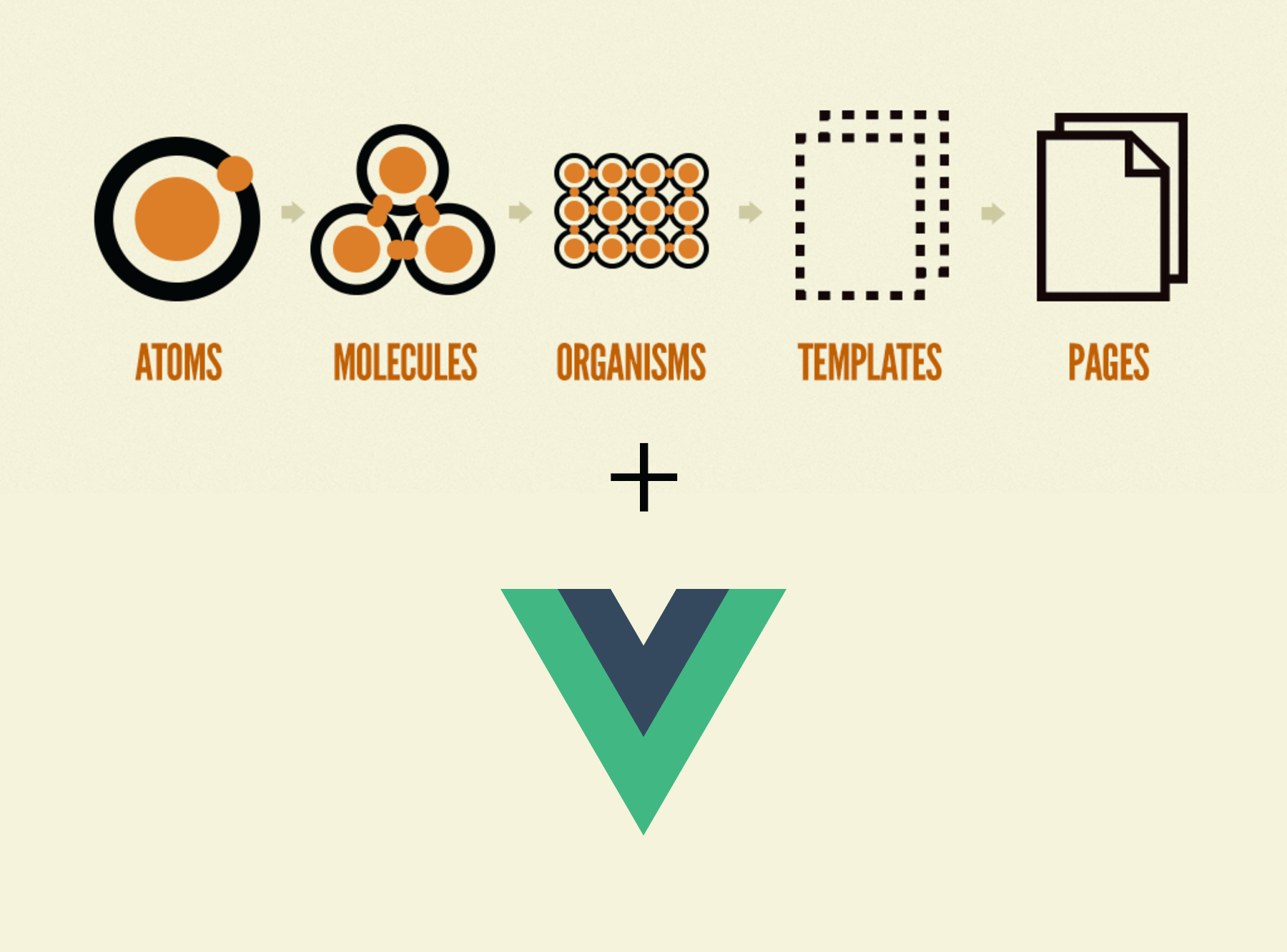
Vue Atomic Design is an opinionated Vue CLI 3 plugin for using Atomic Design methodology with Vue.js.
Related projects:
Vue Atomic Design Components - A library of Vue components based on Atomic Design
Vue SCSS Base - A starter SCSS base for Vue projects
How to install
You first need to install Vue Cli 3
npm install -g @vue/cli
# OR
yarn global add @vue/cli
Then you can add the plugin by typing the following command
vue add atomic-designStorybook
Vue Atomic Design uses Storybook as its design system tool. Originally created for React, Storybook is a tool for creating UI Components in isolation. The advantage of using Storybook is that we can create our style guide and our project at the very same time without maintaining both which is great for both small and large scale applications. Once you install the plugin the storybook will be configured and you can use it by running:
yarn run serve:storybook
or to generate a static style guide:
yarn run build:storybook
Structure
Atomic design has a very clean approach in grouping components through composition which is a a great combination with Vue.js
The summary of Atomic Design structure is as Follows.
Atoms
An atom is a native html tag. A Vue components that renders only one tag such as div, p or any other.
// atoms/VButton.vue

<template>
  <button class="a-v-button" @click="$emit('click')">
    <slot></slot>
  </button>
</template>
or
// atoms/VInput.vue

<template>
  <input class="a-v-input" type="text" v-model="value" @input="$emit('input') />
</template>
Molecule
A molecule is a combination of two or several atoms.
// molecules/VSearchForm.vue

<template>
  <form class="v-m-search-form">
    <VInput @input="handleInput"/>
    <VButton @click="handleSearch">Search</VButton>
  </form>
</template>
Organisms
An organism is a combination of atoms, molecules and other organisms
// organsims/Header.vue

<template>
  <header class="o-v-header">
    <VLogo />
    <VNavigation />
    <VSearchForm />
  </header>
</template>
Templates
A combination of organisms, molecules and atoms to form a complete page. Templates only have dummy placeholder content.
// templates/VPageTemplate.vue

<template>
  <div class="o-v-page-template">
    <VHero />
    <VPosts />
    <VComments />
  </div>
</template>
Pages
Pages are essentially instances of templates with real representative content. This is generally the point where Vuex connects to our templates. The benefit of this approach is the separation of data and UI and it enables you to create your UI regardless of where your data actually comes from. This also makes the testing much easier.
// pages/VPostPage.vue

<template>
  <VPageTemplate
    :posts="posts"
    :hero="hero"
    :comments="comments"
  />
</template>

<script>
import { mapState } from 'vuex'

export default {
  computed: {
    mapState({
      posts: state => state.posts.postList,
      hero: state => state.home.hero,
      comments: state => state.comments.commentList
    })
  }
}
</script>
File names and CSS class names
It is highly recommended that all the filenames be prefixed with a base such as App or V. This prevents conflicts with existing and future HTML elements, since all HTML elements are a single word.
It is also recommended using namespaced class names and BEM for your CSS. The prefred format is 'componentTypeInitial-prefix-componentName'. For example Atom/VButton class name will a-v-button. This ensures any conflix with imported CSS frameworks and makes debugging easier.
However you can scope your stying using other methods such as scoped attribute, CSS modules or any other library/convention
Folder Structure
In order to make organisation simpler, each component has a folder with its name which has 3 files in it. index.vue, index.stories.js and index.test.js. With this structure the unit tests, stories and the component will be in the same place without clutter. For example:
- components
   - atoms
      - VButton
         - index.vue
         - index.stories.js
         - index.test.js
      - VInput
         - index.vue
         - index.stories.js
         - index.test.js
   - molecules
      - VSearchInput
         - index.vue
         - index.stories.js
         - index.test.js
With following this structure all of the stories will be created on runtime.
Storybook
Can you categories storybook stories by naming the story module to '{Category} - {Component Name}'. For example:
storiesOf('Atom - VButton', module)
  .add('default', () => ({
    components: { VButton },
    template: '<VButton color="red" />'
}));
Unit Tests
Unit testing is an important part of any web project however it might require some setup and testing. Vue Atomic Design uses Jest as its testing tool. An example of a unit test for the VButton components would be:
import { mount } from '@vue/test-utils'
import VButton from '.'

describe('Atom - VButton', () =>
  test('Tag should be <a> if href prop is set', () => {
    const wrapper = mount(VButton, {
      propsData: { href: 'http://google.com' }
    })

    expect(wrapper.contains('a')).toBe(true)
    expect(wrapper.attributes().href).toBe('http://google.com')
  })
})
Vuex
This plugin takes a modular approach to organising Vuex store. Each feature of your app is seperated into a module which include its own state, mutations, actions and getters. For example:
- storeModules
   - posts
     - index.js
   - users
     - index.js
For example storeModules/users/index.js will contain the following:
const state = {
  userList: []
}

const mutations = {
  setUsers (state, payload) {
    state.userList = payload
  }
}

const actions = {
  async getUsers ({ commit }, username) {
    let response = await fetch(`//api.github.com/users`)
    let users = await response.json()
    commit('setUsers', users)
  }
}

export default {
  state,
  mutations,
  actions
}
you can then reference this module in your app like:
<template>
  <div>
    {{ $store.state.users.userList }}
  </div>
</template>

<script>
export default {
  created () {
    $store.dispatch('users/getUsers')
  }
}
<script>
You only need to create the folders under storeModule folder and the folder name will be used as namespace prefix. You do not need to import these modules into your store manually as it's done automatically with Webpack.