
vue-comment-grid
v1.0.12
Published
💬 Responsive Vue.js comment system plugin that built with CSS Grid and Firebase REST API + Authentication.

Maintainers
 tugayyaldiz
Readme
Vue.js Comment Grid
Table of Contents
Introduction
💬 Vue.js Comment Grid and Demo built with full CSS Grid and Firebase REST API + Authentication.
Basically you can just create Firebase Project, enable Email/Password sign-in method and pass database URL, API Key and node name you created in database as component props and set database rules to this. Thats all.
Installation
Downloading Plugin
npm install --save vue-comment-gridDependencies
- Axios - For HTTP requests.
If you already use Axios in your project then no dependencies at all. 🤗
Include Plugin
Include plugin in your main.js file.
import Vue from 'vue'
import CommentGrid from 'vue-comment-grid'

Vue.use(CommentGrid)
️️⚠️ The following steps are important please read all.
Most steps will only performing once.
Believe me, i wanted zero config usage for you but for security reasons some steps need to be setting up manually by you.
Creating Firebase Project
Create new project in firebase console.
If you don't know how to create new project see detailed here.
Setting Up Sign-In Method
Enable Email/Password method under Firebase Authentication menu.
If you don't know how to enable Email/Password sign-in method see detailed here.
Getting Base URL and API Key
Get databaseURL and apiKey from Firebase.
You can find Firebase databaseURL and apiKey in web setup under authentication menu from Firebase console.
If you don't know how to get there see detailed here.
Creating Database Node Name
For security reasons you need to create node names manually by yourself. Before passing new nodeName for different pages be sure you created that node name in database.
If you adding your first node name add Name: commentsGrid/nodeNameYouWant/active Value: true under Realtime Database Root.
For other node names that you will create add Name: nodeNameYouWant/active Value: true under commentsGrid .
If you don't know how to do this see detailed here.
Setting Up Database Rules
Set Realtime Database Rules to this.
If you don't know how to change database rules see detailed here.
Giving Yourself Admin Permission
After setting up database rules, you have everything that you need. Pass required values as props to component and run system.
First sign up as a normal user in the comment system then find yourself under commentUsers node in Firebase Database and add new child Name: admin Value: true there.
If you want to give more people admin permission just add them admin: true child too.
If you don't know how to do this see detailed here.
Changing Name or Comment Length Props
The default max user name length is "30" and default max comment length is "1000" character long. If you want change this values then you need to change values from Firebase Rules too. See detailed here.
Usage
<comment-grid
  baseURL="https://your-app.firebaseio.com"
  apiKey="your-api-key"
  nodeName="nodeNameThatYouCreated">
</comment-grid>
The above code is default required settings.
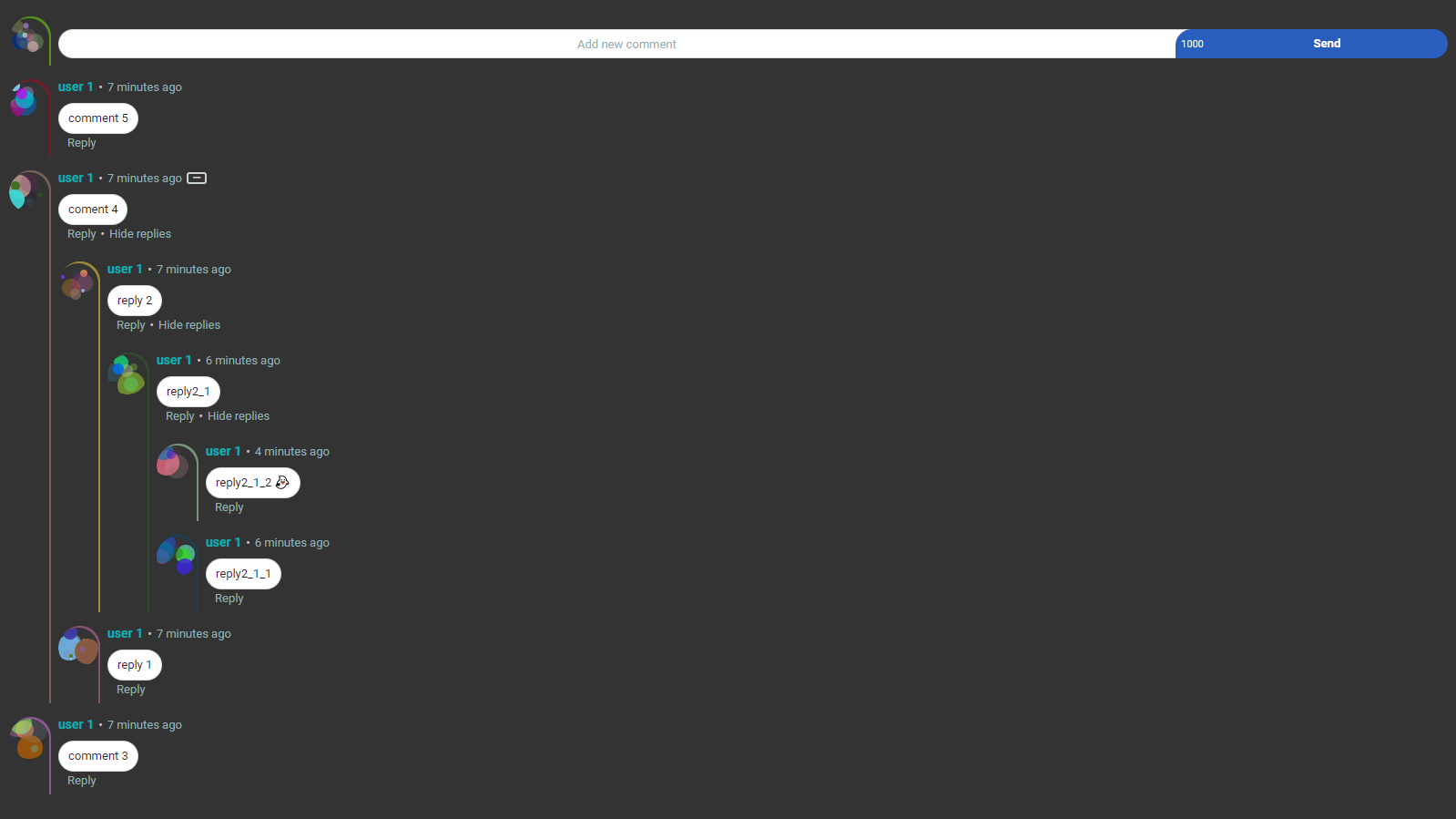
Default settings with Dark Backgrounds
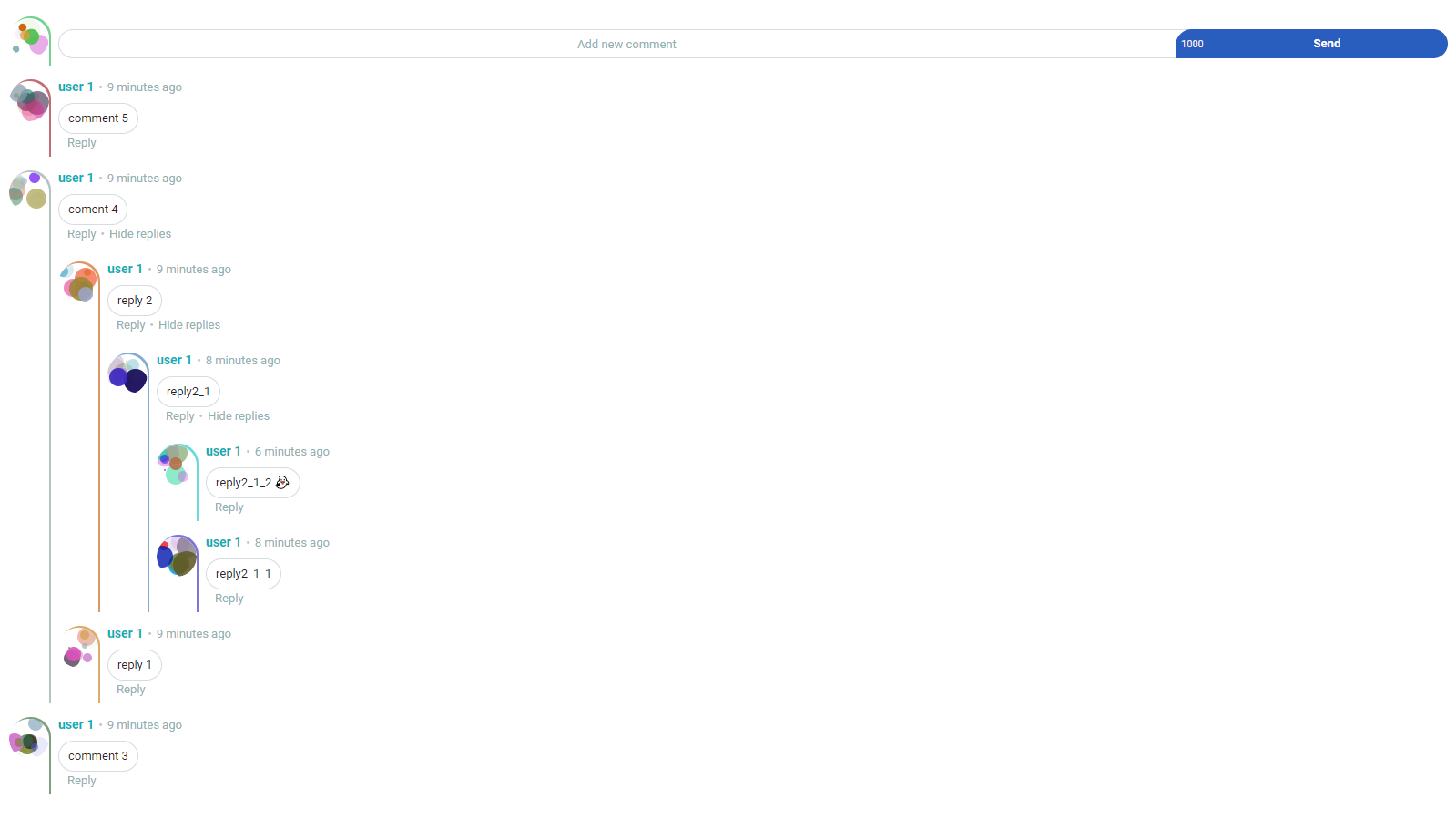
Default settings with Light Backgrounds
Props
| Name | Type | Default | Description | Required | | --- | --- | --- | --- | --- | | baseURL | String | null | databaseURL of your Firebase Project | True | | apiKey | String | null | apiKey of your Firebase Project | True | | nodeName | String | null | node name that you created in Firebase Realtime Database | True | | maxUserNameLength | String | "30" | The name of the user must be below this value when sign-up. If you change this value then you need to change values from Firebase Rules too. See docs. | Optional | | maxCommentLength | String | "1000" | The character limit of comments. If you change this value then you need to change values from Firebase Rules too. See docs.| Optional | | initialMessageLimit | String | "10" | Sets maximum message limit to shown at first load. When 'Show more comment' is clicked, the number of comment impressions will increase by this number.| Optional | | maxLineLimit | String | "40" | Sets line break limit. This is for prevent users from creating too many lines. Exceeded line breaks will be converted to spaces. Lines number are stored in database, so under this limit comments show directly without any operation.| Optional | | maxShowingDepth | String | "5" | Sets maximum reply depth to shown. This is not a maximum reply depth limit. Just for showing and hiding. There is no limit for depth. | Optional | | background | String | "transparent" | This is for customizing the background color of component. You can pass HEX, RGB, RGBA, HSL, HSV and even Gradient values. | Optional | | commentBackgroundColor | String | "white" | This is for customizing the color of comment box. You can pass HEX, RGB, etc. like the ones above. | Optional | | commentTextColor | String | "#1d2129" | This is for customizing the color of comments. You can pass HEX, RGB, etc. like the ones above. | Optional | | userNameColor | String | "rgb(6, 177, 183)" | This is for customizing the color of user names. You can pass HEX, RGB, etc. like the ones above. | Optional |
Customizing
If you want to customizing component props take a look at here.
TODO
- [ ] Add different languages support.
- [ ] Add ranking and sorting system for comments.
Why i did this plugin?
I wanted to learn the CSS Grid and combine it with the technologies i already know. So i came up with this idea. I loved CSS Grid so much and definitely recommend you to use it.
Demo: https://tugayyaldiz.github.io/vue-comment-grid
Demo Video: https://www.youtube.com/watch?v=hp8AMCitHT0
License
MIT