
vue-draggable-resizable-gorkys
v3.0.0
Published
Vue 3 draggable and resizable component with snapping, guide lines, and conflict detection.


Readme



当前主线已升级到 Vue 3.5+,并同步迁移到 Vite 5、Vitest 2、Storybook 8。
这次升级改了什么
- feat: 默认使用 Vue 3,README 和示例同步更新为 Vue 3 用法
- feat: 构建链路从 Vue CLI + Karma 升级到 Vite 5 + Vitest 2 + Storybook 8
- feat: 恢复完整 Storybook 案例集,包含冲突检测、吸附对齐、辅助线、多元素拖拽等示例
- feat:
parent现支持Boolean | String,可直接传 CSS selector - feat:
w/h支持auto - fix: formatTransformVal 支持小数点
- fix: 修复多条辅助线显示问题
- fix: 修复同时拖拽多个元素移动不同步问题
- fix: 修复
x / y / w / h属性设置无效问题 - fix: 修复
activated导致transform属性丢失问题
该 fork 版本修复/扩展的能力
- 辅助线
- 元素对齐
- 冲突检测
- 吸附对齐
- 默认样式优化
- 支持
minWidth/minHeight动态改变 - 支持被遮挡元素的拖拽
activeOnTop - 支持右键选中组件
selectOnContextMenu - 支持旋转功能
rotate - 支持
parent传入 CSS 选择器
Q 交流群:138146781
说明
本组件基于 vue-draggable-resizable 进行二次开发。
之前这个 fork 主要维护冲突检测、吸附对齐、辅助线等增强能力。现在默认主线已经切换到 Vue 3,后续 README、示例和构建方式也都以 Vue 3 为准。
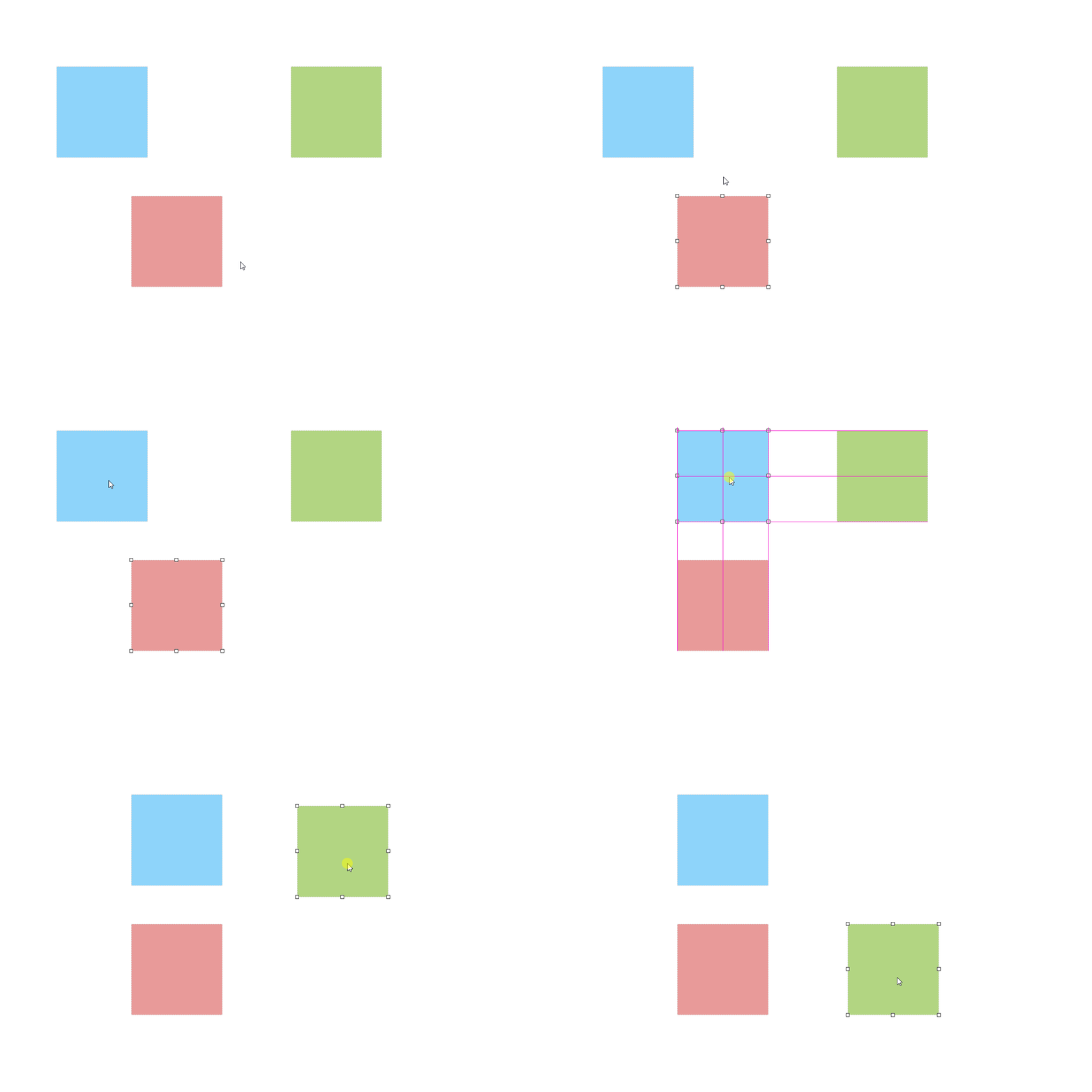
功能预览
官方英文示例 | 本仓库 GitHub Pages 示例 | 自定义域名
说明:本仓库新增功能的演示主要在 Storybook 的
Advanced分类里查看。
安装使用
npm install vue-draggable-resizable-gorkys全局注册组件
import { createApp } from 'vue'
import App from './App.vue'
import VueDraggableResizable from 'vue-draggable-resizable-gorkys'
import 'vue-draggable-resizable-gorkys/style.css'

const app = createApp(App)
app.component('vdr', VueDraggableResizable)
app.mount('#app')
局部注册组件
<template>
  <div style="height: 500px; width: 500px; border: 1px solid red; position: relative;">
    <vdr :w="100" :h="100" @dragging="onDrag" @resizing="onResize" :parent="true">
      <p>
        Hello! I'm a flexible component. You can drag me around and you can resize me.<br>
        X: {{ x }} / Y: {{ y }} - Width: {{ width }} / Height: {{ height }}
      </p>
    </vdr>

    <vdr
      :w="200"
      :h="200"
      :parent="true"
      :min-width="200"
      :min-height="200"
      :is-conflict-check="true"
      :snap="true"
      :snap-tolerance="20"
    />
  </div>
</template>

<script>
import vdr from 'vue-draggable-resizable-gorkys'
import 'vue-draggable-resizable-gorkys/style.css'

export default {
  components: { vdr },
  data () {
    return {
      width: 0,
      height: 0,
      x: 0,
      y: 0
    }
  },
  methods: {
    onResize (x, y, width, height) {
      this.x = x
      this.y = y
      this.width = width
      this.height = height
    },
    onDrag (x, y) {
      this.x = x
      this.y = y
    }
  }
}
</script>
Vue 3 升级说明
README.md默认文档已切换到 Vue 3 版本说明- 样式引入路径从
dist/VueDraggableResizable.css改为style.css - 开发/测试命令改为
lint、test、build、storybook、build-storybook - 示例站点改为基于 Storybook 8 构建
新增 Props
handleInfo
类型: Object
必需: false
默认:
{
  size: 8,
  offset: -5,
  switch: true
}
当使用 transform: scale() 进行缩放操作时:
switch控制 handle 是否保持视觉尺寸不变size为 handle 大小offset为 handle 位置偏移
<vue-draggable-resizable :handle-info="{ size: 14, offset: -5, switch: true }" />scaleRatio
类型: Number
必需: false
默认: 1
用于修复在 transform: scale() 场景下,鼠标位置与拖拽/缩放位置偏移的问题。
<vue-draggable-resizable :scale-ratio="0.6" />isConflictCheck
类型: Boolean
必需: false
默认: false
定义组件是否开启冲突检测。
<vue-draggable-resizable :is-conflict-check="true" />snap
类型: Boolean
必需: false
默认: false
定义组件是否开启元素对齐/吸附。
<vue-draggable-resizable :snap="true" />snapTolerance
类型: Number
必需: false
默认: 5
当启用 snap 时,定义组件与元素之间的对齐距离,单位为像素。
<vue-draggable-resizable :snap="true" :snap-tolerance="20" />parent
类型: Boolean | String
必需: false
默认: false
用于限制组件拖拽/缩放边界:
- 传
true时,限制在直接父元素内 - 传字符串时,限制在匹配到的 CSS 选择器元素内
<vue-draggable-resizable :parent="true" />
<vue-draggable-resizable parent=".canvas-container" />
w / h
类型: Number | String
必需: false
除数字外,也支持传入 auto,组件会按照内容尺寸初始化,后续手动缩放后再转为具体数值。
<vue-draggable-resizable w="auto" h="auto" />activeOnTop
类型: Boolean
必需: false
默认: false
定义组件激活时是否自动提升到最前面。
<vue-draggable-resizable :active-on-top="true" />selectOnContextMenu
类型: Boolean
必需: false
默认: false
定义组件是否支持右键选中。
<vue-draggable-resizable :select-on-context-menu="true" />rotate
类型: Number
必需: false
默认: 0
定义组件旋转角度,单位为度。
<vue-draggable-resizable :rotate="45" />新增 Events
refLineParams
参数: params
返回值为一个对象,包含 vLine 和 hLine,可用于自行渲染辅助线。
<template>
  <div>
    <vue-draggable-resizable :snap="true" :snap-tolerance="20" @refLineParams="getRefLineParams" />
    <vue-draggable-resizable :snap="true" :snap-tolerance="20" @refLineParams="getRefLineParams" />

    <span
      v-for="item in vLine"
      :key="item.position + item.origin"
      class="ref-line v-line"
      v-show="item.display"
      :style="{ left: item.position, top: item.origin, height: item.lineLength }"
    />

    <span
      v-for="item in hLine"
      :key="item.position + item.origin"
      class="ref-line h-line"
      v-show="item.display"
      :style="{ top: item.position, left: item.origin, width: item.lineLength }"
    />
  </div>
</template>

<script>
import VueDraggableResizable from 'vue-draggable-resizable-gorkys'
import 'vue-draggable-resizable-gorkys/style.css'

export default {
  components: {
    VueDraggableResizable
  },
  data () {
    return {
      vLine: [],
      hLine: []
    }
  },
  methods: {
    getRefLineParams (params) {
      const { vLine, hLine } = params
      this.vLine = vLine
      this.hLine = hLine
    }
  }
}
</script>
开发命令
当前开发环境要求 Node.js
>= 20。
npm install

# lint
npm run lint

# unit / feature tests
npm test

# library build
npm run build

# storybook dev
npm run storybook

# storybook static build
npm run build-storybook
其它说明
- 示例页面现在使用 Storybook 8 生成
- 关键能力演示请优先查看
Basic、Advanced、How To分类 - 如需查看组件完整 props / events,可直接参考源码中的 vue-draggable-resizable.vue
License
The MIT License (MIT). Please see License File for more information.