
vue-juicy-avatar
v1.0.2
Published
Beautiful and stable component for avatar upload
Downloads
9


Readme
Vue Juicy Avatar Uploader
This component that gives you opportunity to select/crop/upload user avatar

WARNING: This component is in beta test stage.
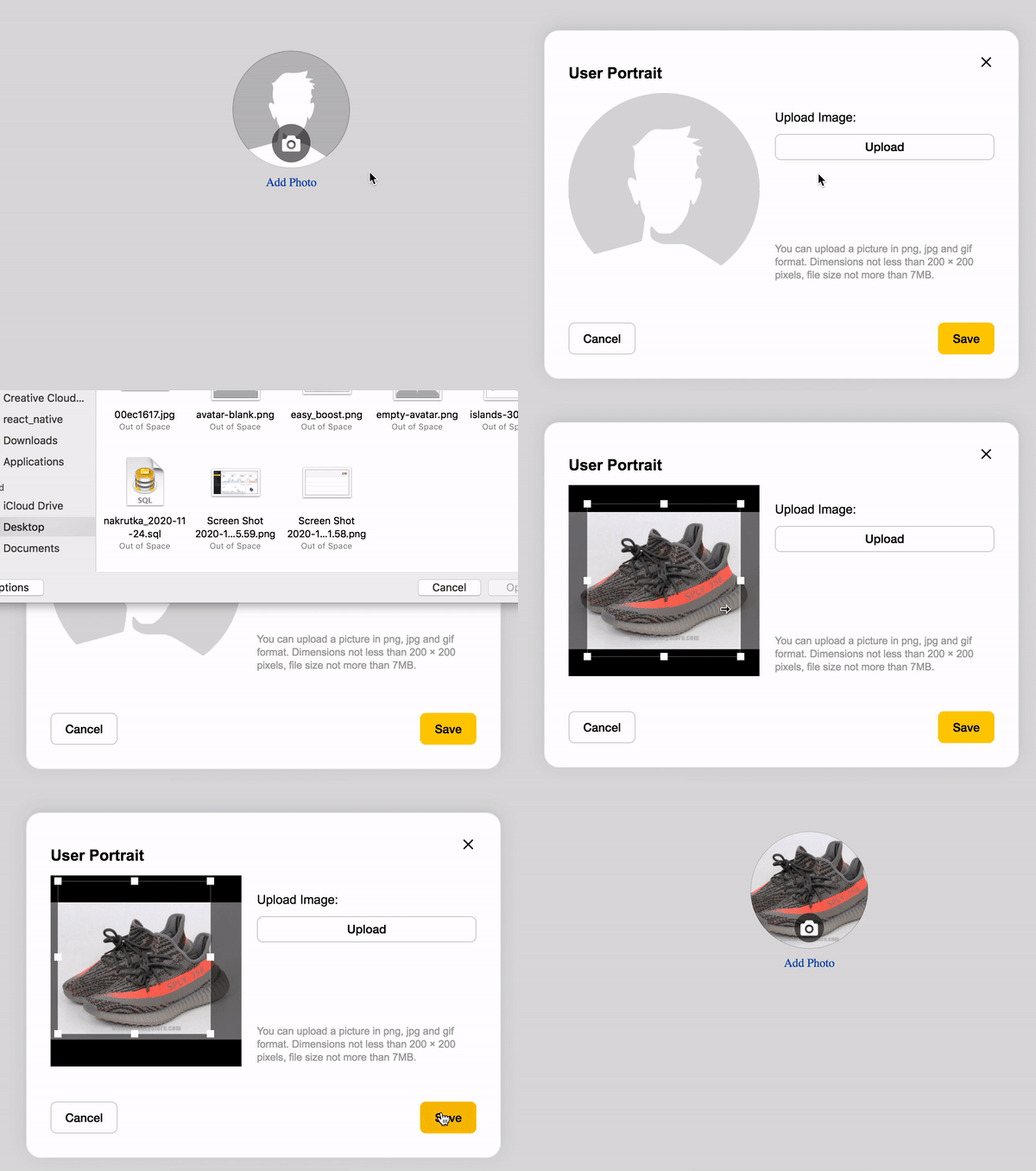
Install
npm install --save vue-juicy-avataryarn add vue-juicy-avatarUsage
import Vue from 'vue'
import juicyAvatar from 'vue-juicy-avatar'

new Vue({
  el: '#app',
  data: {

  },
  methods: {
    imageChange({file, base64, crop}) {
      console.log('Image change', file, base64, crop)
    },
    uploadSuccess(response) {
      console.log('Response from server', response)
    },
    errorUpload(error) {
      console.log('Upload error', error)
    },
    validationError() {
      console.log('Display error about validation error')
    }
  },
  components: {
    juicyAvatar
  }
})
ID "juicyAvatar" required, component don't loaded without him
<div id="app">
  <juicy-avatar
    id="juicyAvatar"
    v-on:juicy-avatar-image-changes="imageChange"
    v-on:juicy-avatar-success-uploaded="uploadSuccess"
    v-on:juicy-avatar-error-uploaded="errorUpload"
    v-on:juicy-avatar-validation-error="validationError"
   />
</div>
Props
| Prop | Type | Description | Required
| ------------------------- | ------------------ | -------------------------------------------------------------- | ---------------
| uploadUrl | String | Url for upload your image | No
| uploadParamName | String | The name of the file param that gets transferred No
| uploadCropParamName | String | The name of the crop param that gets transferred | No
| uploadAdditionalParams | Object | Can be an object of additional parameters to transfer to the server|No
| uploadHeaders | Object | An optional object to send additional headers to the server | No
| uploadFile | Boolean | Flag for enable/disable upload video after saving | No
| avatar | String | Url existing user avatar | No
| modalBtnSaveText | String | Text for save button | No
| modalDescriptionLabel | String | Text for description | No
| modalUploadBtnText | String | Text for upload button | No
| modalUploadImageLabel | String | Text for label a little higher upload button | No
| modalTitleLabel | String | Text for title modal window | No
| showAddPhotoLabel | Boolean | Flag for display text "Add Photo" | No
| addPhotoLabel | String | Text for link "Add Photo" | No
Events
| Event | Description | Return |-----------------------------------|-----------------------------------------|-------------------------- | v-on:juicy-avatar-modal-show | Gets called when modal open | void | v-on:juicy-avatar-modal-close | Gets called when modal close | void | v-on:juicy-avatar-error-uploaded | Gets called at uploading error. | error object | v-on:juicy-avatar-success-uploaded| Gets called at uploading success. | response from server | v-on:juicy-avatar-validation-error| Gets called at validation error | void
License
The source code of this library is licensed under MIT, the documentation and photos are belong to their respective owners.