
vue-languages-dropdown
v1.0.20
Published
Vue Languages dropdown component with search functionality

Maintainers
 maliknoorhassan
Readme
vue-languages-dropdown
Vue2 Languages dropdown component with search functionality

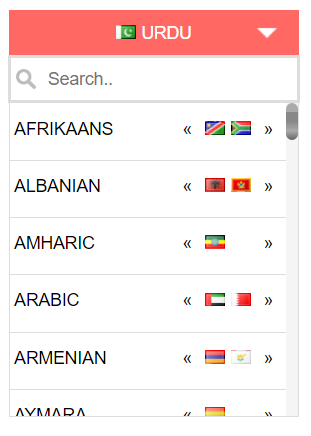
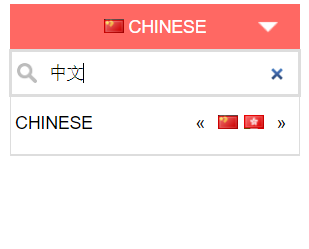
Installation
npm install vue-languages-dropdown --save

yarn add vue-languages-dropdown
Usage
import LanguagesDropdown from 'vue-languages-dropdown'

var app = new Vue({
    el: '#app',
    components:{
      'languages-dropdown' : LanguagesDropdown
    },
    data: {
      selectedLang : "en",
      selectedList : ['en','ur','ar']
    },
    methods: {
    	optionSelected: function (data) {
         console.log(data)
      }
    }
});
Html
<languages-dropdown selected="ur" :selected-languages="selectedList" v-on:change="optionSelected"></languages-dropdown>Props
| Name | Type | Default | Description
|-----|:----------|:------|:----------
| selected | String | ur | Language ISO2 code, to show default selected language
| show-search-input | Boolean | true | true or false value to show the search input in the dropdown
| btn-bg-color | String | #ed4c46 | hex color code for the top button background
| btn-font-color | String | #fff | hex color code for the top button font color
| display-text | String | name | pass name or native value to show in the list, if you pass the native; languages list will be displayed in native text.
| selected-languages | Array | All world languages | If you don't want to display all languages and want to display only required languages then you can use this prop. Pass the ISO2 LANGUAGE code (not country ISO2 Code) in an array. Example is given in code snippet.
| show-selected-native | Boolean | false | Display the selected language in top bar in native language if passed true
Methods
This plugin emits an event on change, so that you can get the data upon language change. This will emit a data object on change You can bind this method on change as
v-on:change="yourMethodName"as shown in above example.
You will receive the following data on language change event.
| Name | Description |-----|:---------- | code | Language ISO2 code | name | Language name in English | native | Language name in native language text | countries | An array of containing ISO2 codes of countries in which selected language is spoken
Credits & Highlights
The flags sprite image and css taken from flag-sprite.com