
vue-pic-clip-rotate
v1.0.1
Published
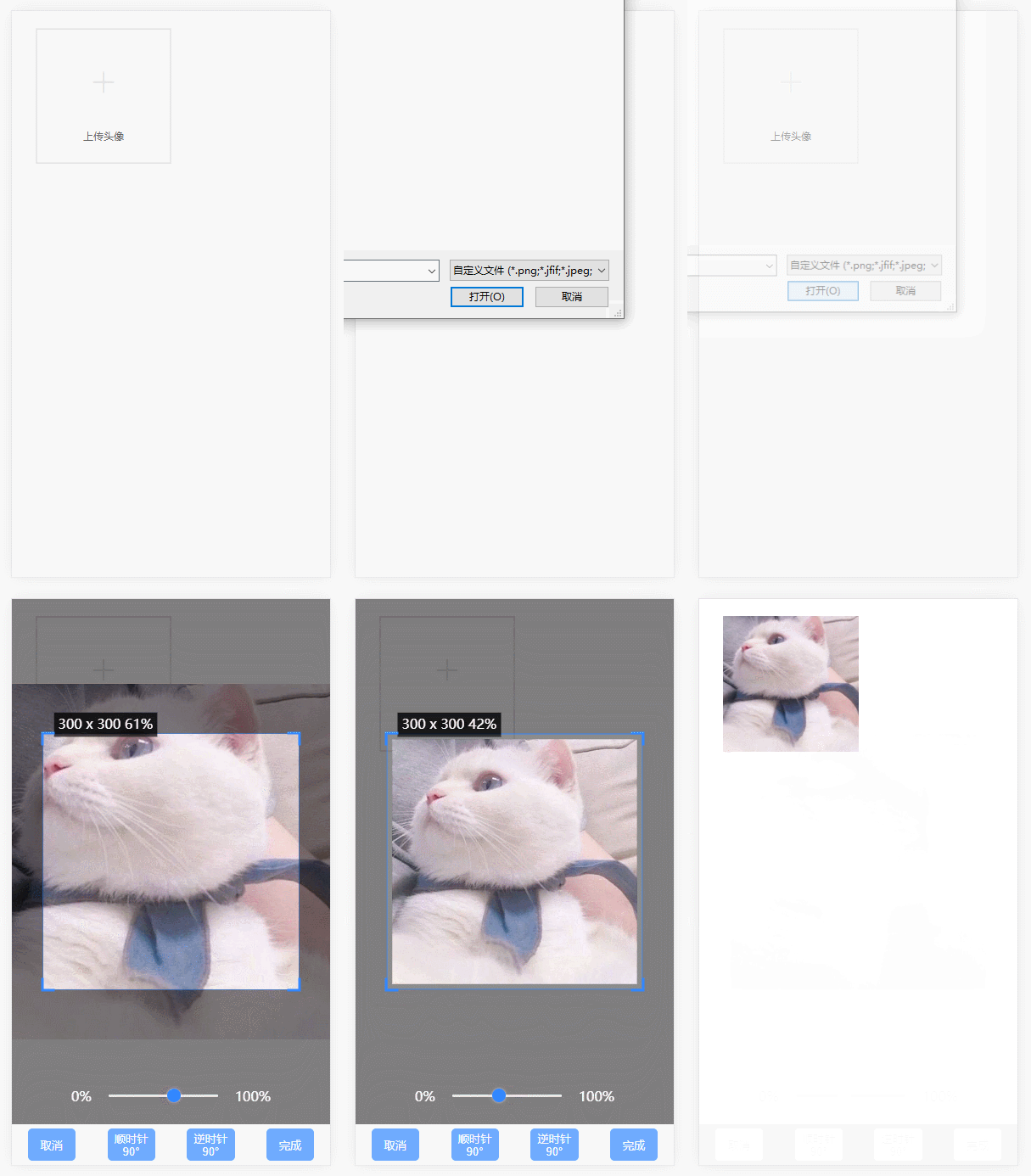 ## Project setup ``` yarn install ```


Readme
vue-pic-clip-rotate

Project setup
yarn installCompiles and hot-reloads for development
yarn serveCompiles and minifies for production
yarn buildLints and fixes files
yarn lint配置参数
名称|功能|默认值|可选值 ---|:--:|:--:|---: img|默认图片地址|空|url地址||base64||blob accept|上传图片类型|'image/png, image/jpeg, image/jpg, image/gif'|jpeg||png||gif等 autoClip|是否生成截图框|false|ture||false autoClipWidth|截图框的宽度|容器宽度80%|0~容器宽度 autoClipHeight|截图框的高度|与宽度相等|0~容器宽度 canMove|图片能否拖动|true|true||fasle canMoveBox|截图框能否拖动|ture|ture||false dataUrlType|输出图片数据类型|blob|base64||blob fixed|截图框是否开启固定宽高比|false|true||false(若设置的宽高比例与宽高比不匹配,则按照宽高比计算高度) fixedNumber|截图框宽高比|[1,1]|[宽度,高度] fixedBox|固定截图框大小|false|true||false isOriginalImg|是否上传原图|false|true||false(启用裁剪时无效) maxWidth|生成图片的最大宽度|600|0~max(启用裁剪或上传原图时最大宽度无效) maxHeight|生成图片的最大高度|600|0~max(同上) outputSize|输出图片压缩比|1|0.1-1 outputType|生成图片的格式|jpeg|jpeg||png||webp theme|样式风格|rect|rect||circle finish|完成操作事件||回调函数
<template>
  <div class="upload">
    <div class="main">
      <div class="avatar">
        <pic-clip
          :dataUrlType="option.dataUrlType"
          :accept="option.accept"
          :autoClip="option.autoClip"
          :autoClipWidth="option.autoClipWidth"
          :autoClipHeight="option.autoClipHeight"
          :fixed="option.fixed"
          :outputSize="option.outputSize"
          :theme="option.theme"
          @finish="finish"
        >上传头像</pic-clip>
      </div>
    </div>
  </div>
</template>
<script>
export default {
name: 'app',
data () {
return {
option: {
accept: 'image/png, image/jpeg, image/jpg, image/gif',
dataUrlType: 'blob', // 数据类型,可选值: blob base64
outputSize: 0.7,
autoClip: true,
autoClipWidth: 300,
autoClipHeight: 300,
canMoveBox: false,
fixed: false,
fixedNumber: [1, 1],
theme: 'rect'
}
}
},
methods: {
finish (filename, url) {
console.log(filename, url)
// console.log(this.dataURLtoFile(url, filename)) // base64
// console.log(this.dataBlobtoFile(url, filename)) // blob
},
//将base64转换为文件
dataURLtoFile(dataurl, filename) {
var arr = dataurl.split(','), mime = arr[0].match(/:(.*?);/)[1],
bstr = atob(arr[1]), n = bstr.length, u8arr = new Uint8Array(n);
while (n--) {
u8arr[n] = bstr.charCodeAt(n);
}
return new File([u8arr], filename, { type: mime });
},
dataBlobtoFile(dataurl, filename) {
let files = new window.File(
[dataurl],
filename,
{ type: `image/${filename.split('.')[1]}` }
);
return files
}
}
}
</script><style lang="css">
i {
margin: 0;
padding: 0;
border: 0;
font-weight: normal;
list-style: none;
font-style: normal;
font-size: 14px;
text-decoration: none;
-webkit-box-sizing: border-box;
box-sizing: border-box;
-webkit-tap-highlight-color: transparent;
-webkit-font-smoothing: antialiased;
}
.avatar {
cursor: pointer;
width: 160px;
height: 160px;
}
</style>