
vue-select-avatar
v3.0.0-alpha.8
Published
一个头像集选择/裁剪的组件库

Maintainers
 laowan
Readme
vue-select-avatar
基于 Vue 3 的头像选择与裁剪组件
一个轻量级、功能丰富的头像裁剪库,支持图片校验、压缩、格式转换和实时预览
📸 在线演示
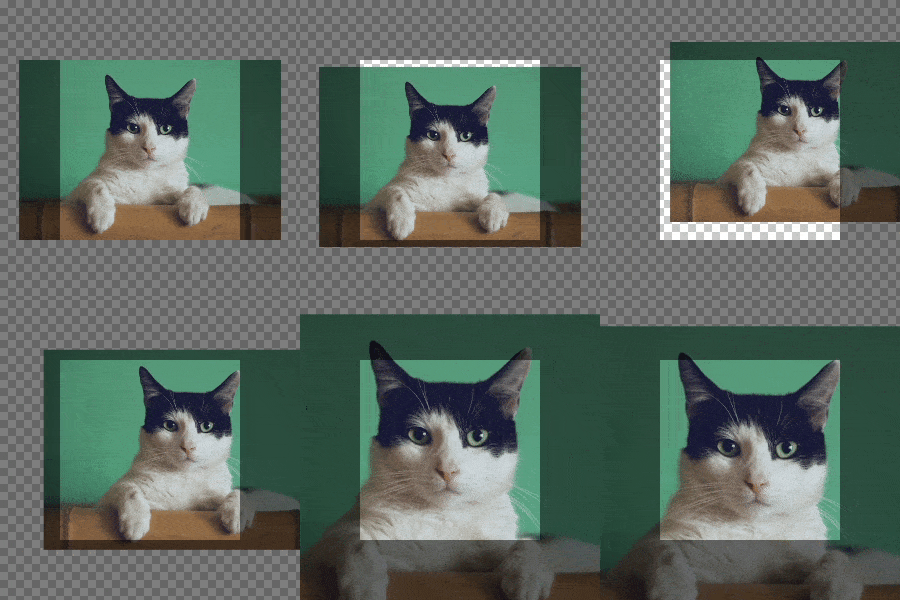
| 观察窗固定模式 | 图片固定模式 |
| :------------------------------------------------------------------------: | :-------------------------------------------------------------------------: |
| 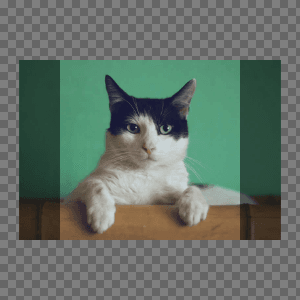 |
| 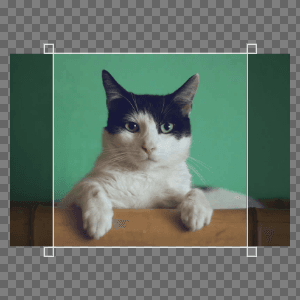 |
|
🔗 快速链接
功能特性
- 🖼️ 图片格式校验与尺寸限制(支持多种图片格式,可设置文件大小和尺寸限制)
- 📏 自动缩放超大图片(支持设置最大尺寸,自动等比例缩放)
- ⚡ 内置图片压缩功能(可配置压缩质量和触发条件)
- ✂️ 可视化区域裁剪(支持1:1正方形裁剪,实时预览效果)
- 📤 支持输出文件或Base64格式(灵活选择输出格式)
- 🎨 可配置JPEG背景色(支持自定义透明背景填充色)
- 🖱️ 多种交互方式(鼠标拖拽、滚轮缩放、键盘快捷键控制)
- 📱 触摸设备支持(单指拖动、双指缩放操作)
- 🔄 两种工作模式(固定图片或固定观察窗模式)
- 👁️ 实时预览组件(同步显示裁剪效果,支持圆形预览)
- 🌐 多语言支持(内置中英文,支持自定义错误信息)
安装
npm i vue-select-avatar
pnpm add vue-select-avatar
yarn add vue-select-avatar
使用
<script setup lang="ts">
import { ref } from 'vue'
import { Viewport, selectImage, AvatarError } from 'vue-select-avatar'
import type { ViewportInstance, ImageInfo } from 'vue-select-avatar'

const viewportRef = ref<ViewportInstance>()
const info = ref<ImageInfo>()

const handleSelect = async () => {
  try {
    info.value = await selectImage({ maxFileSize: 1024 * 1024 * 5 })
  } catch (error) {
    if (AvatarError.isCancel(error)) return
  }
}

const handleCrop = () => {
  viewportRef.value?.crop<File>({ format: 'file' }).then((file) => {
    console.log(file.size, file)
  })
}
</script>

<template>
  <button @click="handleSelect">选择图片</button>
  <button @click="handleCrop">截取图片</button>
  <Viewport v-if="info" ref="viewportRef" grid :info="info" />
</template>
开发
git clone https://github.com/xiangheng08/vue-select-avatar.git
# or
git clone https://gitee.com/xiangheng08/vue-select-avatar.git
cd vue-select-avatar
pnpm i
pnpm dev # 启动开发服务
pnpm build # 构建项目
pnpm docs:dev # 启动文档开发服务(请先运行 pnpm build)
pnpm docs:build # 构建文档(请先运行 pnpm build)