
vue-share-element
v4.0.2
Published
基于Vue3的共享元素界面跳转动画的实现,丝滑进入下一个页面

Maintainers
 tmm-tommy
Readme
vue-share-element
🔥 特性
- 💪 基于 Vue 3 Composition API 开发
- 🔥 使用 TypeScript 编写,提供完整的类型定义
- 📦 开箱即用的高质量动画效果
- 🌈 支持一对一和多对一共享元素场景
- 👓 优化父容器滚动情况和组件嵌套问题
- ⚡ 轻量级设计,对项目体积影响小
📋 更新日志
- 优化源码文件结构
- 优化父容器滚动情况
- 优化 Vue 组件嵌套问题
- 完全支持 Vue3 + TypeScript
🎬 效果展示
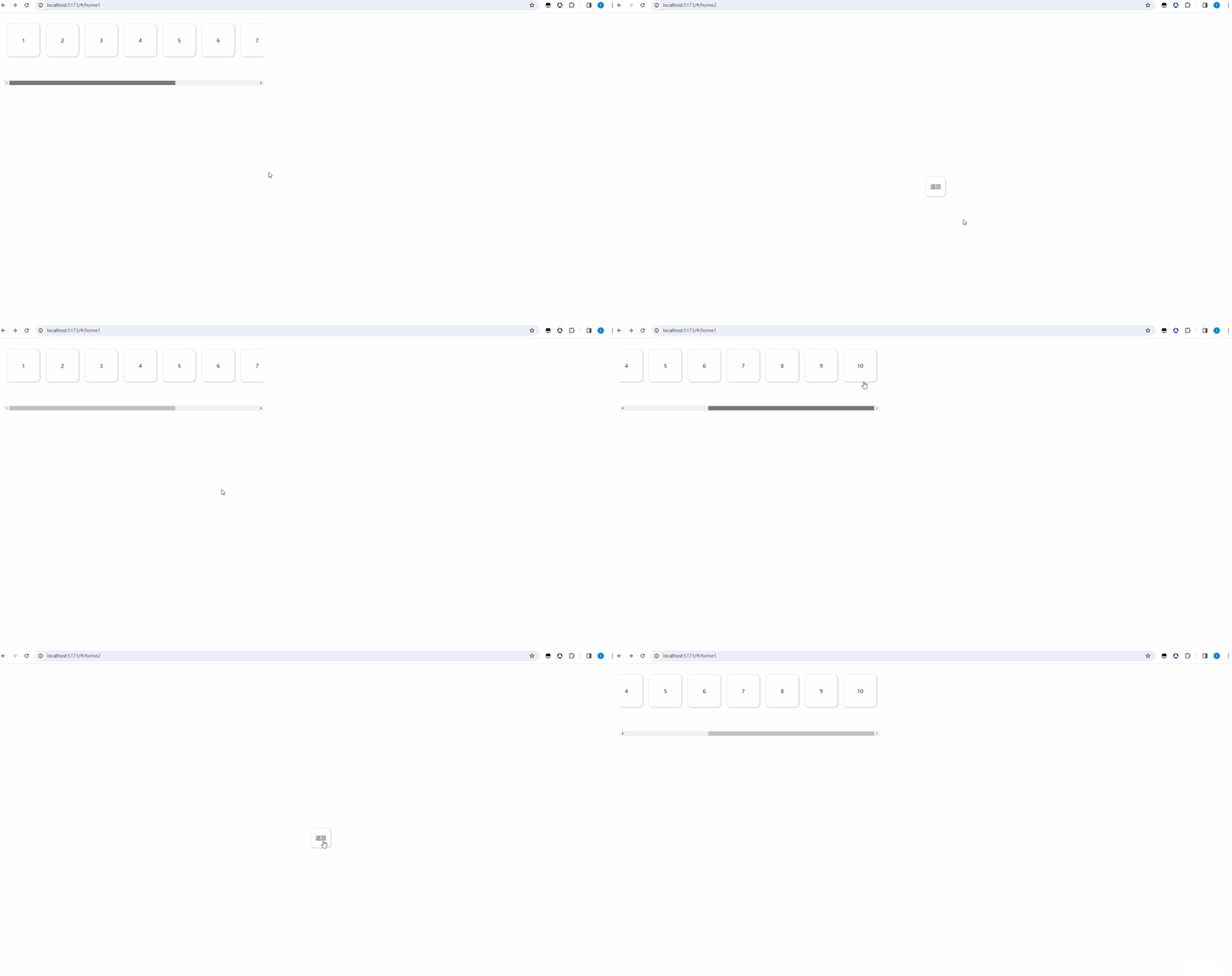
- vue-share-element 基于 Vue 的单界面路由动画跳转插件
- 使用共享元素的方式给路由跳转增加动画
安装
npm install vue-share-element一对一情况
A 页面 (pageA)
<template>
  <VueShareElement>
    <button @click="$router.push('/home2')">pageA</button>
  </VueShareElement>
</template>
<script lang="ts" setup>
import VueShareElement from "vue-share-element";
</script>
B 页面 (pageB)
<template>
  <VueShareElement>
    <button @click="$router.go(-1)">pageB</button>
  </VueShareElement>
</template>
<script lang="ts" setup>
import VueShareElement from "vue-share-element";
</script>
<style scoped>
/* 为了显示动画效果 */
button {
  position: absolute;
  bottom: 10px;
}
</style>
注意:
一对一代表:push 界面只包含一个子元素
接收界面的元素无论什么情况下,只能含一个
多对一情况
A 页面 (pageA)
<template>
  <VueShareElement class="list" ref="shareElementRef" @toPage="onToPage">
    <div v-for="item in 10" :key="item" :share="item" class="box">
      {{ item }}
    </div>
  </VueShareElement>
</template>
<script lang="ts" setup>
import { useRouter } from "vue-router";
import VueShareElement from "vue-share-element";
const router = useRouter();
function onToPage(el: HTMLElement) {
  console.log(el);
  router.push({ path: "/home2" });
}
</script>
<style scoped>
.list {
  display: flex;
  width: 800px;
  height: 200px;
  overflow: auto;
  margin: 24px;
}
.box {
  flex-shrink: 0;
  width: 100px;
  height: 100px;
  box-shadow: 1px 1px 5px rgba(128, 128, 128, 0.614);
  margin: 10px;
  border-radius: 12px;
  cursor: pointer;
  display: flex;
  align-items: center;
  justify-content: center;
}
</style>
B 页面 (pageB)
<template>
  <VueShareElement>
    <div class="box" @click="$router.go(-1)">返回</div>
  </VueShareElement>
</template>
<script lang="ts" setup>
import VueShareElement from "vue-share-element";
</script>
<style scoped>
.box {
  width: 60px;
  height: 60px;
  text-align: center;
  position: fixed;
  display: flex;
  align-items: center;
  justify-content: center;
  top: 50%;
  left: 50%;
  border-radius: 12px;
  box-shadow: 1px 1px 5px rgba(128, 128, 128, 0.614);
  margin: 10px;
  cursor: pointer;
}
</style>
注意:
- 接收界面是异步渲染的情况下,需要提前定型(提前设置好元素宽高)
- 注意 share 是唯一的,相当于 v-key,进行记录触发共享元素 key
- *如果在数据多出现滚动条情况下,滚动条一定在父容器上,如果是body或更上级挤出来的滚动条,位置会计算问题 (解决:限制VueShareElementVue的宽高,让滚动条在VueShareElementVue上,VueShareElementVue会自动计算位置)。
 {
  width: 100px;
  height: 300px;
  overflow: auto;
}
- 同一个界面中不能出现多个共享元素组件。
- 暂时共享元素与目标元素只有位置与宽高的过度,其他动画还需开发。
props 属性
- delay:设置动画延迟时间(默认:0.62 秒)
- zIndex: 设置动画层级(默认:2001)
- 子元素属性:
- share: 唯一标识
emit 函数
- setHooks(end:Function):添加生命周期
附
- 1.x.x:兼容 vue2,文档根据版本 README
- 2.x.x:兼容 vue3,文档根据版本 README
- 3.x.x:兼容 vue3+ts
- 4.x.x:兼容 vue3+ts 优化源码