
vue-upload-container
v0.1.9
Published
基于 Vue 的文件上传容器


Readme
Vue Upload Container
基于 Vue 的文件上传容器
📦 安装
$ npm i vue-upload-container -S🔨 使用
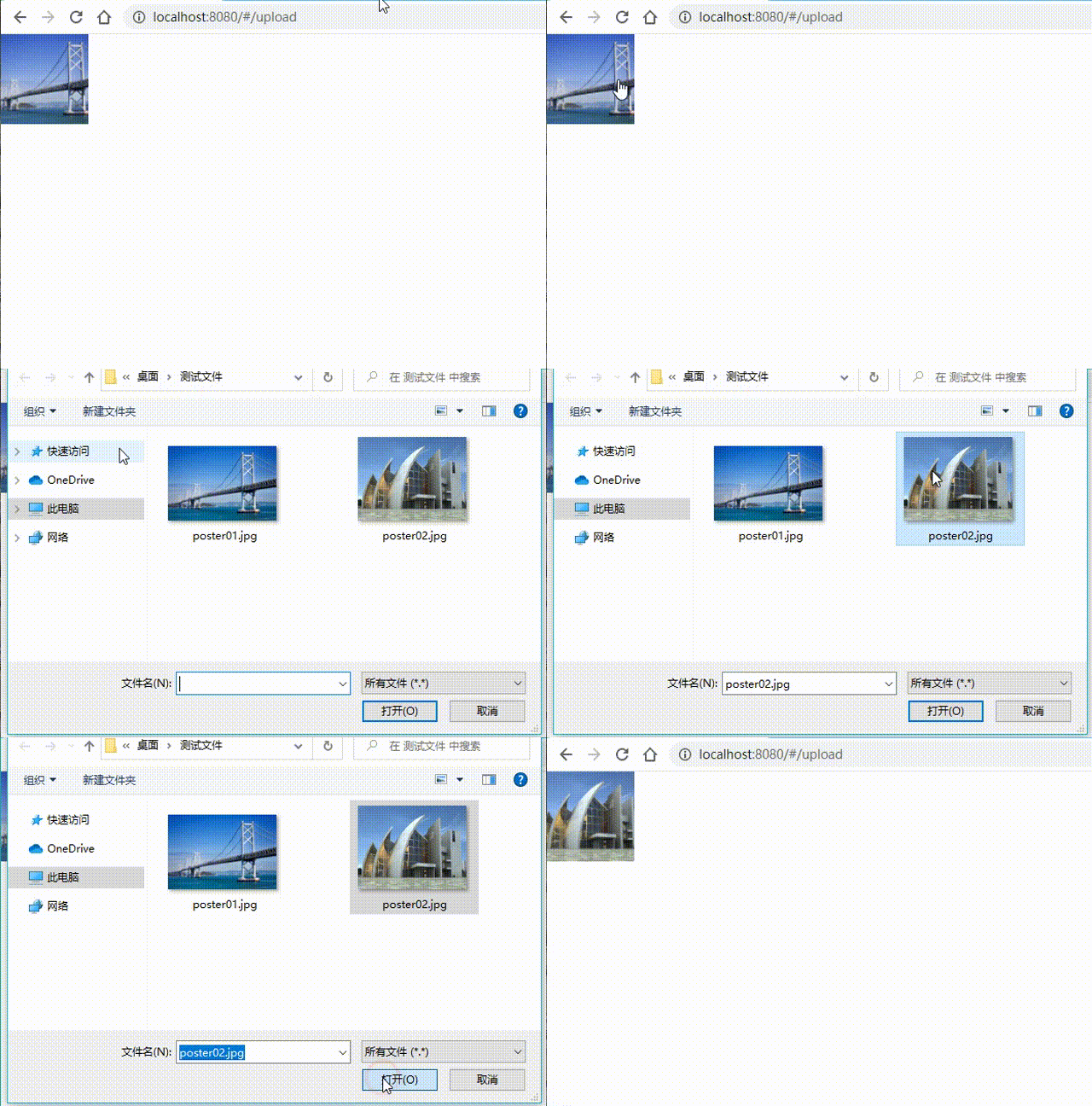
下面展示点击图片,弹窗选择新图片上传,替换原图片
<template>
  <div class="home">
    <UploadContainer
      :action="uploadUrl"
      :headers="{ Token: token }"
      :fileName="'icon'"
      :limit="1"
      :maxSize="1024 * 1024"
      :minSize="1024 * 10"
      :beforeSelectFile="beforeSelectFile"
      :beforeUploadAll="beforeUploadAll"
      :beforeUpload="beforeUpload"
      :onExceedLimit="onExceedLimit"
      :onExceedMinSize="onExceedMinSize"
      :onExceedMaxSize="onExceedMaxSize"
      :onChange="onChange"
      :onBegin="onBegin"
      :onProgress="onProgress"
      :onSuccess="onSuccess"
      :onError="onError"
    >
      <div
        class="img-area"
        :style="{ 'background-image': `url(${previewUrl})` }"
      ></div>
    </UploadContainer>
  </div>
</template>
...
📷 效果图
🔠 属性
| 属性名 | 类型 | 默认值 | 说明 | |------------|---------|----------|----------------------------| | disabled | Boolean | false | 点击本组件是否有效 | | action | String | - | 上传文件的后端服务地址 | | fileName | String | "file" | 文件对象对应的表单字段名 | | limit | Number | Infinity | 同一批次上传的文件个数限制 | | minSize | Number | 0 | 文件尺寸的最小限制 | | maxSize | Number | Infinity | 文件尺寸的最大限制 | | accept | String | - | 可接受的文件 MIME 类型 | | autoUpload | Boolean | true | 是否选好文件后就自动上传 | | headers | Object | {} | 设置上传的请求头部 | | extraData | Object | {} | 上传时附带的额外参数 |
🛠️ 方法
| 方法名 | 参数 | 说明 | |------------|:------------------------------:|------------------------------------------------------------------------------------------------------| | Upload | _ | 触发上传动作。当属性 autoUpload 为 false 时,需要调用本方法触发上传 | | ClearFiles | - | 清空选择的所有文件。其中一个作用是,调用本方法后,即使再次弹窗时选择同一文件, onChange 事件也会触发 | | SetFiles | 浏览器内置 File 类型的对象数组 | 手动设置需要上传的文件列表 |
🎣 钩子属性
| 函数名 | 参数 | 说明 | |------------------|-----------------------------------|---------------------------------------------------------------------------------------------------------------| | beforeSelectFile | - | 选择文件之前的钩子,返回 false 将不再弹窗选择文件 | | beforeUploadAll | files | 上传所有文件之前的钩子,返回 false 将会中止所有文件上传 | | beforeUpload | file, files | 上传单个文件之前的钩子,返回 false 将会中止单个文件上传;如果返回对象则对象本身会追加到 extraData 中 | | onExceedLimit | files | 超过上传文件的个数限制时的钩子 | | onExceedMinSize | files | 某个文件尺寸小于文件最小限制时的钩子 | | onExceedMaxSize | files | 某个文件尺寸大于文件最大限制时的钩子 | | onChange | files | 选择文件后的钩子 | | onBegin | file, cancel, extraData | 开始上传单个文件时的钩子,后于 beforeUpload,文件必定会开始上传;参数 cancel 为函数,调用 cancel() 会中止上传 | | onProgress | file, {percent, total}, extraData | 单个文件上传的进度钩子(上传过程中不断触发) | | onSuccess | result, file, extraData | 单个文件上传成功时的钩子 | | onError | err, file, extraData | 单个文件上传错误时的钩子 |