
watermelondb-studio
v0.2.6
Published
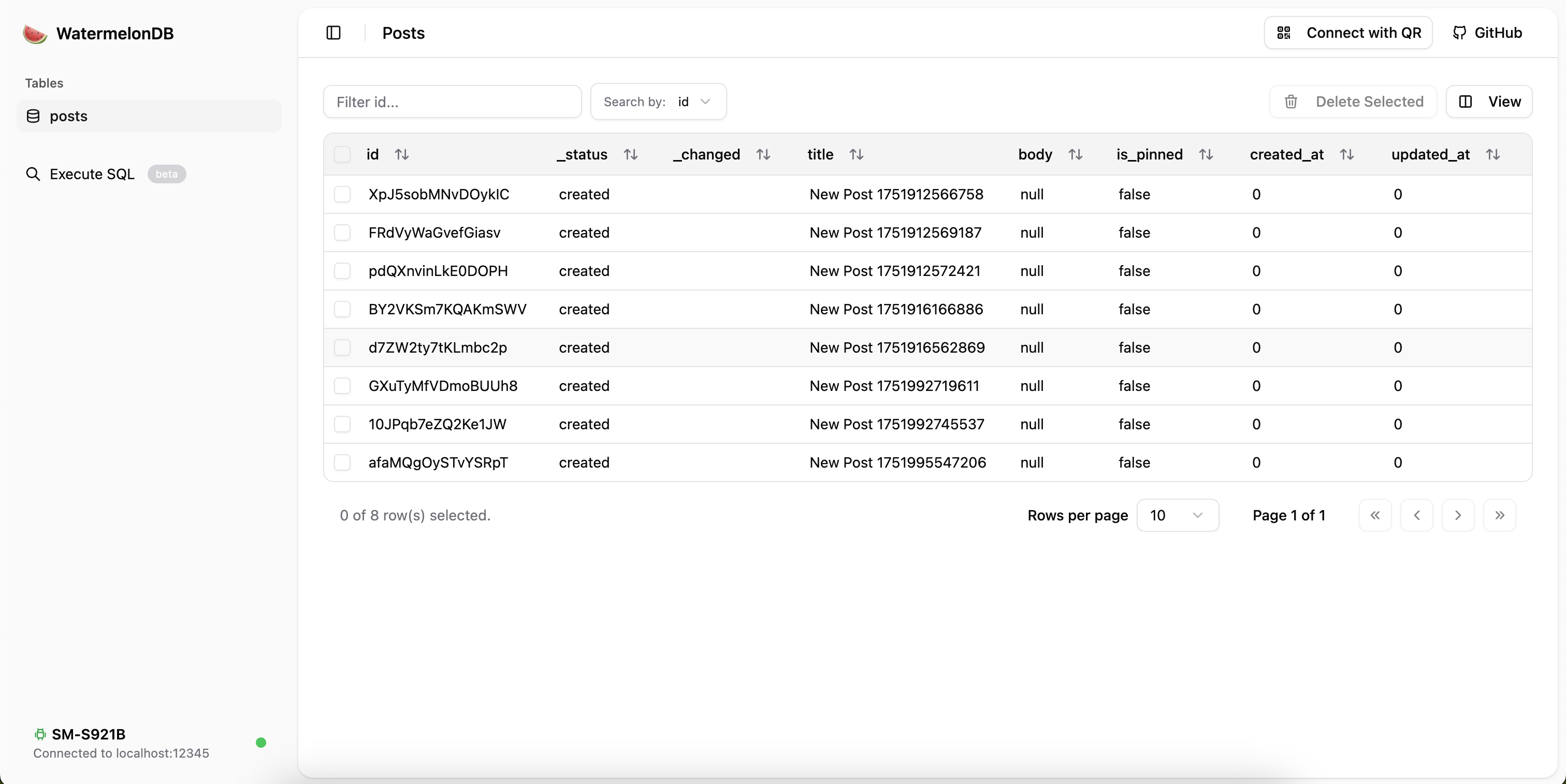
watermelon db on device server and web client for viewing and managing the db


Readme
🍉 WatermelonDB Studio
A developer tool for browsing and managing your WatermelonDB database directly from your device, inspired by tools like Flipper, but with no native client installation needed.
It provides an on-device server and a web-based client to view, query, and manage your database in real-time.
Features
- Live Database Inspection: Connect directly to your app's WatermelonDB instance on a running device or simulator.
- Wireless Connectivity: Works over your local Wi-Fi network, no USB cable required.
- QR Code Connection: A simple and fast connection process using your webcam to scan a QR code.
- Browse Tables: View and paginate through all the records in your tables.
- Raw SQL Queries: Run custom SQL queries against the database and see the results instantly.
- CRUD Operations: Create, Read, Update, and Delete records through the web interface.
- Expo & Bare React Native: Compatible with both major React Native development environments.
Installation & Setup
1. Install Package
yarn add watermelondb-studioor
npm install watermelondb-studio2. Install Peer Dependencies
This package relies on several peer dependencies which you need to install in your project:
@react-native-async-storage/async-storageexpo-deviceexpo-networkreact-native-svgreact-native-tcp-socket
You can install them all with one command:
yarn add @react-native-async-storage/async-storage expo-device expo-network react-native-svg react-native-tcp-socketor
npm install @react-native-async-storage/async-storage expo-device expo-network react-native-svg react-native-tcp-socketNote: You must already have
@nozbe/watermelondbinstalled and configured in your project.
This package itself contains no native code, which means it won't introduce new sources of native build errors. The native modules it relies on are the peer dependencies listed above, many of which may already be in your project.
3. Native Dependencies
If you are using a bare React Native project (not Expo), you will need to ensure the native modules for react-native-svg and react-native-tcp-socket are correctly linked.
Run npx pod-install for iOS. For Android, the autolinking should handle it, but please refer to the respective packages' documentation if you encounter any issues.
How It Works
WatermelonDB Studio has two parts:
- The In-App Component (
DebugProvider): You add this to your React Native app. It wraps your application and starts a small server that has direct access to your WatermelonDB instance. This server observes your database for any changes. - The Web Client: A separate web application that connects to your app's server. It receives a live stream of your data, reacting instantly to any changes in the app. This is done efficiently by sending only the data differences over an SSE (Server-Sent Events) connection, so you always have a real-time view of your database with minimal overhead.
Usage
1. Wrap Your App with DebugProvider
In your app's entry file (e.g., App.tsx), import the DebugProvider and wrap your root component. It's highly recommended to only enable it during development.
// App.tsx
import { DebugProvider } from 'watermelondb-studio';
import { database } from './path/to/your/db'; // 👈 Make sure to import your database instance

const App = () => (
  // The DebugProvider should be one of your top-level components
  <DebugProvider database={database} enabled={__DEV__}>
    {/* The rest of your app */}
  </DebugProvider>
);

export default App;
2. Run the Studio Client
In your project's root directory, run the following command in your terminal:
npx watermelondb-studioThis will start the web server and should automatically open the Studio client in your browser.
3. Connect to Your App
- With your React Native app running on a device or simulator, use a four-finger tap on the screen to open the debug overlay.
- Tap the "Start Server" button. The server status will change to "Running," and a QR code will appear.
- In the web client (in your browser), click the "Scan QR Code" button.
- Allow browser permissions for your webcam, and point it at the QR code displayed on your device's screen.
- The client will automatically connect, and you will see your database tables appear.
Alternatives
If you are not using WatermelonDB or are looking for other solutions, the ecosystem has some great tools.
- Drizzle ORM for Expo SQLite: If you're using Expo's built-in SQLite, Drizzle ORM offers what is arguably the best alternative toolset. It provides its own ORM, migration generation with
drizzle-kit, and a powerfuldrizzle-studiofor browsing your on-device database, making it a comprehensive solution.
Contributing
See the contributing guide to learn how to contribute to the repository and the development workflow.
License
MIT