
web-analytics-reporter
v0.3.5
Published
Send daily GA4 reports to Telegram from Node.js cron jobs, Vercel, GitHub Actions, Netlify, Railway, or Express.

Maintainers
 pntech20
Readme
Web Analytics Reporter



Website · npm · GitHub · Answers
Reusable GA4 analytics reports for Telegram, Node.js cron jobs, and multi-site website monitoring.
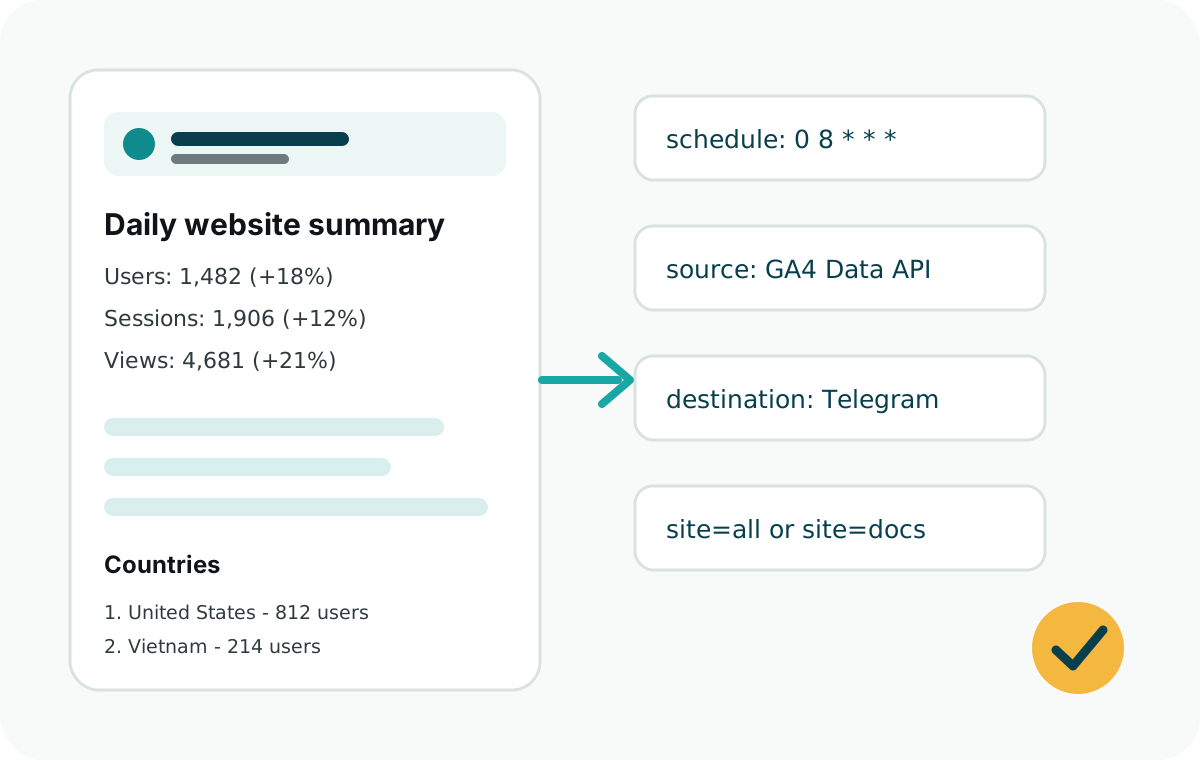
Use Web Analytics Reporter when you want a daily website summary in Telegram without opening Google Analytics every morning. It is small, dependency-free, and designed to be embedded in Node.js cron jobs, serverless functions, and scheduled workflows.
Contact: [email protected]
Features
- GA4 daily summaries with users, sessions, page views, countries, sources, pages, and custom events.
- Telegram delivery with one chat per site or a shared reporting chat.
- Platform-neutral runner plus Vercel Cron handler for scheduled reports.
- Examples for plain Node cron, GitHub Actions, Express, Netlify Functions, Railway, and Vercel.
- Multi-site configuration from one API endpoint.
- Browser helper for direct GA4 event tracking.
- TypeScript declarations for every public entry point.
- Secure-by-default cron authorization with
CRON_SECRET. - No runtime npm dependencies.
Guides
- GA4 Telegram report setup
- GA4 daily report to Telegram
- Google Analytics Telegram bot
- Google Analytics Data API Telegram report
- GA4 service account email rejected
- Node.js GA4 report
- GA4 report npm package
- Telegram website analytics report
- GA4 report from GitHub Actions
- GA4 report from Vercel Cron
- Multi-site GA4 reporting
Install
npm install web-analytics-reporterRequirements:
- Node.js 18 or later.
- A GA4 property.
- A Google service account with Viewer access to that GA4 property.
- A Telegram bot and chat ID.
Quick Start
The fastest setup path is the CLI initializer:
npx web-analytics-reporter initIt creates:
api/daily-summary.jsvercel.json.env.example
Then fill the generated environment variables in Vercel and preview the report:
https://example.com/api/daily-summary?secret=<CRON_SECRET>&dryRun=1Manual Setup
Create api/daily-summary.js in a Vercel project:
const {
  createVercelDailySummaryHandler,
  ga4Source,
  telegramDestination
} = require("web-analytics-reporter");

module.exports = createVercelDailySummaryHandler({
  secret: process.env.CRON_SECRET,
  source: ga4Source({
    clientEmail: process.env.GOOGLE_CLIENT_EMAIL,
    privateKey: process.env.GOOGLE_PRIVATE_KEY
  }),
  destination: telegramDestination({
    botToken: process.env.TELEGRAM_BOT_TOKEN
  }),
  timeZone: process.env.REPORT_TIME_ZONE || "UTC",
  sites: [
    {
      id: process.env.REPORT_SITE_ID || "marketing",
      name: process.env.REPORT_SITE_NAME || "Marketing Site",
      ga4PropertyId: process.env.GA4_PROPERTY_ID,
      telegramChatId: process.env.TELEGRAM_CHAT_ID
    }
  ]
});
Add vercel.json:
{
  "crons": [
    {
      "path": "/api/daily-summary",
      "schedule": "0 8 * * *"
    }
  ]
}
Test without sending a Telegram message:
https://example.com/api/daily-summary?secret=<CRON_SECRET>&dryRun=1Send a real report:
https://example.com/api/daily-summary?secret=<CRON_SECRET>You can also authorize with an HTTP header:
Authorization: Bearer <CRON_SECRET>Integrating Into an Existing Site
Package link: https://www.npmjs.com/package/web-analytics-reporter
Use this prompt with an AI coding agent when adding the package to an unfamiliar website codebase:
I want to integrate web-analytics-reporter into this website.

First, inspect the codebase and determine whether GA4 tracking is already installed.
Check for gtag.js, Google Tag Manager, Google Analytics scripts, a GA4 measurement ID
like G-XXXXXXXXXX, existing analytics utilities, and existing event tracking calls.

If GA4 tracking already exists:
- Do not add duplicate GA4 scripts.
- Keep the existing frontend tracking.
- Audit existing events by searching for gtag("event"), dataLayer.push, analytics
  wrappers, and click/form tracking utilities.
- Add only the backend daily report integration with web-analytics-reporter.
- Use GA4_PROPERTY_ID as the numeric GA4 property ID for reports.
- Do not confuse GA4_PROPERTY_ID with the frontend measurement ID.

If GA4 tracking does not exist:
- Add minimal GA4 frontend tracking using the site's existing conventions.
- Use the GA4 measurement ID only for frontend tracking.
- Track only important product or business actions, not every click.
- Then add the backend daily report integration.

Install from npm:
https://www.npmjs.com/package/web-analytics-reporter

Required backend env vars:
GA4_PROPERTY_ID=<numeric GA4 property id>
GOOGLE_CLIENT_EMAIL=<service account email>
GOOGLE_PRIVATE_KEY=<service account private key>
TELEGRAM_BOT_TOKEN=<telegram bot token>
TELEGRAM_CHAT_ID=<telegram chat id>

Optional frontend env var, only if adding browser GA4 tracking:
GA4_MEASUREMENT_ID=<GA4 measurement id like G-XXXXXXXXXX>

Optional display env vars:
REPORT_SITE_NAME=<site name>
REPORT_TIME_ZONE=<IANA timezone>

If REPORT_SITE_NAME is missing, infer a readable name from the app name, package
name, site title, or domain. Fall back to "Website".
If REPORT_TIME_ZONE is missing, infer it from existing app, business, user, or
deployment timezone settings. Fall back to "UTC".

Protect public report endpoints with CRON_SECRET.
Never expose Google private keys or Telegram bot tokens to frontend code.

After implementation:
- Run the project's tests/build/lint.
- Update .env.example.
- Explain whether GA4 tracking already existed or was added.
- Explain which events are already tracked and which new events were added.
- Explain which value is the GA4 measurement ID and which value is the GA4 property ID.
Environment Variables
Copy .env.example and fill in your real values.
Single-site setup
# Backend report, required.
CRON_SECRET=
GA4_PROPERTY_ID=
GOOGLE_CLIENT_EMAIL=
GOOGLE_PRIVATE_KEY=
TELEGRAM_BOT_TOKEN=
TELEGRAM_CHAT_ID=

# Frontend tracking, optional.
GA4_MEASUREMENT_ID=

# Report display, optional.
REPORT_SITE_ID=
REPORT_SITE_NAME=
REPORT_TIME_ZONE=
Variable reference
| Variable | Required | Used for |
| --- | --- | --- |
| GA4_PROPERTY_ID | Yes for backend reports | Numeric GA4 property ID that the report reads from. This is not the G-XXXXXXXXXX measurement ID. |
| GA4_MEASUREMENT_ID | Optional, frontend only | GA4 measurement ID used only if the website sends page views or browser events with the optional browser helper. |
| GOOGLE_CLIENT_EMAIL | Yes | Service account email from the Google Cloud JSON key. |
| GOOGLE_PRIVATE_KEY | Yes | Service account private key. Escaped \n newlines are supported. |
| TELEGRAM_BOT_TOKEN | Yes | Telegram bot token from BotFather. |
| TELEGRAM_CHAT_ID | Yes | Telegram direct chat, group, or channel ID where the report is sent. |
| CRON_SECRET | Endpoint only | Long random secret required by exposed HTTP handlers such as Vercel, Express, and Netlify. |
| REPORT_SITE_ID | Optional | Stable internal ID used to select one site with ?site=<id>. |
| REPORT_SITE_NAME | Optional | Display name shown in the Telegram report. |
| REPORT_TIME_ZONE | Optional | IANA time zone used for report dates, for example UTC, Asia/Ho_Chi_Minh, or America/New_York. |
GA4_PROPERTY_ID is different from a GA4 measurement ID:
GA4_PROPERTY_ID=537718780
GA4_MEASUREMENT_ID=G-6NY9DKY6DW
Use GA4_PROPERTY_ID for scheduled backend reports. Use GA4_MEASUREMENT_ID only on
the website when sending page views or browser events into GA4. The report runner does
not read GA4_MEASUREMENT_ID; it reads existing GA4 data through GA4_PROPERTY_ID.
Never commit these values. Store them in your deployment platform, GitHub Actions secrets, Railway variables, Netlify environment variables, or local secret manager.
You can create the starter files at any time:
npx web-analytics-reporter init --site-name "Marketing Site" --time-zone UTCGA4 Setup
- Enable the Google Analytics Data API in Google Cloud.
- Create a service account.
- Create a JSON key for that service account.
- Add the service account email as Viewer in the GA4 property.
- Store the service account email in
GOOGLE_CLIENT_EMAIL. - Store the private key in
GOOGLE_PRIVATE_KEY.
If your private key is stored in an environment variable with escaped newlines, the package
normalizes \n automatically.
If GA4 rejects the service account email
Some Google Analytics UI screens only accept regular Google Account emails and may reject service account addresses such as:
[email protected]Before changing the key, confirm you are granting access to the correct GA4 property. Use the numeric property ID from the target website, not another property in the same account.
If the UI still rejects the email, add the service account with the Google Analytics Admin API instead:
- Open
properties.accessBindings.createin the Google Analytics Admin API explorer. - Set
parentto your property, for example:
properties/123456789- Use this request body:
{
  "user": "[email protected]",
  "roles": [
    "predefinedRoles/viewer"
  ]
}- Execute the request while signed in with a Google account that has Administrator access to that GA4 property.
After the request succeeds, the service account can read reports for that property with Viewer access.
Multiple Sites
Configure multiple sites in one handler or runner call:
sites: [
  {
    id: "marketing",
    name: "Marketing Site",
    ga4PropertyId: "111111111",
    telegramChatId: process.env.TELEGRAM_CHAT_ID
  },
  {
    id: "docs",
    name: "Docs",
    ga4PropertyId: "222222222",
    telegramChatId: process.env.DOCS_TELEGRAM_CHAT_ID
  }
]
The package loops through the sites array. For each site, it reads that site's
ga4PropertyId, formats a separate report with that site's name, and sends it to
that site's telegramChatId.
Use one shared service account only if it has Viewer access to every GA4 property:
GOOGLE_CLIENT_EMAIL=ga4-report-reader@your-project.iam.gserviceaccount.com
GOOGLE_PRIVATE_KEY="-----BEGIN PRIVATE KEY-----\n...\n-----END PRIVATE KEY-----\n"

MARKETING_GA4_PROPERTY_ID=111111111
MARKETING_TELEGRAM_CHAT_ID=123456789

DOCS_GA4_PROPERTY_ID=222222222
DOCS_TELEGRAM_CHAT_ID=987654321
Then map those variables in code:
sites: [
  {
    id: "marketing",
    name: "Marketing Site",
    ga4PropertyId: process.env.MARKETING_GA4_PROPERTY_ID,
    telegramChatId: process.env.MARKETING_TELEGRAM_CHAT_ID
  },
  {
    id: "docs",
    name: "Docs",
    ga4PropertyId: process.env.DOCS_GA4_PROPERTY_ID,
    telegramChatId: process.env.DOCS_TELEGRAM_CHAT_ID
  }
]
Report one site:
/api/daily-summary?site=marketing&secret=<CRON_SECRET>Report every configured site:
/api/daily-summary?site=all&secret=<CRON_SECRET>Non-Vercel Usage
Vercel is only one adapter. For any Node.js runtime, call runDailySummary() directly:
const {
  ga4Source,
  runDailySummary,
  telegramDestination
} = require("web-analytics-reporter");

async function main() {
  const result = await runDailySummary({
    dryRun: process.argv.includes("--dry-run"),
    source: ga4Source({
      clientEmail: process.env.GOOGLE_CLIENT_EMAIL,
      privateKey: process.env.GOOGLE_PRIVATE_KEY
    }),
    destination: telegramDestination({
      botToken: process.env.TELEGRAM_BOT_TOKEN
    }),
    timeZone: process.env.REPORT_TIME_ZONE || "UTC",
    sites: [
      {
        id: process.env.REPORT_SITE_ID || "default",
        name: process.env.REPORT_SITE_NAME || "Website",
        ga4PropertyId: process.env.GA4_PROPERTY_ID,
        telegramChatId: process.env.TELEGRAM_CHAT_ID
      }
    ]
  });

  console.log(JSON.stringify(result, null, 2));
}

main().catch((error) => {
  console.error(error);
  process.exit(1);
});
Schedule that script with the platform you already use:
- Plain Node cron:
examples/node/daily-summary.js - GitHub Actions schedule:
examples/github-actions/daily-summary.yml - Express route:
examples/express/server.js - Netlify Function:
examples/netlify/functions/daily-summary.js - Railway scheduled job:
examples/railway/daily-summary.js - Vercel Cron:
examples/vercel/daily-summary.js
Custom Events
Default event labels:
download_clickedguide_clickedsupport_clickedexternal_link_clicked
Override them globally:
eventLabels: {
  signup_clicked: "Signup clicks",
  checkout_started: "Checkout starts"
}
Or per site:
{
  id: "app",
  name: "App",
  ga4PropertyId: "123456789",
  telegramChatId: process.env.TELEGRAM_CHAT_ID,
  eventLabels: {
    signup_clicked: "Signup clicks"
  }
}
Browser GA4 Helper
The browser helper is optional. You can use your own frontend tracking and only use this package for scheduled reports.
This is the only package feature that needs a GA4 measurement ID such as
G-XXXXXXXXXX. It is frontend tracking code. It is separate from the backend daily
report, which uses the numeric GA4_PROPERTY_ID.
If your frontend reads environment variables, use GA4_MEASUREMENT_ID or your
framework's public equivalent, such as NEXT_PUBLIC_GA4_MEASUREMENT_ID or
VITE_GA4_MEASUREMENT_ID.
<script src="/vendor/web-analytics-reporter/browser.js"></script>
<script>
  WebAnalyticsReporter.initGA4("G-XXXXXXXXXX");
  WebAnalyticsReporter.installLinkEventTracking({
    resolveEventName: function (context) {
      if (context.url.pathname.indexOf("/downloads/") === 0) return "download_clicked";
      if (context.url.pathname.indexOf("/guides/") === 0) return "guide_clicked";
      return null;
    }
  });
</script>
Choosing Events to Report
The daily Telegram report can include custom GA4 events, but the package can only report events that GA4 already receives.
If the site already has GA4 tracking:
- Search the codebase for
gtag("event"),gtag('event'),dataLayer.push,analytics.track, and local analytics helper functions. - Check GA4 Admin > Events, Realtime, or DebugView to confirm which events are actually arriving.
- Do not duplicate existing events. Add the existing event names to
eventLabels. - Add new tracking only for missing high-value actions.
If the site does not have GA4 tracking:
- Add basic page view tracking with the site's GA4 measurement ID.
- Track a small set of useful actions, for example
download_clicked,signup_clicked,pricing_clicked,checkout_started,support_clicked,guide_clicked, orexternal_link_clicked. - Use stable snake_case event names.
- Add matching
eventLabelsto the backend report config.
Example report labels:
eventLabels: {
  download_clicked: "Downloads",
  signup_clicked: "Signup clicks",
  pricing_clicked: "Pricing clicks",
  support_clicked: "Support clicks"
}
API
const {
  buildDailySummaryMessage,
  createVercelDailySummaryHandler,
  ga4Source,
  runDailySummary,
  telegramDestination
} = require("web-analytics-reporter");
Subpath exports:
require("web-analytics-reporter/core");
require("web-analytics-reporter/ga4");
require("web-analytics-reporter/runner");
require("web-analytics-reporter/telegram");
require("web-analytics-reporter/vercel");
require("web-analytics-reporter/browser");
Security
- The Vercel handler requires
CRON_SECRETby default. - Use a long random secret.
- Prefer
Authorization: Bearer <CRON_SECRET>for manual calls. - Keep Google service account keys and Telegram tokens out of source control.
- Grant the service account Viewer access only to the GA4 properties it needs.
- Rotate any leaked service account key or Telegram bot token immediately.
- Use
dryRun=1to verify reports before sending messages.
Development
npm test
npm run check
npm run site:check
npm run pack:check
The package is build-free CommonJS for now. That keeps deployment simple in Node.js cron jobs, Vercel API functions, and other serverless runtimes.
Roadmap
- Slack destination.
- Email destination.
- Discord destination.
- Generic webhook destination.
- PostHog source.
- Plausible source.
- Next.js route handler adapter.
- Cloudflare Workers adapter.
License
MIT