webhook-chatbot
v1.0.3
Published
群聊机器人消息推送,支持钉钉和企业微信

Maintainers
 starryeve
Readme
Webhook Chatbot



群聊机器人消息推送,目前支持企业微信和钉钉。(在官方文档的示例上做了一些封装,方便嵌入项目中使用)
使用
安装
npm install webhook-chatbot快速开始
import { DingRobot, WXRobot } from 'webhook-chatbot'

// 或
// const { DingRobot, WXRobot } from 'webhook-chatbot'

const wxRobot = new WXRobot({
  webhook:
   'xxx'
})

const ddRobot = new DingRobot({
  webhook:
   'xxx',
  secret: 'xx' // 可选参数
})
企业微信
1. 发送文本
const txtRes = await wxRobot.text({
  content: '今天月色真美!\n啊,我的意思是,你健康打卡了吗❓'
})
console.log(txtRes)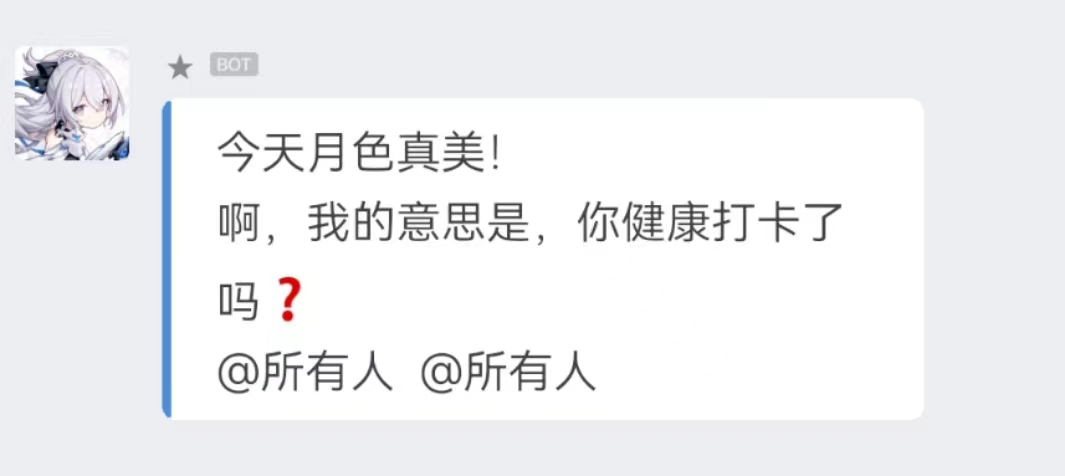
2. 发送 markdown
const mdRes = await wxRobot.markdown({
  content: `
> 【报错项目】yl-club
> 【错误级别】error
> 【错误时间】${new Date().toLocaleDateString()}
> 【错误原因】api request error
> 【错误详情】[click here to view](https://sentry.io/xxx)`
})
console.log(mdRes);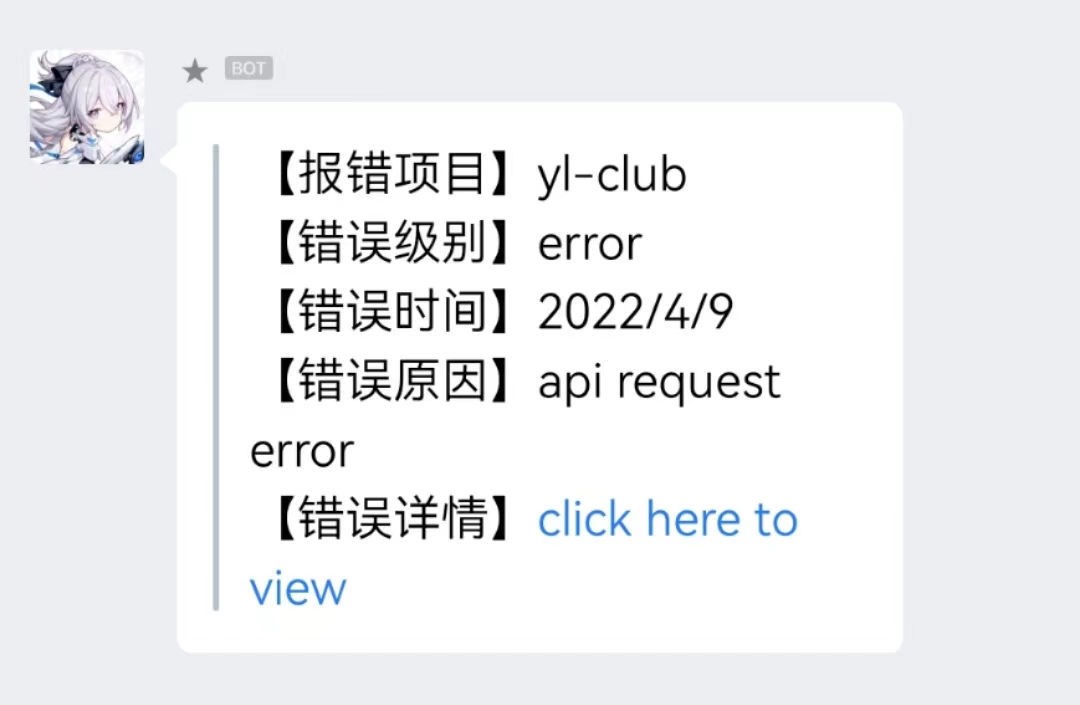
3. 发送图片
const { md5res, base64 } = formatImg(path.join(__dirname, './assets/img.jpg')) // 需要将图片处理成文档要求的格式
const imgRes = await wxRobot.image({
  base64: base64,
  md5: md5res
})
console.log(imgRes);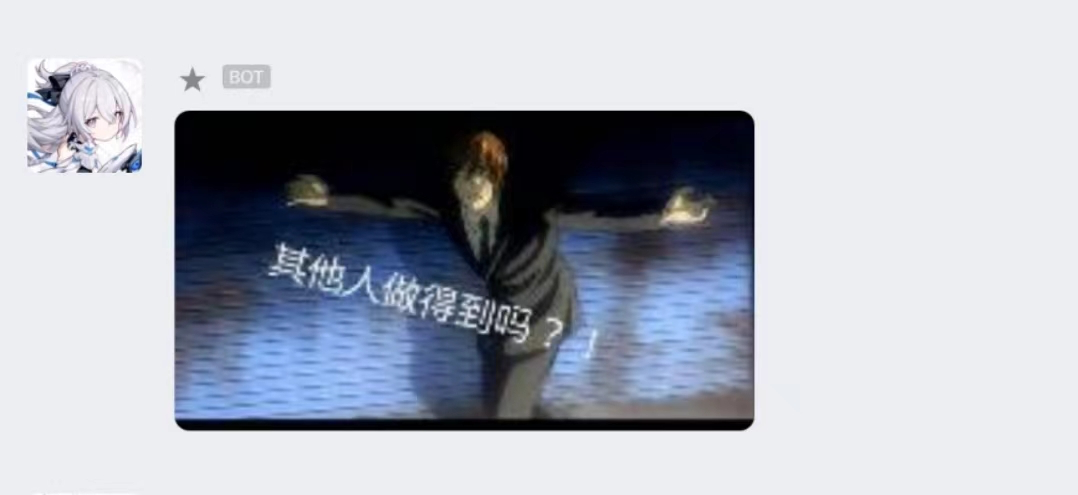
4. 发送图文
const res = await wxRobot.news({
  articles: [
    {
      title: '中秋节礼品领取',
      description: '今年中秋节公司有豪礼相送',
      url: 'www.qq.com',
      picurl:
      'http://res.mail.qq.com/node/ww/wwopenmng/images/independent/doc/test_pic_msg1.png'
    }
  ]
})
5. 发送文件
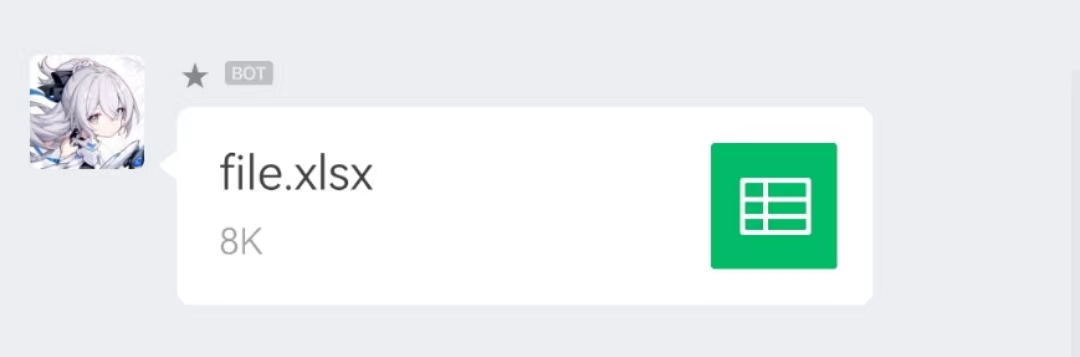
const media_id = await uploadFile( // 需要先调用官方提供的上传文件接口,获得 media_id
  path.join(__dirname, './assets/file.xlsx'),
  key
)
const fileRes = await wxRobot.file({
  media_id
})
console.log(fileRes);
6. 其他类型
企业微信机器人还支持模板卡片类型的消息格式,但因为实际使用比较少,就没有对其进行封装,但也还是可以通过保留的 send 方法,参照文档进行发送。
具体配置还请参考:https://developer.work.weixin.qq.com/document/path/91770
const cardRes = await wxRobot.send({
  msgtype: 'template_card',
  template_card: {
    card_type: 'text_notice',
    source: {
      icon_url:
      'https://wework.qpic.cn/wwpic/252813_jOfDHtcISzuodLa_1629280209/0',
      desc: '企业微信',
      desc_color: 0
    },
    main_title: {
      title: '欢迎使用企业微信',
      desc: '您的好友正在邀请您加入企业微信'
    },
    emphasis_content: {
      title: '100',
      desc: '数据含义'
    },
    quote_area: {
      type: 1,
      url: 'https://work.weixin.qq.com/?from=openApi',
      appid: 'APPID',
      pagepath: 'PAGEPATH',
      title: '引用文本标题',
      quote_text: 'Jack:企业微信真的很好用~\nBalian:超级好的一款软件!'
    },
    sub_title_text: '下载企业微信还能抢红包!',
    horizontal_content_list: [
      {
        keyname: '邀请人',
        value: '张三'
      },
      {
        keyname: '企微官网',
        value: '点击访问',
        type: 1,
        url: 'https://work.weixin.qq.com/?from=openApi'
      },
      {
        keyname: '企微下载',
        value: '企业微信.apk',
        type: 2,
        media_id: 'MEDIAID'
      }
    ],
    jump_list: [
      {
        type: 1,
        url: 'https://work.weixin.qq.com/?from=openApi',
        title: '企业微信官网'
      },
      {
        type: 2,
        appid: 'APPID',
        pagepath: 'PAGEPATH',
        title: '跳转小程序'
      }
    ],
    card_action: {
      type: 1,
      url: 'https://work.weixin.qq.com/?from=openApi',
      appid: 'APPID',
      pagepath: 'PAGEPATH'
    }
  }
})
console.log(cardRes);
钉钉
1. 发送文本
 const txtRes = await ddRobot.text({
    content: '你今天健康打卡了吗❓',
    at: {
      atMobiles:[
          "xxx"
      ],
      atUserIds:[
          "xxx"
      ],
      isAtAll: true
    },
  })
  console.log(txtRes)
2. 发送 markdown
  const mdRes = await ddRobot.markdown({
    title: 'From Sentry',
    text: `
> 【报错项目】yl-club
>
> 【错误级别】error
>
> 【错误时间】${new Date().toLocaleDateString()}
>
> 【错误原因】api request error
>
> 【错误详情】[click here to view](https://sentry.io/xxx)`
  })
 console.log(mdRes)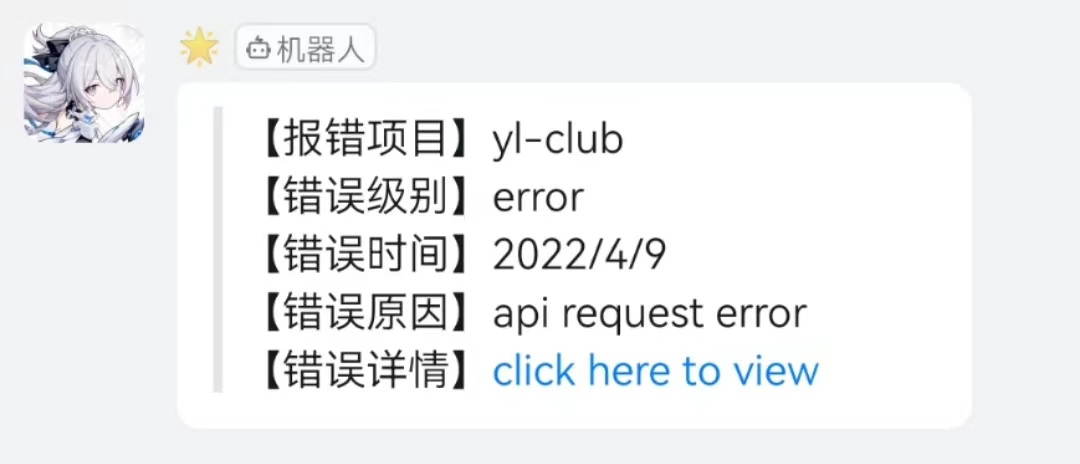
3. 发送链接
  const linkRes = await ddRobot.link({
    title: '你的周报请查收',
    text: '来看看这周有什么好玩的😍',
    messageUrl: 'https://news.ycombinator.com/',
    picUrl: 'https://raw.githubusercontent.com/starryeve/figure-bed/master/images/202204091627258.png'
  })
  console.log(linkRes);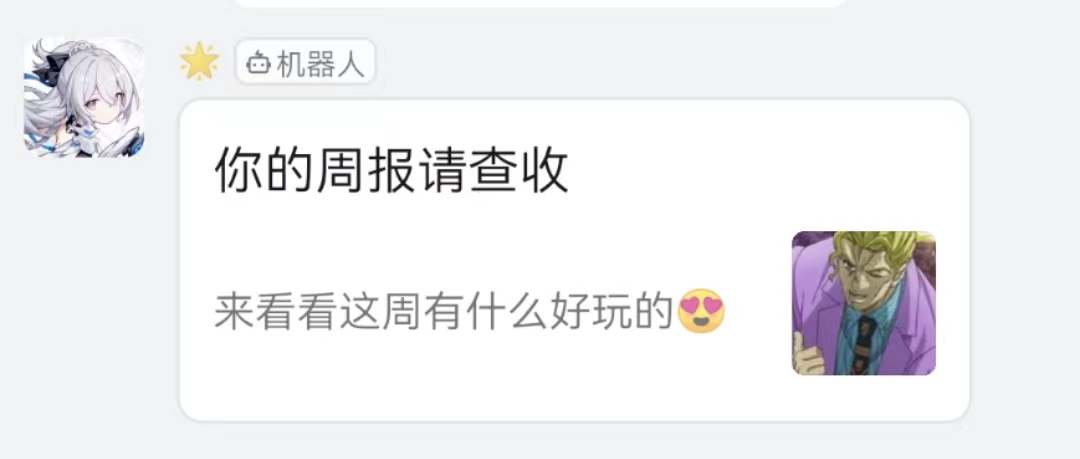
4. 发送整体跳转卡片
const eCardRes = await ddRobot.entireActionCard({
title: "乔布斯 20 年前想打造一间苹果咖啡厅,而它正是 Apple Store 的前身",
text: `
### 乔布斯 20 年前想打造的苹果咖啡厅
Apple Store 的设计正从原来满满的科技感走向生活化,而其生活化的走向其实可以追溯到 20 年前苹果一个建立咖啡馆的计划`,
btnOrientation: "0",
singleTitle : "阅读全文",
singleURL : "https://www.dingtalk.com/"
})
console.log(eCardRes);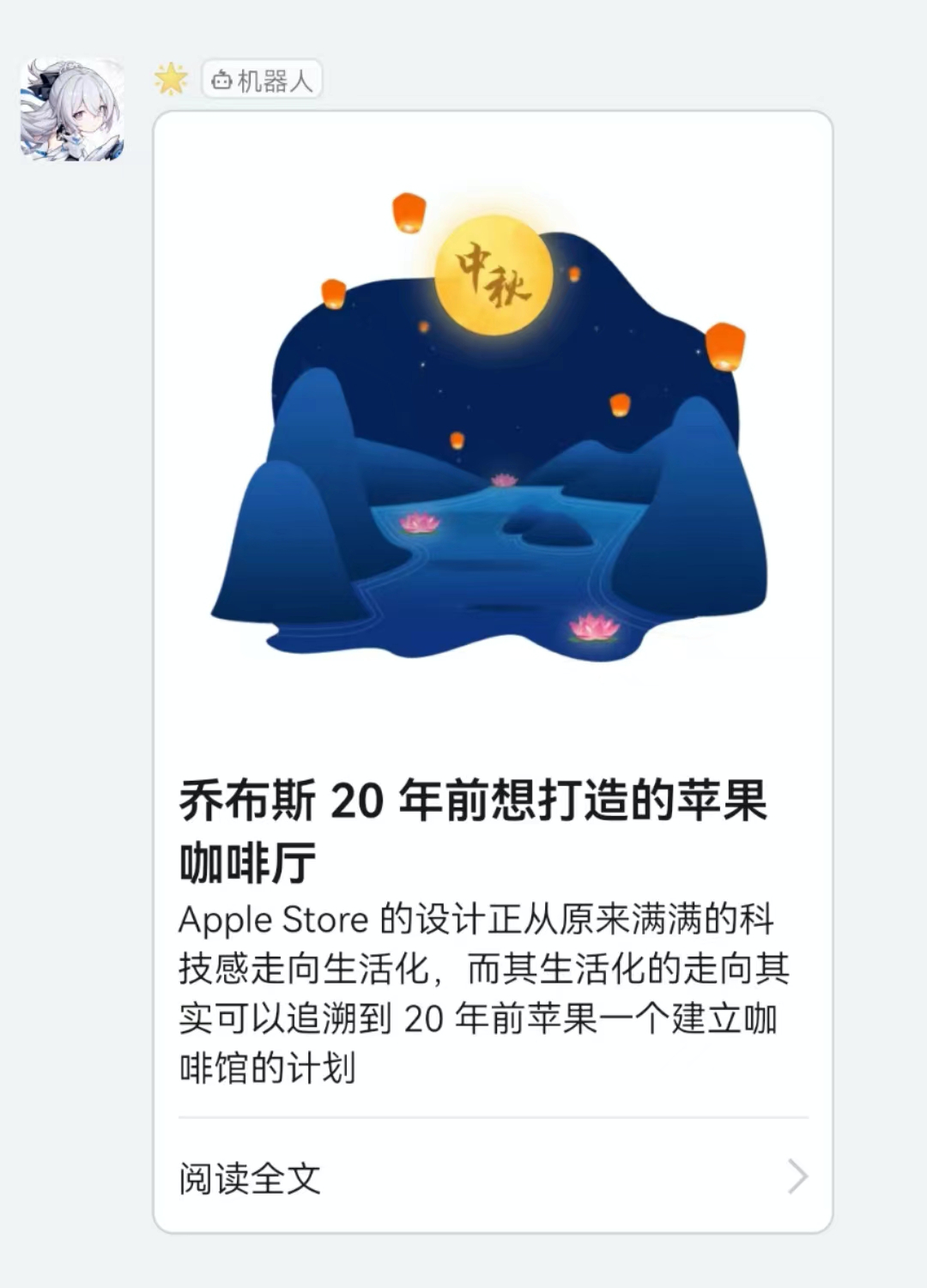
5. 发送独立跳转卡片
const sCardRes = await ddRobot.singleActionCard({
title: "我 20 年前想打造一间苹果咖啡厅,而它正是 Apple Store 的前身",
text: ` \n\n #### 乔布斯 20 年前想打造的苹果咖啡厅 \n\n Apple Store 的设计正从原来满满的科技感走向生活化,而其生活化的走向其实可以追溯到 20 年前苹果一个建立咖啡馆的计划`,
btnOrientation: "0",
btns: [
{
title: "内容不错",
actionURL: "https://www.dingtalk.com/"
},
{
title: "不感兴趣",
actionURL: "https://www.dingtalk.com/"
}
]
})
console.log(sCardRes);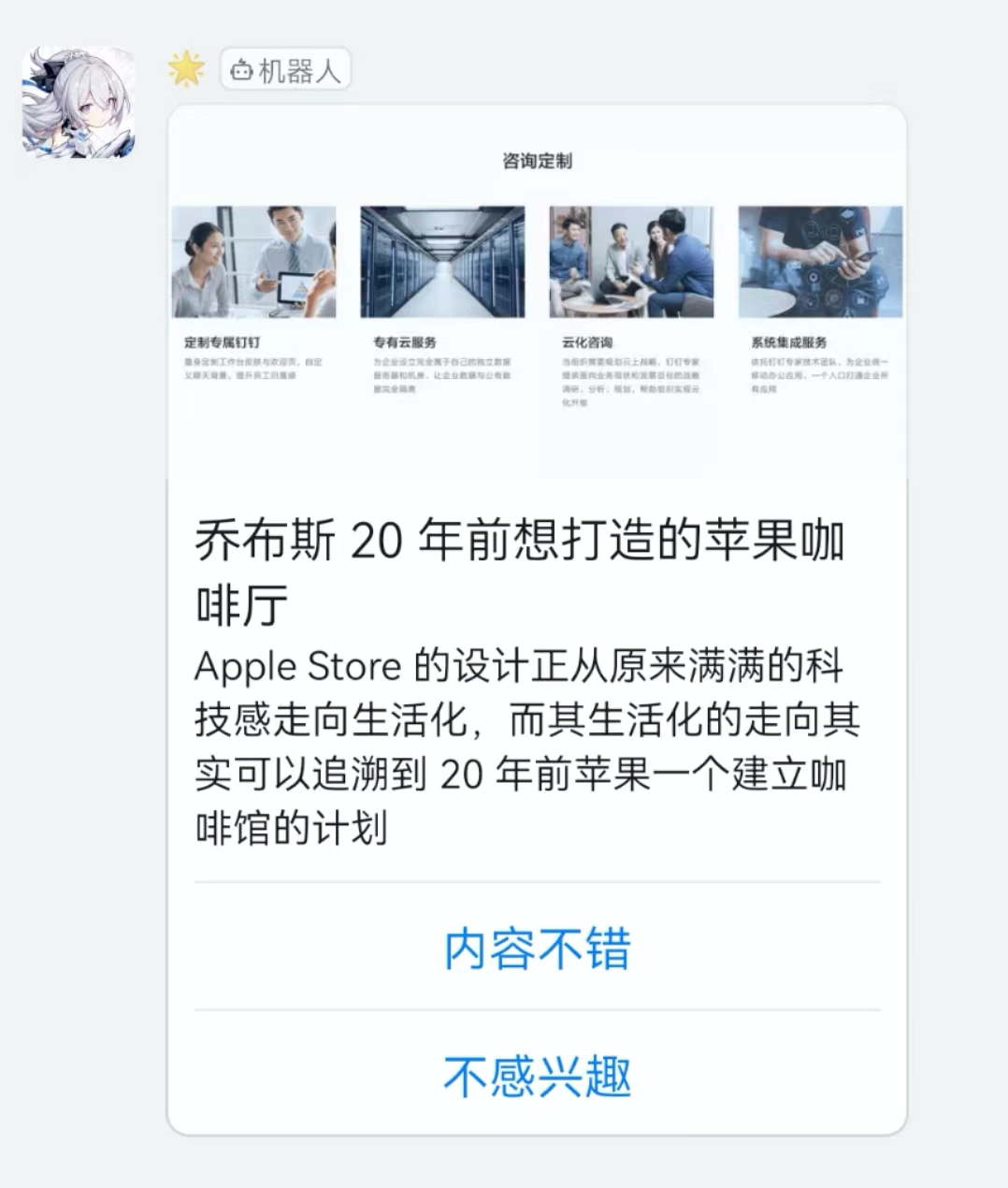
6. 发送信息流卡片
  const feedRes = await ddRobot.feedCard({
    links: [
      {
          title: "时代的火车向前开1",
          messageURL: "https://www.dingtalk.com/",
          picURL: "https://img.alicdn.com/tfs/TB1NwmBEL9TBuNjy1zbXXXpepXa-2400-1218.png"
      },
      {
          title: "时代的火车向前开2",
          messageURL: "https://www.dingtalk.com/",
          picURL: "https://img.alicdn.com/tfs/TB1NwmBEL9TBuNjy1zbXXXpepXa-2400-1218.png"
      }
  ]
  })
  console.log(feedRes);