
webhook-relay-cli
v1.0.1
Published
Receive webhooks on a Cloudflare Worker and relay them to your local app — listen, replay, and a live TUI.
Downloads
340

Maintainers
 ali-932
Readme
webhook-relay
Receive webhooks on a Cloudflare Worker, then pull them down to your local app — no public tunnel, no inbound ports.


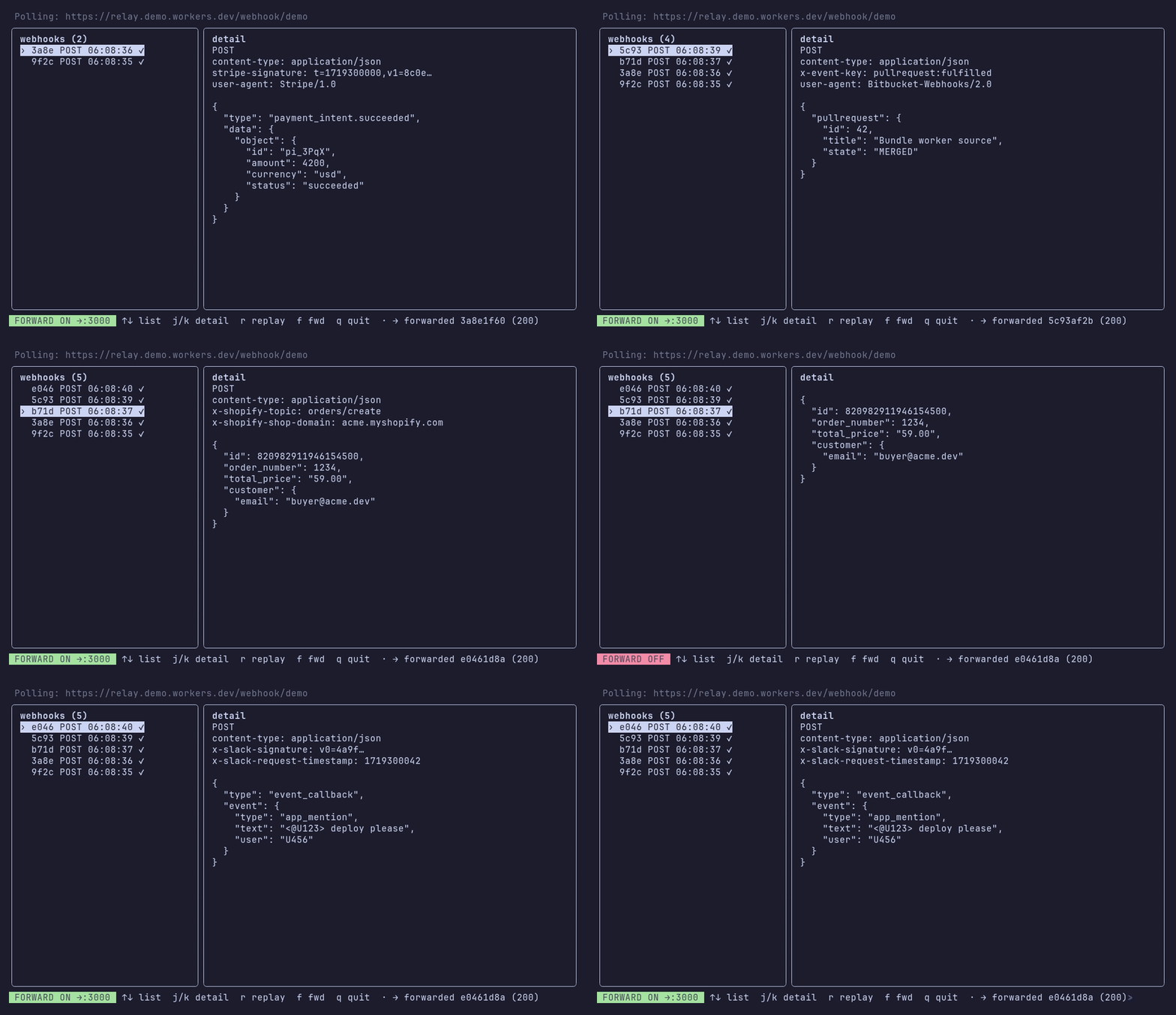
A live terminal UI (k9s-style) to watch, inspect, replay, and auto-forward webhooks as they arrive.
provider ──POST──▶ Cloudflare Worker (stores in D1)
                          ▲
                          │ poll
                     relay CLI ──forward──▶ http://localhost:<port>
Two parts: a CLI (published to npm) and a Worker you self-host on your own Cloudflare account. Each user runs their own Worker, so the stored webhooks are yours alone.
1. Install the CLI
npm i -g webhook-relay-cli2. Deploy the Worker (one time)
You need a free Cloudflare account. Then:
relay deployrelay deploy logs you in (opens your browser once), creates your own D1
database, deploys the Worker to your account, and saves its URL + a token to
~/.webhook-relay/config.json. The Worker creates its own table on the first
request — no migration step. Re-run it any time; it reuses your database.
cd worker
wrangler login
wrangler d1 create webhook-relay-db
# → paste the printed `database_id` into worker/wrangler.toml (it ships empty)
wrangler deploy
# → note the URL it prints, then run: relay init   (paste that URL)
The token is just a name that separates your webhook streams. Override the saved
config any time with relay init.
3. Point your provider at the Worker
Configure the webhook sender (GitHub, Stripe, etc.) to POST to:
https://webhook-relay.<you>.workers.dev/webhook/<your-token>4. Receive locally
relay tui --port 3000 # live UI: watch, inspect, replay, auto-forwardCommands
| Command | What it does |
|---------|--------------|
| relay deploy | Provision D1 + deploy the Worker, save its URL to config (run from a repo clone) |
| relay init | Save Worker URL + token to ~/.webhook-relay/config.json |
| relay status | Print the current config and its path |
| relay tui --port <n> | Live TUI — auto-forwards to localhost:<n>; press s to edit worker/token |
| relay listen --port <n> | Poll + forward, no UI |
| relay list | List stored webhooks |
| relay replay <id> --port <n> | Re-send one stored webhook to localhost |
| relay purge [--yes] | Delete all stored webhooks from your Worker (irreversible) |
Most commands accept --worker <url> / --token <t> to override the saved
config.
License
MIT — see LICENSE.