
webrtc-bg-modifier
v1.0.31
Published
A package for modifying the background of WebRTC video streams using MediaPipe Selfie Segmentation.


Readme
WebrtcBgModifier
WebrtcBgModifier is a JavaScript class for modifying the background of a WebRTC video stream. It allows for changing backgrounds with either images or colors, adjusting brightness and contrast, and applying a grayscale effect. This tool can be used to enhance video calls by replacing the background dynamically in real-time.
Features
- Change Background: Set a custom background image or color.
- Adjust Video Properties: Modify brightness, contrast, and grayscale effects.
- WebRTC Stream Compatibility: Works with existing WebRTC video streams.
- Segmentation-based Background Replacement: Uses segmentation to replace video backgrounds while maintaining the subject's clarity.
- Dynamic Updates: Replace video tracks dynamically in the stream.
Installation
npm install webrtc-bg-modifier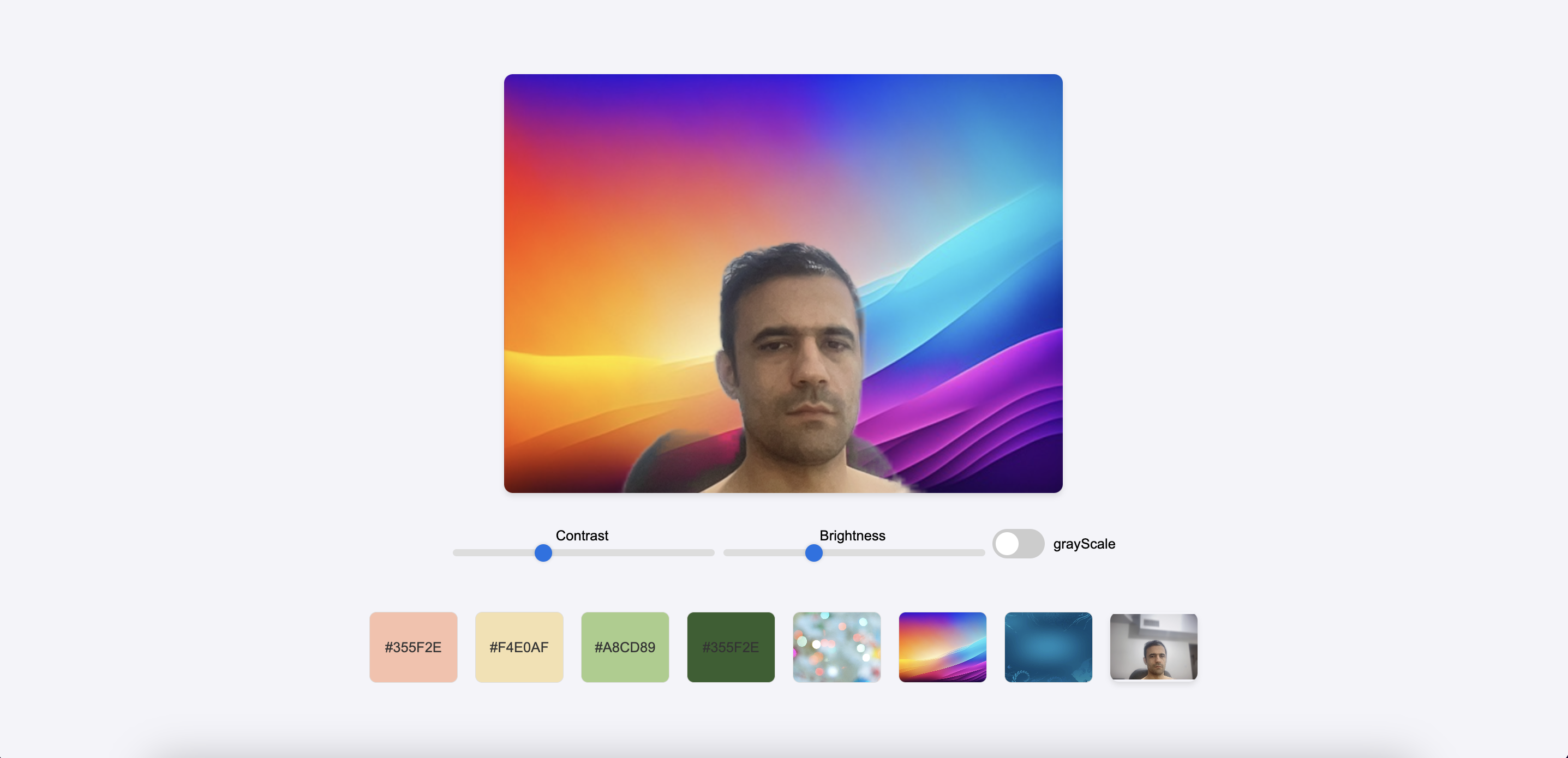
Usage
Importing the Class
import WebrtcBgModifier from 'webrtc-bg-modifier';Example of Usage
// Initialize the WebrtcBgModifier
const bgModifier = new WebrtcBgModifier();

// Set up a WebRTC stream (assuming you already have a stream)
const stream = await navigator.mediaDevices.getUserMedia({ video: true });

// Set the stream and background properties
bgModifier
    .setStream(stream)                // Set the video stream
    .setBrightness(1.5)                // Adjust brightness (default is 1)
    .setContrast(1.2)                  // Adjust contrast (default is 1)
    .setGrayScale(true)                // Apply grayscale effect (default is false)
    .setBackgroundImage('path/to/background.jpg')  // Set background image
    .setBackgroundColor('#FF0000');    // Set background color

// Apply background change to a video element
const outputVideo = document.getElementById('outputVideo');
bgModifier.changeBackground(outputVideo).then((processedStream) => {
    // Processed stream is now available with modified background
    outputVideo.srcObject = processedStream;
});
Methods
setBrightness(value)
Sets the brightness of the video. The default is 1.
value: A number representing the brightness factor (e.g., 1.5 for increased brightness).
setContrast(value)
Sets the contrast of the video. The default is 1.
value: A number representing the contrast factor (e.g., 1.2 for increased contrast).
setGrayScale(value)
Applies a grayscale filter to the video.
value: A boolean indicating whether to apply grayscale (true) or not (false).
setStream(stream)
Sets the WebRTC video stream to modify.
stream: AMediaStreamobject representing the user's video stream.
setBackgroundImage(url)
Sets the background image URL.
url: A string URL pointing to the background image.
setBackgroundColor(color)
Sets the background color.
color: A string representing the color (e.g.,#FF0000).
changeBackground(outputVideo)
Replaces the background in the video stream and sets it to the output video element.
outputVideo: A<video>element where the modified stream will be shown.- Returns: The processed
MediaStreamobject.
backgroundList()
Returns a list of available background options, including both colors and images.
updateVideoTrack(oldStream, newStream)
Replaces the video track of an existing stream with a new video track.
oldStream: The originalMediaStreamobject.newStream: The newMediaStreamobject with the updated video track.
Dependencies
- Selfie Segmentation from MediaPipe.
- Canvas API for video processing and background drawing.
License
MIT License. See LICENSE for more information.