
wechat-miniprogram-dialog
v1.0.2
Published

Maintainers
 simsir
Readme
wechat-miniprogram-dialog

特性
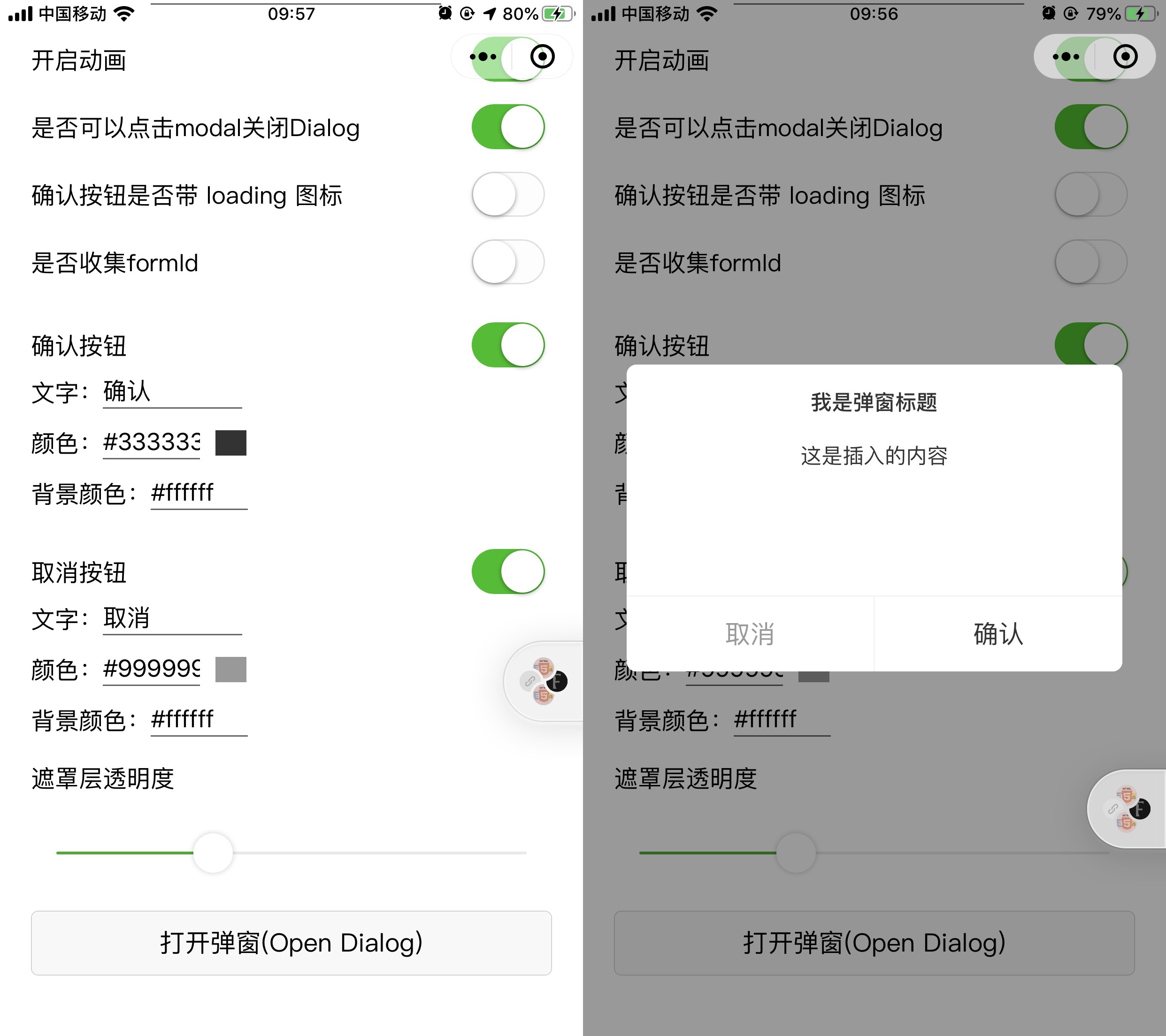
- 仿官方弹窗样式
- 支持调整模态透明度
- 支持获取Formid
- 支持打开微信开放能力功能
下载
git clone https://github.com/simsir-lin/wechat-miniprogram-dialog.gitDEMO
- 打开微信web开发者工具,'本地小程序项目 - 添加项目',项目目录选择为 miniprogram_dev 目录
使用
- 安装
npm install --save wechat-miniprogram-dialog- 每次引入或更新需先执行开发者工具的 npm 构建,微信官方 npm 文档
- 在你的页面json中添加
{
  "usingComponents": {
    "dialog": "wechat-miniprogram-dialog"
  }
}- 在wxml中即可使用组件
<dialog></dialog>调试开发
- 打开微信web开发者工具,'本地小程序项目 - 添加项目',项目目录选择为 miniprogram_dev 目录
- 安装依赖
npm install - 构建命令
npm run dev - 更多帮助信息查看帮助文档
注意
- 小程序基础库版本 2.2.1 或以上、及开发者工具 1.02.1808300 或以上开始
Props
| name | description | type | default value | | :---------------- | :----------------------- | :------ | :------------ | | title | 标题 | String | 提示 | | width | 宽度 | String | 650rpx | | opacity | 模态层的透明度 | Number | 0.4 | | closeOnClickModal | 是否可以通过点击模态层关闭弹窗 | Boolean | false | | animation | 开启动画 | Boolean | true | | confirmText | 确定按钮的文字 | String | 确定 | | cancelText | 取消按钮的文字 | String | 取消 | | confirmColor | 确定按钮的文字颜色 | String | #333333(支持RGBA) | | cancelColor | 取消按钮的文字颜色 | String | #999999(支持RGBA) | | showConfirm | 是否显示确定按钮 | Boolean | true | | showCancel | 是否显示取消按钮 | Boolean | true | | confirmBackgroundColor | 确定按钮背景颜色 | String | #ffffff(支持RGBA) | | cancelBackgroundColor | 取消按钮背景颜色 | String | #ffffff(支持RGBA) | | confirmOpenType | 确定按钮微信开放能力,请参考https://developers.weixin.qq.com/miniprogram/dev/component/button.html | String | | | cancelOpenType | 取消按钮微信开放能力,请参考https://developers.weixin.qq.com/miniprogram/dev/component/button.html | String | | | loading | 确认按钮是否带 loading 图标 | Boolean | true | | gatherFormId | 是否收集formId | Boolean | true | | appParameter | 打开 APP 时,向 APP 传递的参数,-open-type="launchApp"时有效 | String | | | sessionFrom | 会话来源,-open-type="contact"时有效 | String | | | position | 位置,有center、top、bottom | String | center |
events
| name | description | parameters | | :---------------- | :----------------------- | :------ | | open | 当窗口打开 | | | close | 当窗口关闭 | | | cancel | 点击取消 | | | confirm | 点击确认 | | | getFormId | 获取到formid | event.detail.formId | | getuserinfo | 点击按钮时,会返回获取到的用户信息,-open-type="getUserInfo"时有效 | event.detail | | contact | 客服消息回调,-open-type="contact"时有效 | | | getphonenumber | 获取用户手机号回调,-open-type="getPhoneNumber"时有效 | event.detail | | opensetting | 在打开授权设置页后回调,-open-type="openSetting"时有效 | | | launchapp | 打开 APP 成功的回调,*-open-type="launchApp"时有效 | |
贡献
如果你有好的意见或建议,欢迎给我提issue!