
windows-debugger
v1.1.7
Published
Opens a Windows terminal window with a REPL for debugging.

Maintainers
 dinoscape
Readme
Windows Debugger
A lightweight Node.js REPL debugger for Windows that spawns a PowerShell window and connects to your running process for live debugging.
✨ Features
- Windows-only debugger (uses PowerShell)
- Creates a separate REPL session connected to your Node.js process
- Lets you inspect variables, run commands, and evaluate code in real-time
- Provides a configurable default return value when no command is entered
- Automatically sets a custom PowerShell window title for your session
📦 Installation
npm install windows-debugger🚀 Usage
const windowsDebugger = require("windows-debugger");

// Start a debugger session
windowsDebugger({
  title: "MyApp Debugger",
  default: "Nothing entered",
  eval: (code) => eval(code)
});
When called, this will:
- Start a local TCP REPL server.
- Launch a new PowerShell window with the given title.
- Connect the REPL to your running Node.js process.
🛠 Example
const windowsDebugger = require("windows-debugger");

let counter = 0;

setInterval(() => {
  counter++;
  console.log("Counter:", counter);
}, 2000);

windowsDebugger({
  title: "Counter Debugger",
  default: "No input",
  eval: (code) => eval(code)
});
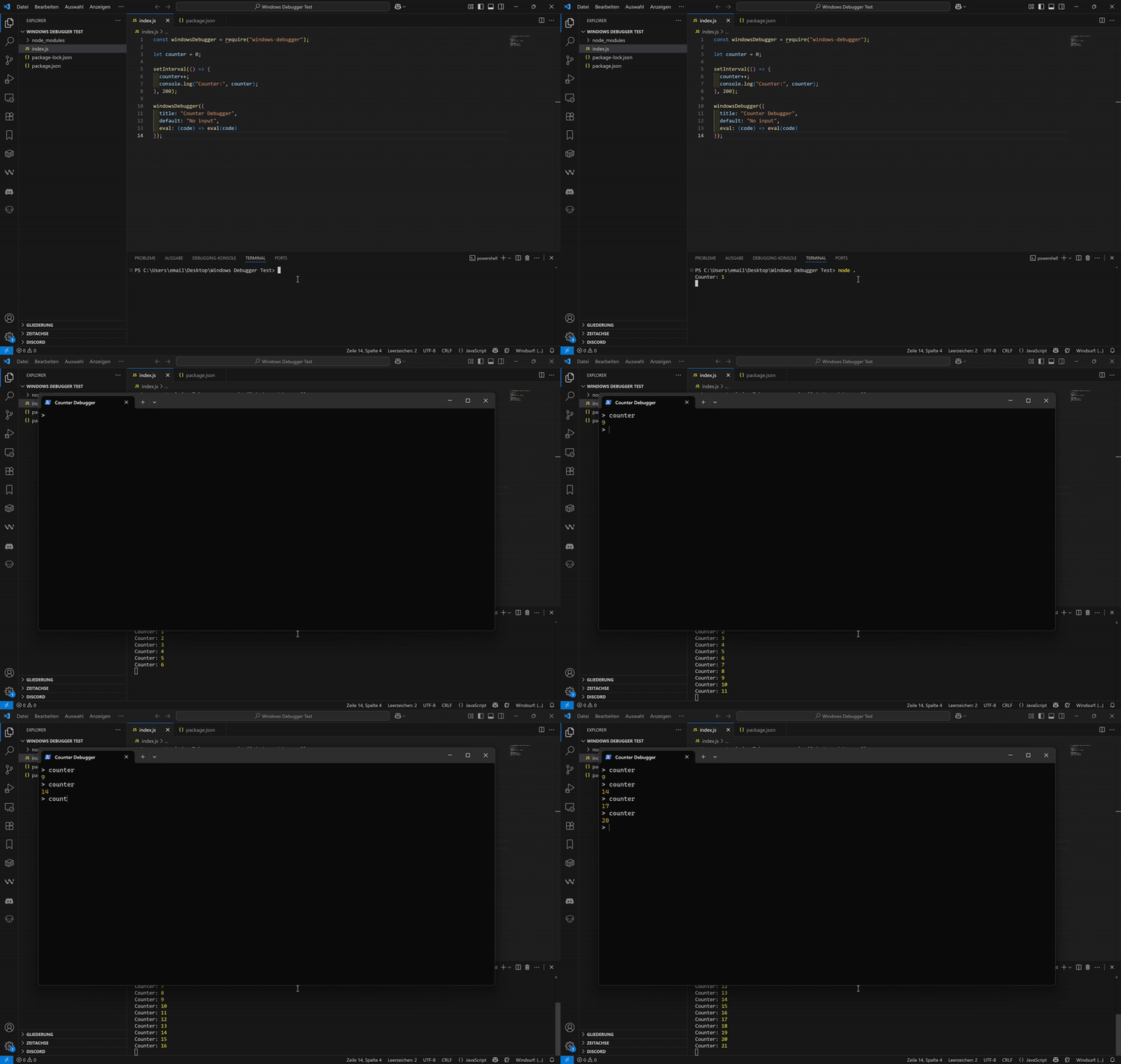
A new PowerShell window will open with the title
Counter Debugger.Inside the window, you can type:
counterAnd see the live value of the
countervariable.
⚠️ Requirements
- Windows only (
process.platform === "win32"is enforced) - Requires PowerShell installed and accessible via
powershell.exe - Works with Node.js v14+ (earlier versions untested)
📖 API
windowsDebugger(options)
| Option | Type | Description |
| ---------- | ---------- | ---------------------------------------------------------------------- |
| title | string | The window title for the PowerShell debugger session. |
| default | any | The default return value when pressing enter without typing a command. |
| eval | Function | An eval function used to evaluate REPL input. |
| password | string | If not provided, a random one-time UUID is generated automatically. |
🔒 Error Handling
- All REPL errors are caught and displayed in the PowerShell session.
- Domain errors are suppressed to avoid crashing the main process.
📝 License
MIT